Contents
0%Hey!
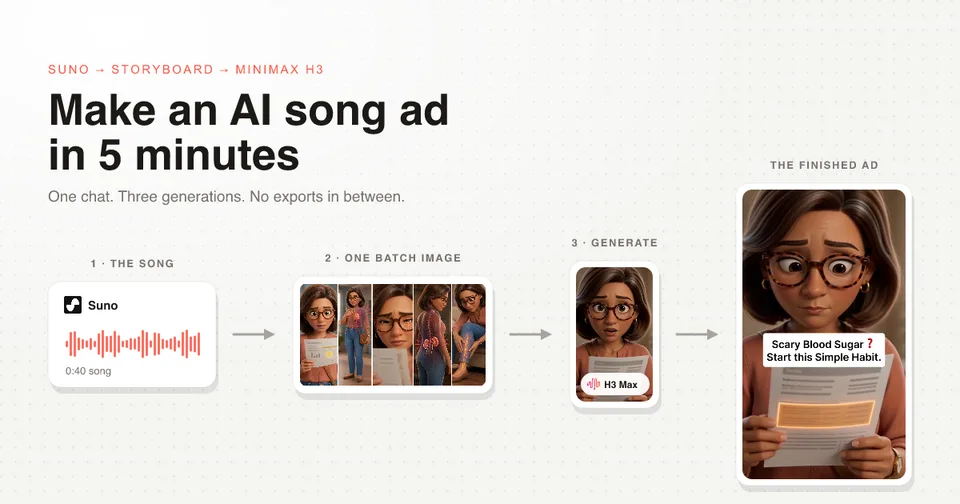
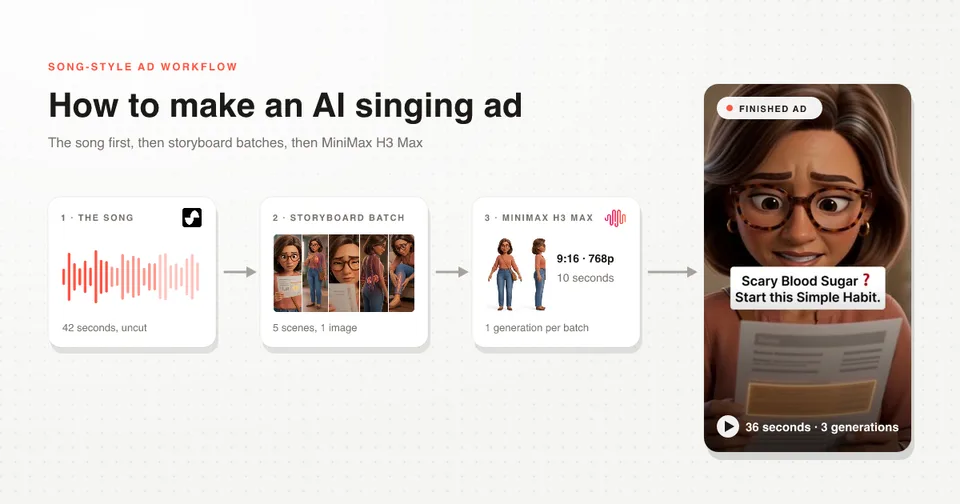
An AI singing ad is a short music video that sells one product, and it is the format the fastest growing brands on Meta are scaling hardest right now. Here is the whole build, from the song to the export.
The finished ad
36 seconds, three generations, one character. It is a real ad for a supplement client of our agency that we have an NDA with, so the product is covered. Everything else is exactly what shipped.
The ad has 11 scenes. The usual way is 11 images and 11 generations. This way is 3 images and 3 generations, because one storyboard image can hold five scenes and MiniMax H3 Max cuts between them inside a single clip.
A song ad only has two kinds of scene
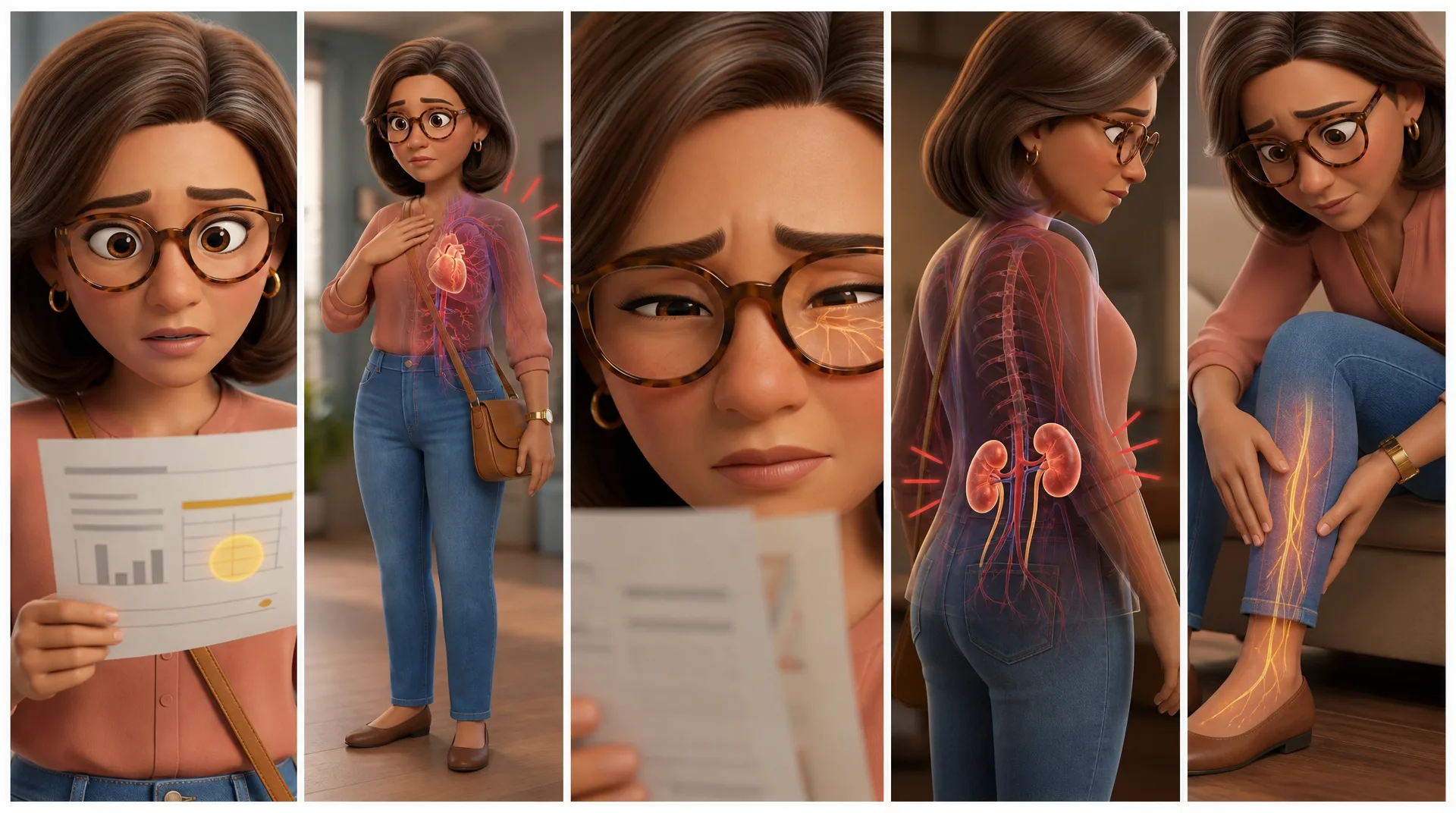
The five panel storyboard canvas for the first batch of an AI singing ad, one singing shot followed by four silent B roll shots
The character sings some of the shots, lip-synced to the song. Everything else is silent B-roll cut to the music.
That mix is what makes the format watchable. A whole ad of a face singing gets boring; a whole ad of B-roll has nobody to care about. In the canvas above, panel one is the singing shot and the four after it are B-roll.
Why the song gets made first
A voiceover can be trimmed and its dead air removed. A song cannot be cut. It is the source of truth for pacing, so it has to exist before anything visual does, and everything after it gets timed against it.
This is the one thing people get backwards. They generate pretty frames, then try to fit a song underneath, and the whole edit fights them.
Step 1: Research how your buyer actually talks
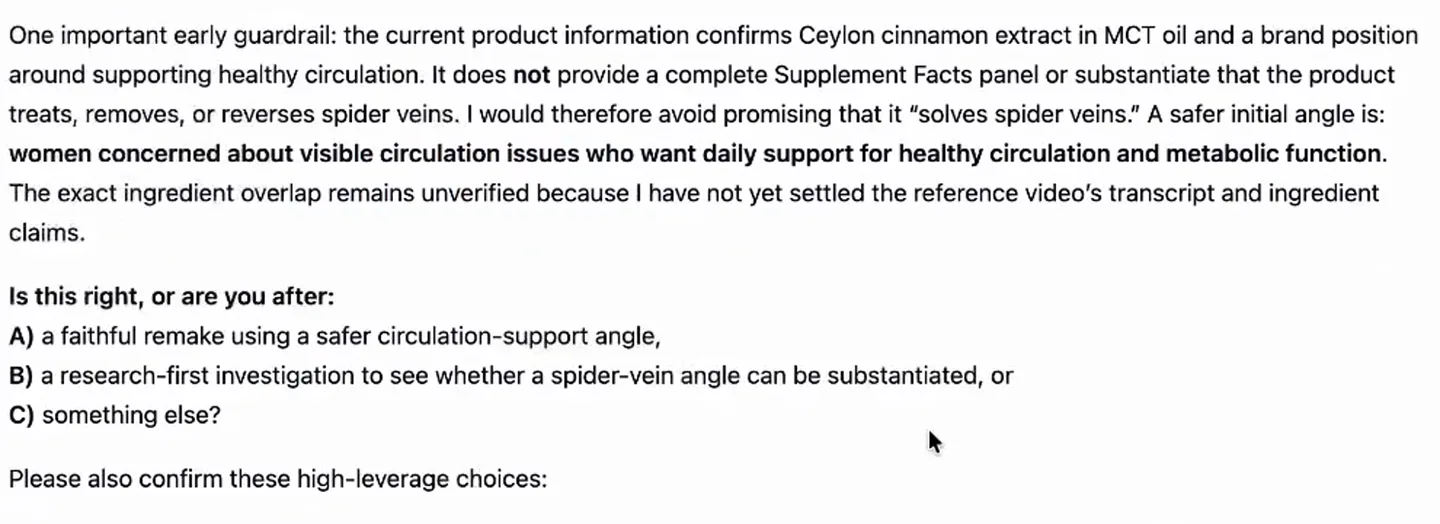
The chat setting a claim guardrail from the research before any script gets written, and asking which angle to take
Reddit first, because it is the biggest gold mine, then YouTube, TikTok, Facebook and Instagram comments under ads in your category.
You want the exact sentences a buyer uses when they complain about the problem your product solves. Those sentences become lyrics, and lyrics are the only copy in a song ad. I run the research inside the chat before a single line gets written, so the agent that writes the script has already read it.
Step 2: Write the script as a document, not a message
The script lives as an editable document in the chat, so I can rewrite a line in place and the agent re-reads it instantly. That sounds small. It is the difference between four script passes and one.
Here is the real opening of the one in the ad above:
[Hook]
That number on your lab report
Is a signal, not a sentence
High blood sugar can harm
Your heart, eyes, kidneys, nerves

[Turn]
You don't want to wait
You want to take action
One simple daily habit
Can bring some peace of mind
Two things to steal from that. The hook states the problem in the buyer's own frame, and the turn arrives before second fifteen.
Step 3: Generate the song in Suno
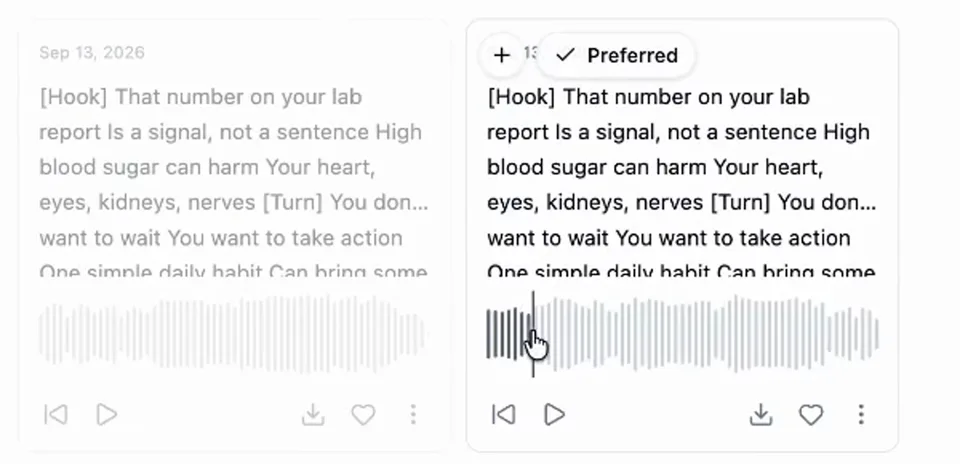
Two Suno song drafts generated inside the chat, with the preferred take marked so every later step uses it
Suno runs inside the chat, so the lyrics go straight from the document into the generation. I take two drafts and mark one as preferred, and from that point every later step uses that exact file.
Style matters as much as lyrics. This one is a calm, warm, mid-tempo vocal; a country ballad or a rap would have produced a completely different ad from the same words.
The whole method on this page is packaged as a skill file for Claude, and it is free. Grab the song-ad skill here and it writes the lyrics, the batches and the generation prompts for you.
Step 4: Lock the character and the product
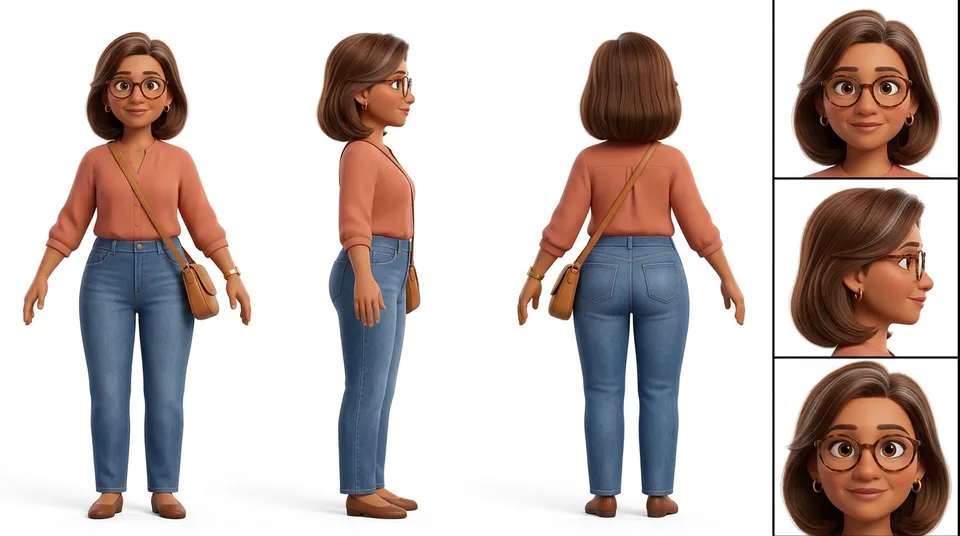
The hero character sheet for the singing ad: front, side and back views plus three face angles on white
Anything that appears more than once gets a reference sheet before a single scene is generated. This is a woman in her forties with tortoiseshell glasses, a terracotta blouse and a silver hair streak, and that sheet is the only reason she has the same face in every shot.
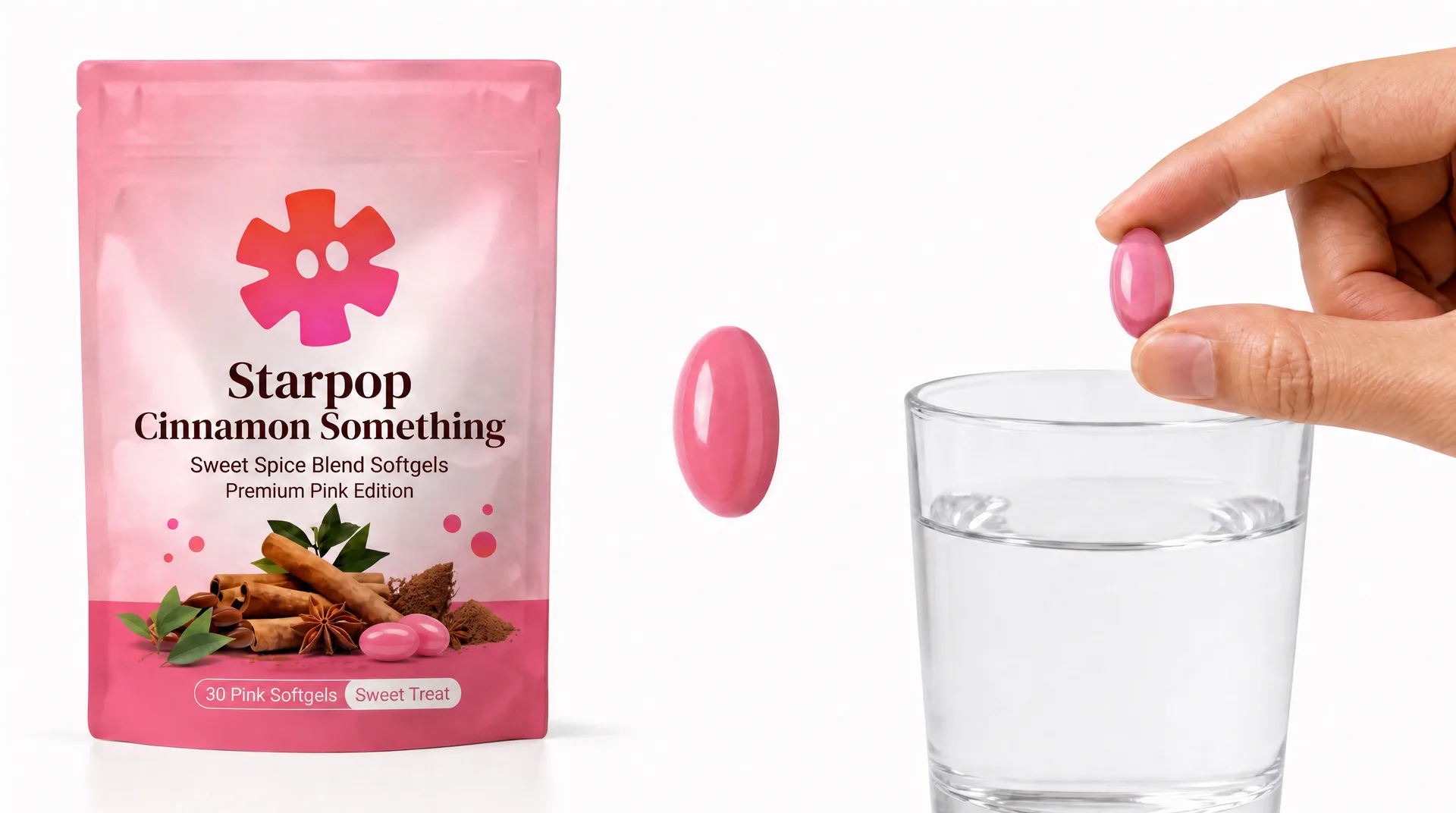
The hero product sheet: the mock pouch, a softgel and a glass of water on white
The product gets the same treatment: one clean sheet on white, with the consumable itself visible, not just the pack. The pouch above is a stand-in built for the video, because the real client product stays under the NDA.
Step 5: Analyze the song so every word has a timestamp
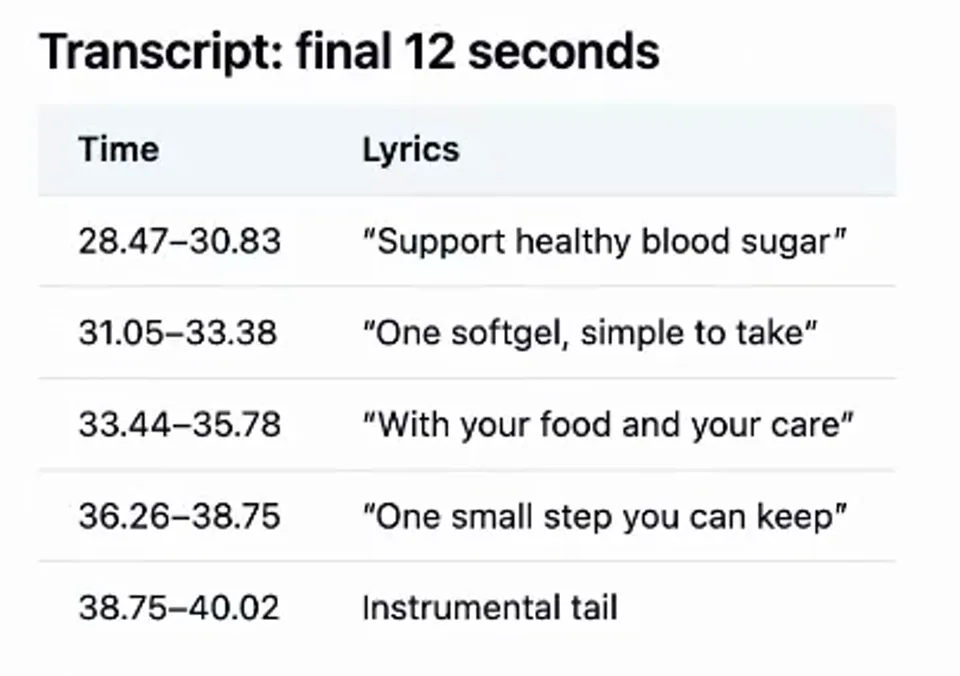
The chat transcribing the generated song and timestamping every lyric line, including the instrumental tail at the end
Before storyboarding, the chat listens to the song and timestamps every word. Without this the storyboard is a guess, and a guess costs you the whole edit.
Look at the last row of that panel. The final lyric lands at 38.75 and the track runs to 40.02, so the song ends on 1.3 seconds of instrumental. That tail is real screen time most people throw away, and there is a better use for it further down.
Step 6: Storyboard in batches, not in scenes
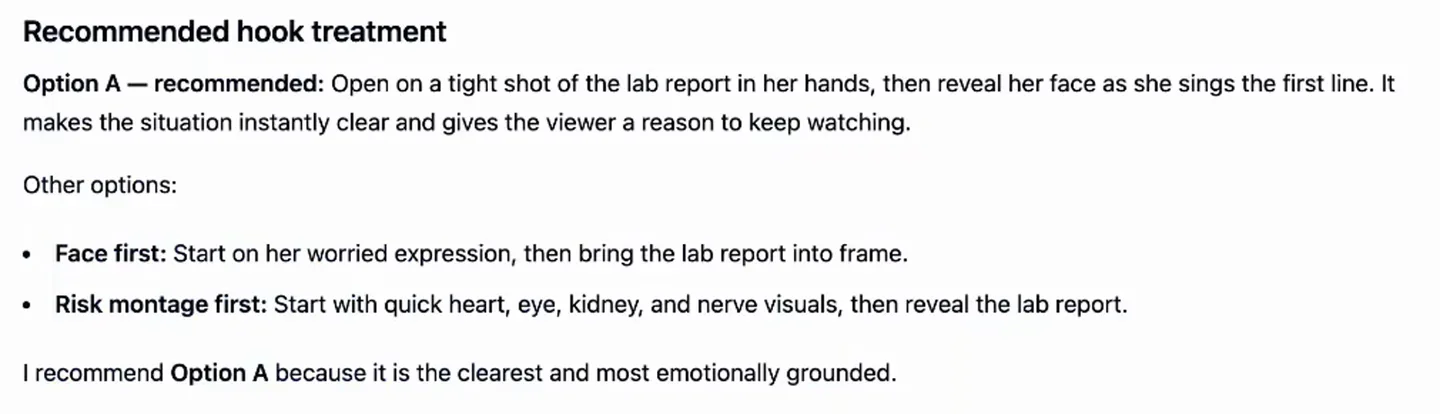
The chat recommending a hook treatment for the singing ad and naming the two alternatives it rejected
It picks the hook treatment first, then turns the timings into a shot table. One row per shot: the lyric, the visual, and how the shot is entered. The first three shots of this one:
| Time | Lyric | Visual |
|---|---|---|
| 0:00 to 0:06.9 | "That number on your lab report / Is a signal, not a sentence" | Tight close-up of her hands holding a lab report, camera rises to her face as she sings. Starts from black on the first musical note |
| 0:07.1 to 0:12.5 | "High blood sugar can harm / Your heart, eyes, kidneys, nerves" | Clean animated health symbols in sequence: heart, eye, kidneys, nerve lines. Cuts rapidly on the musical phrasing |
| 0:13.6 to 0:17.7 | "You don't want to wait / You want to take action" | Back in the kitchen, she folds the report and sets it beside her breakfast |
If you would rather write that table yourself, here is how to storyboard an AI ad by hand.
Then the innovative part: consecutive shots get grouped into batches, and each batch becomes ONE storyboard image holding several scenes side by side. A batch stops the moment it would pass 15 seconds of song, because that is the clip ceiling on MiniMax H3.
Eleven scenes came out as three batches:
- Batch 1, hook and risk sequence. Five panels, 10 seconds.
- Batch 2, action and peace of mind. Two panels, 10 seconds.
- Batch 3, product and daily habit. Four panels, 15 seconds.
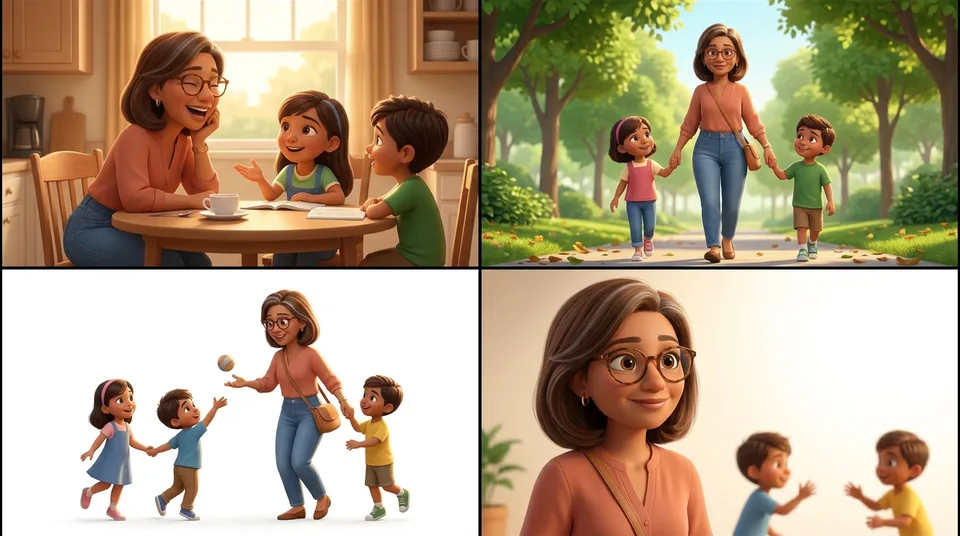
The third storyboard batch canvas, four connected B roll panels of the character with her kids that become one generated clip
The old way was five separate images at five times the cost, more time, and worse results. Batching is cheaper AND better, which almost never happens. When single shots are still the better call is in multi-shot vs single-shot.
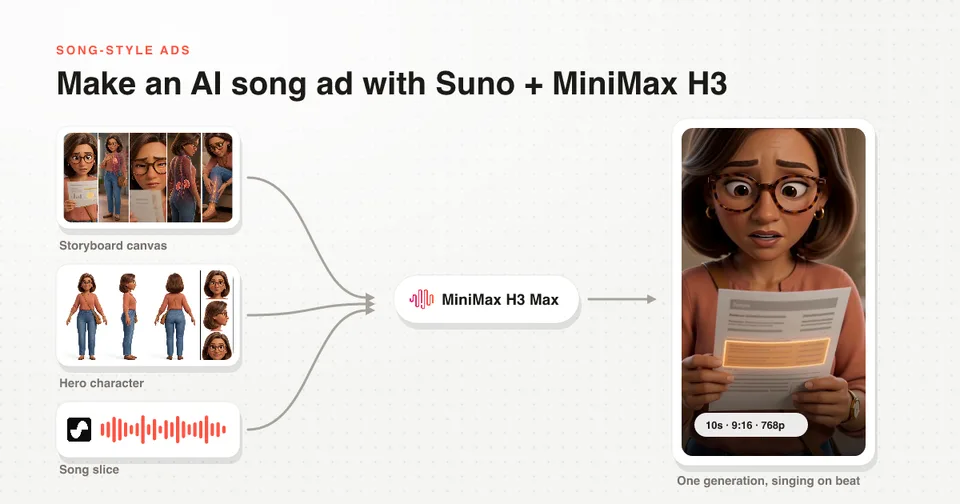
Step 7: Generate with three inputs
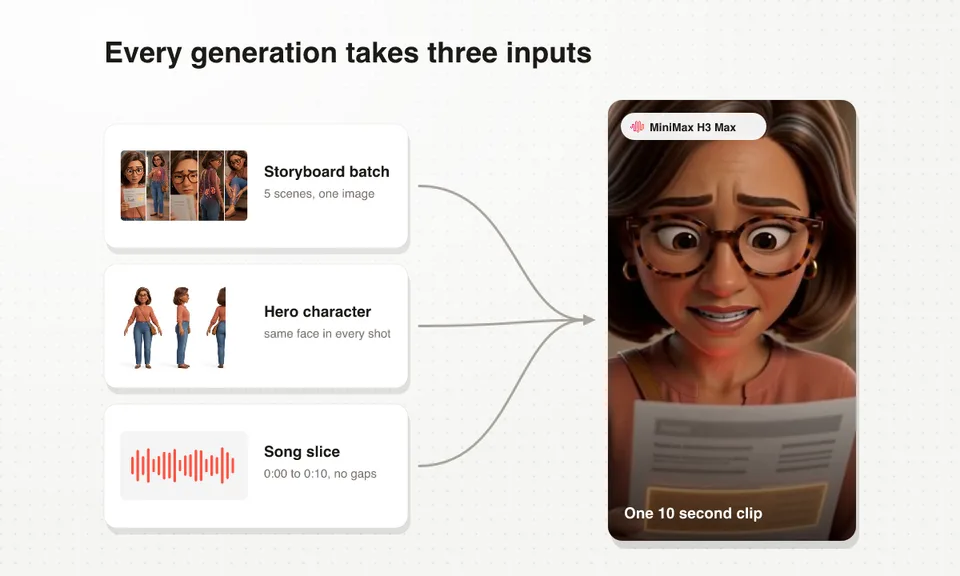
The three inputs behind one MiniMax H3 Max generation: the storyboard batch image, the hero character sheet and the matching song slice
Every generation takes the storyboard batch image, the hero character, and the slice of the song for that batch. That third input is the whole trick.
You cannot get a character singing on beat by writing timestamps into a prompt. The model has to hear the audio. MiniMax H3 Max takes image, audio and video as references, so the song goes in next to the pictures and the mouth lands where the words land.
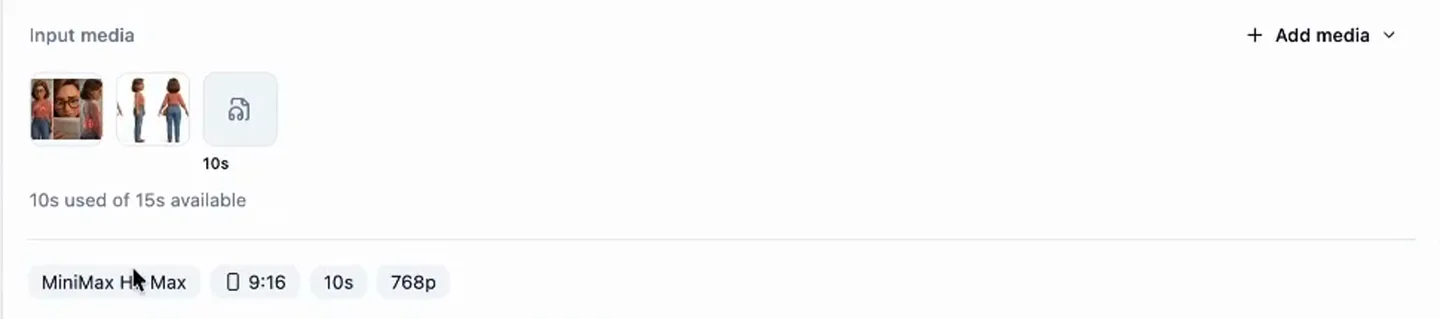
A real MiniMax H3 Max generation set up with a storyboard canvas, a character reference, a ten second audio slice, 9:16 and 768p
Vertical, 768p, 10 seconds of a 15 second budget. The chat slices the song itself, so nothing gets exported to CapCut and re-uploaded halfway through.
This is the real prompt behind batch one, with the client brand name taken out:
Vertical polished 3D feature-animation sequence with five connected visual shots,
using the attached storyboard canvas as the visual guide and the attached song
slice only as the timing source. The first shot is the only on-camera singing
shot; lip-sync the hero character clearly to the attached lyrics. All later shots
are silent visualizations over the song. No added music, no extra dialogue, no
captions, no readable text, no medical labels.

Reference image 1 is the five-panel Batch 1 storyboard canvas, read left to right.
Reference image 2 is the exact recurring hero character. Preserve her exact face,
subtle silver hair streak, tortoiseshell glasses, terracotta blouse, jeans,
jewelry, adult proportions, and family-friendly 3D feature-animation style in
every shot.

Shot 1: Begin on the lab report in the woman's hands, then tilt up to her face as
she sings the opening lines with worried but controlled expression.
Three lines in there do all the work: name which shot sings, say the audio is the timing source, and forbid readable text.
Batch 1 storyboard canvasBatch 1 storyboard canvasThe mouth is on the beat because the model heard the beat. Look at the cuts too: they happen inside the clip, so there is nothing to assemble afterwards.
 Batch 2 storyboard canvas, blurred because it shows the product under NDABatch 2 storyboard canvas, blurred because it shows the product under NDA
Under the blur it is the same face, same blouse, same glasses, in a different room. That is the character sheet paying for itself across a batch boundary.
Batch 3 storyboard canvasBatch 3 storyboard canvas15 seconds is the ceiling on one generation, so this batch is as long as a batch can get. Every clip lands in seconds rather than minutes, which is why I generate two candidates for every batch and keep the better one.
Tip 1: never leave a gap between slices
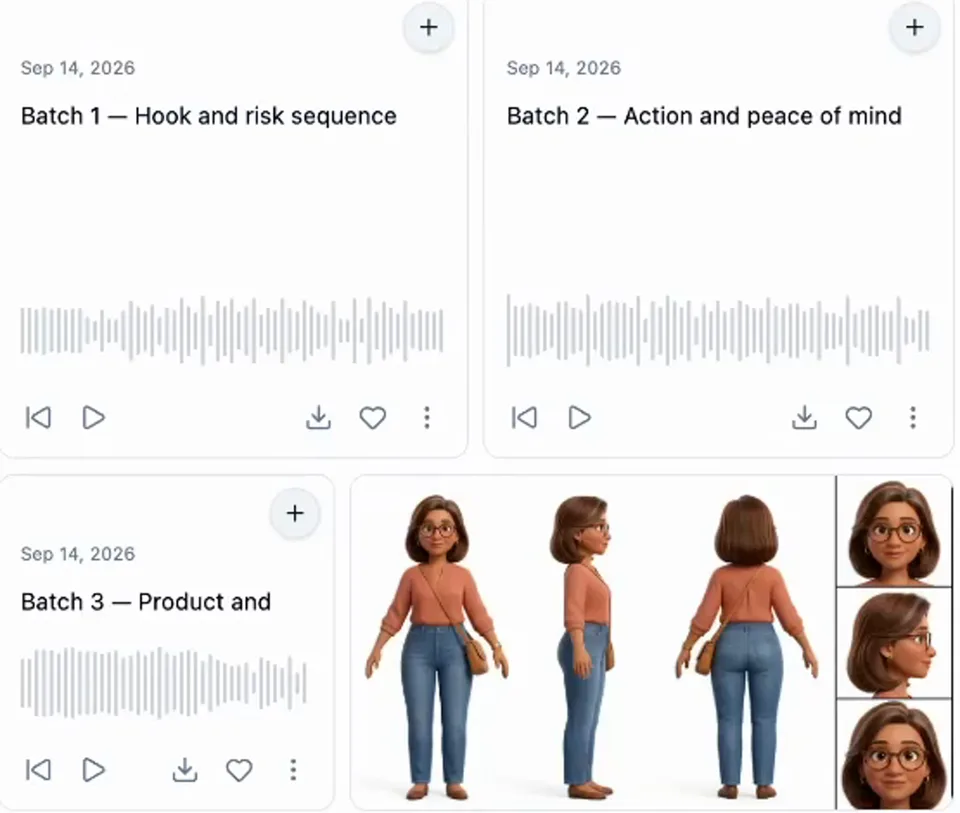
The three song slices sitting in the chat library, one per storyboard batch, cut back to back with no gaps
The slices have to be continuous. Slice one ends exactly where slice two begins, instrumental passages included, all the way to the end of the track.
Skip a quiet bar because it looks empty and your visuals drift off the beat for the rest of the ad. I got this wrong on the ad above and paid for it with speed nudges in the edit.
Tip 2: fill the instrumental tail with an end screen
Hero product sheetHero product sheetSongs almost always end on three to five seconds of instrumental. You can cut it, but that closing chapter feeling is satisfying and it is free attention, so I fill it with a fast product shot generated from the product sheet.
Add a headline over it with one unique selling point and it earns its keep twice. I picked this up from Kristian Jennings, who has a full video on end cards worth watching.
Step 8: the edit is the short part
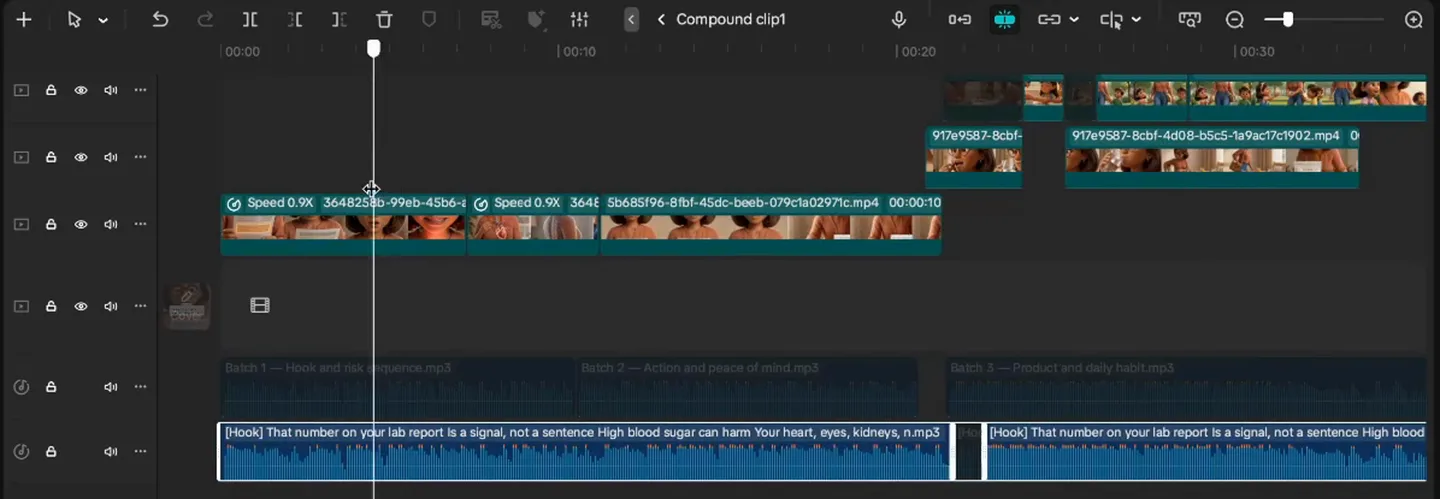
The CapCut timeline of the singing ad: the full song uncut on the bottom track, the three song slices above it, the generated clips muted on top
The layer order is the whole edit. The full song, uncut, sits on the bottom track. Every generated clip goes on top with its audio muted, and nothing in the audio ever gets cut.
MiniMax generates native sound with every clip and it is genuinely good, but in a song ad it is noise. Mute all of it.
Drop the full song on the bottom and lay the clips on top
In order, muted. They already run at the right length because they were generated against their own slice.
Add a title hook on the first frame
One line. Mine reads "Scary blood sugar? Start this simple habit."
Generate the captions from the lyrics
CapCut has Captions then Auto lyrics, which reads a song properly instead of treating it as speech.
Nudge the speed where a slice landed early
Mine went to 0.9x in two places. The lip-sync survives small nudges.
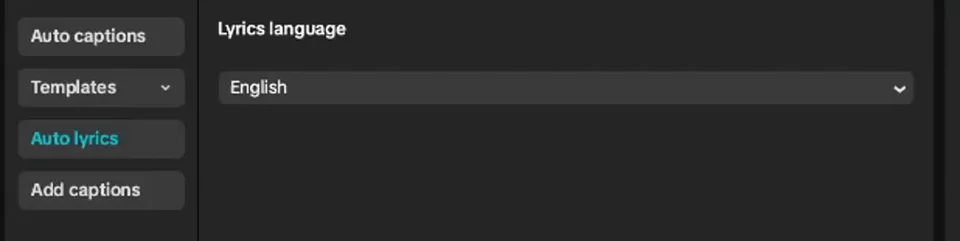
The CapCut captions panel set to Auto lyrics, the option that reads a song instead of treating it as speech
Auto lyrics only covers English. For any other language, paste your lyrics into my free song caption generator and it returns an SRT that is actually paced to the audio.
What the whole thing costs you in generations
| The old way | Batched | |
|---|---|---|
| Storyboard images | 11 | 3 |
| Video generations | 11 | 3 |
| Transitions built in the edit | 10 | 0 |
A 36 second ad is three generations. A three minute song ad, which is a normal length for this format, is roughly fifteen, and the method does not change at all; the batch table just gets longer.
MiniMax H3 Max also lands a clip in seconds where Seedance 2.0 took minutes, and it runs about 4 times cheaper per second at fal list prices in September 2026. That is what makes generating two candidates per batch a habit instead of a luxury.
Batching, slicing, the lip-sync rule and the prompt skeleton are all in the skill file. Download it free on the song ads page.
FAQ
How long does it take to make an AI singing ad?
An afternoon for the first one and about an hour once the character and product sheets exist. The song is the only step you wait on; the three generations land in seconds each.
Which AI model makes a character sing?
MiniMax H3 Max, because it accepts audio as a reference alongside the images. The character lip-syncs to the actual file rather than to a timestamp you typed, which is why it stays on beat. See the song ad examples for four more running right now.
Can I use my own song instead of an AI one?
Yes. The workflow only cares that the song exists before the visuals and that you can slice it. Everything from step 5 onward is identical.
How long should a song‑style ad be?
The ones scaling on Meta run two to five minutes, and some go to nine. The 36 second version here is a short example, and 8-figure brands are running the long ones. For the long ones a lot of people are talking about, see Resilia ads.
Do I need a video editor?
Something with layers and captions. CapCut is free and the edit is the short part of the job; the full edit is here.
Next Steps
Pick one product, write eight lines in your buyer's own words, and generate the song before you generate a single frame. Everything after that is timed to it.
Then read the ones already working:
- Four song ads scaling on Meta right now, broken down one by one
- How 8-figure brands scale with the format, straight from their ad accounts
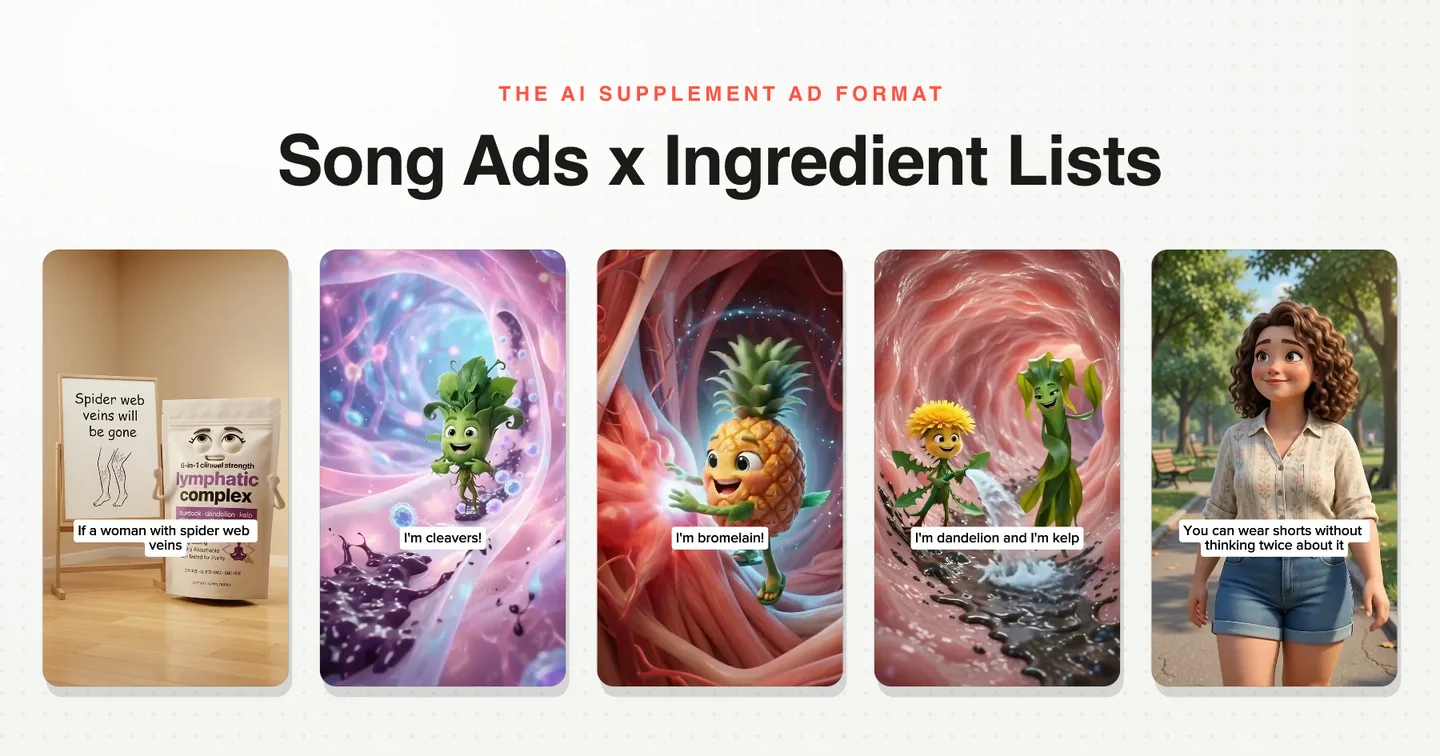
- The sung ingredient list crossover, the best version of this for supplements
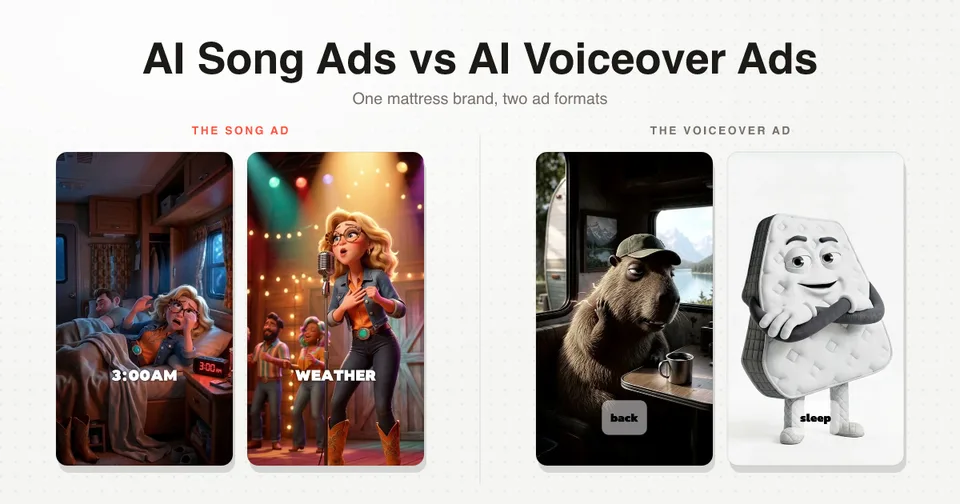
- The mattress ad we made and what it returned
- Nine song ads worth stealing from, and song ads against voiceover ads if you are picking a format
- The song side on its own in Suno and MiniMax H3, the edit on its own in CapCut, and the earlier rap ad walkthrough where this all started
Every step above happens in one chat in Starpop: the research, the script documents, Suno, the audio analysis, the slicing, the storyboard batches and both MiniMax H3 models. Make a song ad in Starpop, or see the five minute version.