Contents
0%Hey!
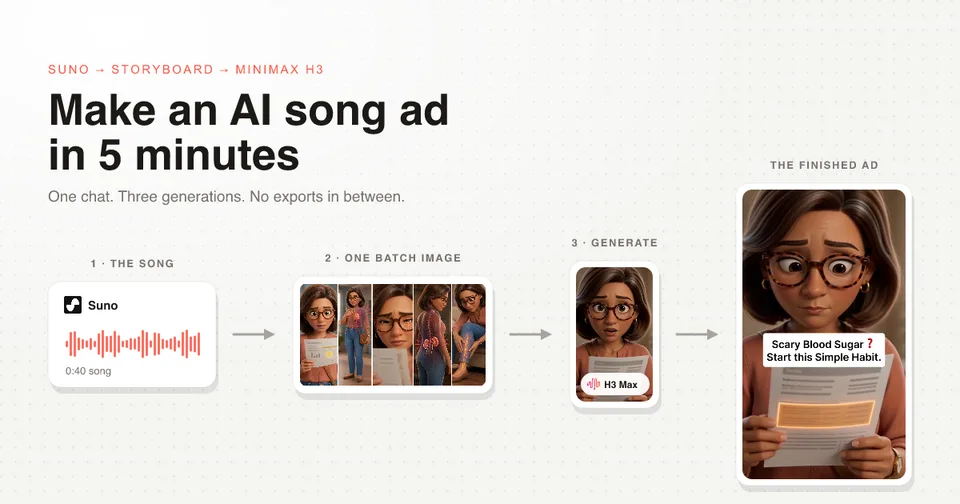
This 36 second singing ad is three AI generations and one chat. No exports, no re-uploads, no second tool until the edit.
The finished ad, and what went into it
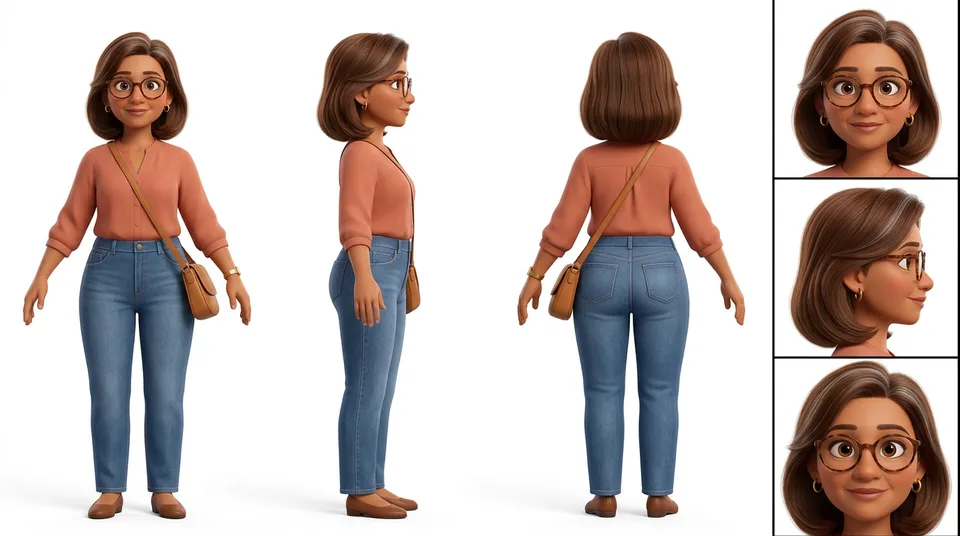 Hero character sheetHero character sheet
The product is covered because the client is under NDA, but nothing else is hidden. It is a supplement, the persona is a woman in her 40s reading a lab result, and the song carries the entire story.
Thirty six seconds is short for the format. Most song-style ads run 2 to 5 minutes, sometimes 9. The script gets longer, the number of batches goes up, and every step below stays identical.
Where the five minutes actually go
| Step | What happens | Your part |
|---|---|---|
| Research | The chat reads Reddit, YouTube, TikTok and ad comments | One prompt |
| Script | Written as an editable document in the chat | The redline |
| Song | Suno generates it in the same thread | Pick a take |
| Canonical references | Character and product sheets get locked | Approve |
| Audio analysis | Every word gets a timestamp | Nothing |
| Storyboard | Shots grouped into batches, one image per batch | Approve |
| Slicing | The song is cut into batch slices with no gaps | Nothing |
| Generation | Three clips on MiniMax H3 Max | Click generate |
Be honest about which minutes those are. The script is where the hours go, and that is the part worth the hours. Once the song and the storyboard are approved, producing the ad itself is three generations, and H3 Max returns a 5 second 768p clip in under 3 seconds.
That is the real change. The expensive part of making an ad used to be the render queue. Now it is the thinking.
Everything lives in one chat
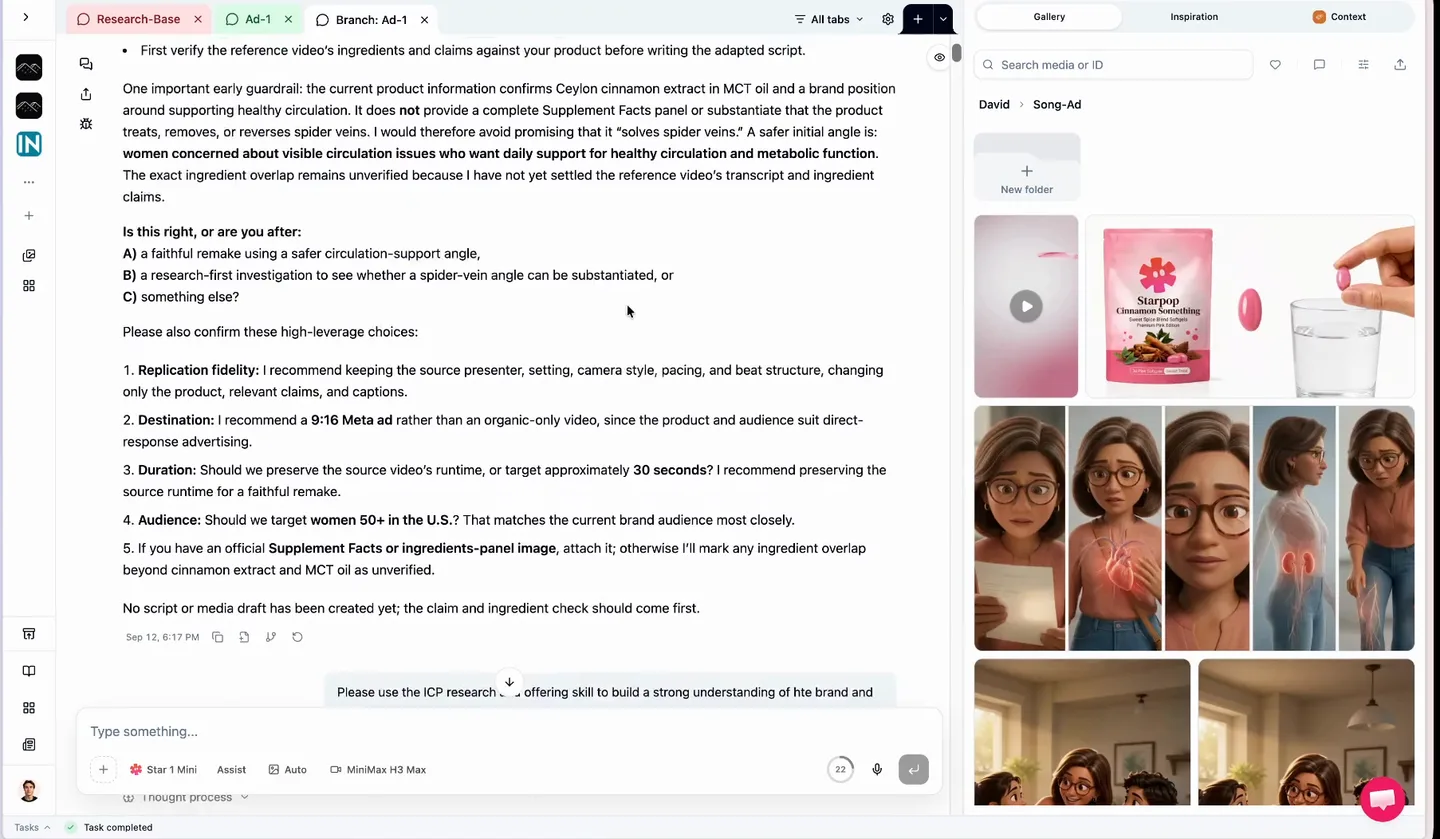
The Starpop chat with the ad thread on the left and every generated song, character and scene in the media gallery on the right
This is Starpop. The tabs across the top are the research thread and the ad build, the rail on the right is every asset the chat has produced so far, and the inspiration library holds the song ads I keep as reference.
Nothing in this post leaves that screen until the edit.
The same method is packaged as a skill file you can drop into Claude. Get the free song-ad skill for Claude.
Step 1: research runs before a single lyric
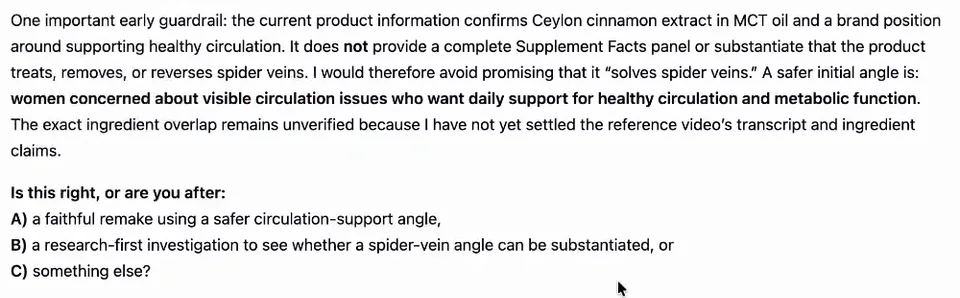
The chat refusing to overclaim on the product and asking which angle to take before it writes any script
Reddit is the biggest gold mine, then YouTube, TikTok and the comment sections under Facebook and Instagram ads. The chat collects all of it first, so the script gets built on the words customers actually use.
Look at what it did with the claims here. It found the product information supported healthy circulation but did not substantiate a stronger promise, refused to write the bigger claim, and made me pick an angle instead.
Step 2: the song comes first, from Suno, in the same thread
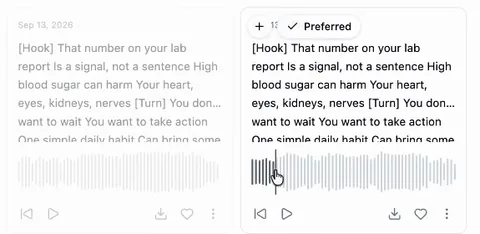
Two Suno song drafts in the chat with their lyrics and waveforms, one marked as preferred
Suno is generated inside the chat, so the track exists before any visual does. You have to make the song first, because the song is the source of truth for pacing.
A song cannot be cut. Every timing decision after this point is measured against the track, so storyboarding before the song exists means guessing at numbers you will throw away.
Step 3: lock the character and the product
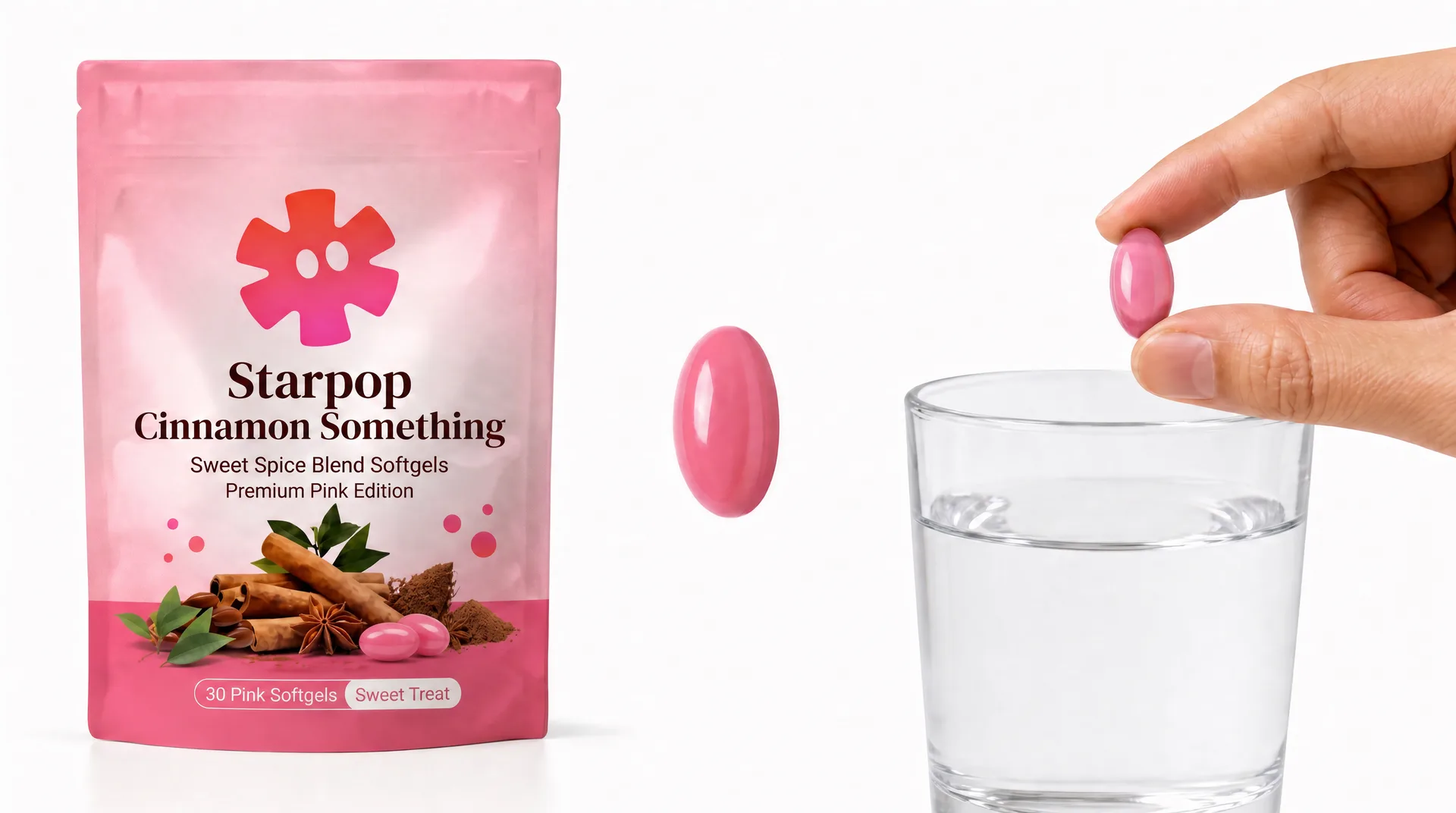
The canonical product reference sheet: the mock pouch and the softgel shot on white
Two reference sheets get built and locked: the character (the one at the top of this post) and the product above. From here they go into every single generation, which is why the same woman in the same glasses shows up in every clip.
This is a built-in skill, not a prompt you write. You approve the sheet and it becomes a fixed input.
Step 4: the chat timestamps every word of the song
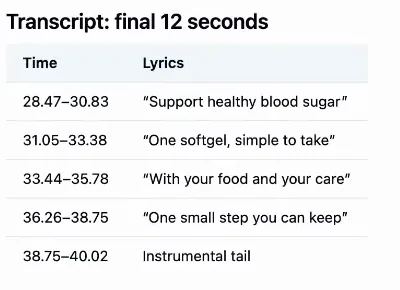
The audio analysis output, a table of lyric lines with exact start and end times in seconds
Before it storyboards, the chat analyzes the audio and writes down when every line lands. Our track came back at about 40 seconds, with the closing lines timed to two decimal places and an instrumental tail at the end.
Without this the storyboard timings are invented. With it, every shot is pinned to a real moment in the song.
Step 5: the storyboard is a table, not a vibe
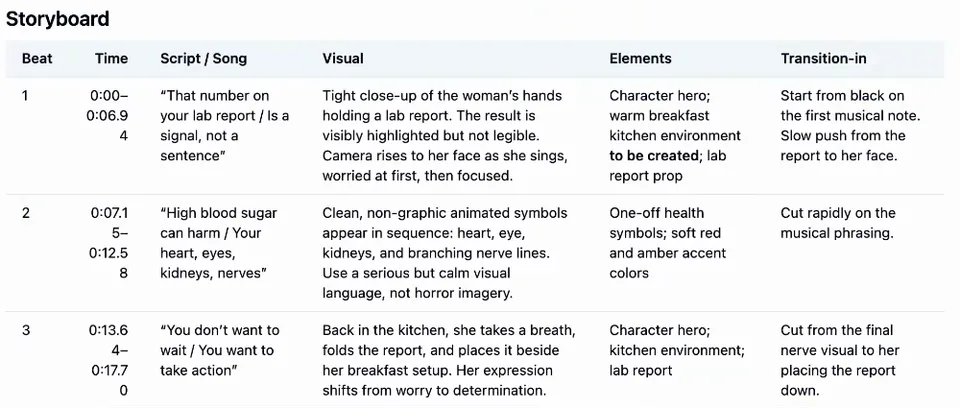
The storyboard table with a row per shot: time window, lyric, visual, hero elements and transition in
Every shot gets a row: the time window, the lyric it sits under, the visual, which hero elements appear, and how the cut comes in. Shot 2 specifies "cut rapidly on the musical phrasing", which is an instruction that only exists because the timings are real.
This table is the entire plan. Read it once and you know exactly what the ad is. When I build that table by hand, this is how I storyboard an AI ad.
Every rule in this post lives in the skill file. Get the free song-ad skill for Claude.
Step 6: one image per batch, not one image per scene
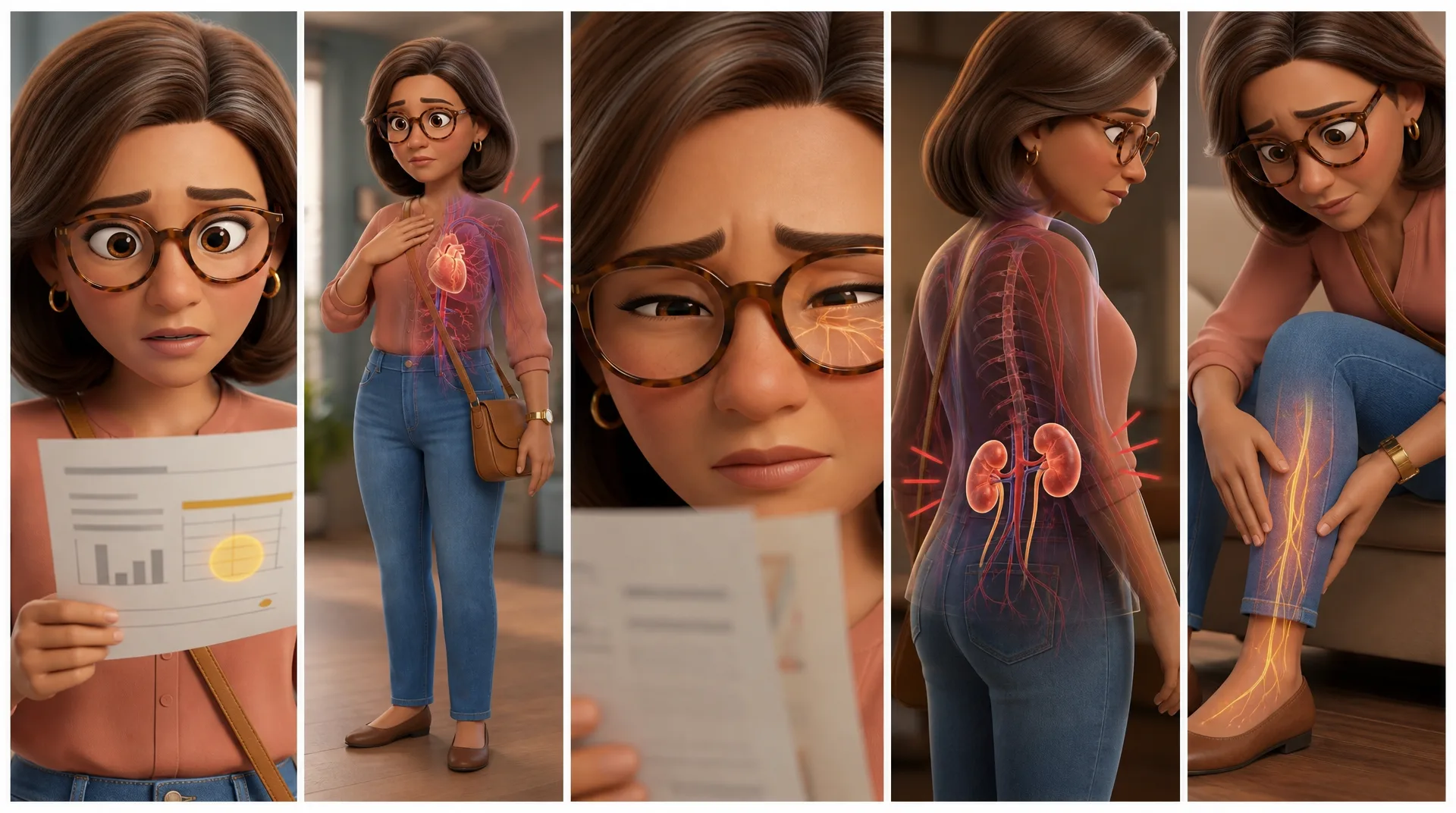
Storyboard batch 1: five panels in one image
Batch 1 canvasBatch 1 canvasThis is the part that changed the workflow. Shots get grouped into batches, each batch becomes one storyboard image holding several scenes side by side, and a single generation transitions between them.
The old way was five separate images and five separate generations. That cost five times more, took much longer, and in my testing it produced worse results than this does. The trade-offs, and when I still use single shots, are in multi-shot AI video generation.
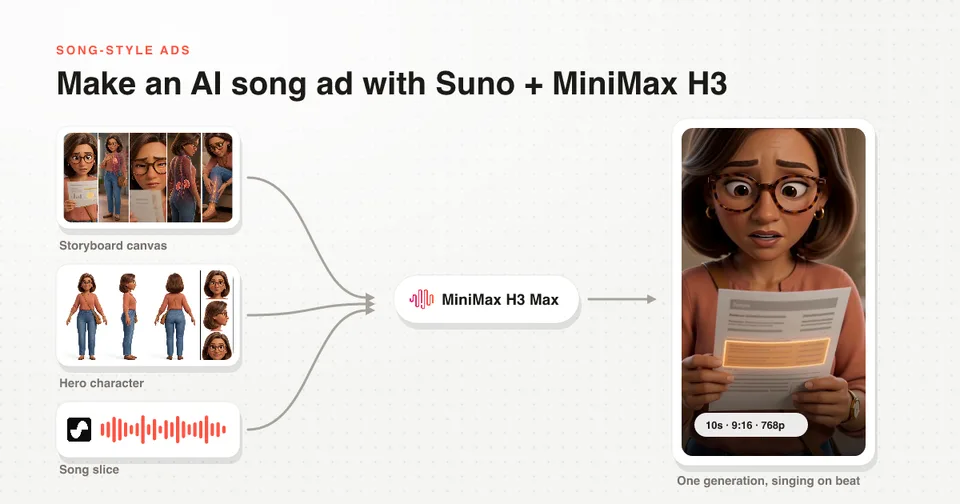
Step 7: three inputs, and one of them is the song
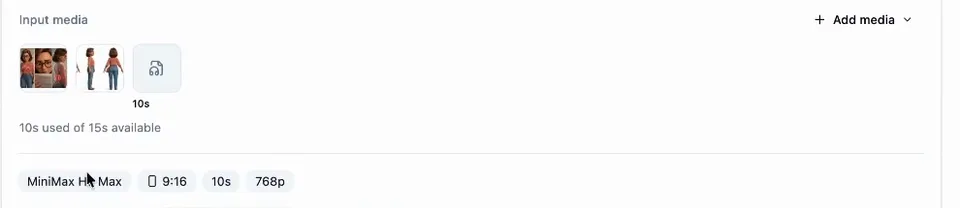
The generation card showing three inputs, the storyboard canvas, the hero character and a 10 second song slice, set to MiniMax H3 Max at 9:16 and 768p
Every generation takes exactly three things: the storyboard canvas, the hero character, and the slice of song covering those shots. Settings are MiniMax H3 Max, 9:16, 10 seconds, 768p, with a 15 second ceiling per clip.
The character lip-syncs because the song is an input, not because a timestamp was typed into a prompt. That is the only reliable way to land a mouth on the beat.
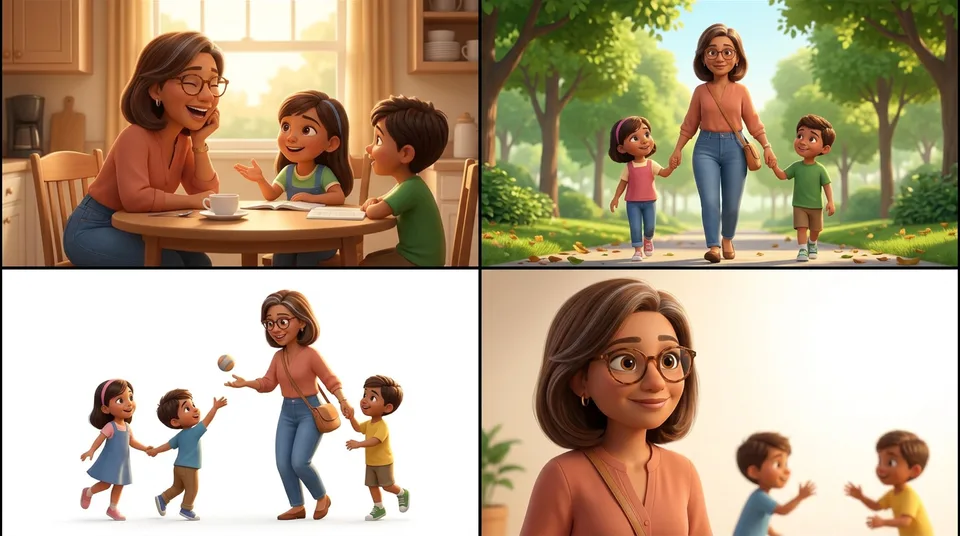
Storyboard batch 3: four panels in one image
Batch 3 canvasBatch 3 canvasThe middle batch is the product shot, and it stays out of this post because of the NDA. It was built exactly the same way.
H3 Max is also what makes this worth doing at volume. At fal list prices in September 2026 it runs roughly 4 times cheaper per second than Seedance 2.0, and it comes back in seconds rather than minutes.
Step 8: the chat slices the song, with no gaps
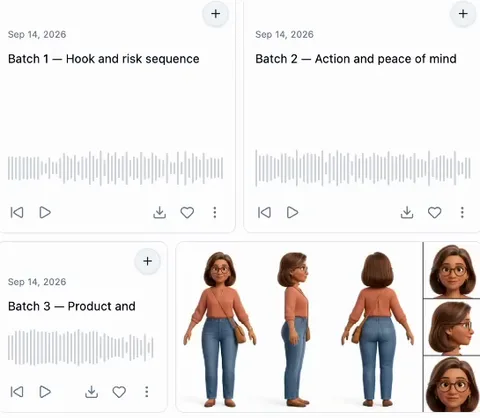
Batch 1, batch 2 and batch 3 song slices in the media rail, each with its own waveform, beside the locked character sheet
Batch 1, batch 2, batch 3. The chat cuts the track itself and hands each generation its own slice. No exporting the song, no slicing it in a video editor, no re-uploading anything.
Slices have to be continuous, with no gaps between them, and every instrumental second has to stay in. A song cannot be cut. Drop a silent bar to tighten things up and the pacing of the whole ad collapses.
Step 9: an end screen for the instrumental tail
Hero product sheetHero product sheetSongs almost always end on 3 to 5 seconds of instrumental. You can cut it, but landing the song properly is far more satisfying, so fill the tail with a fast hypermotion shot of the product and a headline carrying your selling point.
I picked this up from Kristian Jennings, who has a full video on building end cards. It is one generation off a single product image.
What still happens outside the chat
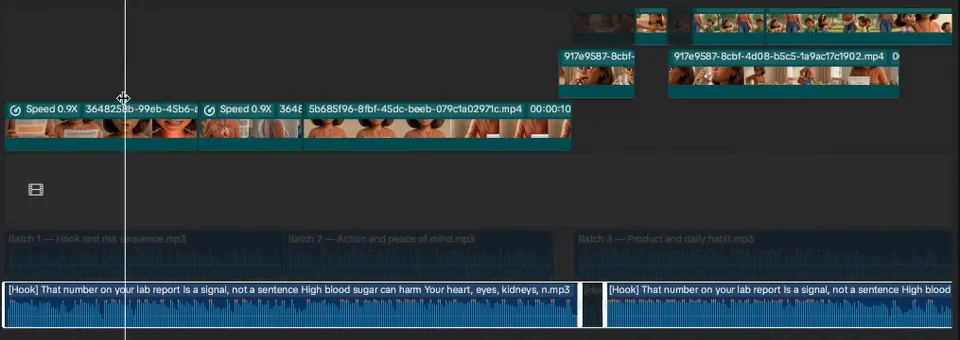
The CapCut timeline with the three batch song slices laid end to end above the full uncut song and the muted video clips on top
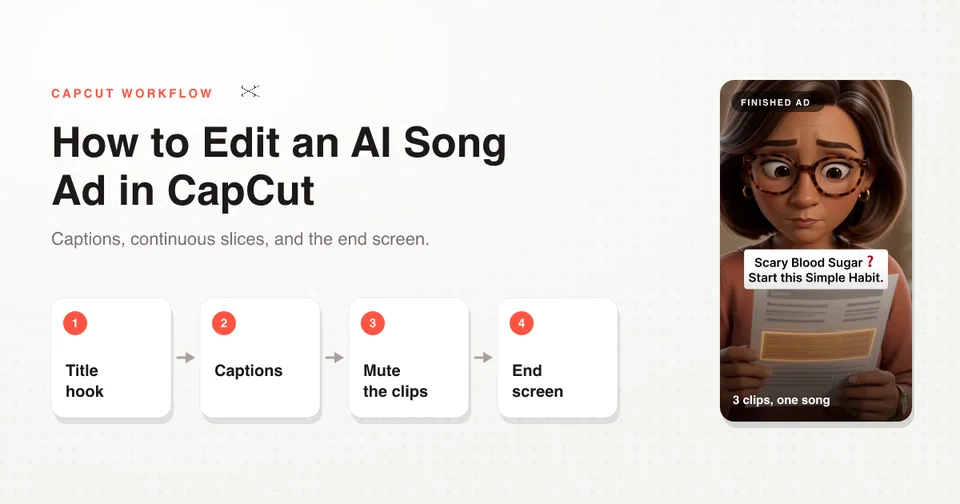
The edit. You pull the clips into CapCut, add the title hook, generate the lyric captions, mute every generated clip, and lay the full uncut song underneath everything.
You can see the three batch slices sitting end to end on that timeline with no gap between them. That is the slicing rule paying off, and the whole edit has its own walkthrough: how to edit an AI song ad in CapCut.
Everything before the edit, from the first research prompt to the end screen, happens in one chat in Starpop.
FAQ
Does Starpop generate the music? Yes. Suno is built into the chat, so the song gets made in the same thread as the script, the characters and the video.
Which video model makes the character sing? MiniMax H3 Max, at 9:16 and 768p. It takes image, audio and video as inputs, and passing the song slice in as audio is what puts the lip-sync on the beat. Both MiniMax H3 and H3 Max are available in Starpop.
Can I bring my own character or my own song? Yes to both. The character sheet is a locked reference image, and a track you already own works as the audio input in place of a generated one.
How many generations does a song ad take? This one took three, plus a fourth for the end screen, across 36 seconds. A 3 minute song ad is the same method with more batches.
Is the skill file actually free? Yes. Get the free song-ad skill for Claude and run the workflow in whichever tool you prefer.
Next Steps
Start with the song. It is the one step that has to come first, and once it exists the rest of the build is mechanical.
- The full method, end to end: how to make an AI singing ad with MiniMax H3
- The lip-sync detail: how to make an AI song-style ad with Suno and MiniMax H3
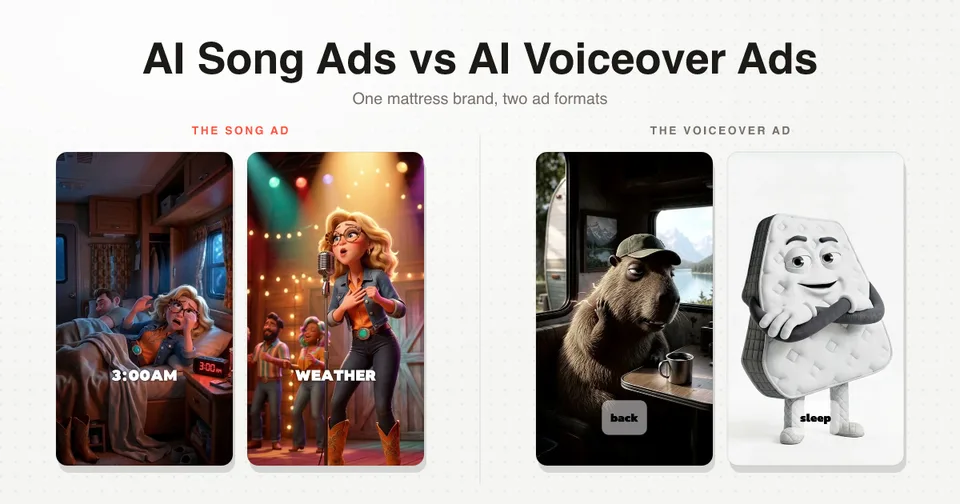
- What these do on Meta: the mattress ad case study
- The earlier version of this workflow: AI song ads the easy way