Contents
0%Hey!
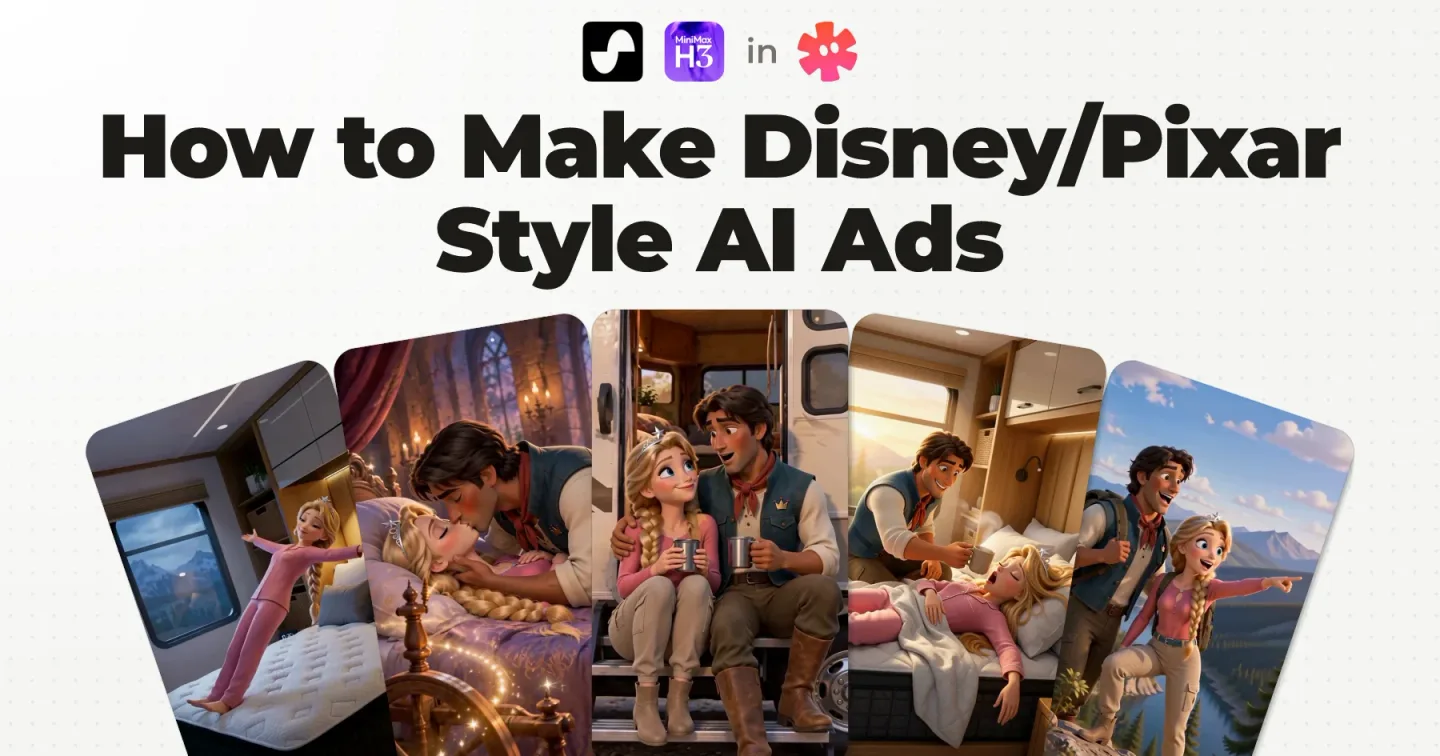
Most tutorials for Disney/Pixar style AI ads show you two steps: make the images, then animate them. This is the full workflow behind a real song ad, including the step I do before I generate a single scene.
The Disney/Pixar style AI ad this workflow made
An ad of about 75 seconds, made for a client of our agency, an RV mattress brand: a Sleeping Beauty parody. A prince sings about his honeymoon in an RV, and about a mattress so comfortable that true love's kiss cannot wake the princess anymore.
Structurally it is an AI song ad. For nearly a minute it is B-roll cut to a song, and then the princess walks in and closes the ad talking to camera. The plan was no lip sync at all in the song part, and the prince ended up mouthing a few sung lines anyway (more on that in step 5).
By Disney/Pixar style I mean polished 3D storybook animation: expressive feature film characters and warm cinematic light.
How to make Disney/Pixar style AI ads: the whole workflow
To make a Disney/Pixar style AI ad, make the song or voiceover first, lock your characters and product, storyboard the script line by line, then generate the clips and lay them over the song. The storyboard is the step most tutorials skip, and it matters most.
- Song or voiceover first. It is the source of truth for pacing: it decides when everything happens.
- Hero elements. One reference sheet per character, and one for the product.
- Script storyboard. One clear visual for every line of the script, reviewed by hand, line by line.
- Canvas or start frames. One image that holds several shots, or one start frame per shot.
- Generation. The canvas or the start frame becomes a clip on MiniMax H3 Max.
- Edit. The song stays in one piece and the clips go on top.
Steps 4 and 5 are the two that every tutorial shows. Step 3 is the one that gets skipped, and I had to learn it the hard way.
In the diagram, the Starpop mark sits on the steps the agent handles for me. The pencil marks the two that stay in my hands: reviewing the storyboard, and the edit.
What you need: a finished script for your product, a song generator, an image model, a video model that takes reference images and audio, and an editor with layers. For this ad, the song, the character sheets, the canvases and the clips were all made in Starpop.
The Disney/Pixar skill from the video is a free skill file for Claude. Grab the Disney/Pixar skill here and your agent starts with the style rules built in.
Pixar style AI ads are everywhere right now
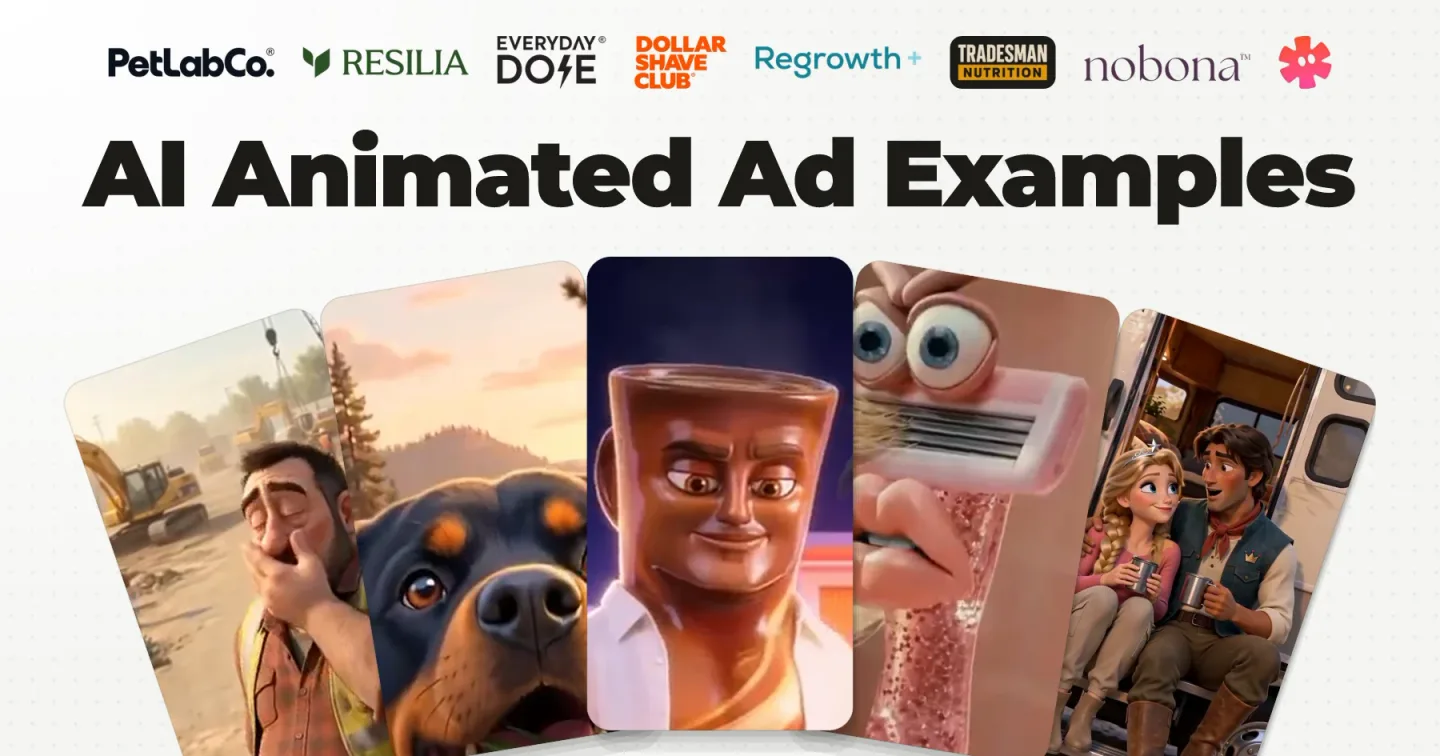
Open any ad library and the look people search for as AI Pixar ads keeps coming back, from coffee to pet care to supplements. Here are three examples, saved from brands' ad accounts in early October 2026.


A lot of people in E‑commerce are talking about Resilia's singing ads, which mostly use this style.
Alex Cooper on X, September 2026
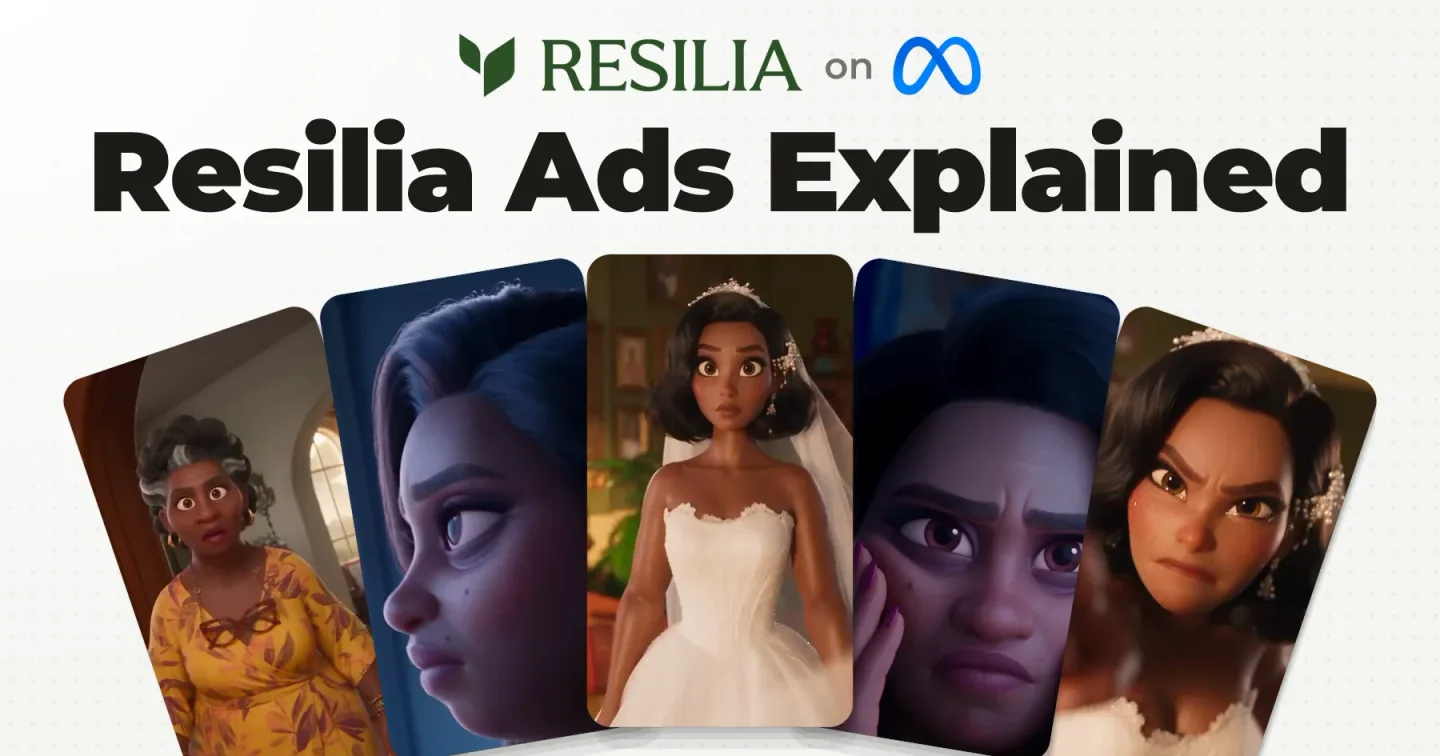
Most of the Resilia ads I have seen are full voiceover ads where the voiceover is a song. I break that format down in Resilia ads.
Every AI animated ad is built from 2 types of clips
One idea explains how to make animated ads with AI: any animated ad is a combination of two clips, talking clips and B-roll clips, and they combine three ways.
Here is one of each, from another ad I made for the same brand around a princess character.
Talking clip
B-roll clip
The talking clip is a start frame animated so the character speaks. The B-roll goes on top of a character talking, or on top of a voiceover with nobody on screen speaking at all.
Each B-roll shot expresses one clear emotion or one clear action that represents what the script says at that moment.
| Ad type | Built from | Where you see it |
|---|---|---|
| Full voiceover ad | 100% B-roll over a voiceover, which is either speech or a song | A narrated ad, or a song over pictures with nobody singing on screen |
| Full talking ad | 100% talking clips | Uncommon in animated ads. It works when you have hero characters |
| Mixed ad | Mostly B-roll, plus some shots where the character talks or sings | The ad on this page: B-roll over a song, then the princess talking at the end |
A full voiceover ad is the easiest of the three to make. The spoken close of the ad on this page is a talking clip, and it is outside this walkthrough. There is a real ad for each type in AI animated ad examples, and if you want one character to carry a whole script with lip sync, that is my post on AI Pixar character ads.
Step 1: Make the song first
What decides when things happen in an ad is the voiceover or the song. So it gets generated first, before any picture, and then the agent analyzes it.
This is a strong opinion of mine. You are most likely working with an agent, whether that is Claude Code or the agent inside Starpop, and it helps you storyboard, then drafts your prompts, your images and your videos. It can only do that well if it knows when things happen.
Here is what that analysis gives you. The agent listened to the finished song and returned a time for every line. These are the first rows of the verse:
| Song time | Sung line |
|---|---|
| 10.05 to 13.29 s | “Forty-eight hours back, our trip began” |
| 13.40 to 16.16 s | “A honeymoon in our new RV, just us two” |
| 16.16 to 21.16 s | “The spindle’s sleep curse broke with a kiss” |
| 21.16 to 24.78 s | “Then came our RV honeymoon bliss” |
The whole track runs 68 seconds, and those times are what the agent slices the song by when it stages each generation.
In Starpop that starts with one click: the song goes from the gallery into the chat, and the agent can listen to it. The file in this capture is the finished ad's audio, so it reads 1:16 with the spoken ending.
I generated the same lyrics in three styles, an indie folk take, a pop folk take and a fairytale waltz, and kept the waltz. This is its style prompt:
Whimsical fairytale waltz-pop, warm male lead vocal, lilting rhythm, playful and charming, piano, pizzicato strings, light brushed percussion, triumphant ending, vocals start immediately, no instrumental intro, no instrumental breaks, continuous singing, tight ending
This post starts where the video starts, with a finished script. Research and scriptwriting are their own topic, and the song side has its own walkthrough: make the song in Suno.
Do this: turn the script into a song (I use Suno, inside the Starpop chat) or a voiceover, pick your take, and have your agent analyze it. What you want back is the table above: every line with its start and end time.
Step 2: Lock the hero elements
Anything that shows up in more than one shot gets a reference sheet before a single scene exists. Here that is two characters and one product.
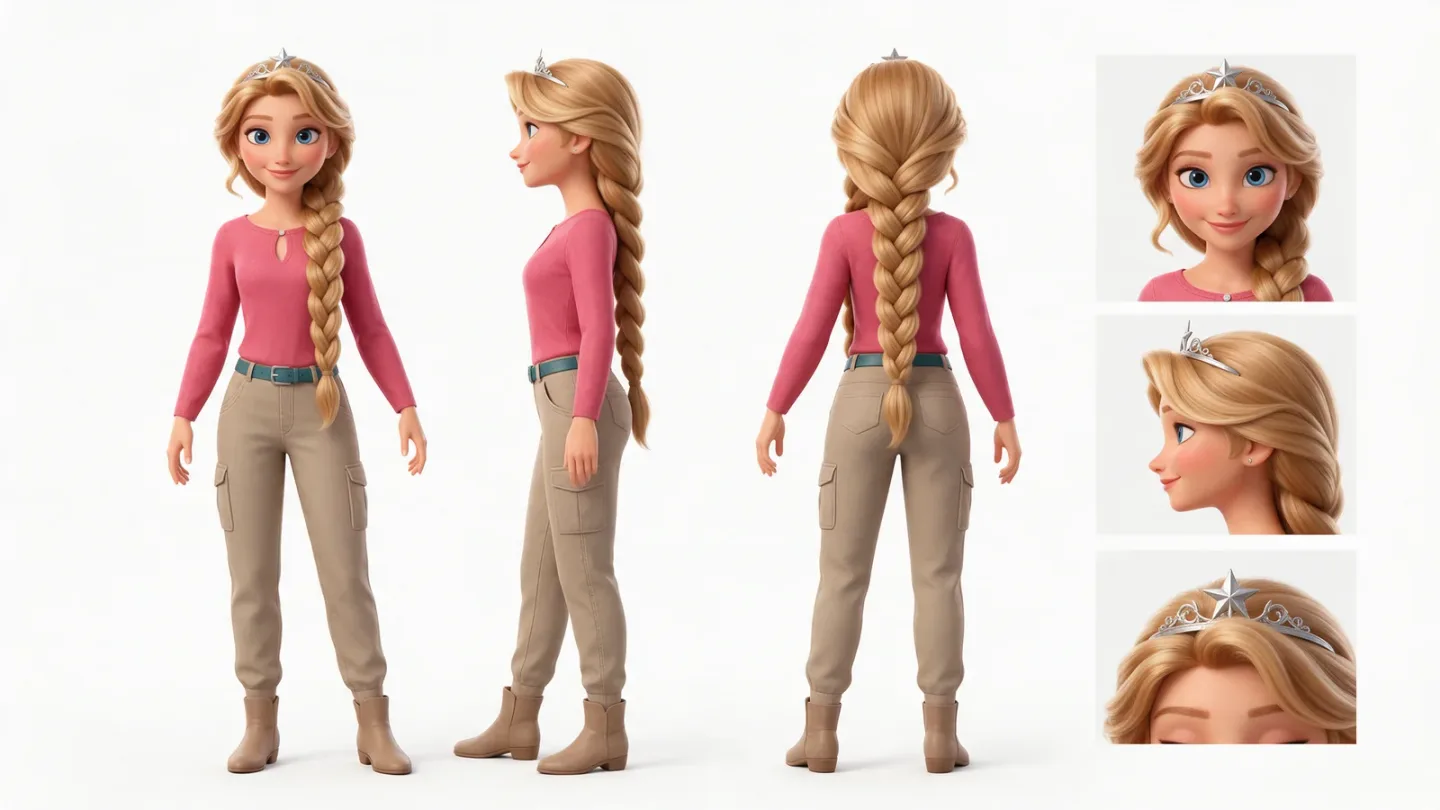
The princess character sheet: three full body views and three close ups on white
I like to put a face to the character as early as I can, because once the brief is written I already have a visual idea of the ad. That order is a preference. You can also do this step after the storyboard.
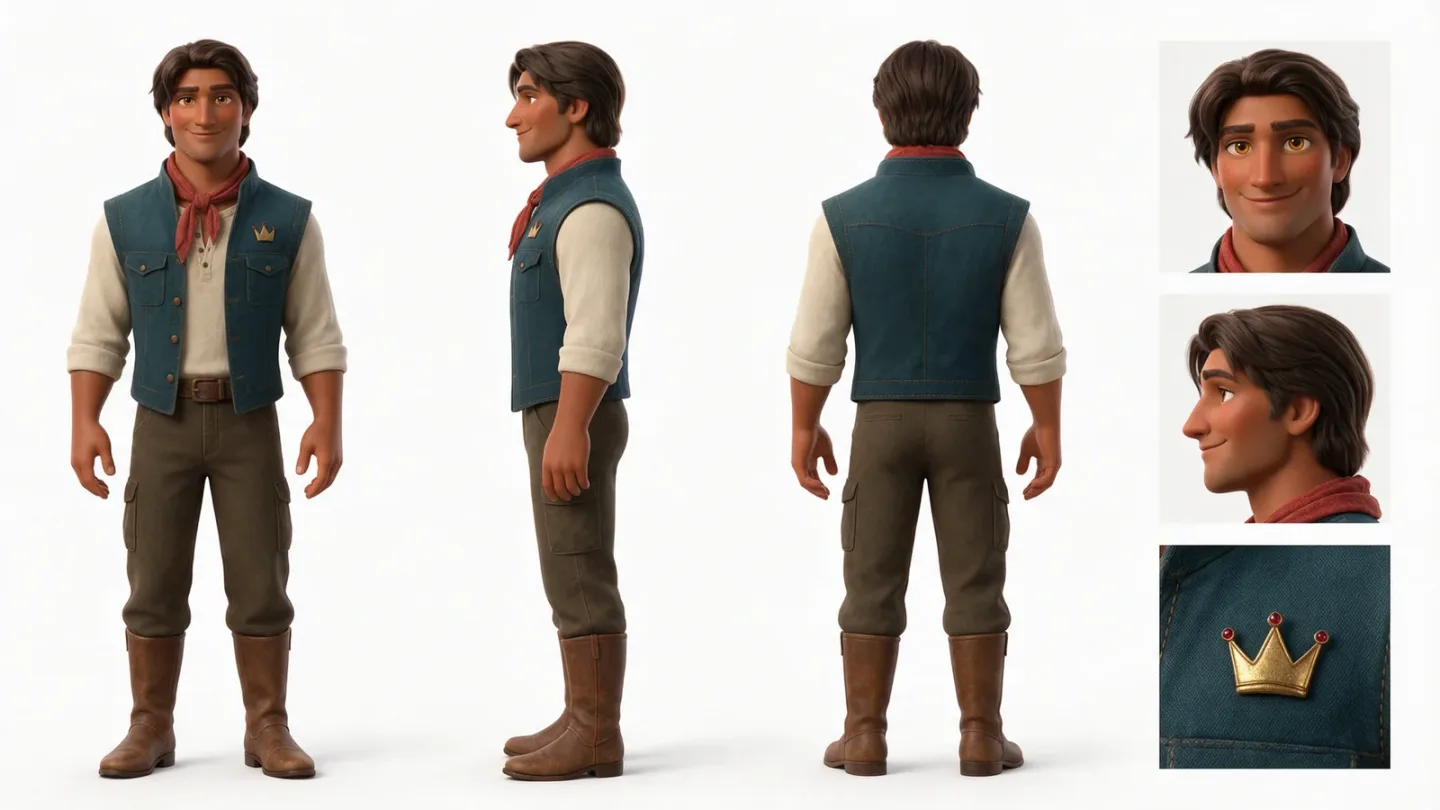
The prince character sheet, in the same layout
Both sheets were generated with Seedream 5 Pro from a text prompt. This is the one behind the princess:
Style: Polished Pixar-style 3D storybook animation with appealing, expressive feature-film character design.
Scene: One character hero reference sheet for a fresh, adult Sleeping Beauty-inspired princess.
The character: A pretty princess with a warm fair complexion, long golden-blonde hair in one thick side braid with soft face-framing waves, large clear blue eyes, graceful oval face, and a tall elegant silhouette. Her adventure outfit is a fitted rose-pink travel top, fitted sand-khaki cargo pants with practical pockets, a slim teal belt, simple ankle boots, and a delicate silver tiara with one star accent. Signature detail: the small star on her silver tiara.
Composition: One landscape character sheet with no borders. Across the left three quarters, show three full-body views of this exact same princess at identical scale and baseline in neutral standing poses with arms slightly away from her sides: front view, side profile, and back view. The right quarter is one vertical column of three square close-ups: face front-on in its natural expression, face in profile, and the silver star tiara detail. All views show the same adventure outfit and identical hair, face, proportions, and accessories.
Lighting: Even soft, shadowless studio light on a pure white seamless background.
Constraints: No environment, no additional characters, no text, no labels, no captions, no arrows, no borders, no grid lines, no logos, no watermarks. Every view shows the same character, identical in every detail.
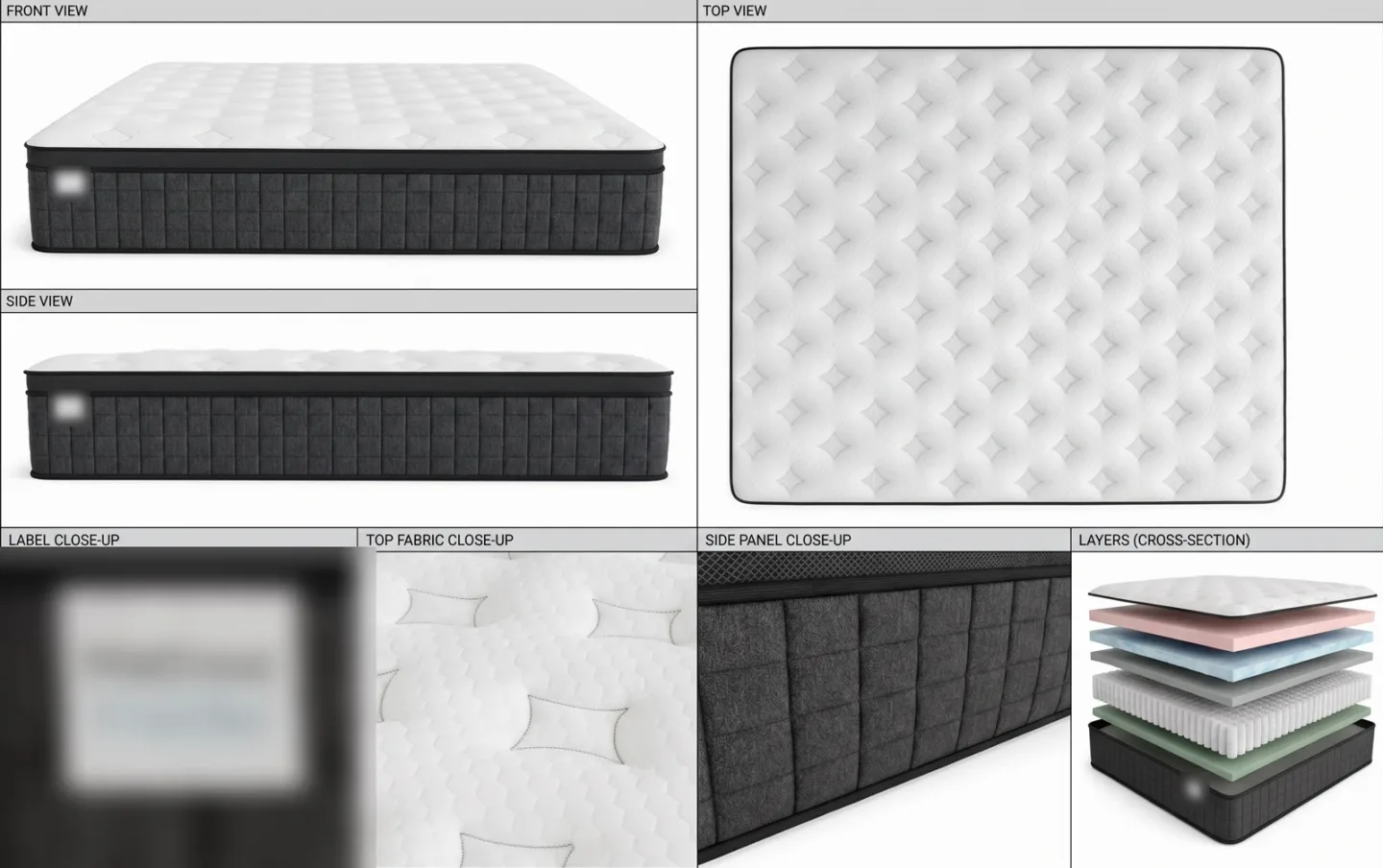
The product sheet: the mattress from the front, the side and the top, plus close ups of the fabric and the layers (the label is blurred)
The product gets the same treatment: one sheet with every view a shot might need. This one was brought in as an image, so there is no prompt to show for it. Later, each generation takes the character sheets and a product reference as inputs.
That is where character consistency comes from. The faces and the mattress stay the same from shot to shot because every generation is handed the same references.
Do this: make one sheet per recurring character (front, side, back and face close ups on white) and one for the product, before any scene exists.
Step 3: Storyboard the script line by line
Take the script, arrange it line by line, and give every line one clear visual. That is the whole step, and it is by far the most important one.
It sounds easy. The trap is that a lot of us, me included, ask Claude, ChatGPT or Starpop to just do it and move on. Then it gets confused, and you hit roadblocks that kill your momentum.
Review everything by hand, and even write it by hand: reviewing is the part that cannot be skipped. If the script is written properly, every line holds one clear emotion or one clear action, and you can picture a shot for it in a split second.
On this ad the agent drafted the storyboard from the timed song, and it was not one pass: the public chat shows me sending the first attempt back and going over single batches again. Below is the short two column version from the video, with the script line on the left and the visual for that shot on the right.
| Script line | Visual per shot |
|---|---|
| “True love’s kiss?” | The prince sits beside the bed; the princess sleeps in her pink pajamas. Coffee is nearby. |
| “A royal miss.” | He leans in and kisses her gently. She does not wake. |
| “My princess slept right through.” | Close on her messy hair and relaxed, open mouth; the prince’s shocked reaction is visible behind her. |
| “Forty-eight hours back, our trip began,” | Rewind to the RV setting off on the road. |
| “A honeymoon in our new RV, just us two.” | The couple share a happy moment inside the moving RV. |
| “The spindle’s sleep curse broke with a kiss;” | A brief fairytale memory: the first kiss breaks the spindle’s sleeping spell. |
| “Then came our RV honeymoon bliss.” | Return to the couple enjoying the RV trip together. |
| “After a day of road-trip fun,” | The couple pause together at a scenic roadside overlook. |
| “We parked beneath the setting sun.” | Their RV settles into a campsite at sunset. |
| “She climbed into the RV bed;” | The princess climbs into the old RV bed, tired and ready to sleep. |
| “It groaned and squeaked beneath her head.” | The mattress dips and squeaks as she lies down. |
| “She needed rest, but sleep wouldn’t come;” | She tosses and turns, still awake. |
| “That mattress droned a restless hum.” | The restless bed subtly vibrates while she lies awake. |
| “I found the folks who know RV beds.” | The prince searches for an RV mattress specialist at the dinette. |
| “When our Adventure Max arrived,” | An unbranded mattress box arrives outside the RV. |
| “PolarHex felt cool beneath her hand;” | The princess touches the Adventure Max cover; a subtle cool highlight suggests its feel. |
| “She settled in, and all was right.” | She lies back on the new mattress and relaxes. |
| “The coffee steamed at morning light,” | Match the opening bedside composition: the prince sits beside the sleeping princess with coffee. |
| “but she kept sleeping through the sunrise.” | In the same composition, sunlight grows while she keeps sleeping; the coffee remains untouched. |
| “I leaned in for true love’s kiss but the Adventure Max had her sleeping so deep;” | The prince leans in and kisses her. She remains peacefully asleep. |
| “The kiss that once broke the curse couldn’t wake her from her RV sleep.” | The prince pulls back, shocked, while the princess stays asleep. |
| Instrumental tail | Hold on the prince’s shocked reaction as the song ends. |
The finished ad opens on “Forty-eight hours back”: the three hook lines at the top did not make the final cut. The rough idea of how each shot moves comes with the storyboard, and gets written down later, in the video prompt, as a camera line and a transition line per shot.
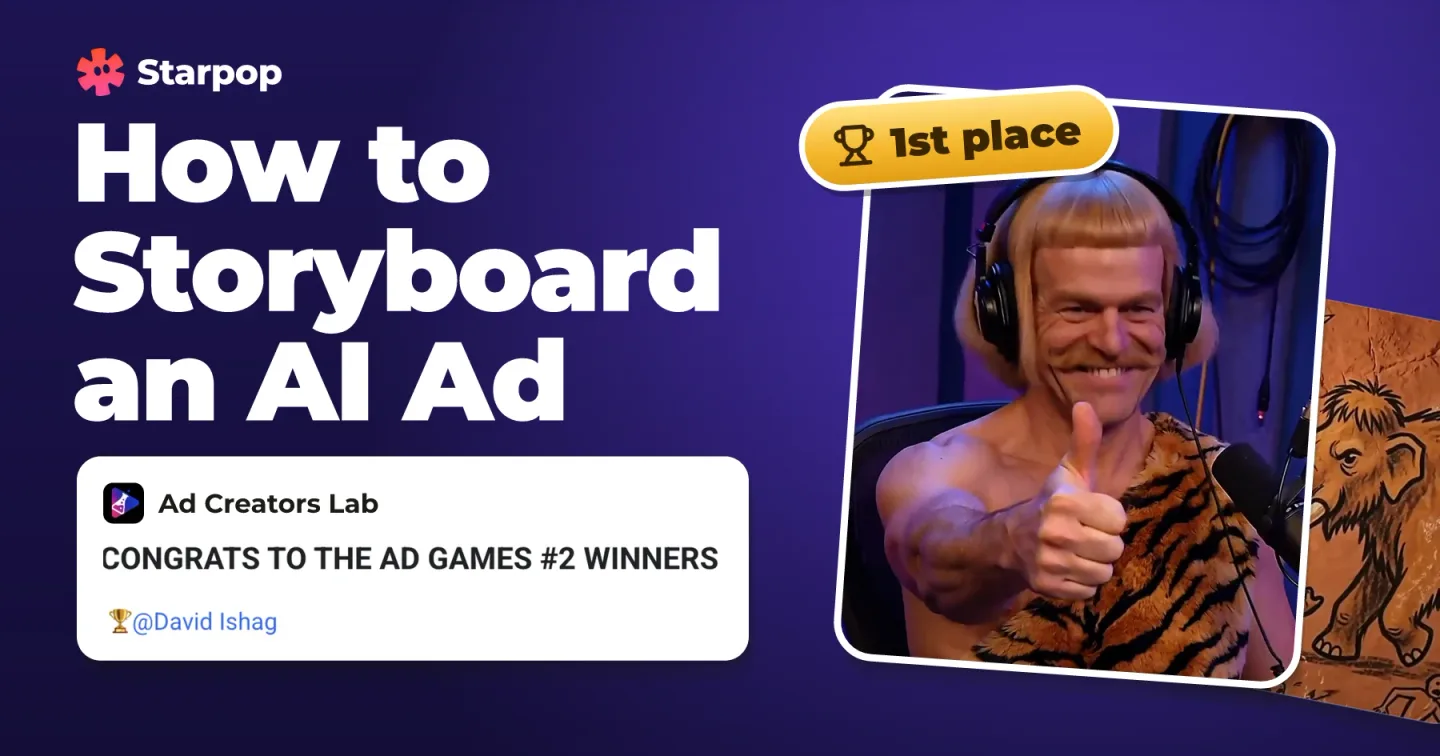
I have skipped this step before and been forced to give up on ads. When I took the time, a complex concept took me 4 hours and won the monthly ad competition inside Ad Creators Lab. That ad and its storyboard are in how to storyboard an AI ad.
Do this: one row per script line, one clear visual per row. Read every row yourself before you generate anything.
Step 4: Turn the storyboard into images
With the song, the hero elements and the storyboard locked, there are two ways to make the pictures. A storyboard canvas holds several shots in one image, and a start frame holds one.
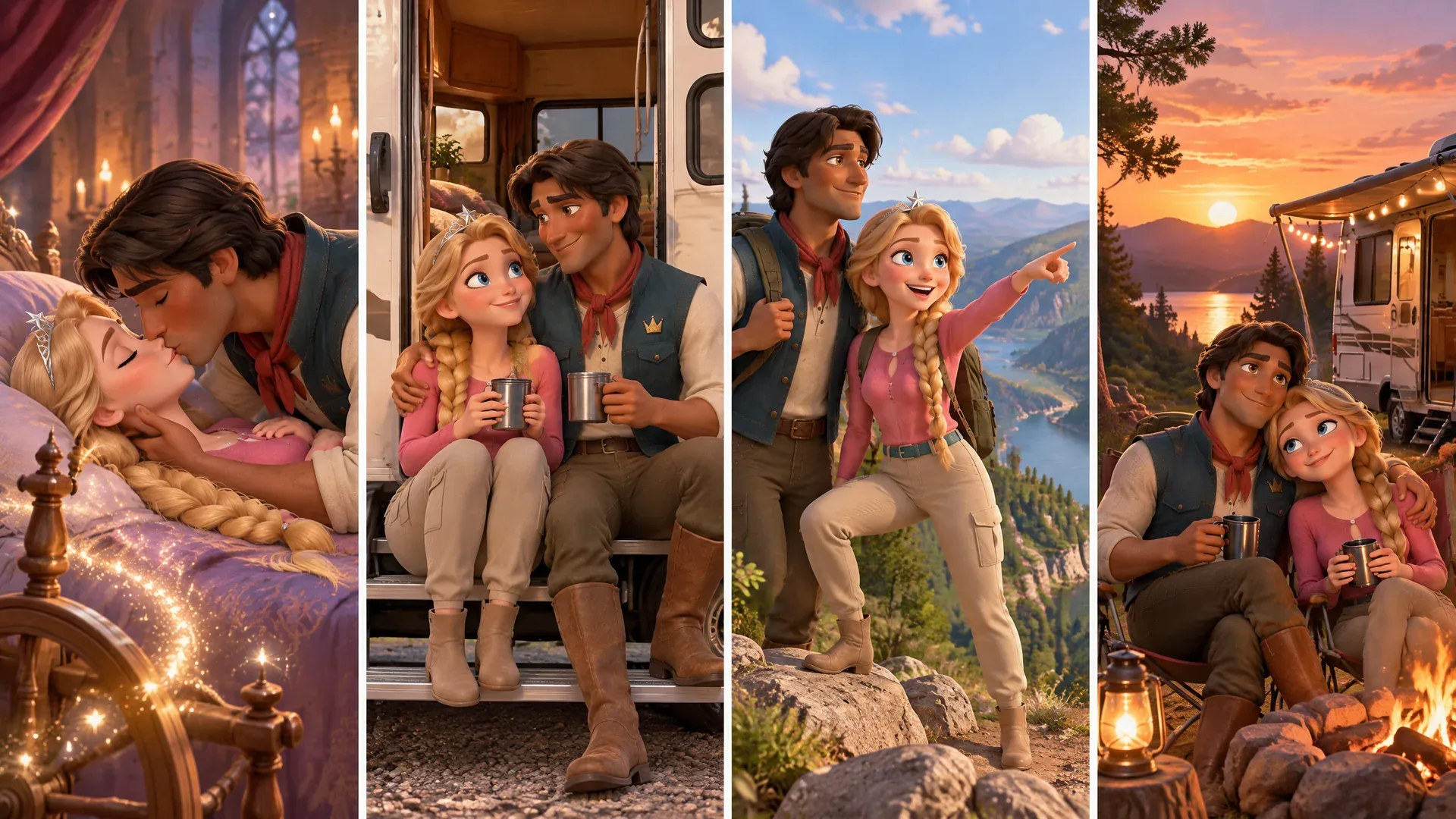
A storyboard canvas: four panels in one image, one panel per shot
Each row of the script storyboard is, essentially, one shot, so this canvas covers four rows: the kiss that breaks the curse, the RV honeymoon, the roadside overlook and the campsite at sunset. It was made with GPT Image 2.5 Sunburst from this prompt, with the two character sheets attached:
Style: Polished Pixar-style 3D storybook animation, warm cinematic color, expressive feature-film character design.
References: Image 1 is the selected Princess adventure-outfit hero sheet; preserve her identity exactly. Image 2 is the selected Prince hero sheet; preserve his identity exactly.
Scene: One storyboard canvas for Batch 3 of the song ad, moving from the broken spindle curse into the RV honeymoon road trip and sunset campsite.
Composition: Exactly four distinct portrait panels arranged side by side, read left to right, with equal gutters. Panel 1: a brief fairytale flashback, the prince’s first true-love kiss breaks the princess’s spindle sleep curse; the spindle’s magic fades. Panel 2: return to the present, the couple share a joyful RV honeymoon moment. Panel 3: a single lively roadside adventure moment together at a scenic overlook. Panel 4: their RV parks at a campsite beneath a glowing sunset. Each panel is a separate readable shot, with the same two character identities throughout.
Lighting: Fairytale-warm, then late-afternoon golden light in the final panel; consistent stylized 3D world.
Constraints: No readable text, captions, labels, logos, watermarks, borders, or extra panels. Keep each panel portrait-oriented; no character singing or lip-syncing.
The start frame route is simpler: one image, one shot. The four I made for this ad are in the next step, next to the clips they became.
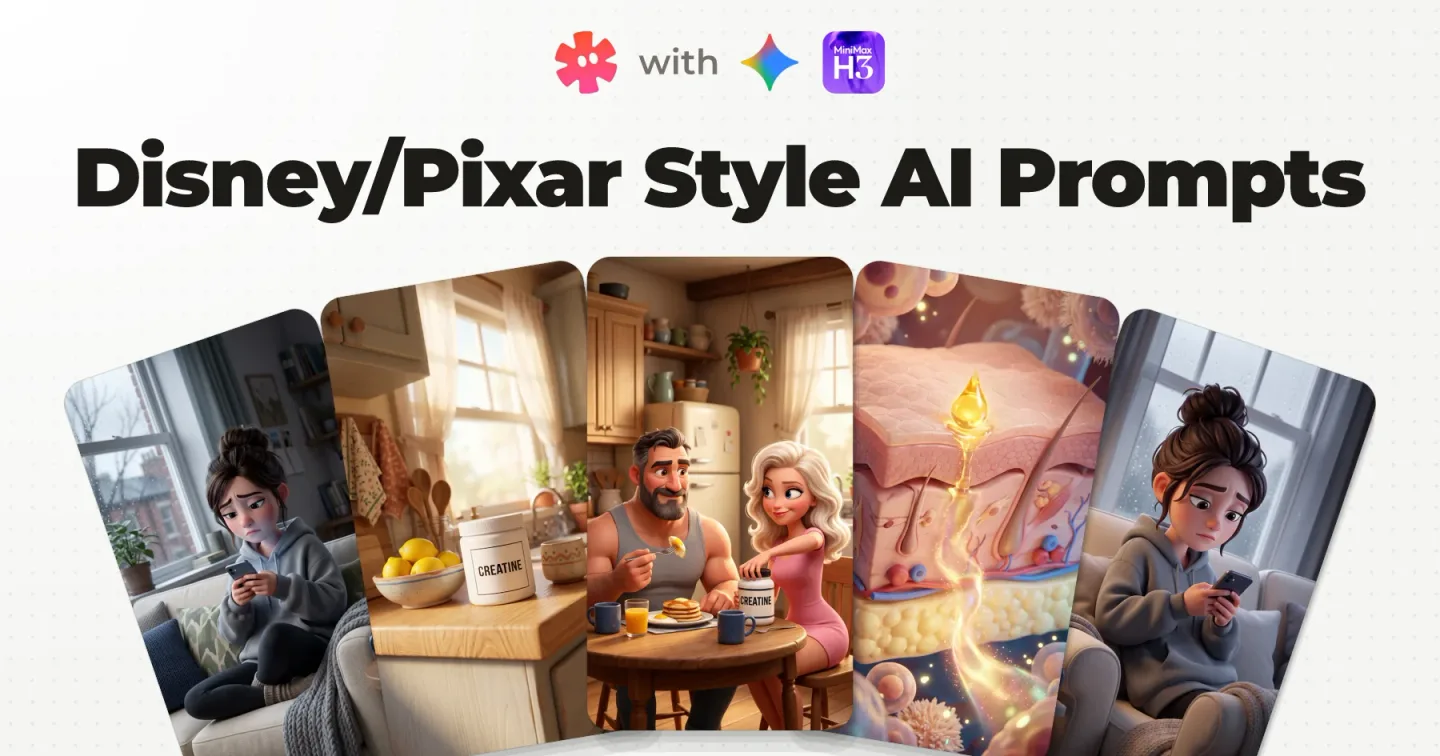
In Starpop the agent drafts both from the storyboard and the locked sheets. Validate every image before anything gets animated. The style wording you can reuse is in Disney/Pixar style AI prompts.
Do this: group storyboard rows that flow into each other into one canvas, and make a single start frame for every shot you want full control of.
Step 5: Generate the clips with MiniMax H3 Max
The clips of this ad were generated on MiniMax H3 Max. A canvas goes in and several shots come out, or a start frame goes in and one shot comes out.
A storyboard canvas: one generation, several shots
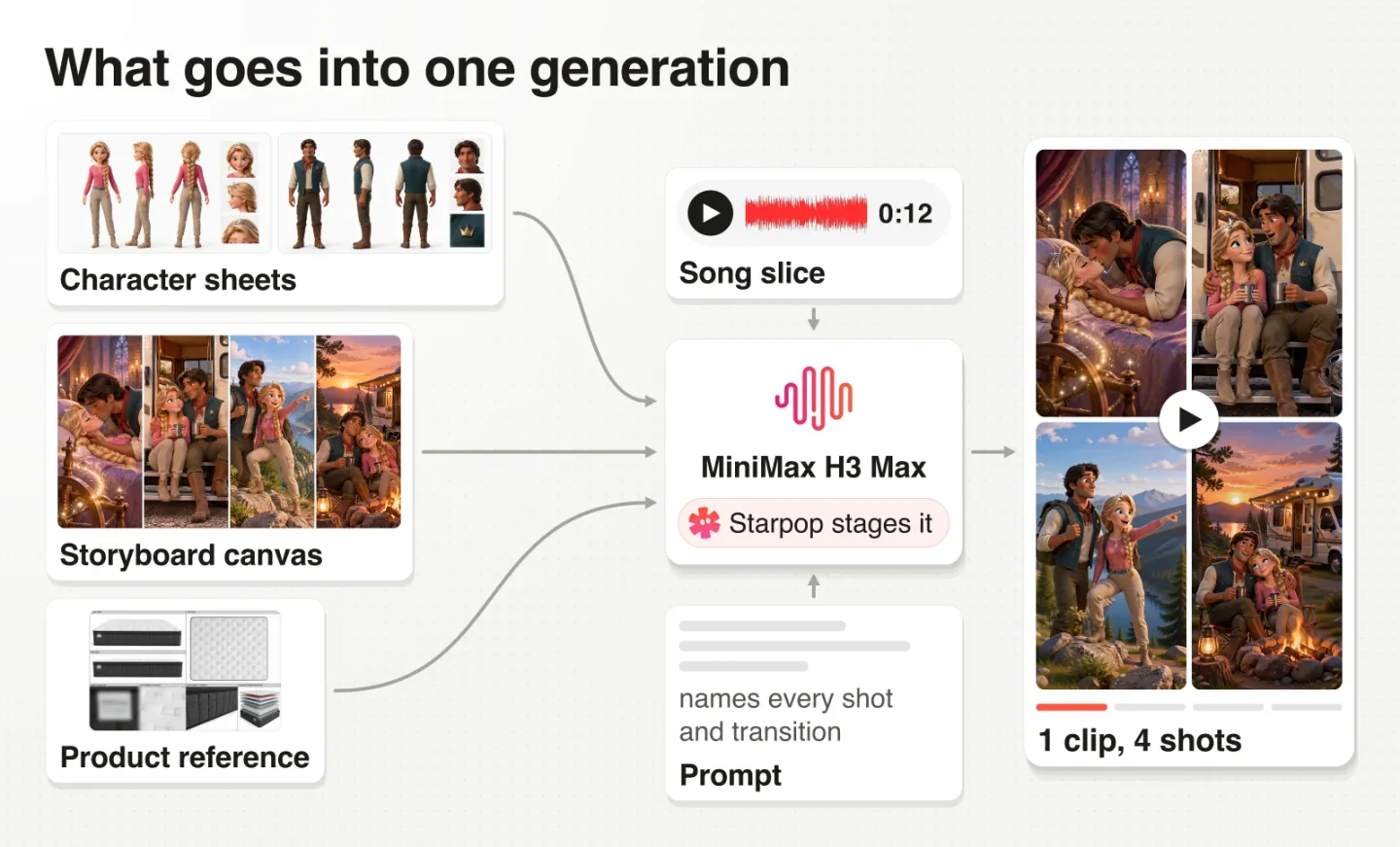
What goes into one multi shot generation: the character sheets, the product reference, the storyboard canvas, a slice of the song and the prompt
The agent attached the character sheets I had locked, the product reference (the mattress in its RV room) and the storyboard canvas. It wrote a prompt that names each shot and how the model should move between them, and it added the slice of the song for those lines, which it cut from the full track by itself.
The four panel canvasThe four panel canvasWatch the move from the kiss to the couple on the steps of the RV: a storybook page turn. To get a creative transition like that any other way, I would need a separate generation just for it.
The draft behind it: 9:16, 12 seconds, with an 11.8 second slice of the song. The model takes up to 15 seconds of audio per generation.
This is the video prompt behind that clip:
Style: Vertical polished 3D storybook animation, expressive feature-film characters and warm cinematic color, continuous with the established RV story.
References: Image 1 is the selected Princess adventure hero reference; preserve her identity exactly. Image 2 is the selected Prince hero reference; preserve his identity exactly. Image 3 is the room interior of the RV with the Adventure Max product reference; preserve it accurately wherever the mattress is visible. Image 4 is the approved Spindle Curse storyboard canvas; use its four panels as loose visual guidance and animate the actions between them. The attached audio is only a timing source.
Shots:
Shot 1: A brief fairy-tale memory: the spindle's sleep enchantment fades as the prince's first true-love kiss wakes the princess. Camera: intimate storybook framing around the couple and spindle.
Transition: A quick storybook page-turn back to their RV honeymoon.
Shot 2: The couple share a joyful moment in their new RV. Camera: relaxed interior two-shot.
Transition: Cut to the roadside.
Shot 3: They enjoy a lively scenic overlook together during their road trip. Camera: a moving wide shot that keeps both recognizable.
Transition: Cut to their campsite at sunset.
Shot 4: Their RV parks beneath the setting sun. Camera: wide exterior settling into a still campsite view.
Constraints: The song is the master audio; these are silent B-roll performances. No on-camera singing or lip-sync, dialogue, captions, readable text, logos, watermarks, or added music.
Three things in there do the work: every shot is named, every transition is named, and the audio is declared a timing source only.
One line was not fully obeyed. The prompt says no lip sync, and the prince still mouths along in a few shots, the one on the steps of the RV among them.
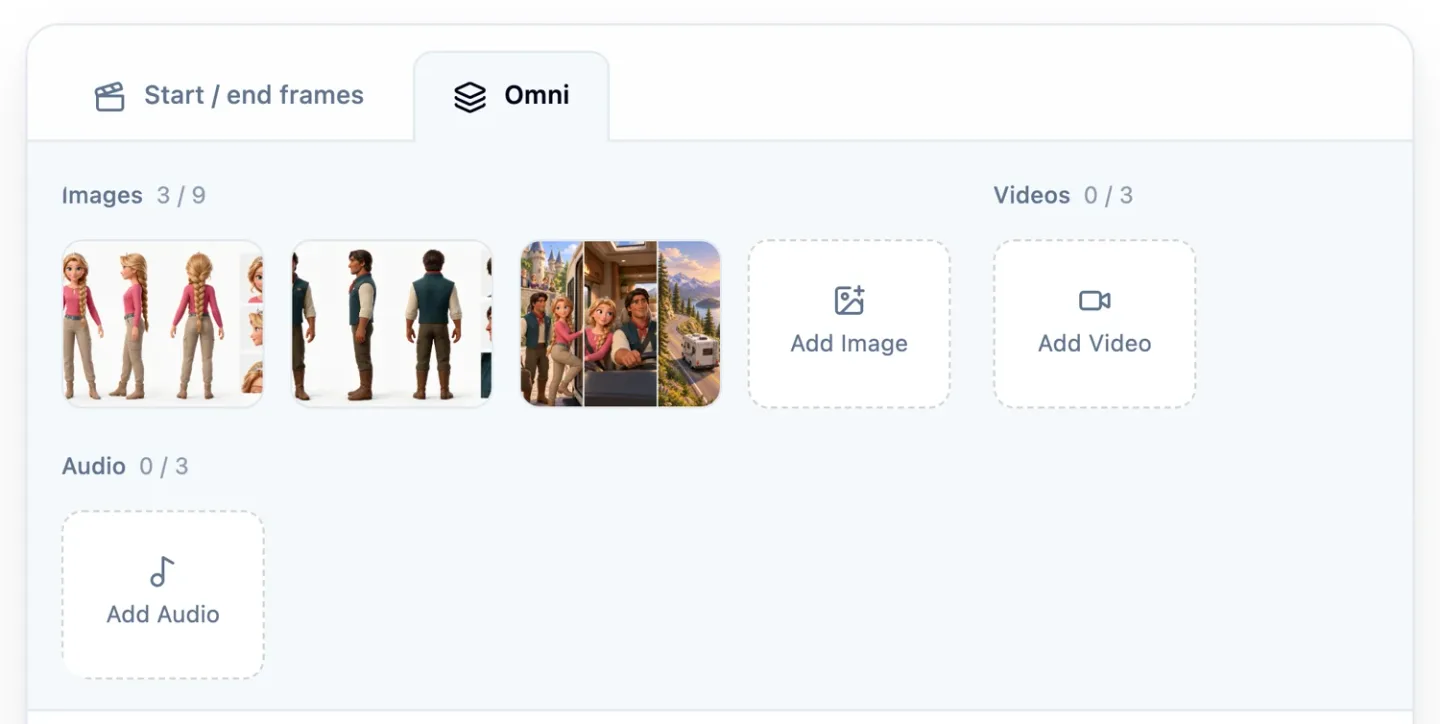
Staging it yourself in Starpop: the Omni tab of Create video, with both character sheets and a canvas attached, before the song slice is added
If you stage a generation yourself, this is where it happens. The Omni tab takes up to nine images, three videos and three audio files.
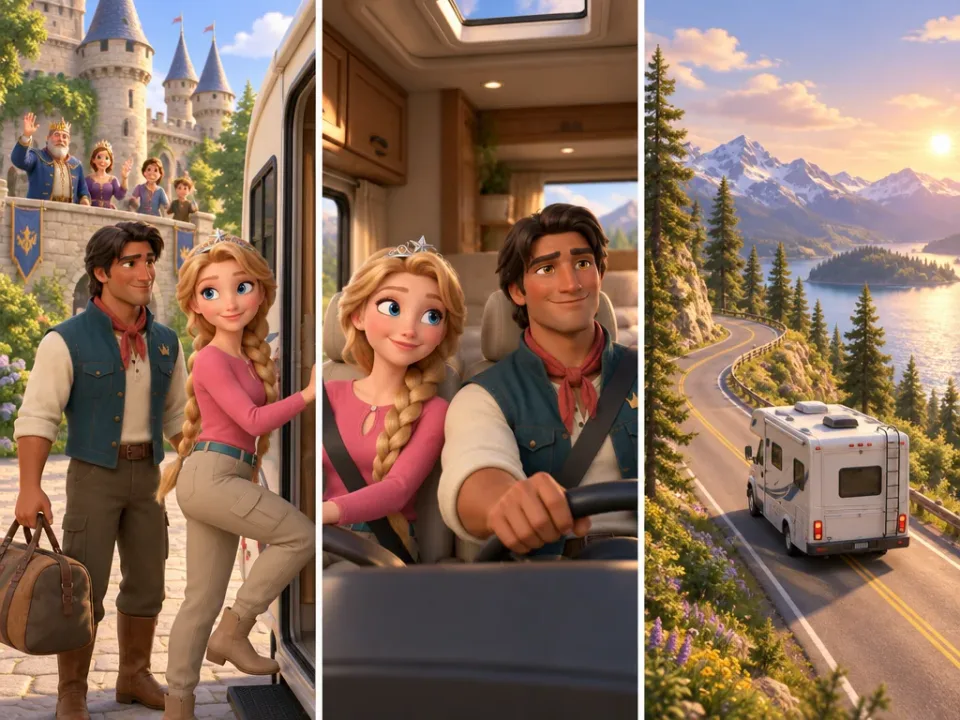 The three panel canvasThe three panel canvas
The transitions are less clear in this one. The zoom ins and zoom outs come out better though, and I am not sure I would get them the same way one clip at a time.
A start frame: one generation, one shot
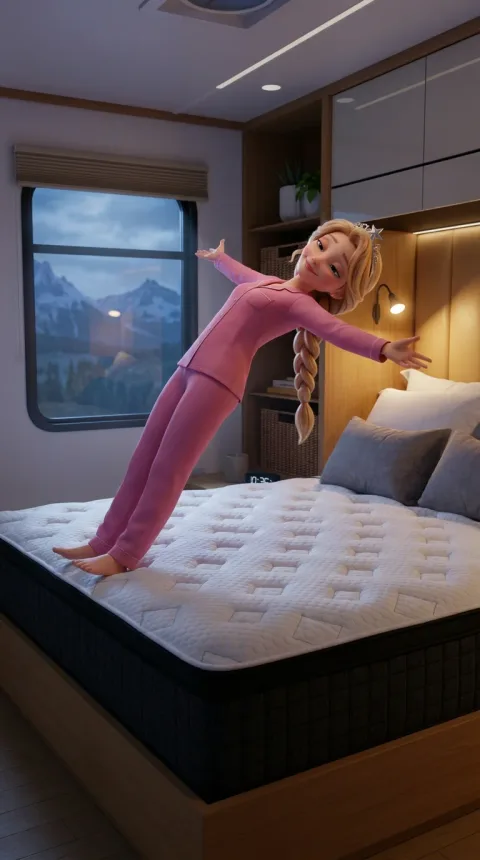 Start frame: she fallsStart frame: she falls
One image, one video, one clear action per clip. As long as each generation stays that simple, very little can go wrong.
I cannot print the single shot prompts in full, because they were made in another chat than the public one. They follow the same shape as the prompts above: a style line, the references, then one action.
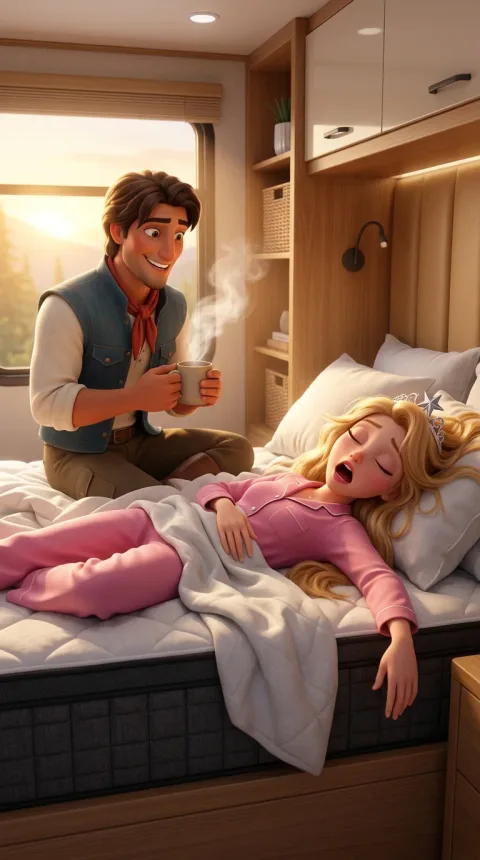 Start frame: the coffeeStart frame: the coffee
The other two start frames became the product shots.
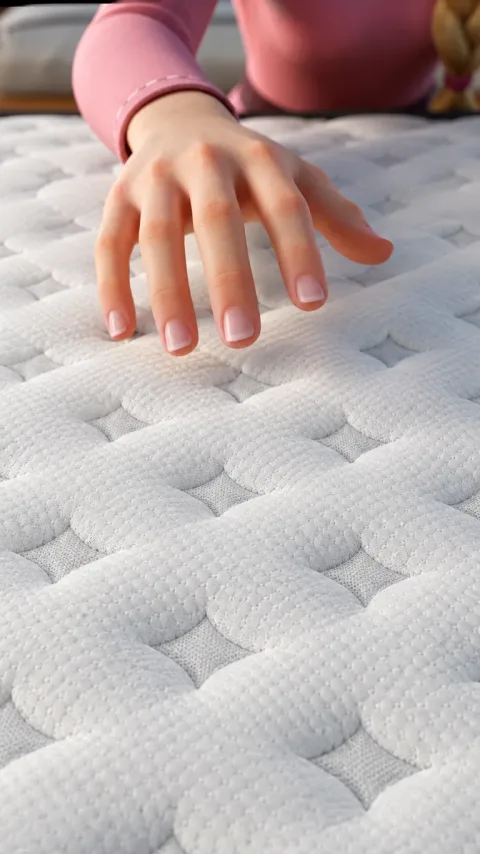 Start frame: her handStart frame: her hand
That is the shot for the line about the cover feeling cool beneath her hand.
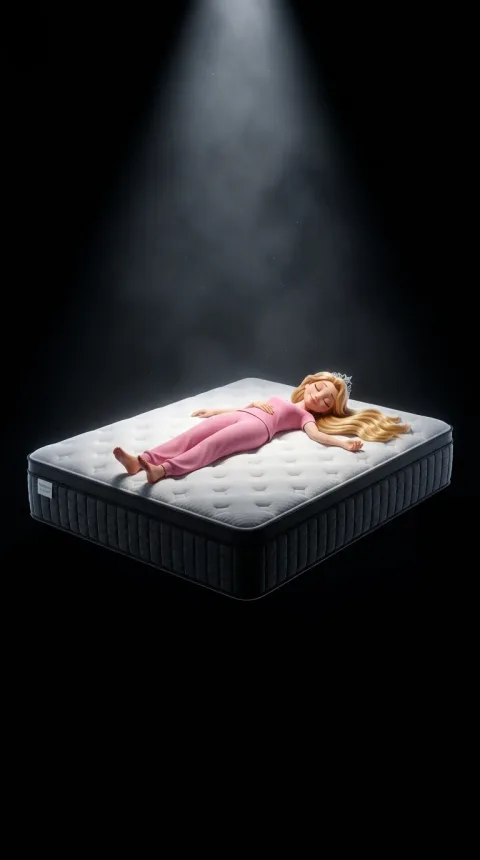 Start frame: spotlightStart frame: spotlight
And that one exists so the viewer sees what is inside the mattress.
Do this: attach the sheets, name every shot and every transition in the prompt, and give the model the song slice as a timing source only.
Storyboard canvas or start frames: which one to use
Single shots are more stable, and a canvas gives you transitions. Here is how I think about it.
If a single shot breaks, you regenerate that one shot. If a multi shot clip breaks, you do not have that level of control.
| Storyboard canvas | Start frames | |
|---|---|---|
| Images to make | One for several shots | One per shot |
| Generations | One for several shots | One per shot |
| Transitions | Come with the clip | Need the edit, or their own generation |
| When one shot fails | You redo the whole clip | You redo that shot only |
| Best for | Story beats that flow into each other | B-roll you want to control, and automation |
They are not mutually exclusive. In the finished ad I mixed them: the canvas clips above, plus single shots for the B-roll I wanted to control.
The full comparison is in multi-shot AI video generation. The same canvas method with a character who sings on camera is in my AI singing ad walkthrough.
Character sheets, canvases and shot prompts in this look, drafted by your own agent. Download the Disney/Pixar skill for free.
Step 6: Edit with the song in one piece
The edit has one rule: the song is the base, in one piece, and the clips go on top of it.
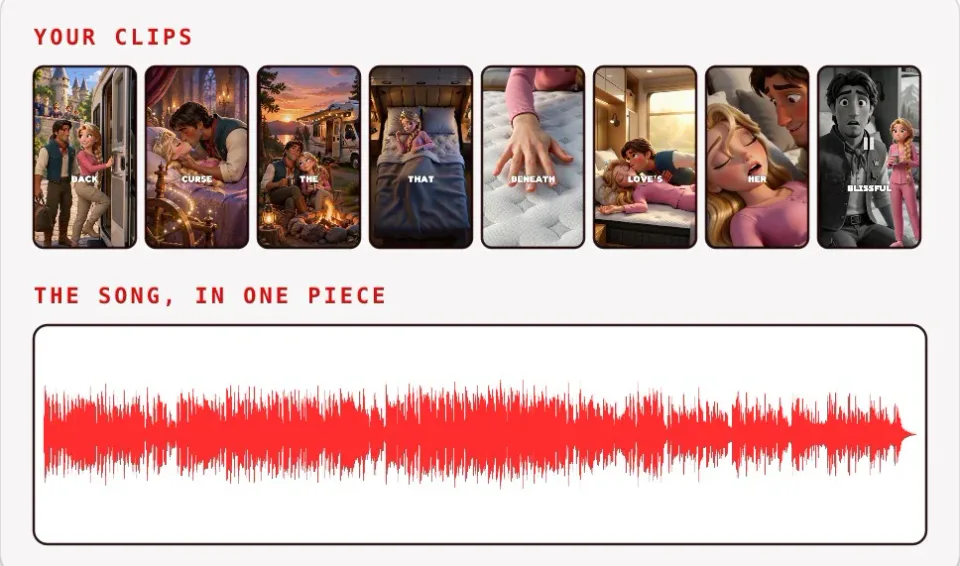
The edit in one picture: the song in one piece at the bottom, the clips laid on top
Use your source of truth for pacing as the base. I see people pass the audio to the video model and then treat the generated clips as the source of the audio, and that is backwards.
If it is a song, do not cut inside it. A song has pacing and instrumental beats, so the only fix for a bad one is a better song generation. After that, the edit is laying the clips over it so the timing is right, and sometimes going back to rework a B-roll shot or make a new clip to keep the pace up.
In the finished ad the track starts at the first verse: the hook at the front is gone. Trimming the front is not cutting inside the song, and from there to the last note it plays in one piece.
Speech is the exception.
A spoken voiceover can be cut, and in Starpop one click removes all the dead air from it: here 23 silences go, and 0:23 becomes 0:15. For a song, leave the track alone.
The full edit, step by step, is in how to edit an AI song ad.
Do this: put the song on the bottom track, lay the clips over it in order, and never cut inside the song. Any editor with layers works.
The same workflow in one chat
The song, the character sheets, the storyboard canvases and the canvas clips on this page all came out of one Starpop chat. That chat is public, prompts included: open the chat behind this ad.
Setting it up is three small steps. First the video model: open the picker in the prompt box, type minimax, choose MiniMax H3 Max.
Then the skill. We maintain a set of skills in Starpop, and one of them is the Disney/Pixar skill: click Use, and it lands in the prompt box. For this ad, here is what made what.
| What | Made with |
|---|---|
| The song | Suno |
| The character sheets | Seedream 5 Pro |
| The storyboard canvases on this page | GPT Image 2.5 Sunburst |
| The video clips | MiniMax H3 Max |
All four run inside the chat.
Starpop also has an autonomous mode: one click in the run menu, one confirmation, and the control turns red. With the song, the characters and the storyboard set, I can tell the agent to follow a single shot workflow and let it make the ad end to end. If a shot comes back bad, I tell it which one, and it regenerates only that shot.
Two related routes: if you would rather copy an ad that already works, here is how to clone an AI Disney ad. If you want to package your own method the way we did, here is how to build a Claude skill.
FAQ
What AI makes Pixar style videos?
For this ad, the video model is MiniMax H3 Max: the generations above carry its badge. The stills that feed it, the character sheets and the storyboard canvases, came from image models inside the same chat.
What is the best AI for Pixar style animation?
I use MiniMax H3 Max, because one generation takes the character sheets, a storyboard canvas and a slice of the song together, and returns several shots with transitions between them. I have not ranked it against every other model here, so read that as what worked on this ad.
How do you make Disney Pixar AI videos?
Make the song or voiceover first, lock the characters and the product, then storyboard the script line by line. After that it is images (a storyboard canvas or start frames), generation on MiniMax H3 Max, and an edit where the audio stays in one piece.
Do I need a storyboard for an AI ad?
Yes, and I would go through it by hand, line by line, because it decides whether the rest of the ad goes fast. The method and three real examples are in my post on script storyboarding.
What is the Pixar animation style called?
There is no official name I can give you. In Starpop the skill is simply called Disney Pixar, and the prompts on this page describe the look as polished 3D storybook animation.
Should the song or the visuals come first?
The song. It decides when everything happens, so the storyboard, the images and the clips are all timed against it.
Can an agent make the whole ad?
Once the foundations are set, yes. With the song, the characters and the storyboard locked, I can put the Starpop agent in autonomous mode on a single shot workflow. The storyboard is the part I keep reviewing myself, line by line.
Next Steps
Write the script for your product, make the song, and go through the storyboard by hand before you generate a single scene. Everything after that is timed to the song and guided by the storyboard.
Then go deeper on the part you need:
- What a Resilia ad really is, and why that type is the easiest to make
- The 3 types of animated ad, with a real ad for each
- Storyboard the script line by line, with the ad that won a competition
- The storyboard canvas against single shots, on this same ad
- The prompts to copy for this look
- The mattress singing ad case study, another song ad for the same brand
The fastest way to start is the skill file. Get the Disney/Pixar skill, or browse AI animation ads in any style.
I made this ad in Starpop, from the song to the last clip. Make your ad in Starpop.
The Discord is where I post these workflows first.