Contents
0%Hey!
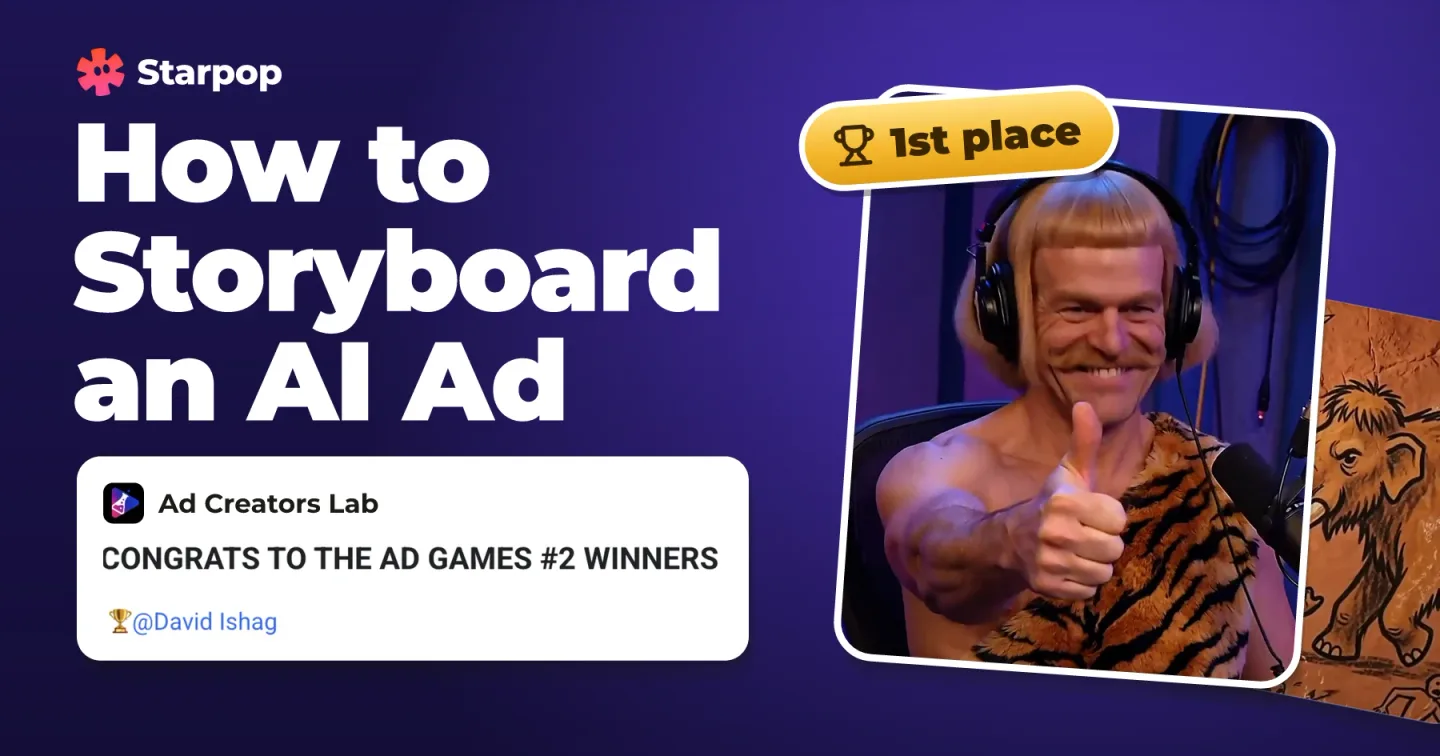
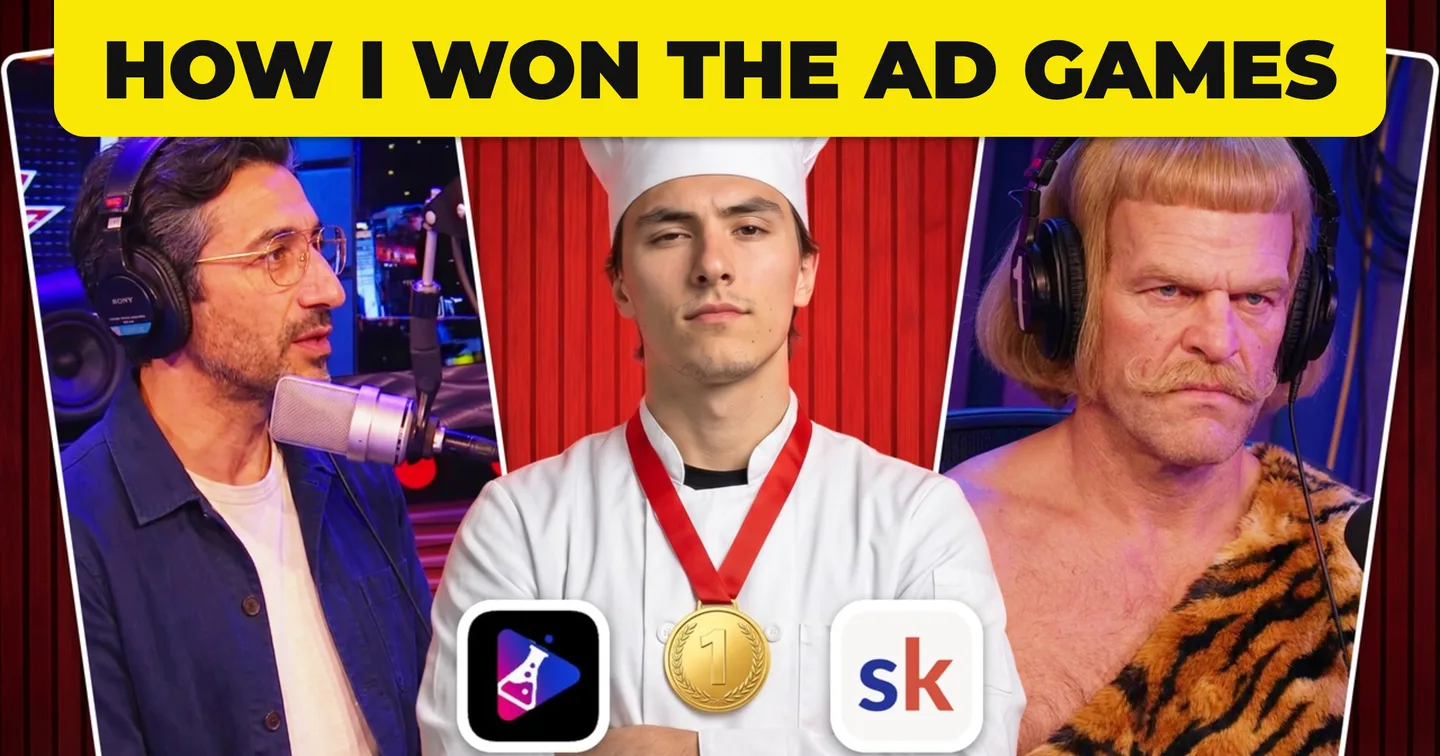
Last month I won first place in the Ad Games, the monthly AI ads competition inside Ad Creators Lab. Here is the winning ad, how the competition works, and the real 4‑hour workflow behind it.
The AI podcast ad that won Ad Games #2
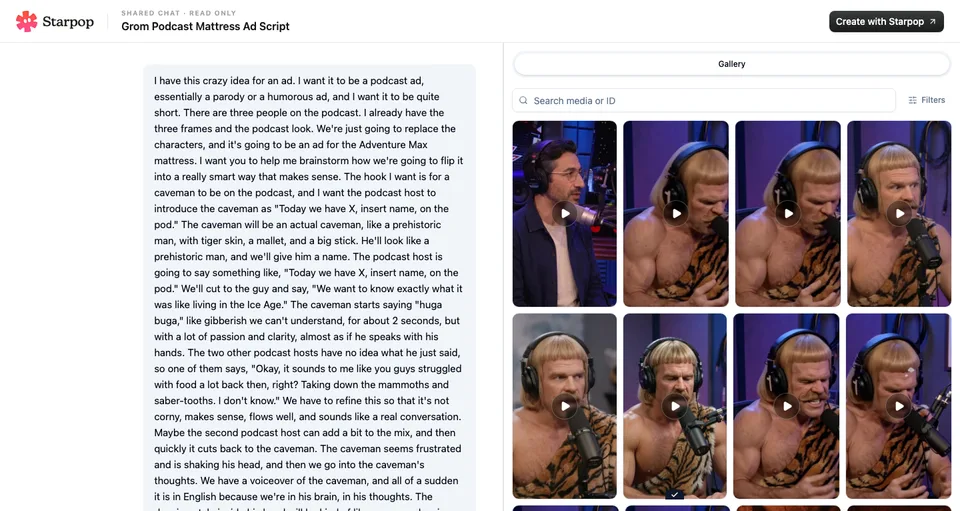
Get the full chat where I made the ad in Starpop
Open the full chat in Starpop
“Today we’ve got Grog on the pod.” A caveman is the guest on a podcast, nobody understands a word he says, and the whole interview turns out to be a mattress review.
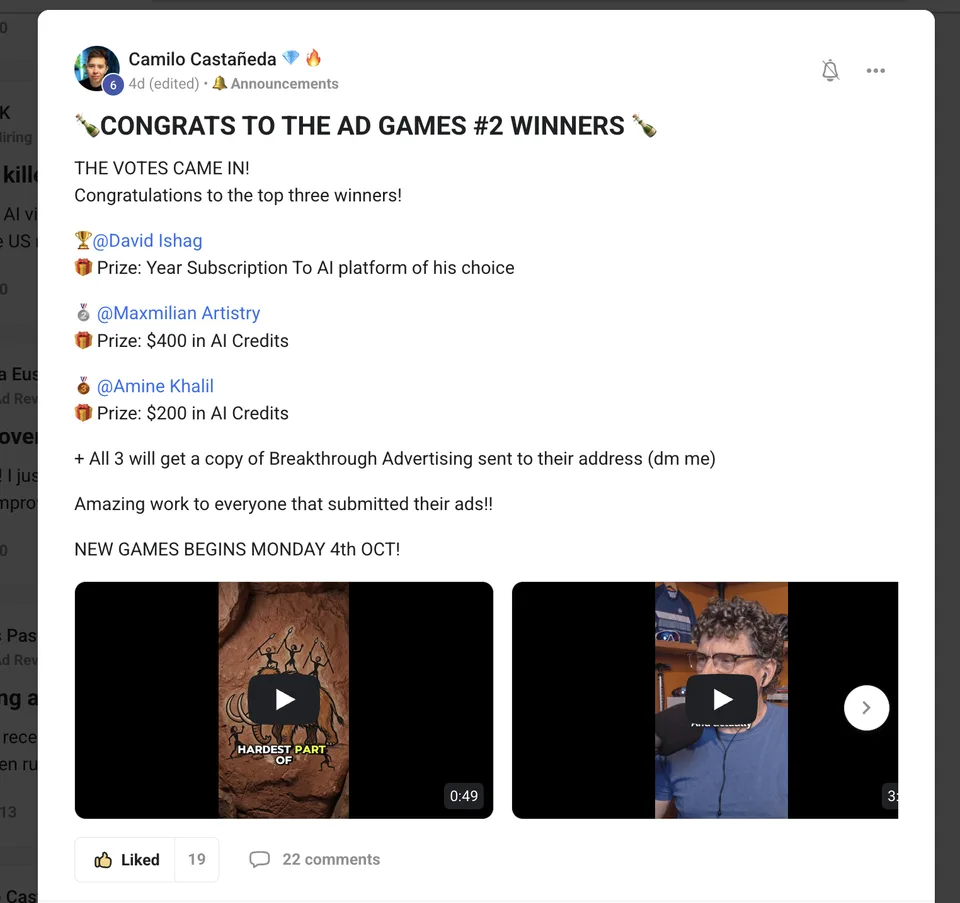
Camilo’s post announcing the Ad Games #2 winners: first place David Ishag, second Maxmilian Artistry, third Amine Khalil
It took first place in Ad Games #2, the podcast ads round, with the most votes from the community. Everything that went into it is below, in the order I actually made it: the reference, the characters, the script, every generation and the edit.
What the Ad Games are
Ad Creators Lab is the Skool community for AI ads run by Camilo Castañeda. Once a month it runs the Ad Games: an AI ads competition with a new theme every month, and a prize pool that keeps getting bigger.
I am not sponsored by Ad Creators Lab. I pay for it like every other member, because I think it is worth it.
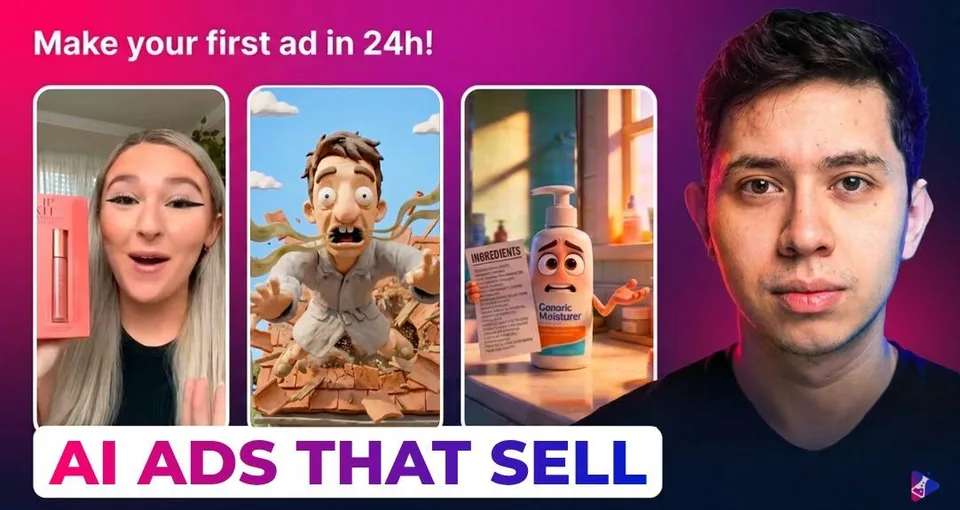
Ad Creators Lab
Join Ad Creators Lab on
My referral link: I get a share if you join through it.
How a round works
- One theme per month. Level 2 members enter in the Arena: you post your ad with the “⚔️ Arena” tag before the deadline.
- Camilo picks the top 5, the community picks the winner. The five go into a poll, and the members vote for the top 3.
- Every entry gets feedback. All ads you submit get custom feedback from Camilo, so even if you do not land in the top 3, it is worth entering.
Here are the three rounds so far. The prizes under each round are copied word for word from Camilo’s posts.
| Round | Theme | My place |
|---|---|---|
| Ad Games #1 | Animated Ads | 2nd |
| Ad Games #2 | AI Podcast Ads | 1st |
| Ad Games #3 | AI Singing Drama Ads | open now |
Ad Games #1: animated ads
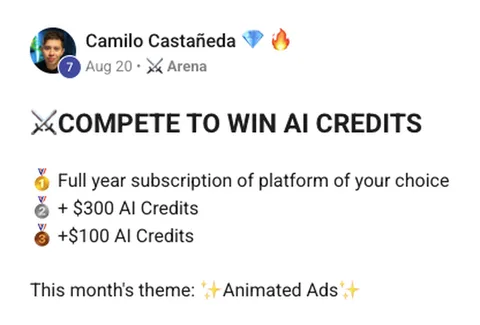
Camilo’s Ad Games #1 post, Aug 20: compete to win AI credits, the three prizes, this month’s theme is animated ads
The first round was animated ads. The prizes:
- 1st: Full year subscription of platform of your choice
- 2nd: + $300 AI Credits
- 3rd: +$100 AI Credits
I placed second with a Pixar‑style ad. The submissions were crazy: there is an insane level of talent inside the community.
Ad Games #2: AI podcast ads
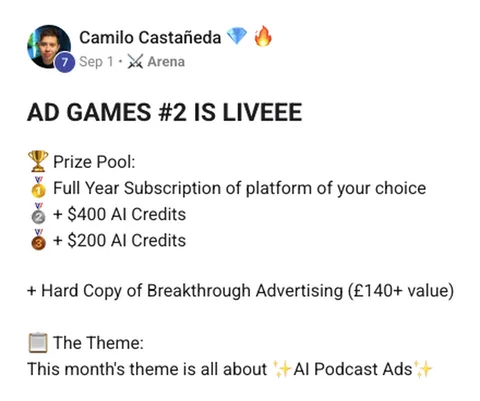
Camilo’s Ad Games #2 post, Sep 1: the new prize pool, a hard copy of Breakthrough Advertising, this month’s theme is AI podcast ads
The prize pool went up:
- 1st: Full Year Subscription of platform of your choice
- 2nd: + $400 AI Credits
- 3rd: + $200 AI Credits
- Plus a hard copy of Breakthrough Advertising for all three
The second round was AI podcast ads, defined in the post as “an ad creative made with AI where 1-2+ people have a conversation in a podcast setup.” Podcasts are very often quite boring: two people at two microphones. That is why I went for something nobody else would make.
Ad Games #3: AI singing drama ads
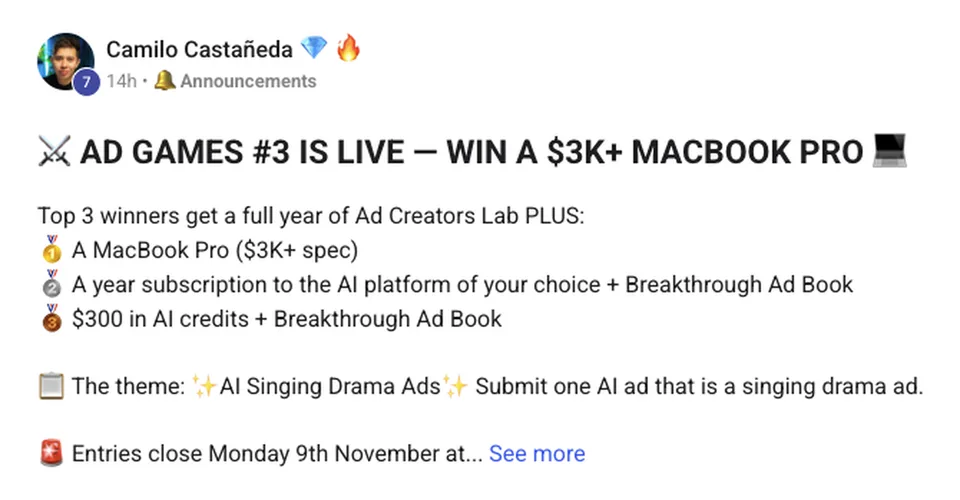
Camilo’s Ad Games #3 post: win a MacBook Pro, the three prizes, the theme is AI singing drama ads, entries close Monday 9th November
Round three is open now, and it is “the biggest prize pool we’ve ever run”. The top 3 get a full year of Ad Creators Lab, plus:
- 1st: A MacBook Pro ($3K+ spec)
- 2nd: A year subscription to the AI platform of your choice + Breakthrough Ad Book
- 3rd: $300 in AI credits + Breakthrough Ad Book
The theme is AI singing drama ads, judged on hook, story, emotional impact and education, and entries close Monday 9th November. A lot of people are going to try to win that MacBook.
How the winners are picked
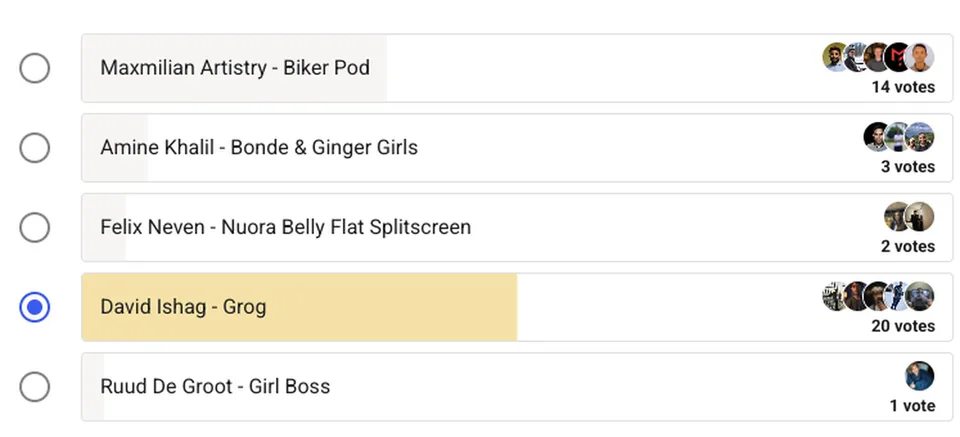
The Ad Games #2 vote: David Ishag, Grog, 20 votes; Maxmilian Artistry, Biker Pod, 14; Amine Khalil, 3 (the highlighted row is my own vote)
Each poll has exactly five entries, Camilo’s top 5. In round two, my Grog ad took 20 votes, Maxmilian Artistry’s podcast ad 14 and Amine Khalil’s 3. The podcast ad in second place was so good: super realistic, really well done.
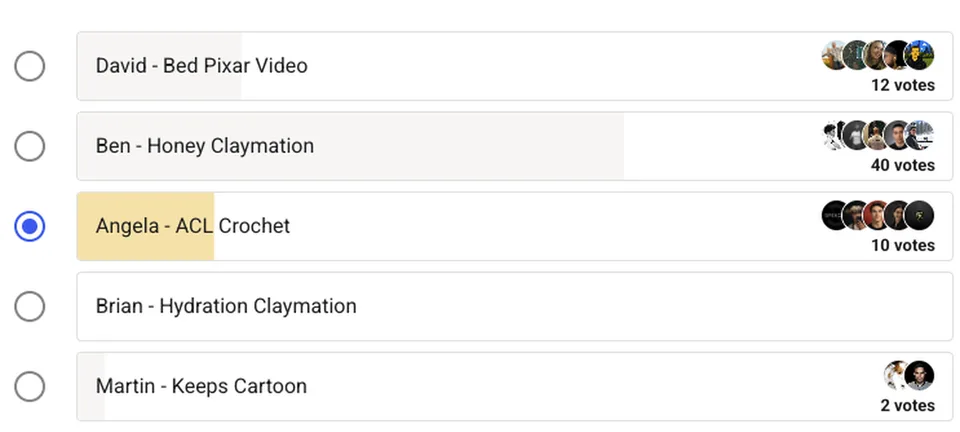
The Ad Games #1 vote: Ben, Honey Claymation, 40 votes; David, Bed Pixar Video, 12; Angela, ACL Crochet, 10 (the highlighted row is my own vote)
In round one, Ben’s claymation ad won with 40 votes, my Pixar‑style ad took 12 and Angela’s crochet ad 10.
My workflow: one ad, 4 hours, 4 stages
I made the Grog ad on the last day of the competition, and it took me 4 hours from a random idea to the finished ad. Nothing below is reordered.
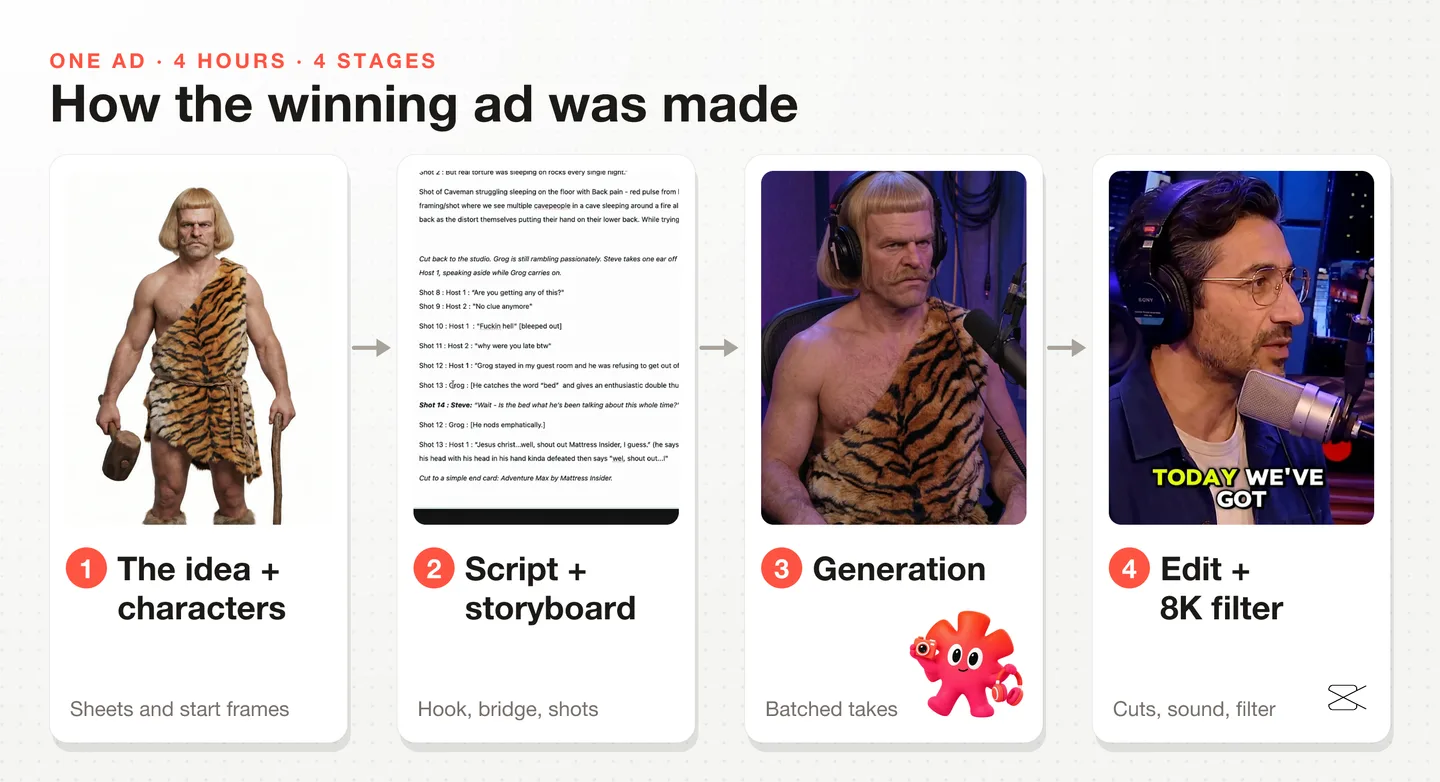
The four stages of the winning ad: the idea and the characters, the script and the storyboard, the generations, the edit and the 8K filter
- The idea and the characters: a reference, one frame per character, character sheets, start frames.
- The script and the storyboard: the hook, the bridge to the product, the shots.
- The generations: every talking take, the voiceover, the B‑roll.
- The edit: cutting the takes, the transition, the sound, and the filter that sells the look.
The whole chat is public: every prompt, every generation and every message I sent the agent. Open the Grog chat next to this post if you want to follow along.
Stage 1: The idea and the characters
I start with the visuals, because they are the fastest thing to validate. If the characters do not work on screen, the script does not matter.
Start from an idea nobody else will have
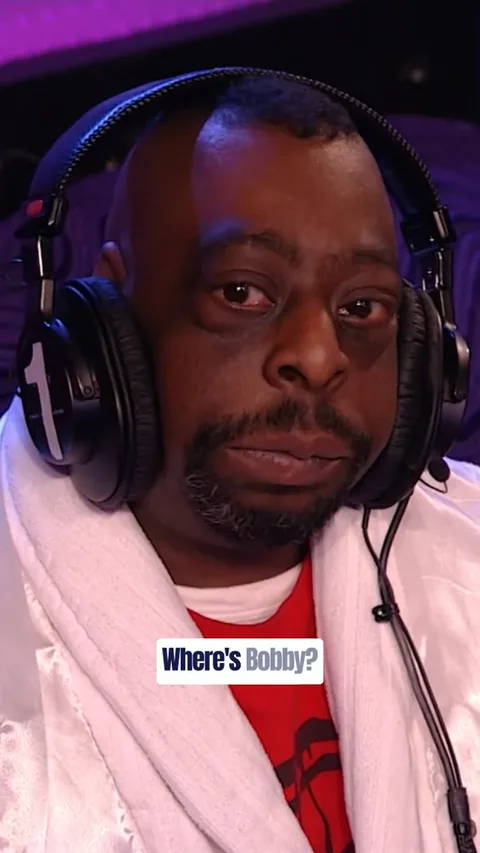
This is the reference: Beetlejuice on The Howard Stern Show, the first seconds of the clip. If you have not had the pleasure of seeing a Beetlejuice podcast clip on TikTok, they are hilarious. My idea was to make one with a caveman as the guest.
I did not want to compete on who has the most realistic podcast and who wrote the best script. I wanted something original, because I had not seen anything original. Having a reference is very important: I copied the TikTok link, pasted it into the Starpop chat and asked it to download the video.
Pull one frame per character
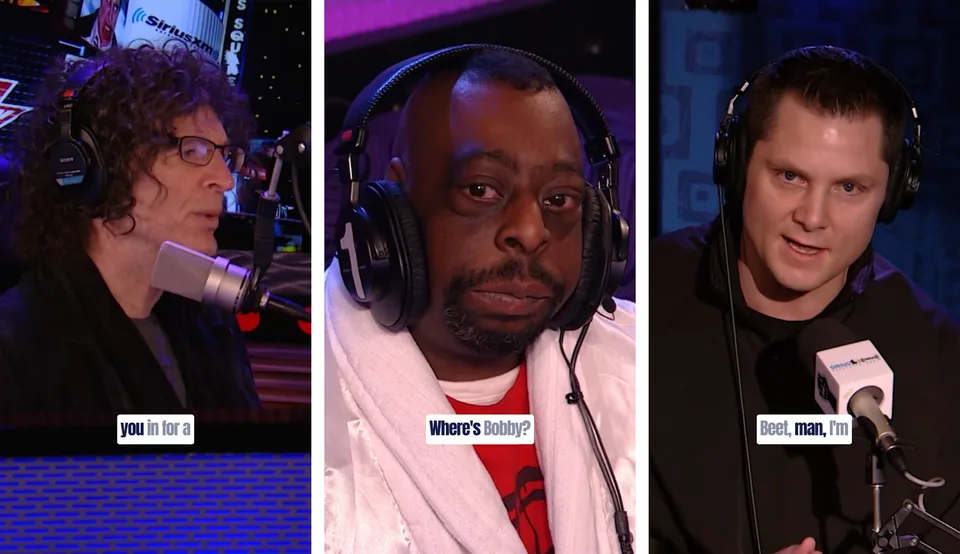
The three frames extracted from the reference podcast: the host, Beetlejuice in the guest seat, and the co-host
From the reference I extracted one frame per person: the host, Beetlejuice (who would become the caveman) and the co‑host. That gave me three references for three podcast characters, each with its camera angle, its microphone and the purple studio light.
Character sheets for the two hosts
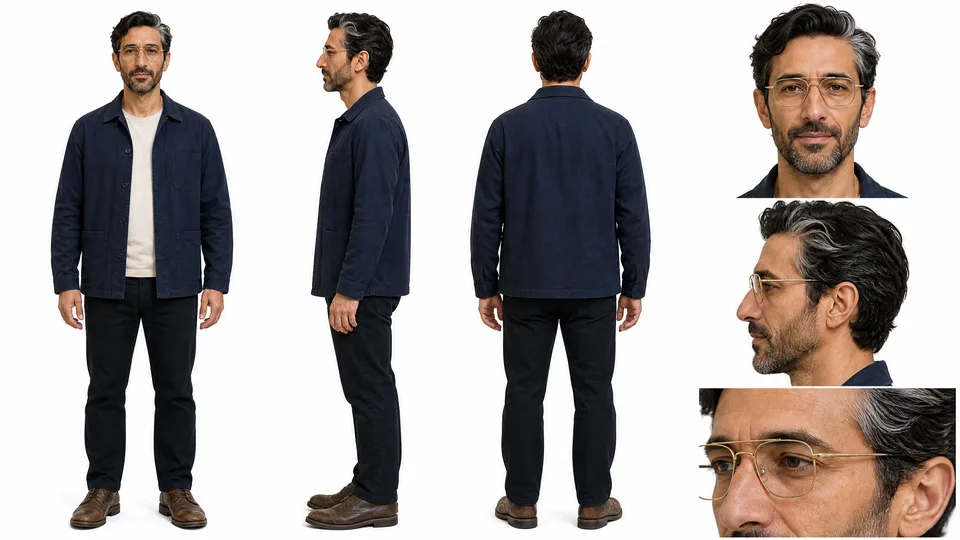
The character sheet for Host 1: navy jacket, wire glasses, dark wavy hair, front, side and back views
My message to the agent: “Draft 2-3 variations per character using GPT image 2 and the character design skill. Make them very unique, with distinguishable glasses and features. Grom needs to stand out.”
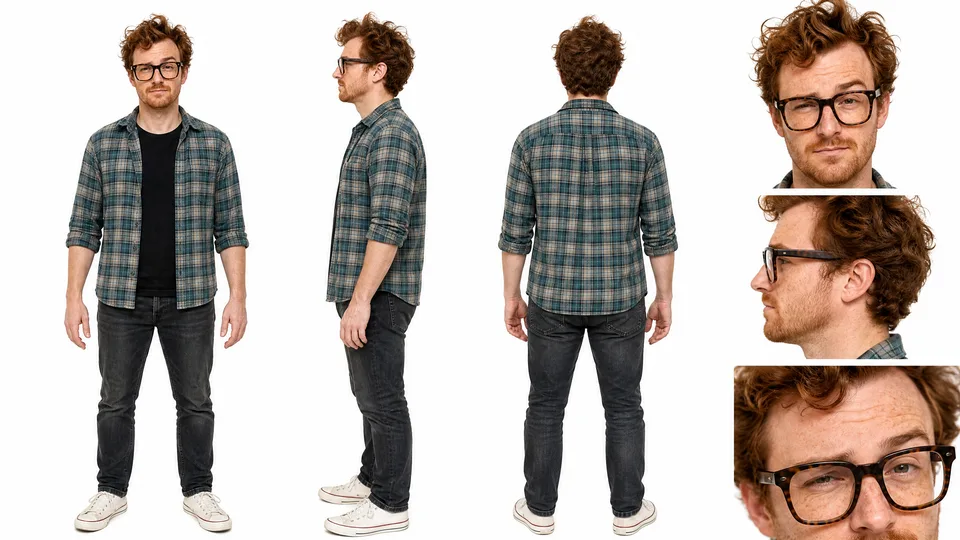
The character sheet for Steve, the co-host: plaid shirt, tortoiseshell glasses, curly red hair
I picked these two out of six drafts: the host with the wire glasses, and Steve, the co‑host with the tortoiseshell glasses.
The caveman who was not funny
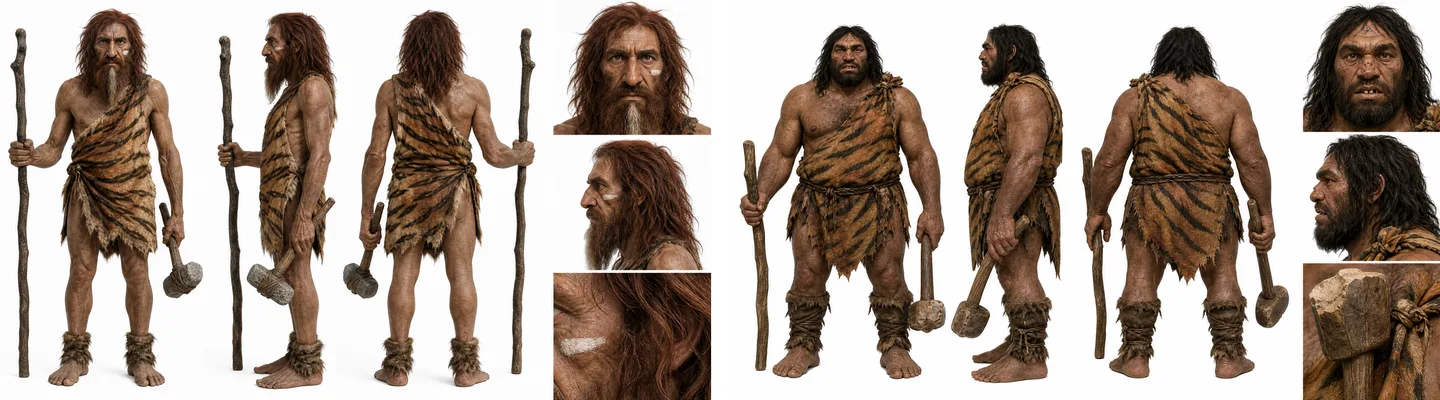
The first two caveman character sheets from GPT Image 2: a wild long-haired caveman and a broad dark-haired caveman
The caveman is the character who makes or breaks this ad. He is the one who stops the scroll and makes people go “what is going on?”, so if he is not interesting, nobody cares. The first cavemen the chat generated were not interesting at all.
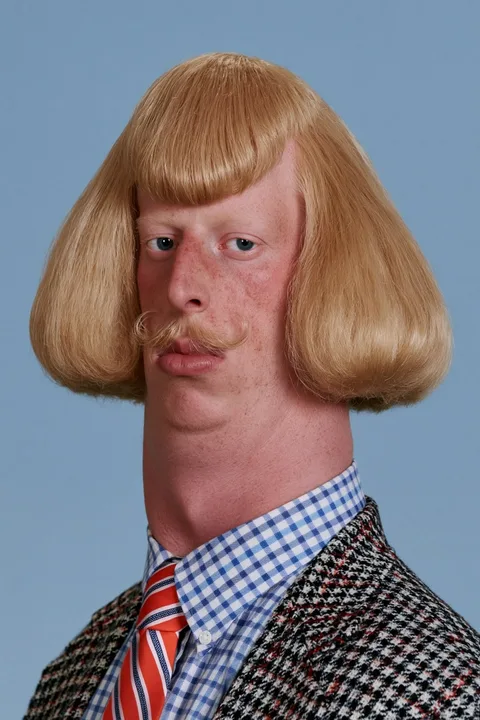 The viral bowl-cut photo
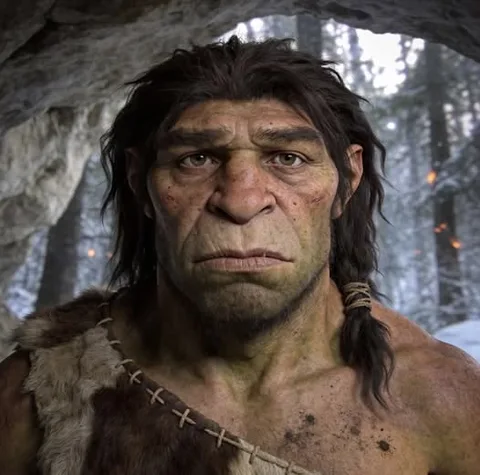 The Neanderthal reference
 The viral bowl-cut photoThe Neanderthal reference
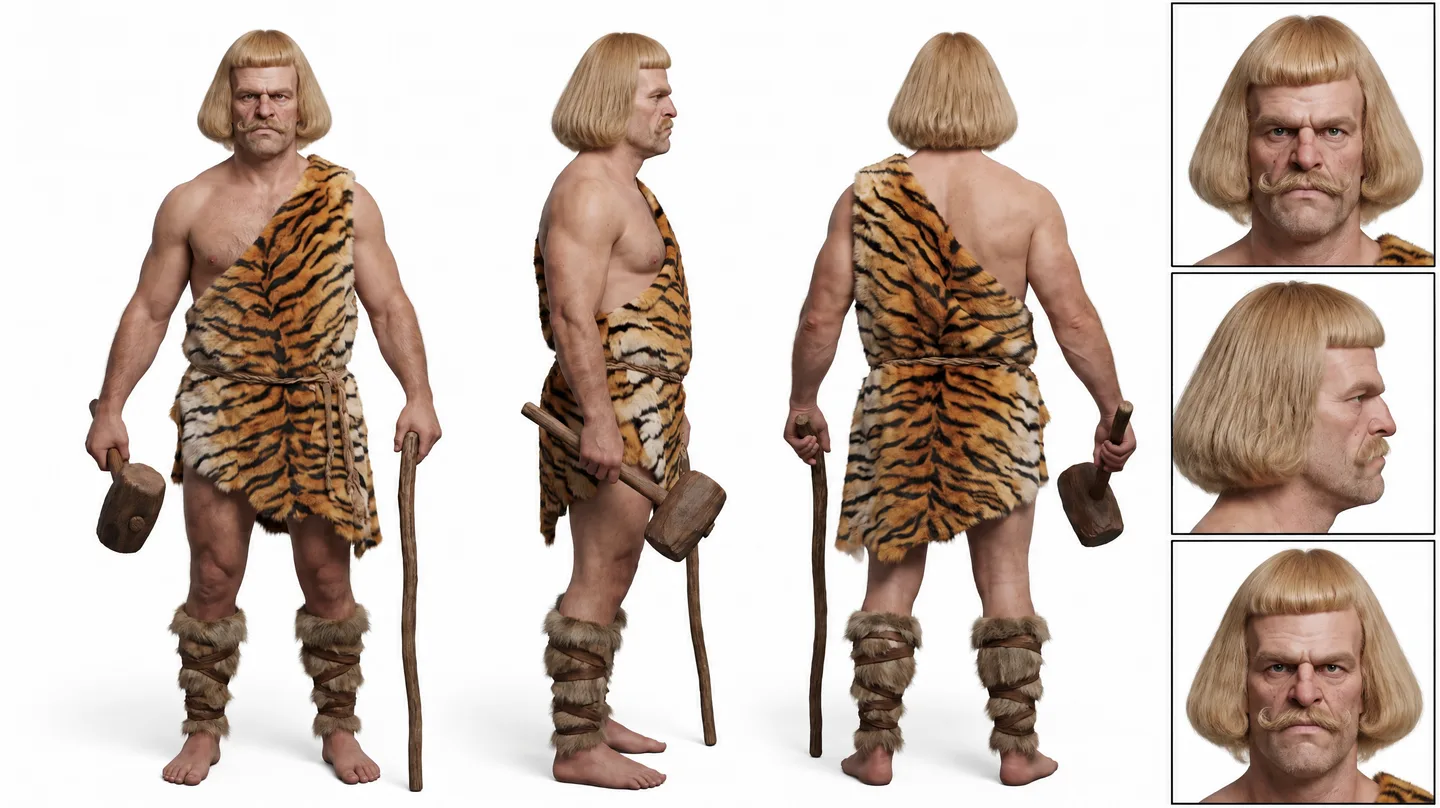
I went on Pinterest, found a photo of a guy with a bowl cut that was everywhere at the time, and thought: super random, but what if I combined the caveman with this guy? My message to the agent:
“I have this funny idea to use this viral image of the blonde guy. I want to give the caveman that haircut, but make him look like a caveman. Make him look very rugged, with a big forehead, kind of like image 2, but with a bigger forehead.”
The agent wrote the prompt. These are the two parts that do the work (the full prompt is in the chat):
References: Image 1 supplies the haircut silhouette and hair color only, not the person's identity, facial features, clothes, or styling. Image 2 supplies rugged prehistoric facial structure and weathering only, not the person's identity, hair, or clothes.

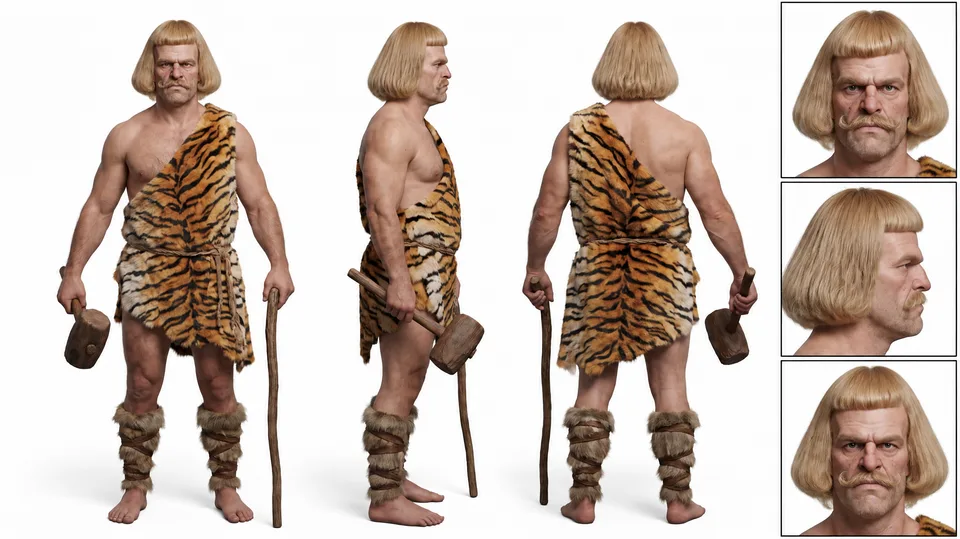
Scene: The character is Grog, an original white male caveman in his late thirties, broad and powerful, with an oversized high forehead and heavy brow ridge, deep-set expressive eyes, broad nose, strong uneven jaw, rough stubble and a ragged moustache. Give him the instantly recognizable volume and rounded shape of image 1's haircut, adapted into coarse, wind-tangled, dusty prehistoric hair, with a shorter fringe that leaves the unusually large forehead readable. He looks wild and physically imposing rather than groomed or fashionable. One boldly striped tiger-hide pelt is roughly tied across one shoulder and at his waist; bare arms, fur wraps around his calves, bare feet. He carries a large wooden mallet in one hand and a separate thick walking stick in the other.
Validate an original idea as fast as you can. If you have an original idea and you do not execute it properly, it can come off as super cringey. The cool thing about doing the visuals first is that you fall in love with your own concept, or you find out early that you cannot pull it off.
Start frames are the proof
 Reference frame
 Grog’s character sheet
 Reference frameGrog’s character sheet
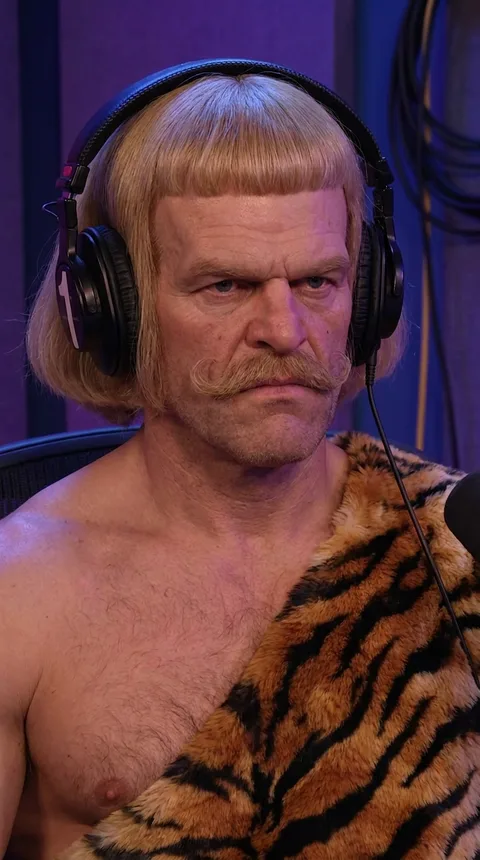
To really prove the idea was feasible, I had to make the start frames. The start frames are what make it 100% valid: they are the images you are going to animate, so if they are good, the videos will be good.
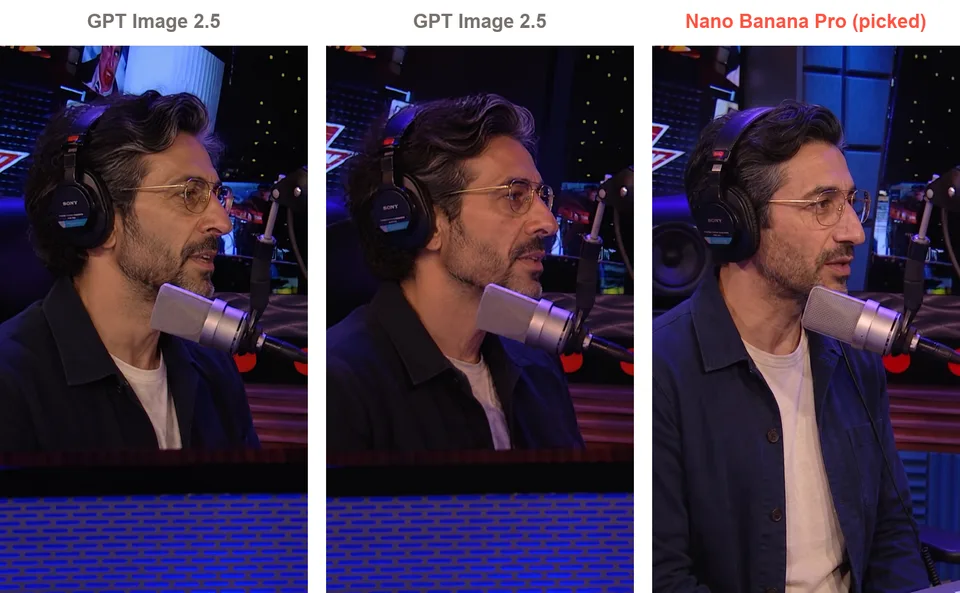
The host start frame from two models: two GPT Image 2.5 versions and the Nano Banana Pro version I picked
The chat helped me draft the prompts and recommended the models. We tested GPT Image 2.5 and Nano Banana Pro on the host, Nano Banana Pro was the best, so I used it for all three. Once I had all three start frames, I knew I had something, and that it was worth putting a lot more effort into the idea.
Stage 2: The script and the storyboard
The hook was easy: a caveman on a podcast. The hard part, and the thing that took me the most time, was the bridge to the product.
The bridge to the product
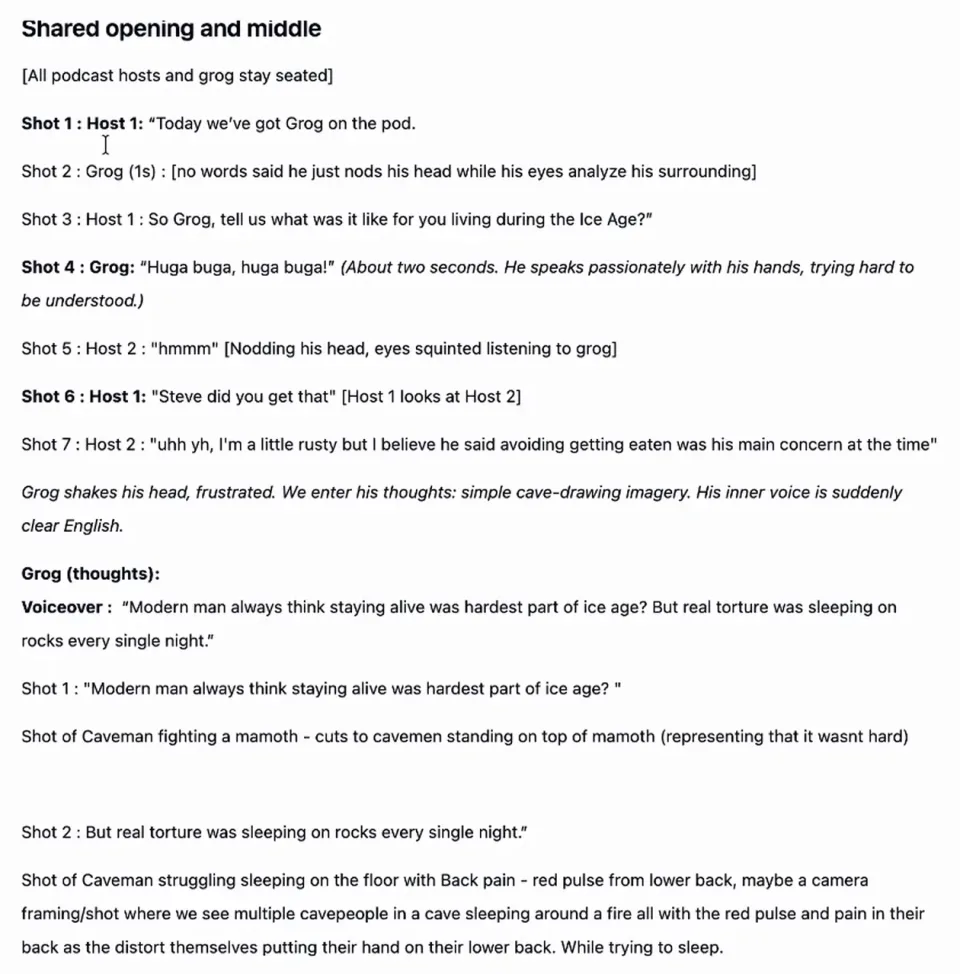
The Grog on the Pod working script, a document inside the Starpop project
The conversation has to sound natural, and the bridge has to make sense for the conversation, the story and the product at the same time. I had the chat write a first draft, then I did a massive amount of work by hand. The formatting is all over the place and there are even spelling mistakes, because I wrote a lot of it myself and only asked the chat to refine certain parts.
Here is how the bridge moved, from the agent’s draft to the ad:
| Version | The bridge |
|---|---|
| The agent’s draft | Host 1: “He stayed at my place last night. I couldn’t get him out of the guest bed this morning.” Steve: “Wait. Is that what he’s been talking about?” |
| My twist | The hosts give up on translating and talk off‑mic while Grog keeps rambling: “By the way, why were you guys late?” |
| The final ad | “Why were you late, by the way?” “Grog stayed in my guest room and he was refusing to get out of bed.” Grog hears “bed”, double thumbs‑up. “Wait. Is the bed what he’s been talking about this whole time?” “Jesus Christ. Well, shout out Mattress Insider, I guess.” |
The joke and the product land in the same beat: the whole Ice Age interview was a mattress review.
Camilo’s note on my ad: when Grog says yes, it’s the bed, zoom into his head again and turn it into a 30 second VSL on the bed, its benefits and the problems real people complain about on Reddit. As it is, the ad can work for warm audiences, but it does no education, so it will not convert colder audiences: as Meta pushes spend to people who have never seen the brand, it dies.
Storyboard: easy podcast, hard B‑roll
For the podcast lines, the storyboard is simple: every talking shot is a start frame, animated. The hard part is the voiceover section, where we go into Grog’s mind and you have to ask what visual illustrates the line most effectively.
- Voiceover : “Modern man always think staying alive was hardest part of ice age? But real torture was sleeping on rocks every single night.”
- Shot 1
“Modern man always think staying alive was hardest part of ice age?”
Shot of Caveman fighting a mamoth
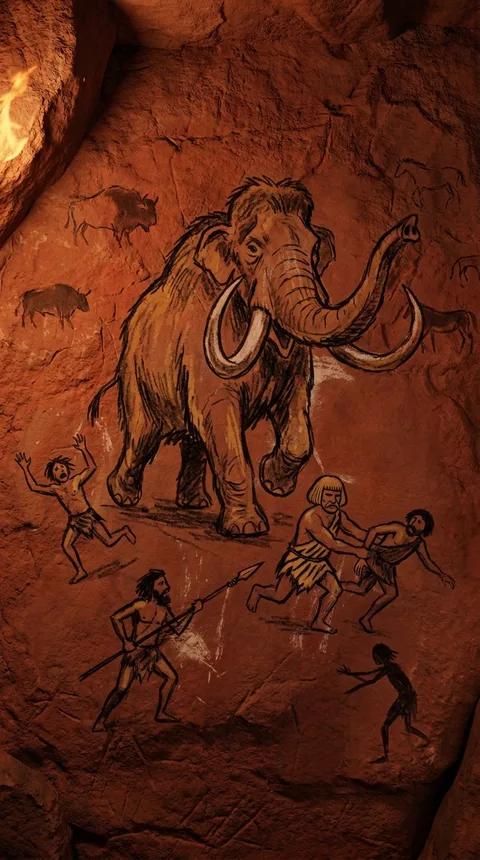
- Shot 1, the cut
(same line)
cuts to cavemen standing on top of mamoth (representing that it wasnt hard)
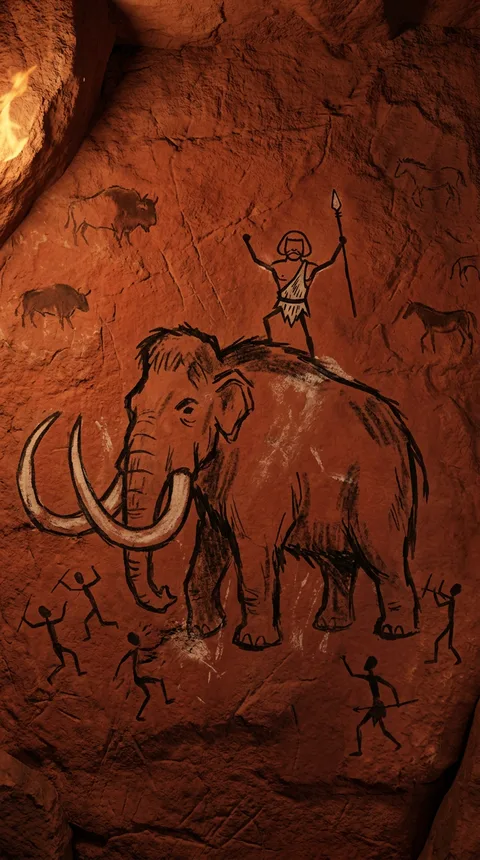
- Shot 2
“But real torture was sleeping on rocks every single night.”
Shot of Caveman struggling sleeping on the floor with Back pain, multiple cavepeople in a cave sleeping around a fire
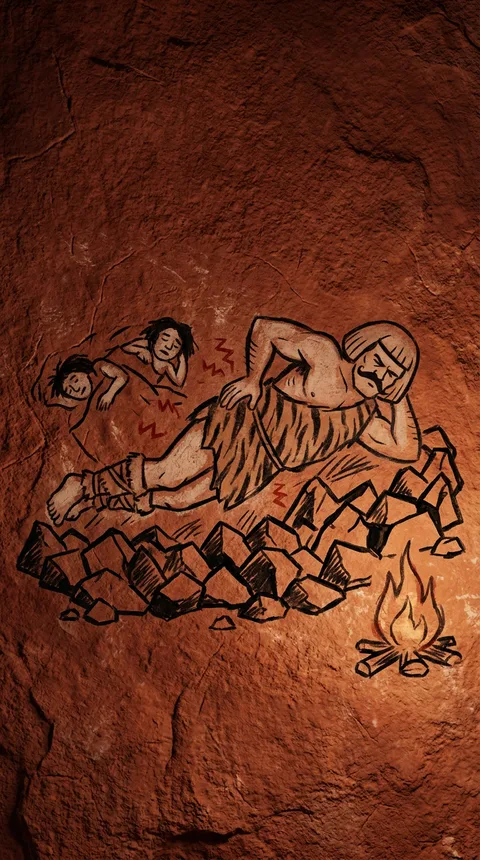
For this podcast, it looks like just a script, but it is very much a script and a storyboard in one. For a voiceover ad with B‑roll you would use a table: the script line on the left, the visual for that line on the right. The full document and both formats are in how to storyboard an AI ad.
I truly believe the reason I pulled this ad off in so little time is that I planned the script and storyboarded the visuals before generating anything. It is the step I see a lot of people skip, and I skip it too when I am lazy. Don’t: you will go a lot faster.
Stage 3: Generating every clip
This was the easiest step by far. Once I had my plan it was a piece of cake: the chat had the plan, it generated everything, and I barely had to regenerate anything.
Podcast batching: one generation per character
In the chat I asked for FLUX.3 and the podcast strategy from Starpop’s podcast skill: you group all of the lines one character says into one generation, then cut them apart in the editor. It means fewer generations, more voice consistency and better pacing. The agent turned my script into grouped takes:
| Take | Lines grouped into the take | Start frame | Length |
|---|---|---|---|
| Host 1, take A | The introduction, the Ice Age question, “Steve did you get that” | Host 1 | 13 s |
| Host 1, take B | “Are you getting any of this?”, the bleeped line, the guest room line, the shout‑out | Host 1 | 15 s |
| Steve | Every Steve line, in one continuous take | Steve | 18 s |
| Grog | Every Grog reaction: the look around, the “hooga booga”, the frustration, the grin | Grog | 13 s |
I told the agent to compress all of Grog’s moments into one take, and Steve ended up as one take too. Here is what came out:
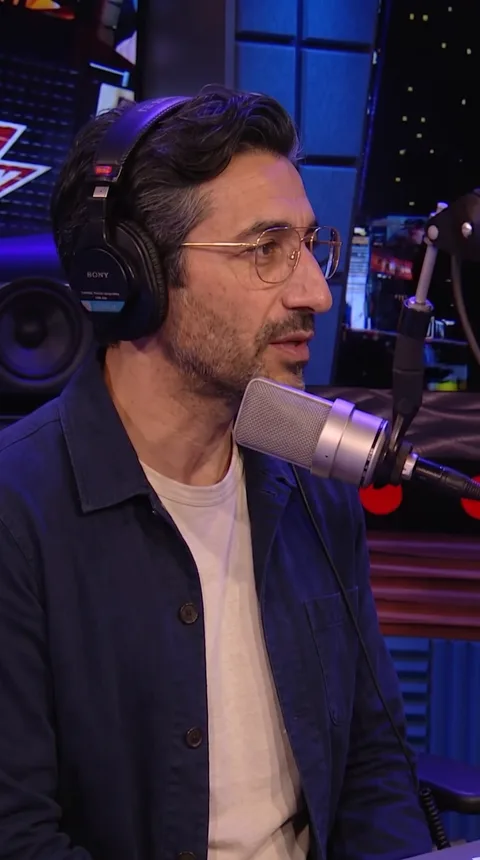 Host 1 start frameHost 1 start frame
Each take is one locked camera angle with natural pauses, so the editor has room to cut between the speakers.
Grog start frameGrog start frameI only regenerated one Grog shot: the fists at the microphone, right before we go into his thoughts.
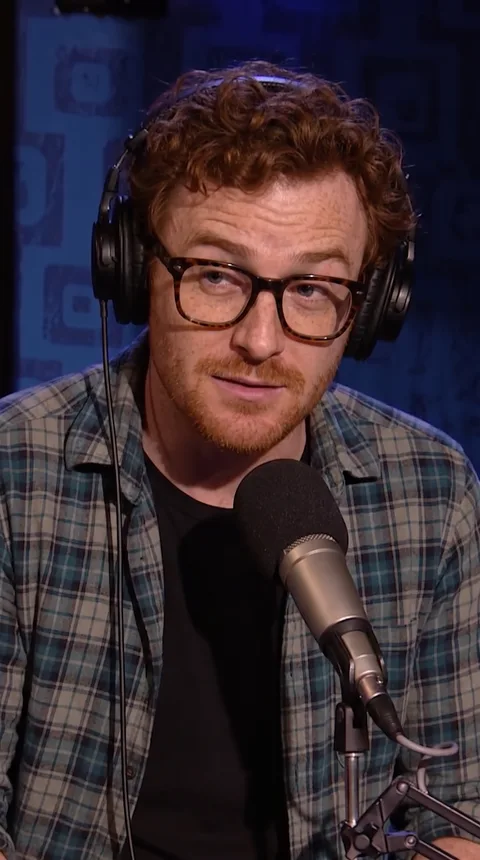 Steve start frameSteve start frame
The agent kept one sound line word for word in every studio take, so the three takes sound like one room:
Low, steady podcast-room tone under every studio take: close-mic ambience, faint headphone bleed, and subtle clothing or microphone handling. No music, audience, applause, or canned laughter.
The voice inside Grog’s head
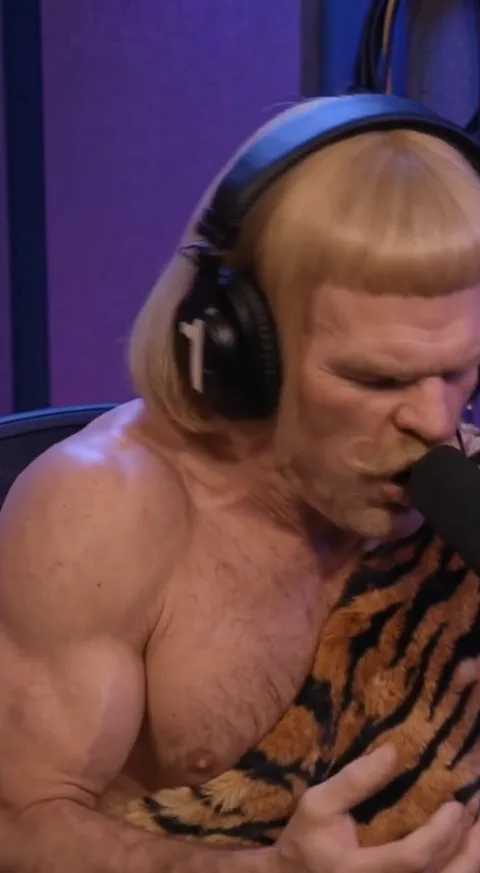
For the voiceover I did put in a bit of effort. Beyond ElevenLabs there are other voice labs: Fish Audio has some really original voices, and I used one called God of war because it is kind of caveman‑like. You hear it in the ad, over the cave drawings.
The shot I could not generate
The zoom into Grog’s mind is the only scene I had to regenerate many times, across different models. Those are four of the attempts, all on MiniMax H3 Max: thought bubbles, a push into his dream, a bubble that turns into cave art. None of them worked.
 Grog at the microphoneCave drawingGrog at the microphoneCave drawing
The B‑roll itself came out of one generation on Gemini Omni Flash, with the cave drawings as references. The push into his head never did, so I solved it in the edit. Then I selected the clips in my gallery, downloaded everything and brought it into CapCut.
Stage 4: The edit in CapCut
Editing took me the longest: a whole hour of the 4. Most of it was cutting the batched takes and arranging them in the timeline.
Cutting the takes: Starpop’s first pass
StarpopStarpopWith the podcast batching strategy, you have to cut every take apart and put the lines back in order. Inside Starpop we now have an automatic editing feature: the agent picks the right clips, arranges them in the timeline and can even make the captions. Think of it as a first draft you import into CapCut or Premiere Pro and keep working on.
It is new, and it shows: it did not trim the endings enough, it cut some clips too early, and it failed to bleep the curse word. If I made this ad today, I would still start from it and be so much faster.
Be ruthless: overlap and trim
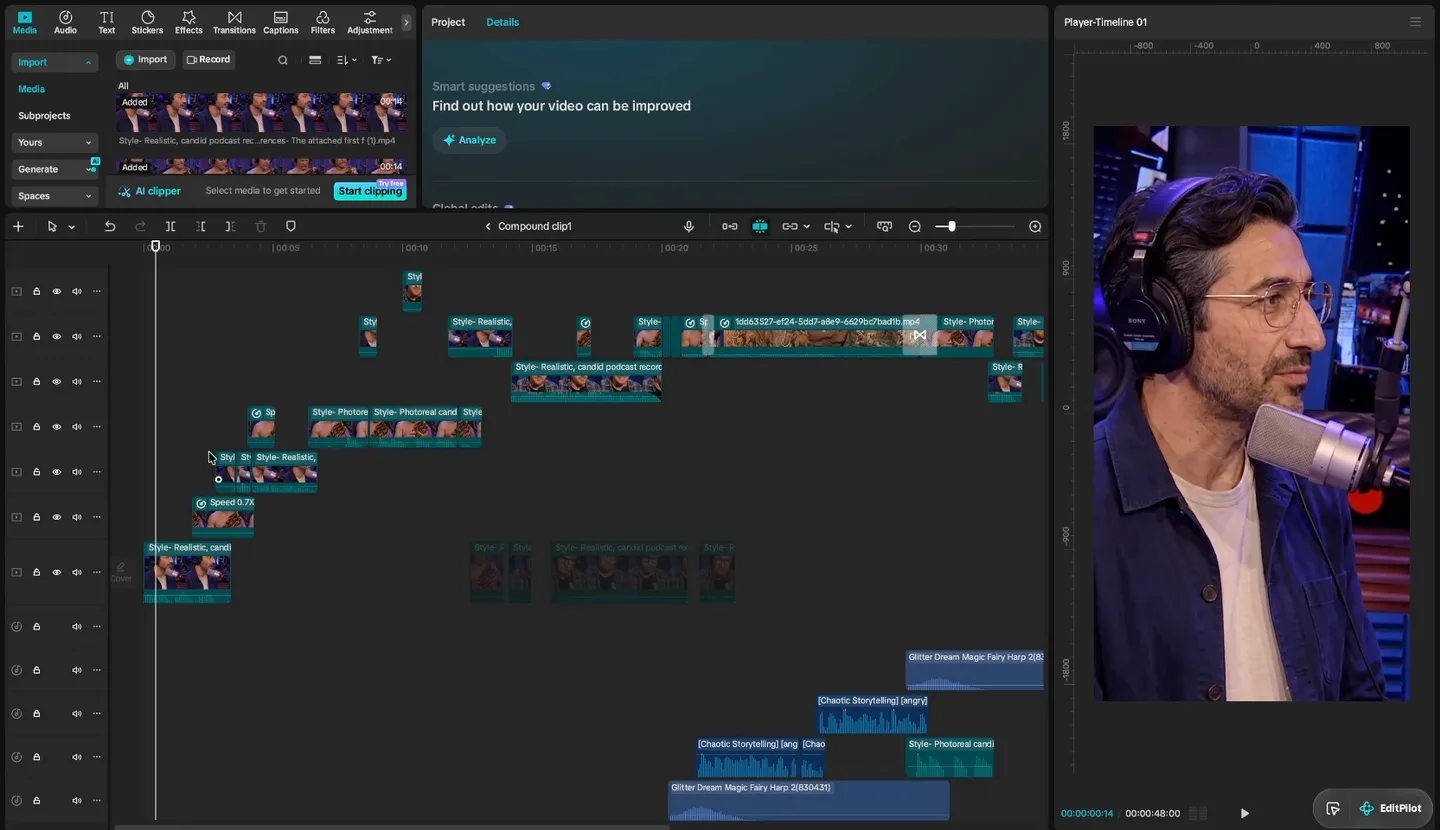
Inside the CapCut compound clip: the takes staggered and overlapping across seven video tracks
That is the inside of the ad: seven video tracks of overlapped and trimmed takes in one compound clip. I was very ruthless with overlapping clips to make it as fast‑paced as possible, so you can see another character react while one is still talking.
I trimmed out all of the fluff, every section without sound, except where having no sound is funny. This is the part of editing where you need a bit of taste and an understanding of pacing.
The transition: a keyframed zoom
Every video generation for the zoom into his mind flopped, on any model. What worked was super simple, and it is in my CapCut timeline above: I slowed Grog down to 0.5x, keyframed a zoom from 243% to 484% scale, and cross‑faded into the cave drawing. Sometimes just doing it in your editor fixes the problem.
Sound: the dream, the voice, the bleep
- Going into the dream: CapCut’s “Glitter Dream Magic Fairy Harp” sound, the classic dream sound effect, kept low under the flashback, and again on the way out.
- Grog’s inner voice: the God of war voiceover under the B‑roll, turned up so it cuts through.
- The bleep: over the curse word, and a few more times at the end.
- The captions: CapCut’s word‑by‑word template, in yellow.
The secret sauce: CapCut’s 8K filter
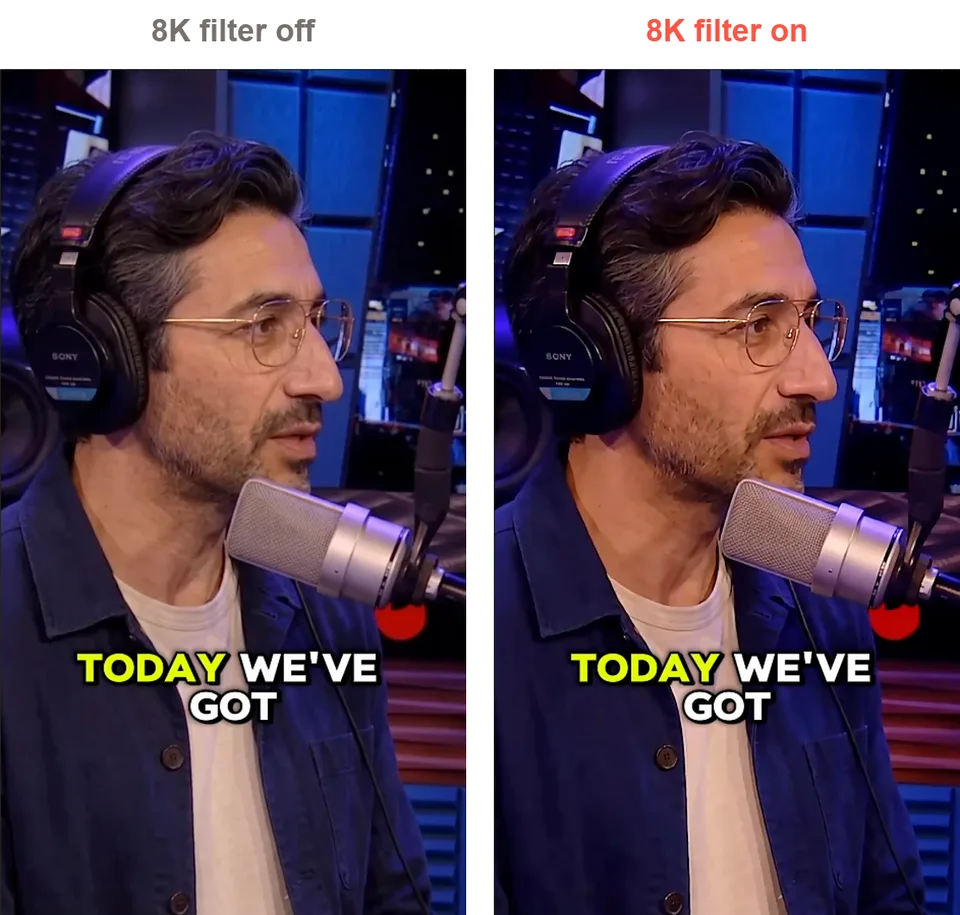
The same frame of the ad in CapCut with the 8K filter off and on
With the filter off, you get that AI look: desaturated and cold. With it on, the picture gets darker and more saturated, closer to the vintage look of the Beetlejuice podcast I was mimicking. I don’t know if it makes it more realistic, but it gives it more character, and it made everything look so much more native.
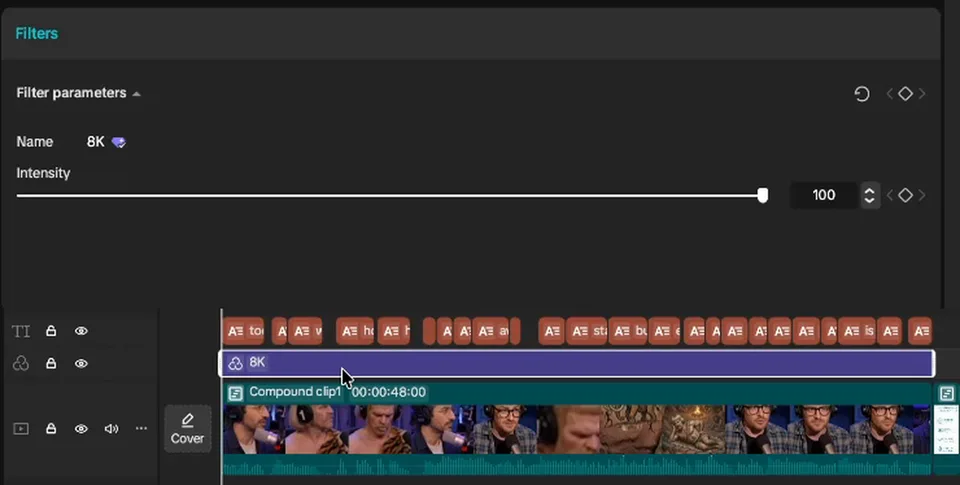
CapCut’s filter panel: the 8K filter at intensity 100, on its own track over the whole ad
It is one filter, 8K from CapCut’s filters, at intensity 100 (CapCut starts it at 50), on its own track over the whole ad except the end card. There is a lot of purple in the podcast set, the filter accentuates it, and the yellow captions pop against it.
The tip: play around with filters. They can make an AI ad look more real and more interesting.
FAQ
What are the Ad Games in Ad Creators Lab?
The Ad Games are the monthly AI ads competition inside Ad Creators Lab, Camilo Castañeda’s Skool community for AI ads. Every month has a new theme (animated ads, AI podcast ads, AI singing drama ads so far), Level 2 members enter by posting their ad in the Arena, and the top 3 win prizes.
How are the Ad Games winners decided?
Camilo picks the top 5 entries, then the community votes in a poll for the top 3. In Ad Games #2, the winning ad took 20 votes.
What is an AI podcast ad?
In the Ad Games #2 rules: “an ad creative made with AI where 1-2+ people have a conversation in a podcast setup.” The characters, their voices and the studio are all generated, and the product comes up in the conversation.
How long does it take to make an AI podcast ad?
This one took me 4 hours from a random idea to the finished ad, including a whole hour of editing. The planning is what made it fast: every line and every shot was on the page before I generated anything.
What is podcast batching?
Generating all of one character’s lines in a single video generation, even when the lines are not next to each other in the ad, then cutting them apart in the editor. You get fewer generations, a more consistent voice and better pacing. I used it with FLUX.3, which generates the voice with the video.
How do you make AI video look less AI in CapCut?
What worked on this ad: CapCut’s 8K filter at intensity 100 over the whole ad. It turned the desaturated, cold AI look into a darker, more saturated picture with more character. Play around with filters on your own footage.
Next Steps
Round three of the Ad Games is open, and the prize is a MacBook Pro. If you join to compete, tag me in there and let me know.
Enter the Ad Games in Ad Creators Lab
Ad Games #3 is about AI singing drama ads, and first place wins a MacBook Pro. Every entry gets feedback from Camilo, even if it does not make the top 3.
My referral link: I get a share if you join through it, and it helps a lot.
- Follow the whole chat. Every prompt and every generation behind the Grog ad: open the Grog chat.
- Storyboard your next ad. The full Grog document and a template you can copy: how to storyboard an AI ad.
- Go deeper on podcast ads. Grouped voice generations and the editing hacks: realistic AI podcast ads with FLUX.3.
- Make your own. Bring a reference, your characters and a storyboard, and let the agent draft the prompts, the frames and the clips. Open Starpop.