Contents
0%Hey!
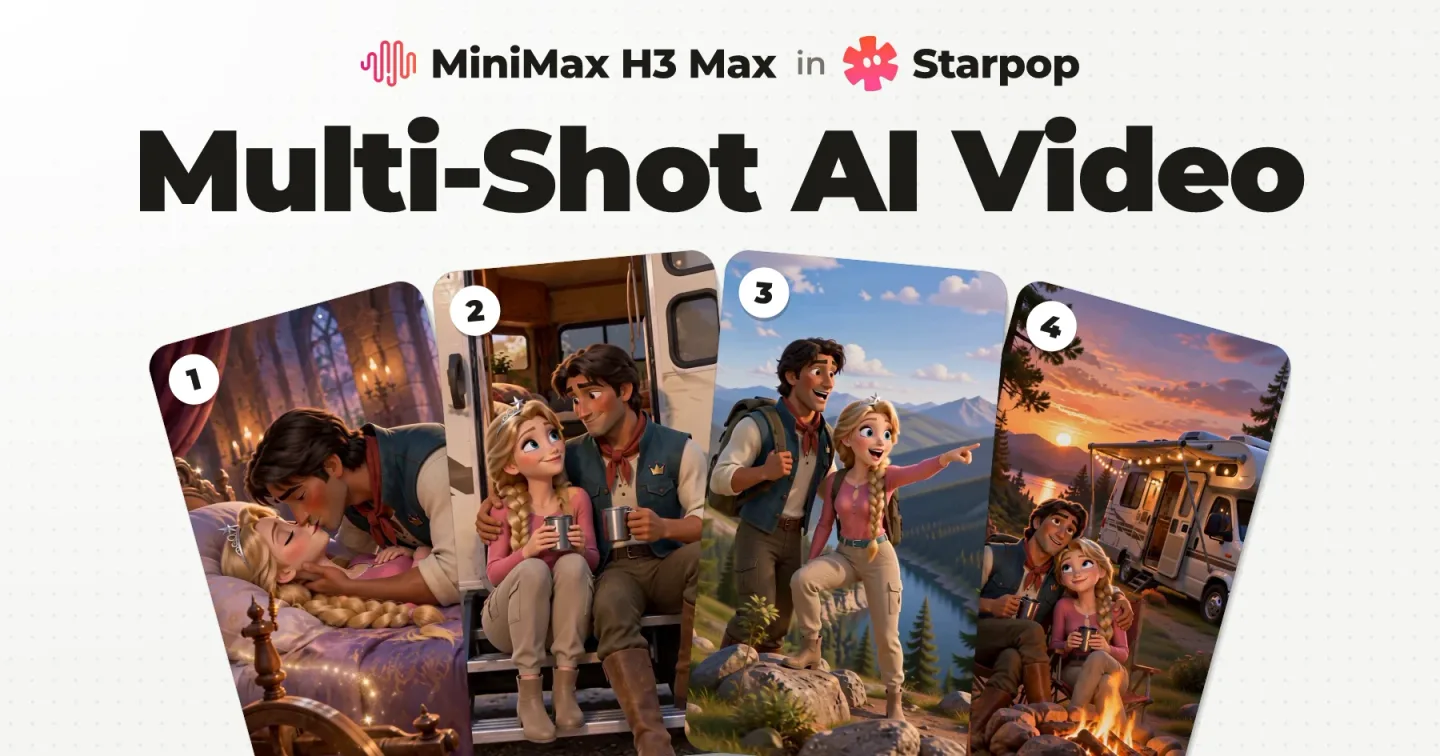
Multi-shot AI video generation is one run of a video model that returns one clip with several shots in it, cuts and transitions included. On a real Disney/Pixar style ad for a mattress brand I used it for the story beats, and single shots for the product, because a single shot can be redone on its own.
4 shots, one generation
One storyboard image went in, together with its references: pictures of the two characters, the product and a piece of the song. One clip came out, and the clip has four shots.
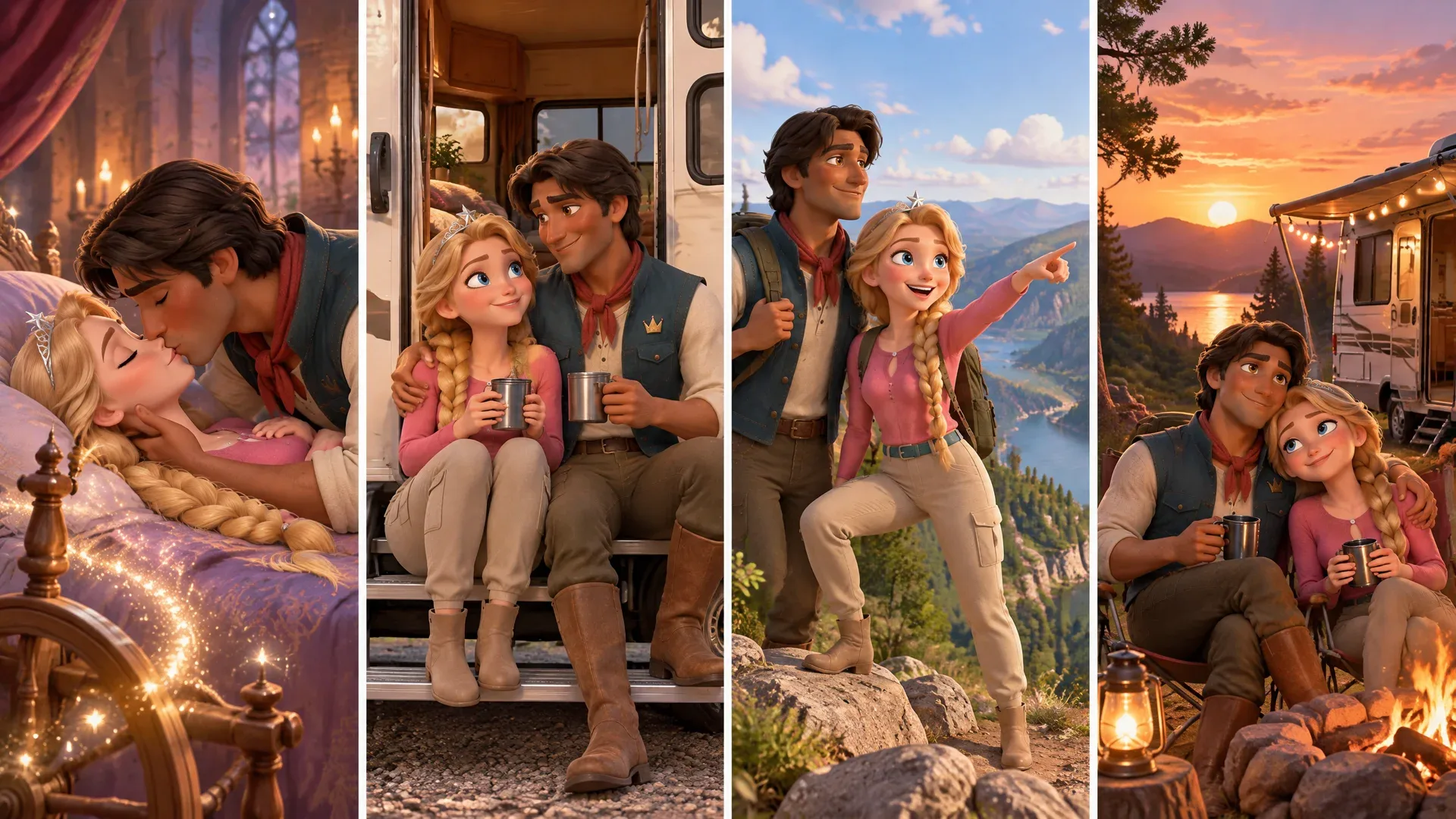 Kiss storyboard canvasKiss storyboard canvas
The kiss, the RV step, the overlook, the campfire. Four shots in 12 seconds, from one generation that came back in 56 seconds, already timed to the song. I never had to join those four in an editor.
At the three second mark the kiss leaves on a storybook page turn. The canvas prompt and both video prompts are further down this page to copy.
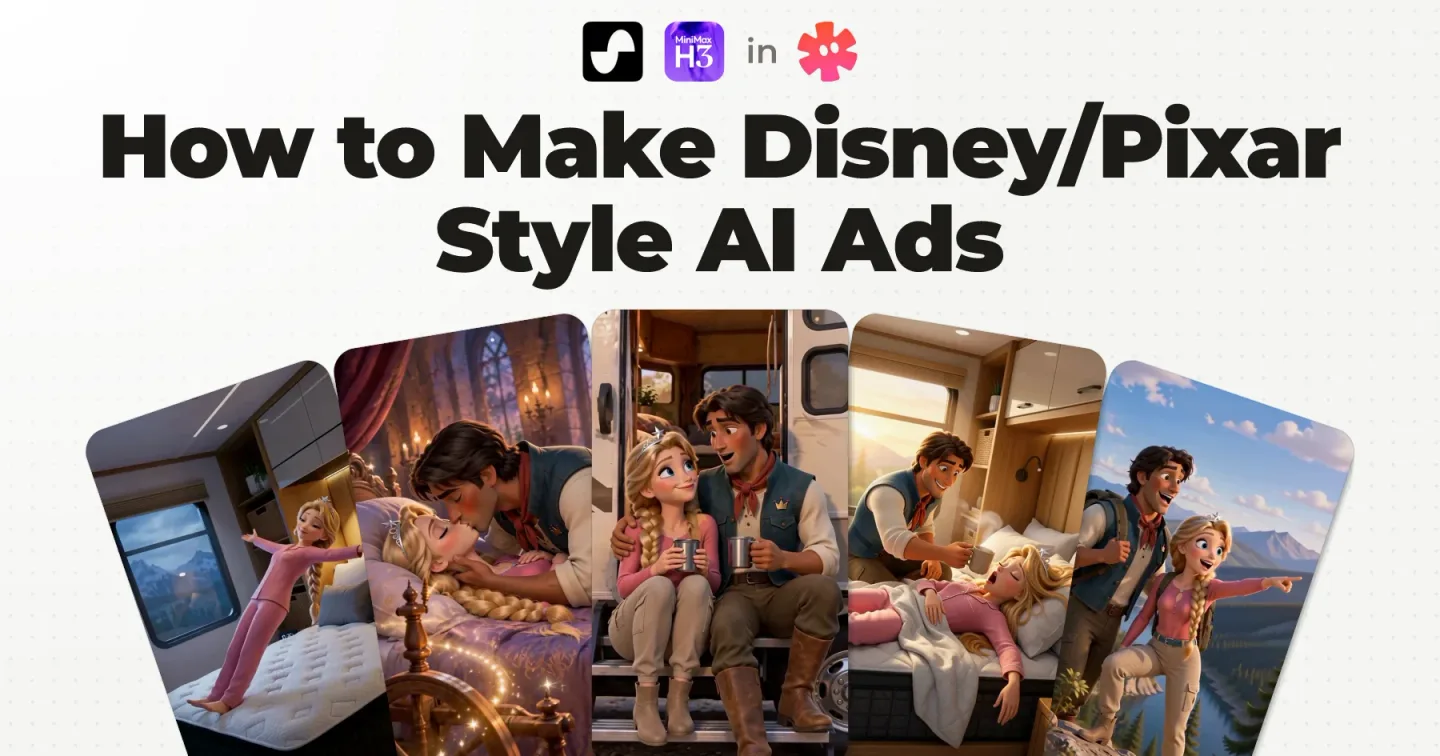
The ad is a Sleeping Beauty parody for an RV mattress: the new bed has her sleeping so deep that true love's kiss stops working. It plays in full further down, and this is the generation step of my full Disney/Pixar style AI ad workflow.
What multi‑shot AI video generation is
Multi-shot means the cuts happen inside the generation. Single-shot means one start frame (the still image a clip begins on) becomes one clip, and you do the cutting.
The panel lit in red is the shot playing on the right.
Careful with the word: some people say multi-shot for separate clips stitched together afterwards. That is the single-shot workflow, further down.
Doing it in one generation, from a storyboard, needs a video model that accepts several reference images at once. That mode is called omni-reference, and it has its own post. This one applies it to one real ad, on MiniMax H3 Max.
What a storyboard canvas is
A storyboard canvas is one image with one panel per shot. It goes to the video model as a reference, next to the character sheets, the product reference and a slice of the song, so several shots and the transitions between them come back in one generation.
The four panel storyboard canvas of the kiss clip, exactly as it went in: no text on it
Other guides call it a storyboard grid or a storyboard sheet. It is the same thing: the panels are the shots, read left to right.
Each panel comes from one row of the script storyboard, the table where every line of the script gets a clear visual. These are the four rows behind this canvas, and where each one lands in the clip:
| Script line | Visual in my storyboard | In the clip |
|---|---|---|
| “The spindle’s sleep curse broke with a kiss;” | A brief fairytale memory: the first kiss breaks the spindle’s sleeping spell. | Shot 1, 0 to 3.1s |
| “Then came our RV honeymoon bliss.” | Return to the couple enjoying the RV trip together. | Shot 2, 3.6 to 6.4s |
| “After a day of road-trip fun,” | The couple pause together at a scenic roadside overlook. | Shot 3, 6.4 to 9.0s |
| “We parked beneath the setting sun.” | Their RV settles into a campsite at sunset. | Shot 4, 9.0 to 12.3s |
The half second between shot 1 and shot 2 is the page turn. The canvas is generated from a prompt, and in the prompt for this canvas those four rows became four panel sentences, starting "Panel 1: a brief fairytale flashback" and ending "Panel 4: their RV parks at a campsite beneath a glowing sunset."
This table is why I storyboard the script line by line first: by the time I make a canvas, every panel already has a clear visual behind it.
What to lock before you make a canvas
- The song or the voiceover. It decides when things happen, so it exists first.
- A character sheet per character. One image of the character from several angles on white, made once and attached to every generation. The prompts call it a hero sheet.
- The script storyboard. One row per line of the script, with the visual for that line.
All three are steps of how to make Disney/Pixar style AI ads, in that order.
How the canvas gets made
Two multi-shot clips from this ad are on this page: the kiss clip (four panels) at the top, and the castle clip (three panels), which plays just before it in the ad. From here to the prompts I walk through the castle clip, the one whose draft is on screen in the video.
Here is its canvas as I explain it in the YouTube video this post comes from (unmute for sound):
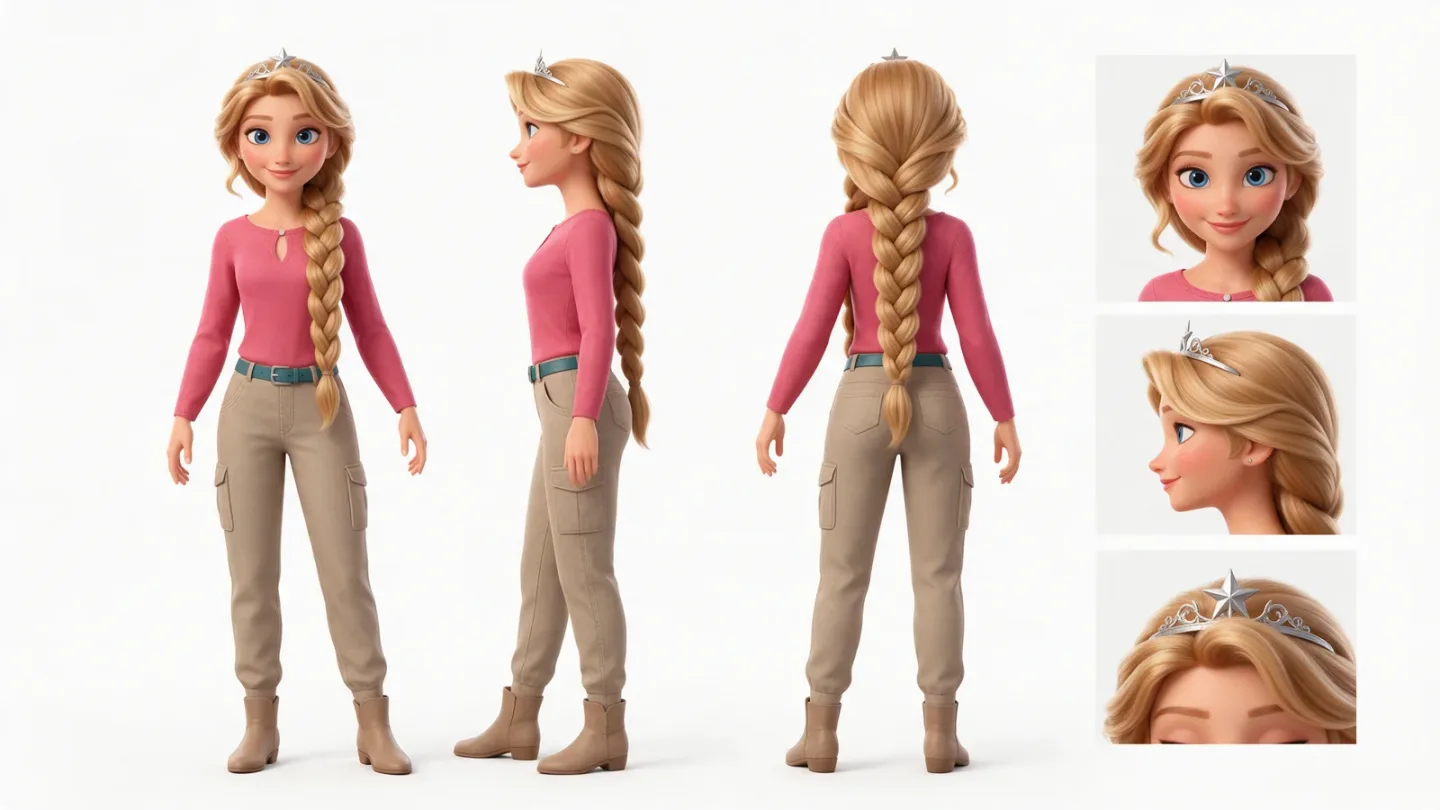 Princess character sheet
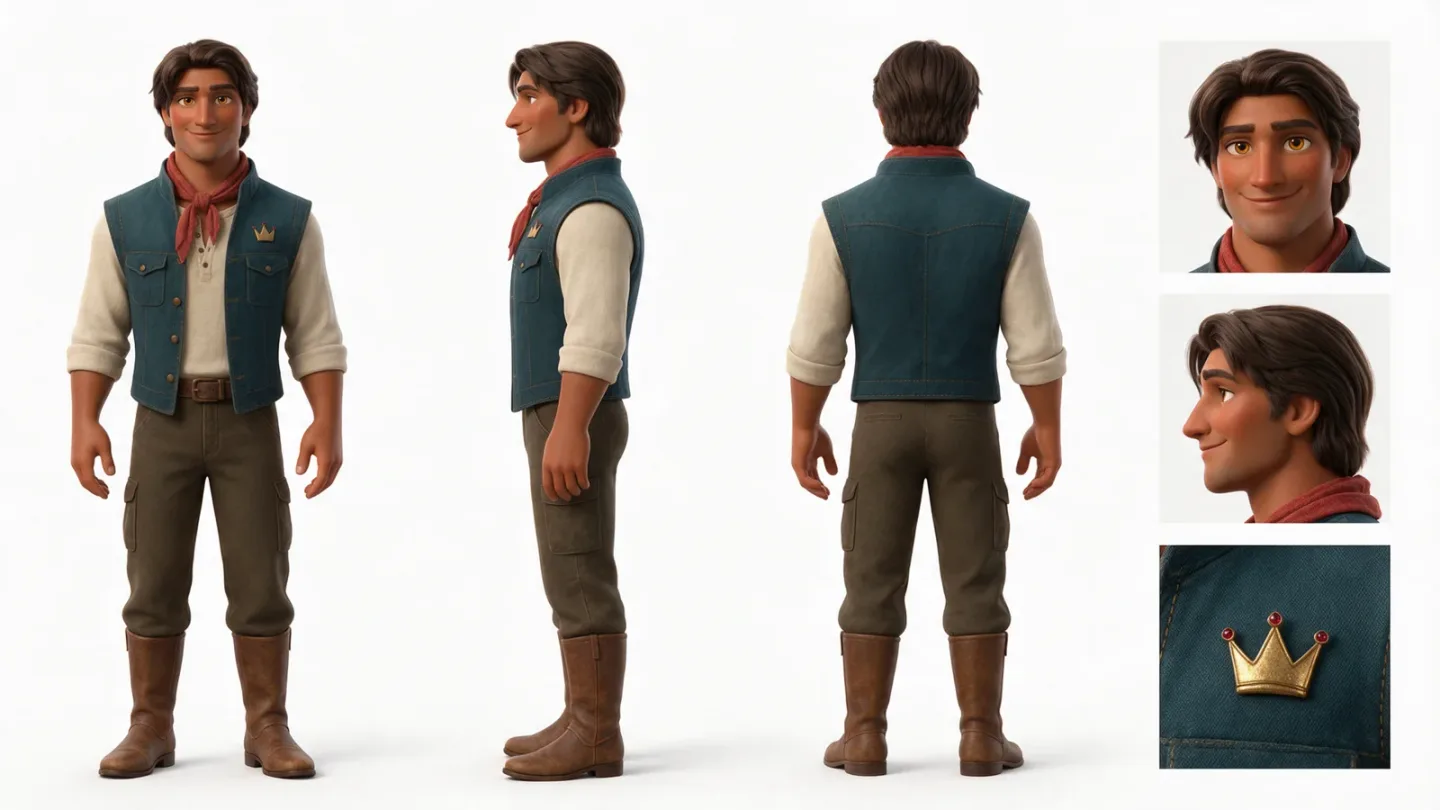 Prince character sheet
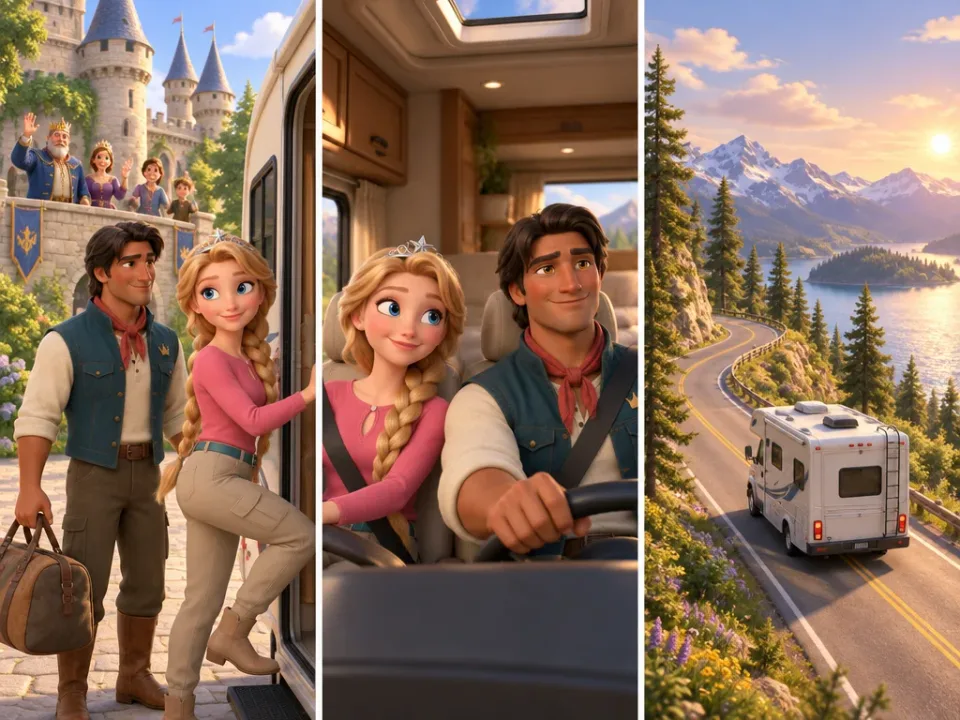 Princess character sheetPrince character sheet
The canvas is one image, generated with the two locked character sheets attached. I make these ads in Starpop, the AI ad tool I co-founded, which works through a chat with an agent. The agent wrote this prompt, and this is it word for word:
Style: Polished Pixar-style 3D storybook animation, warm cinematic color, expressive feature-film character design.
References: Image 1 is the selected Princess adventure-outfit hero sheet; preserve her identity exactly. Image 2 is the selected Prince hero sheet; preserve his identity exactly.
Scene: One storyboard canvas for Batch 2 of the song ad, showing the trip beginning and the honeymoon inside the new RV.
Composition: Exactly three distinct portrait panels arranged side by side, read left to right, with equal gutters. Panel 1: exterior view showing the princess and prince standing together near the open RV door with their castle and family waving goodbye in the background as the couple enters the RV, the start of their trip. Panel 2: interior view of the prince in the driver's seat and the princess in the passenger seat, both looking happy and excited as they begin their journey together. Panel 3: the RV travels along a scenic road into the distance, carrying the visual bridge through the instrumental passage. The "48 hours earlier" time card will be added in the edit, not printed in the image.
Lighting: Soft sunlit storybook atmosphere, cohesive style across all three panels.
Constraints: No readable text, captions, labels, logos, watermarks, borders, or extra panels. Keep each panel portrait-oriented and ensure the same princess and prince identities wherever they appear.
Three things in there do the work:
- "Exactly three distinct portrait panels arranged side by side, read left to right". The count and the reading order are stated, never implied.
- One sentence per panel. Each one is a single moment, not a paragraph of direction.
- "No readable text, captions, labels". The canvas stays text free, and the time card is left for the edit.
"Batch 2" in that prompt: a batch is one canvas, one song slice and one video generation. In the chat, batch 1 is the hook, the castle canvas is batch 2 and the kiss canvas is batch 3.
The shape follows the panel count: 4:3 for these three panels, 16:9 for the four panel canvas. The kiss canvas was made the same way.
Storyboard to video: what goes into the generation
Five things go in: two character sheets, the product in its room, the storyboard canvas, and the slice of the song those shots cover.
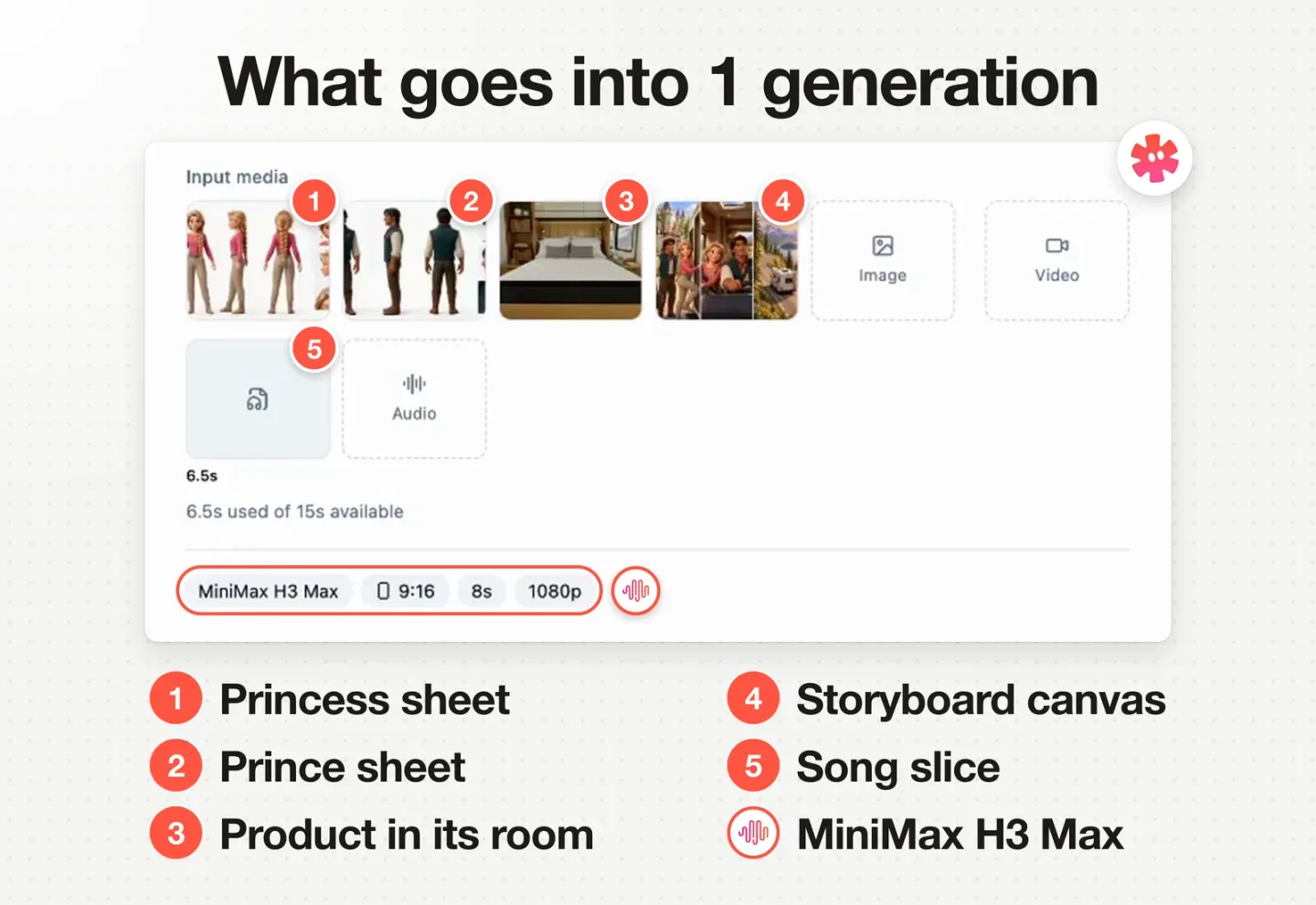
Four reference images and one 6.5 second song slice, set to MiniMax H3 Max
That is the real draft of the castle clip in Starpop. A draft is a generation set up and waiting to be run. The agent set this one up: it attached the references I had approved and sliced the song by itself to the lines these shots cover.
- Character sheets: so the faces hold in every shot.
- Product in its room: the mattress inside the RV bedroom, so it stays accurate if it shows up.
- Storyboard canvas: the shots, as pictures. It goes in as a reference, not as the first frame.
- Song slice: 6.5 seconds here, attached for timing. In a voiceover ad, the voiceover is the source of truth for pacing instead.
One thing to know before you copy this: the mattress is not on screen in either multi-shot clip. The product shots on this page are all single shots.
Setting it up by hand
That is the same setup made by hand in the Starpop app, recorded for this post in a test project and stopped before the prompt goes in. Without the agent it is four moves in the video tool:
Pick MiniMax H3 Max and open the Omni tab
Pick the model first: the Omni tab depends on it.
Attach the images in the order the prompt numbers them
Princess sheet, prince sheet, product, canvas.
Attach the slice of the song
Cut the song, or the voiceover, to the lines these shots cover. Keep the slice between 2 and 15 seconds. In this form a 6.5 second slice reads 7s; the draft above shows it as 6.5s.
Set the clip and paste the prompt
Mine were 9:16 and 1080p: 8 seconds for the 6.5 second slice of the castle clip, 12 seconds for the 11.8 second slice of the kiss clip. The prompt is in the next section. Change the references, the shot lines and the transition lines to yours, and delete the sentence about the spindle curse, which is this ad's story.
In any other tool, look for MiniMax H3 Max in its reference mode, the one that takes several images and an audio clip.
What comes out
Castle storyboard canvasCastle storyboard canvasThree shots in 8 seconds. The transitions in this one are not particularly clear. The clear one is the page turn in the kiss clip at the top of this page, shown frame by frame in the transitions section below.
What it does well is the camera. It handles the zoom ins and the zoom outs better than I would expect from making one clip at a time.
Both generations, as their drafts show them:
| Castle clip | Kiss clip | |
|---|---|---|
| Canvas | 3 panels, 4:3 | 4 panels, 16:9 |
| Clip | 9:16, 8s, 1080p | 9:16, 12s, 1080p |
| Song slice | 6.5s | 11.8s |
Both canvases came from GPT Image 2.5 Sunburst, with four options generated and one picked. Both clips came from MiniMax H3 Max, one generation each.
The clip comes back with sound: the model's own take on the slice it was given. On the kiss clip it lands on the song, and on the castle clip it sings "new RV" twice. That is why the full song goes under everything in the edit, in one piece, and the slice is only there for timing.
The MiniMax H3 Max prompts, to copy
The agent wrote both prompts when it set up the drafts, and they are here word for word with the product name taken out. Same four blocks in each: style, references, shots with a transition between each, constraints.
The castle clip (its canvas is named RV Honeymoon in the prompt):
Style: Vertical polished 3D storybook animation, warm cinematic light, consistent with the established princess, prince, and RV world.
References: Image 1 is the selected Princess adventure hero reference; preserve her identity exactly. Image 2 is the selected Prince hero reference; preserve his identity exactly. Image 3 is the room interior of the RV with the mattress product reference; preserve it accurately wherever the mattress is visible. Image 4 is the approved RV Honeymoon storyboard canvas; use its three panels as loose visual guidance, not rigid still frames. The attached audio is only a timing source. The spindle curse has already been broken before this honeymoon departure; the flashback that explains it comes in the next batch.
Shots:
Shot 1: The couple leave the castle as family wave goodbye and step toward their new RV. Camera: a welcoming exterior view with a gentle push toward them.
Transition: Cut inside the RV through its doorway.
Shot 2: The prince drives and the princess rides beside him, delighted to begin their honeymoon. Camera: a moving interior two-shot.
Transition: Cut to the open road.
Shot 3: The RV travels into a scenic landscape; hold the road view through the musical bridge into the next batch. Camera: a trailing exterior view.
Constraints: Silent character B-roll under the master song. No character singing, lip-sync, spoken dialogue, captions, time cards, readable text, logos, watermarks, extra music, or added dialogue.
The kiss clip (canvas named Spindle Curse), with its page turn line:
Style: Vertical polished 3D storybook animation, expressive feature-film characters and warm cinematic color, continuous with the established RV story.
References: Image 1 is the selected Princess adventure hero reference; preserve her identity exactly. Image 2 is the selected Prince hero reference; preserve his identity exactly. Image 3 is the room interior of the RV with the mattress product reference; preserve it accurately wherever the mattress is visible. Image 4 is the approved Spindle Curse storyboard canvas; use its four panels as loose visual guidance and animate the actions between them. The attached audio is only a timing source.
Shots:
Shot 1: A brief fairy-tale memory: the spindle's sleep enchantment fades as the prince's first true-love kiss wakes the princess. Camera: intimate storybook framing around the couple and spindle.
Transition: A quick storybook page-turn back to their RV honeymoon.
Shot 2: The couple share a joyful moment in their new RV. Camera: relaxed interior two-shot.
Transition: Cut to the roadside.
Shot 3: They enjoy a lively scenic overlook together during their road trip. Camera: a moving wide shot that keeps both recognizable.
Transition: Cut to their campsite at sunset.
Shot 4: Their RV parks beneath the setting sun. Camera: wide exterior settling into a still campsite view.
Constraints: The song is the master audio; these are silent B-roll performances. No on-camera singing or lip-sync, dialogue, captions, readable text, logos, watermarks, or added music.
What each part is there for:
| What can go wrong | The line that covers it |
|---|---|
| Faces change between shots | A character sheet per character, each with a job: "preserve her identity exactly" |
| The grid shows up in the video | The canvas as "loose visual guidance, not rigid still frames" |
| Characters sing along | Both prompts ban it: "No character singing, lip-sync" in the castle prompt, "No on-camera singing or lip-sync" in the kiss prompt. The prince still mouths a few words in the kiss clip, so watch for it |
| Shots drift off the music | The song slice attached as "only a timing source" |
| A shot tries to do too much | One line per shot: the action, then the camera |
| The cut between shots is left to chance | One "Transition:" line between every two shots |
Neither prompt gives a length per shot: the attached audio is the timing source. B-roll in these prompts means picture with nobody talking to camera.
The song, the character sheets, the canvases and the multi-shot prompts of this ad are in the real chat, public and read only, and the style lines on their own are in Disney/Pixar style AI prompts.
A skill file is a text file of instructions for Claude. This is the Disney/Pixar skill from the video: the style block, the character block and the camera block that make a frame read as Disney/Pixar. Get the free Disney/Pixar skill.
What you get for free: transitions
Because the shots live in one generation, the prompt can say how to get from one to the next.
That page turn is one line of the kiss clip's prompt: Transition: A quick storybook page-turn back to their RV honeymoon.
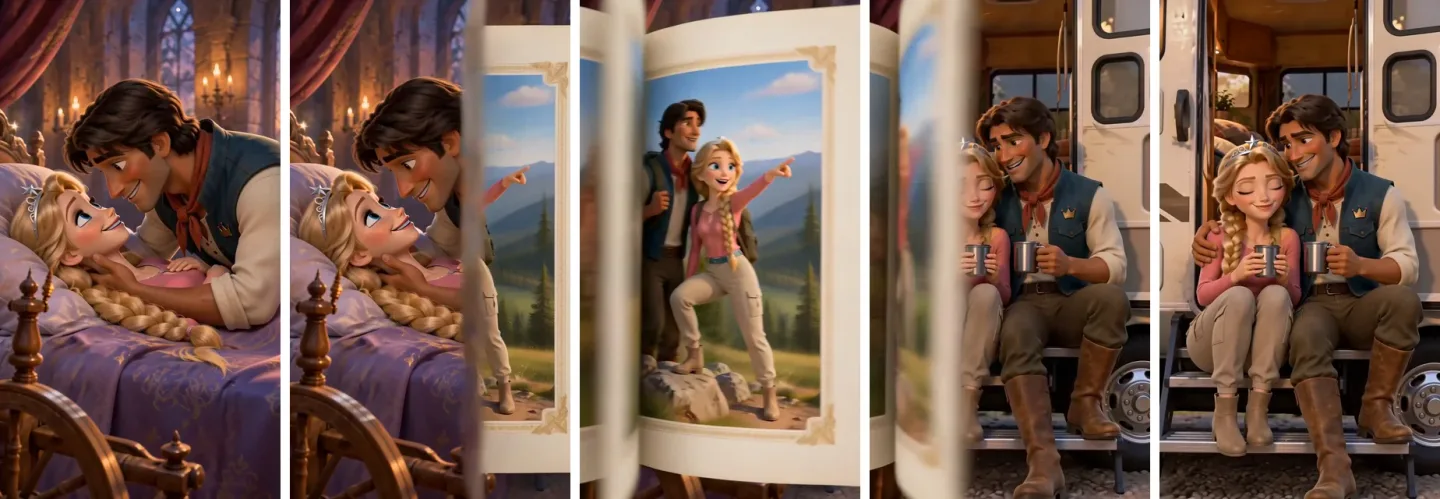
The page turn between shot 1 and shot 2 of the kiss clip, frame by frame
A creative transition like this would normally need its own generation. Here the model makes it, because it is making both shots at once and the prompt tells it how to move between them.
The other thing you get is fewer of everything: one canvas instead of four start frames, one generation instead of four.
The single‑shot workflow: one start frame, one clip
The other option is a simple start frame per shot, animated on its own.
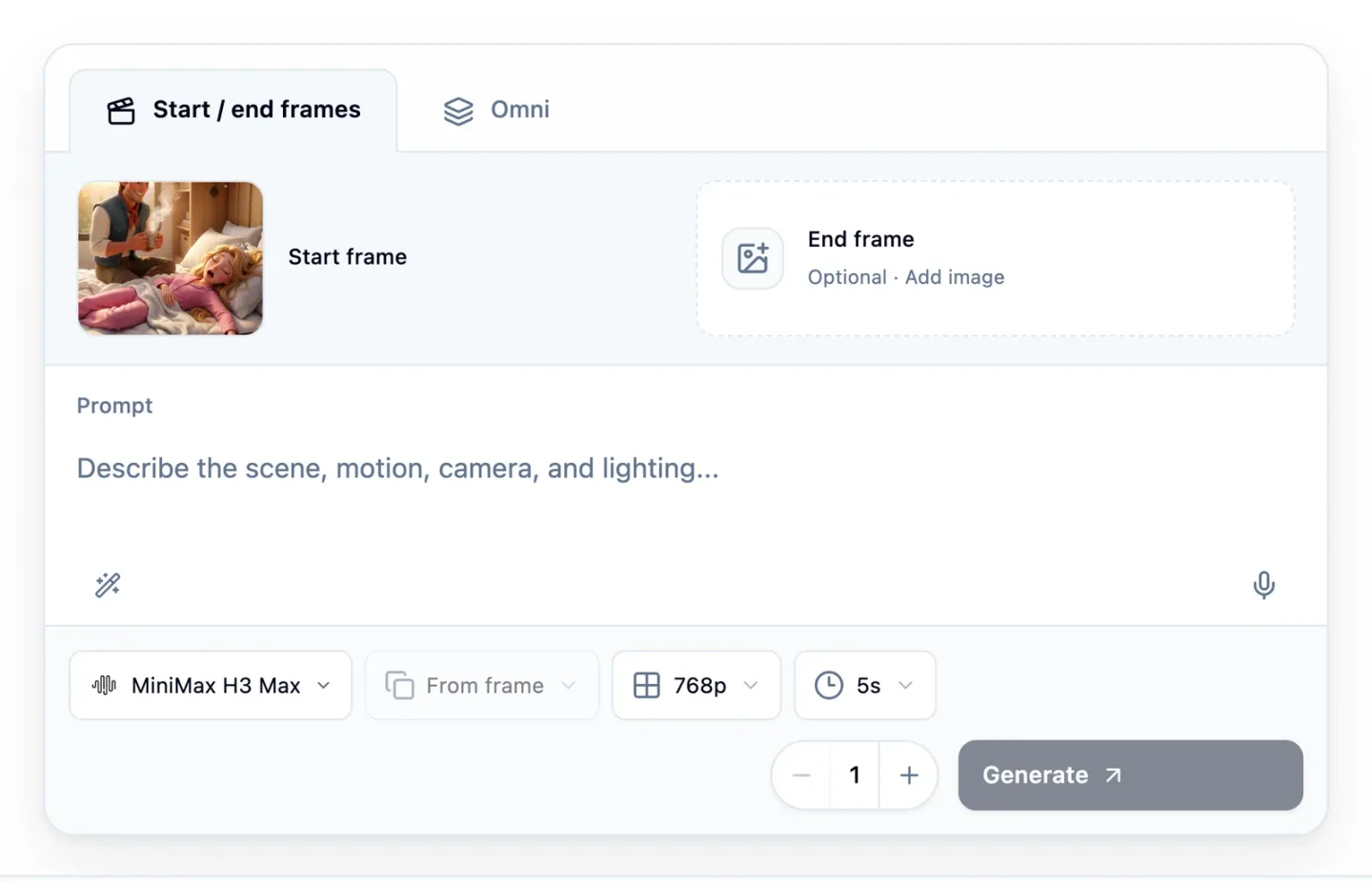
The Start / end frames tab of the video tool in Starpop, set up for illustration with one start frame
Each start frame is its own image, made with the same character references attached. Four shots of the finished ad were made this way, and here they are in the order they play:
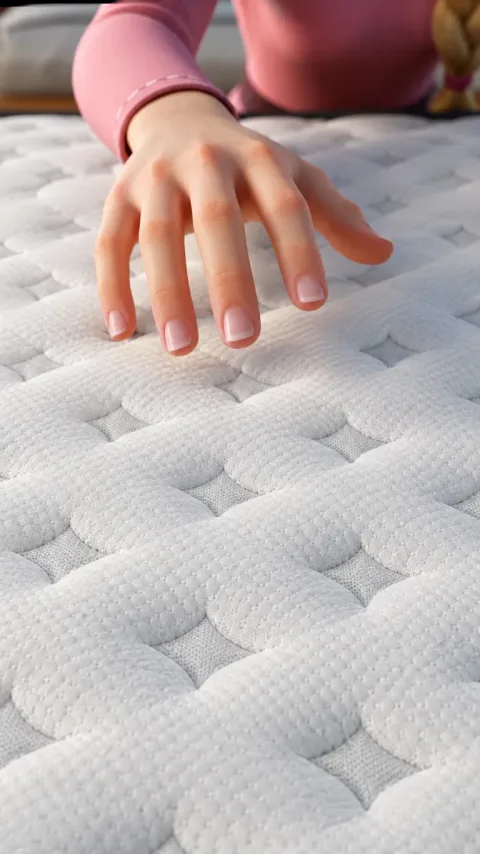 Start frame: the coverStart frame: the cover
The start frame is where you check the shot before you animate it. This one got one fix first, a single edit instruction that swapped the cover under her hand for the one in a second image: "Please make the mattress cover under the hand in image 1 be like image 2."
The video prompt can be just as plain. This clip's prompt starts with one sentence: "Close on the princess's hand pressing the quilted cover; a blue glow spread on the quilted cover."
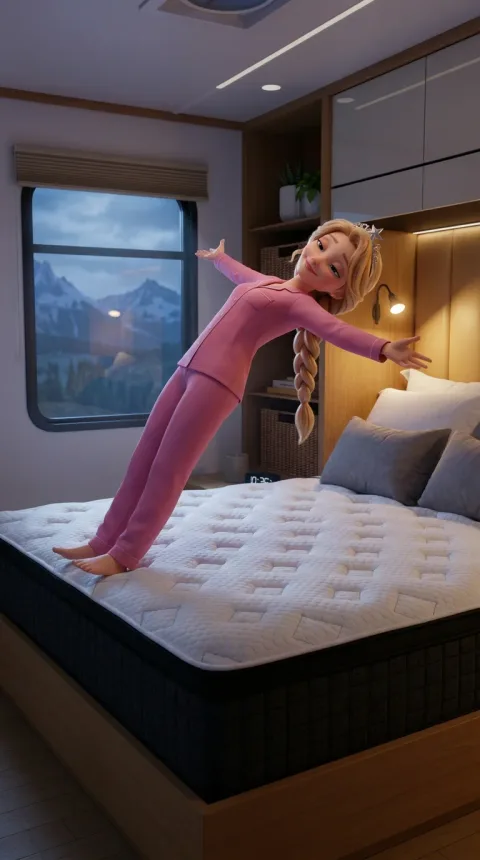 Start frame: the fallStart frame: the fall
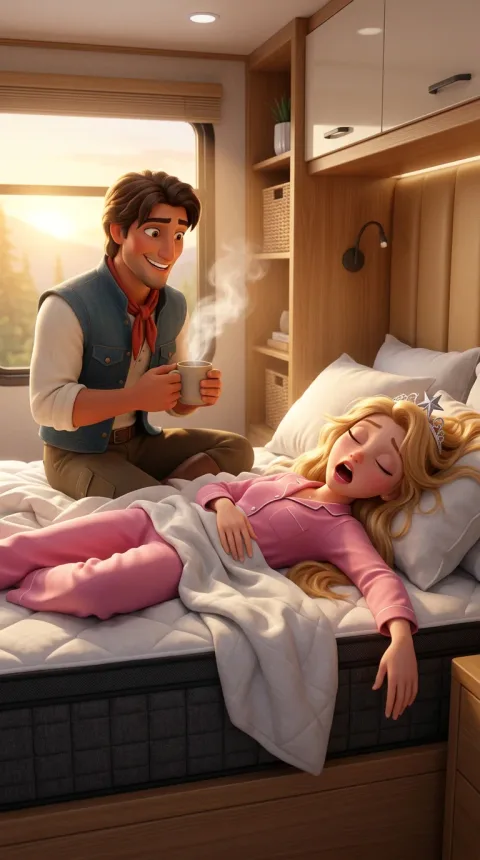 Start frame: the coffeeStart frame: the coffee
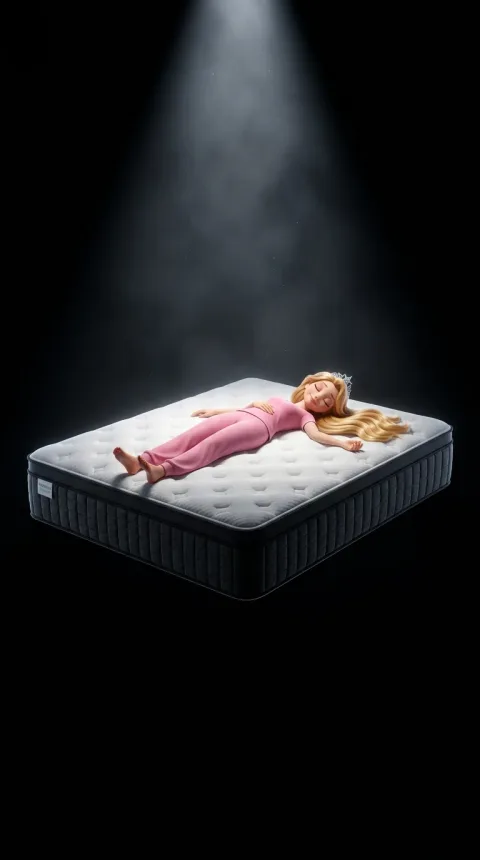 Start frame: the layersStart frame: the layers
Each of these is one image, one video, one clear action. As long as a shot stays that simple, you are pretty much good.
Multi‑shot vs single‑shot: which is more stable
Single shots are the more stable workflow, and I mean one thing by that: control. If a single shot messes up, you regenerate that one shot; if one shot inside a multi-shot clip messes up, the whole clip runs again.
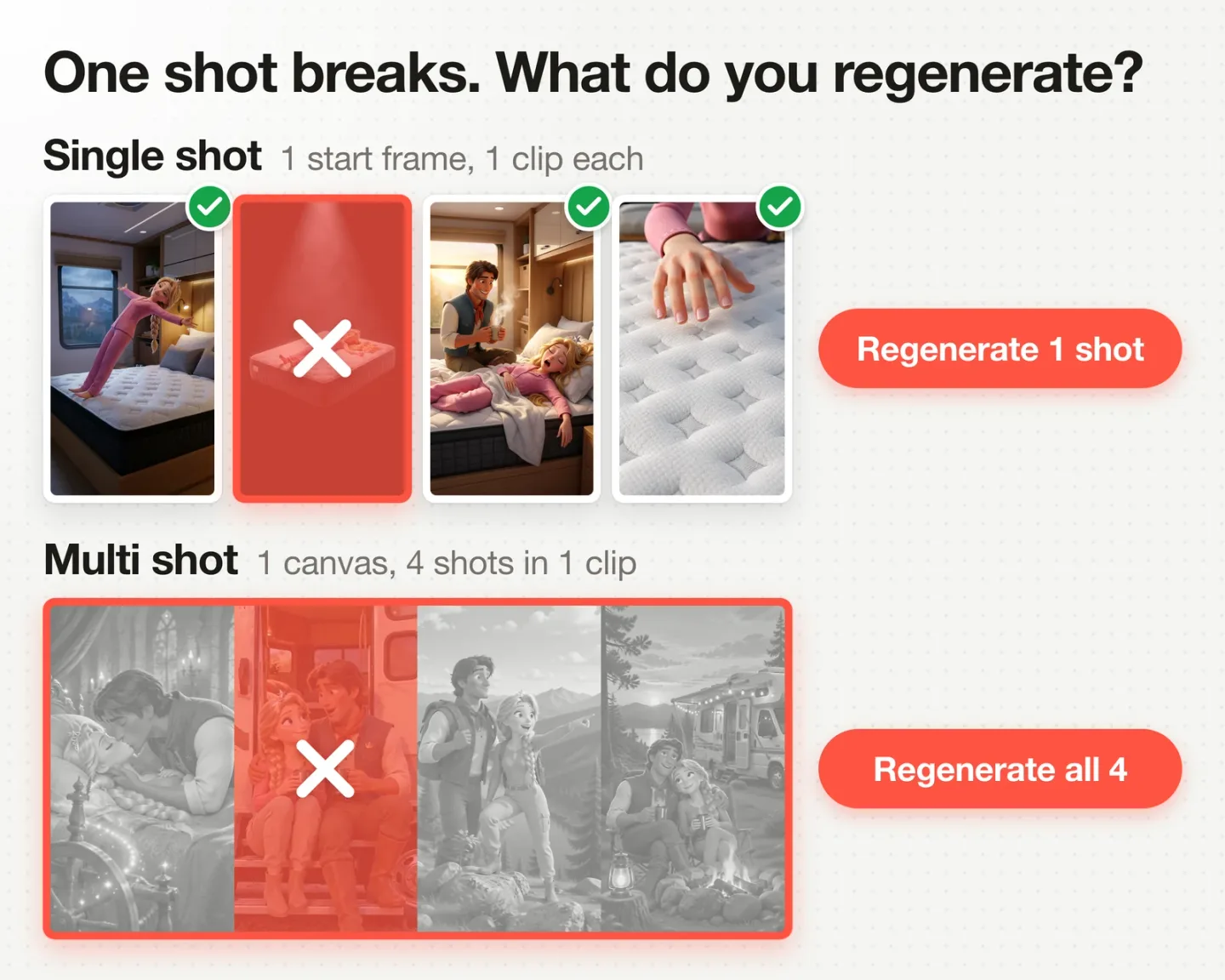
Single shots: redo the one that broke. Multi-shot: the whole generation runs again
Both multi-shot clips on this page came back usable on the first generation, so this is not about them failing. It is about what a miss costs.
| Multi-shot | Single-shot | |
|---|---|---|
| Goes in | 1 canvas, the references, a song slice | 1 start frame |
| Comes out | 1 clip, several shots | 1 clip, 1 action |
| Images to make for 4 shots | 1 | 4 |
| Video generations for 4 shots | 1 | 4 |
| Transitions | In the prompt | In the edit, or their own generation |
| One shot breaks | Run it all again | Redo that shot |
| I use it for | Story beats that flow | Shots I need to control |
So I use multi-shot for a run of story shots where the transitions matter, and single shots for anything I must be able to redo alone.
Which one to automate
If an agent is making the ad end to end, give it the single-shot workflow.
That is the run mode switch in the prompt box of the Starpop chat, going from Assist to Autonomous. With the song, the characters and the storyboard set, I can put my Starpop agent in autonomous mode and tell it: you have your foundations, follow a single-shot workflow, make the ad end to end.
The agent can set up multi-shot too: it set up both drafts on this page. Left to run on its own, though, I want every miss to cost one shot, not a whole clip.
I trust it with that because a clear storyboard turns every shot into one image and one video with one clear action. And when a result is bad, the fix is one sentence: this shot here is terrible, regenerate it.
Using both in one ad
These two are not mutually exclusive. The finished ad uses multi-shot clips for the story and single shots for the product.
The story from the castle to the campfire is the two multi-shot clips from this page. The mattress shots that follow (the cooling cover, the fall, the coffee, the layers) are single shots.
Most of the ad is B-roll under the song. The prince mouths a few of the sung lines and the princess closes the ad talking to camera, which makes it the mixed type among the 3 types of animated ad (full voiceover, full talking, mixed). Most Resilia ads I have seen, the singing ads everyone is talking about, fall within the full voiceover type instead.
When a character sings on camera, the song slice also drives the lip sync, and that build is the AI singing ad walkthrough. The shortest version of the canvas method is the AI song ad in 5 minutes.
Want this look on your own product? The skill file that carries it is free: get the Disney/Pixar skill.
FAQ
What is multi shot in AI video?
Multi shot means one generation returns several shots, with the cuts and transitions already inside the clip. On this page a four panel storyboard canvas became one 12 second clip with four shots on MiniMax H3 Max. Some people use the word for separate clips joined in an editor, which is the single-shot workflow under another name.
Can you turn a storyboard into a video with AI?
Yes. Put the storyboard in one image with a panel per shot, attach it to a video model that takes several reference images, and name each shot and each transition in the prompt. Both multi-shot clips above were made that way, from a three panel and a four panel canvas.
How many shots fit in one AI video generation?
Three and four both worked here on the first run: 3 shots in 8 seconds and 4 shots in 12, so roughly 3 seconds a shot. A clip tops out at 15 seconds on MiniMax H3 Max in Starpop, and so does its audio reference, so a longer sequence is split into batches.
Multi shot vs single shot: which is more stable?
Single shot, because a miss costs less: you redo one shot instead of the whole clip. Both multi-shot clips here worked on the first run, so this is about control, not failure rate. I use multi-shot for a run of story shots where the transitions matter, and single shots for anything I must be able to redo alone.
What is a start frame in AI video?
A start frame is the image a clip begins on. You generate it first, check it, then animate it into one clip with one clear action. The four single shots above each began as a start frame.
How do you make a multi-shot AI video longer than 15 seconds?
In batches. Each batch is one canvas, one slice of the song and one generation, and its prompt says where it sits: "hold the road view through the musical bridge into the next batch". The two batches on this page play back to back in the finished ad.
Does this work with a voiceover instead of a song?
Yes. Both workflows, multi-shot and single-shot, start from the same three things: your voiceover or your song, your characters and your storyboard. Everything on this page was timed to a song; in a voiceover ad the voiceover is what sets the pacing.
Does the storyboard grid show up in the video?
No. The canvas goes in as a reference image, not as the first frame, and both prompts call its panels "loose visual guidance". Both clips above come back as full frame shots with no grid in them.
How do I keep my product accurate?
For the shots where the product is the subject, I used single shots, each from a start frame I could check before animating. I also attached a product reference to both multi-shot generations ("preserve it accurately wherever the mattress is visible"), but the mattress never came on screen in them, so they do not show how well that holds.
How do I keep a character consistent across the shots?
Make one character sheet per character and attach it to every generation, with its job stated in the prompt ("preserve her identity exactly"). Both multi-shot clips on this page had the same two sheets attached.
Should a storyboard canvas have text or labels on it?
No. Both canvases here went in with no text on them (the canvas prompt says "No readable text, captions, labels"). The shots are named in the video prompt instead, as Shot 1, Shot 2 and so on.
Can MiniMax H3 Max use reference images?
Yes. Each multi-shot generation above took four reference images and one audio clip. In Starpop its reference mode accepts up to 12 files, and a video or audio reference has to be between 2 and 15 seconds long.
Next Steps
Lock the foundations
The song or voiceover, the characters and the storyboard. That is what matters most, and both workflows start from it.
Put three or four connected shots on one canvas
The two on this page have three and four panels, read left to right, no text. Copy the canvas prompt above and change the references, the scene line and the panel sentences. The time card sentence is this ad's own.
Name every shot and every transition
Copy one of the video prompts above. One line per shot, one line for how to get to the next.
Make the shots you must control as single shots
One start frame, one clip, one clear action. Product shots first.
Then keep going:
- The full workflow, song to final edit, with this step in its place
- How to storyboard an AI ad, the step that makes every panel easy
- The prompts to copy for the Disney/Pixar look
- AI animated ad examples, a real ad for each type
The canvases, the song slices and both multi-shot clips on this page came out of one Starpop chat. Make your ad in Starpop.
The Discord is where I post these workflows first.