Contents
0%Hey!
Most Disney/Pixar style AI prompts you find are a line or two that make one pretty picture. These are the blocks for a frame that has to become an ad: a product in it, a label you can read, and a clip at the end.
A Disney/Pixar style prompt to copy, and the frame it made
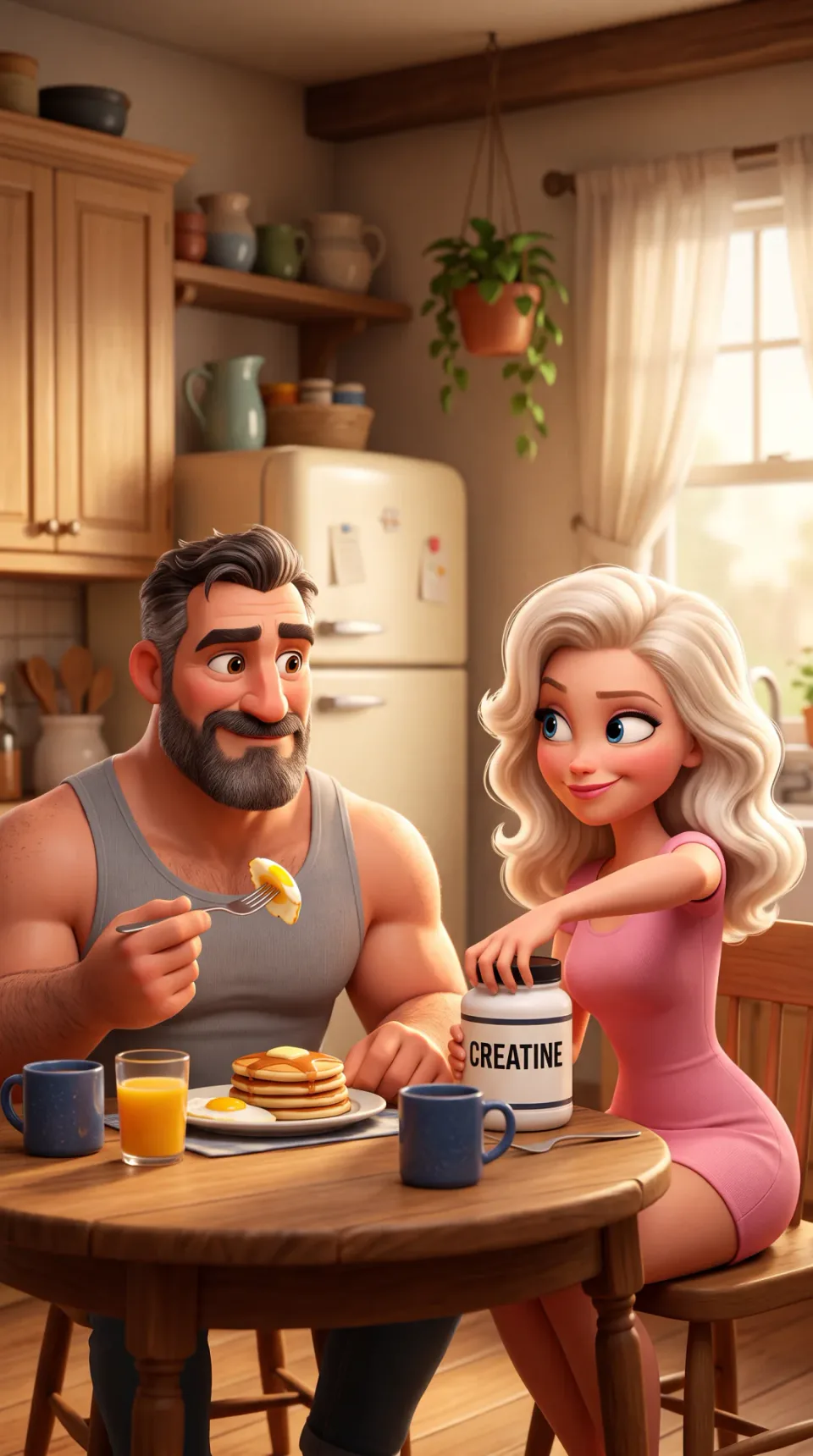
Here is one full image prompt. Paste it into Nano Banana 2 as it is, at 9:16. To make it yours, change only the scene: the one long sentence that starts "A muscular middle-aged man" and ends "morning light", just before "Composed like a hero frame".
A frame from a Pixar animated feature film: high-end stylized 3D animation in which every object and surface is a designed, stylized 3D asset with simplified, appealing shapes. Rich cinematic lighting with soft global illumination, warm bounce light and gentle colour in the shadows, a detailed lived-in environment with believable stylized materials, shallow cinematic depth of field, and saturated but harmonious colour. Characters are stylized Pixar humans with caricatured, appealing proportions: heads slightly large for their bodies, about four to five heads tall, with strong readable shape design: a distinctive silhouette and a face built from clear, simple masses. Large expressive eyes with glossy catch-lights, defined expressive eyebrows, a simplified nose and a wide expressive mouth. Smooth skin with soft subsurface scattering and a subtle matte finish, hair sculpted into clear stylized clumps and locks, and clothing with simplified, believable fabric folds. Every face is distinctive and full of personality. A muscular middle-aged man with dark hair greying at the temples and a full beard, wearing a grey tank top, sits at a round kitchen table lifting a fork of egg with a content half-smile, while a blonde woman with long voluminous wavy platinum hair and a fitted pink mini dress sits beside him reaching both hands toward the lid of a white creatine tub with a clean label reading CREATINE in black letters, glancing sideways at him with a playful knowing look; on the table a plate of fried eggs and pancakes, a glass of orange juice, and two navy mugs; behind them a softly blurred farmhouse kitchen: wood-brown cabinets, a cream fridge, a hanging plant, and a window with sheer curtains and morning light. Composed like a hero frame from an animated feature, with the camera inside the scene at a cinematic angle and the scene filling the entire frame. A stylized 3D animated render.
 Frame from this promptFrame from this prompt
The frame is the first take of that prompt. The clip is this prompt on that frame:
Smooth cinematic 3D animation in the style of a Pixar feature film, fluid and expressive. The woman twists the lid off the creatine tub while glancing sideways at the man with a playful knowing look. The camera slowly pushes in.
That kitchen is not an ad. It is the worked example from the Disney/Pixar skill we maintain in Starpop, and we ran it for this post word for word.
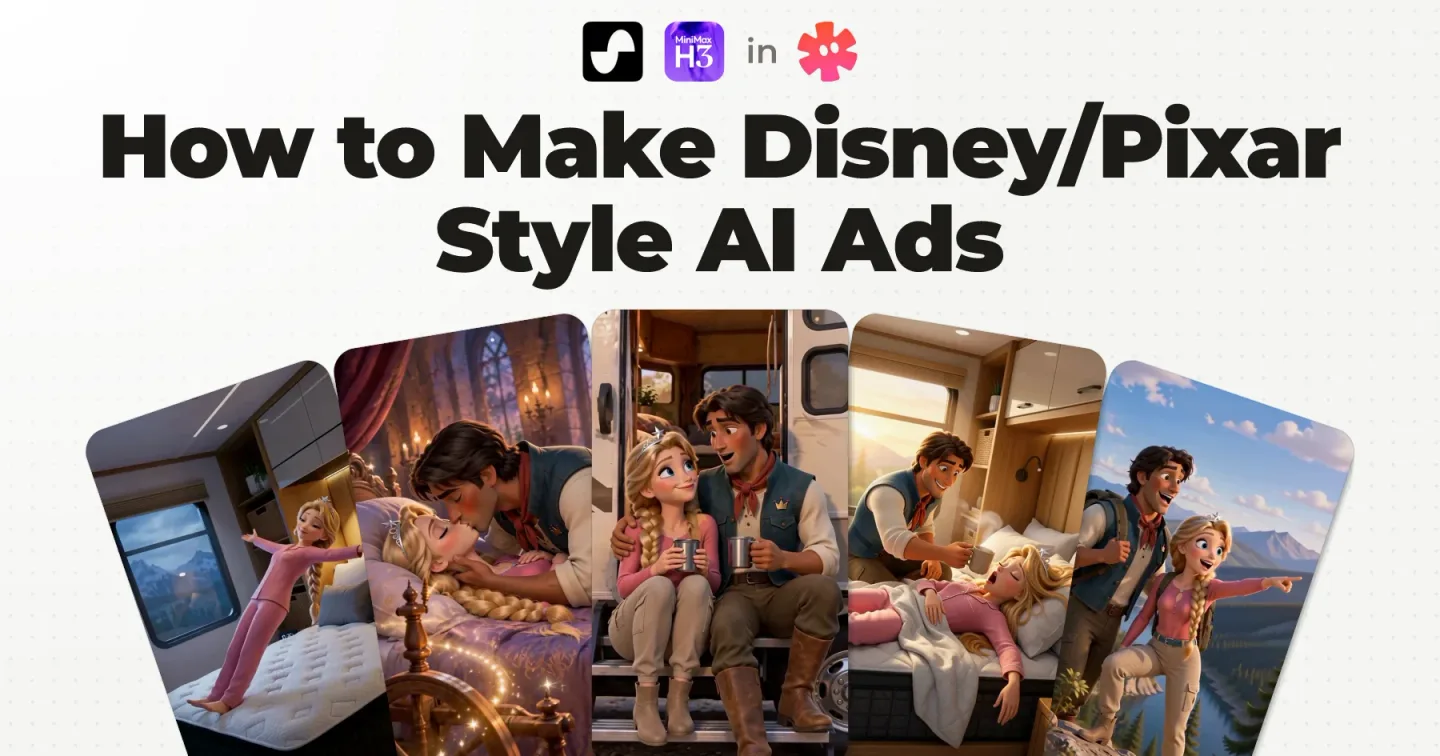
Below, I take that prompt apart. Then I show the real ad from my video, which was made without these blocks, for an RV mattress brand, a client of our agency. The finished ad and the workflow around it are in how to make Disney/Pixar style AI ads.
Disney/Pixar style AI prompts: the three blocks to copy
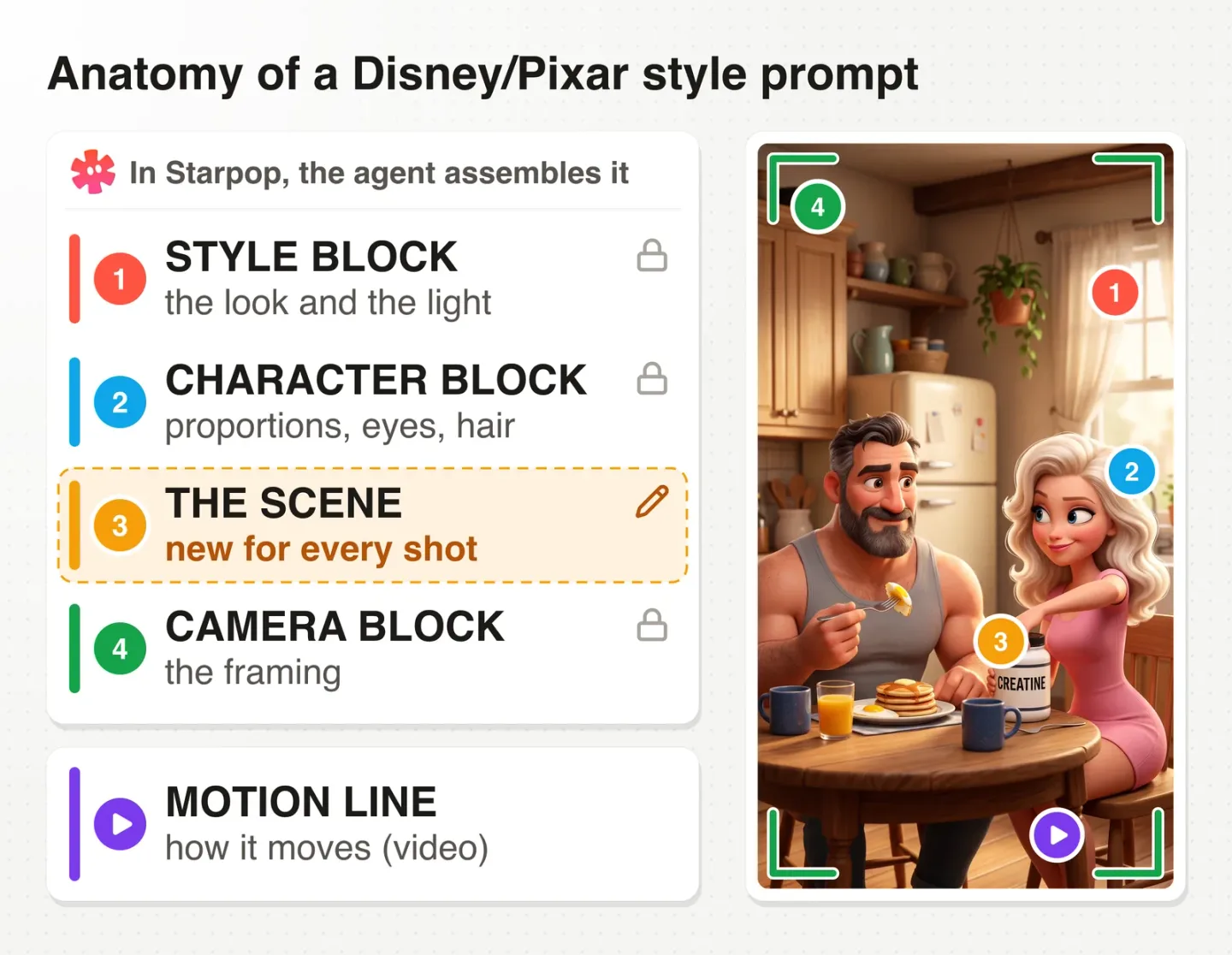
Anatomy of a Disney/Pixar style prompt: style block, character block, the scene and camera block, plus the motion line, beside the frame they made
A Disney/Pixar style prompt you can reuse across a whole ad is three fixed blocks around one scene. The style block opens the prompt and sets the look and the light. The character block goes in only when people are in frame, the camera block closes it, and the scene in the middle is the only part you write.
Paste each block word for word. Consistency comes from repeating the blocks and attaching the same character sheet, never from telling the model "same style as before".
One note on the name. Disney and Pixar are shorthand here for a look: appealing proportions, emotional staging, cinematic lighting. The goal is an original branded world, not a protected character or a copied franchise design.
The three blocks, the worked example and the motion line ship in one skill file, with the rules that keep them holding. Get the free Disney/Pixar skill for Claude.
1. The style block
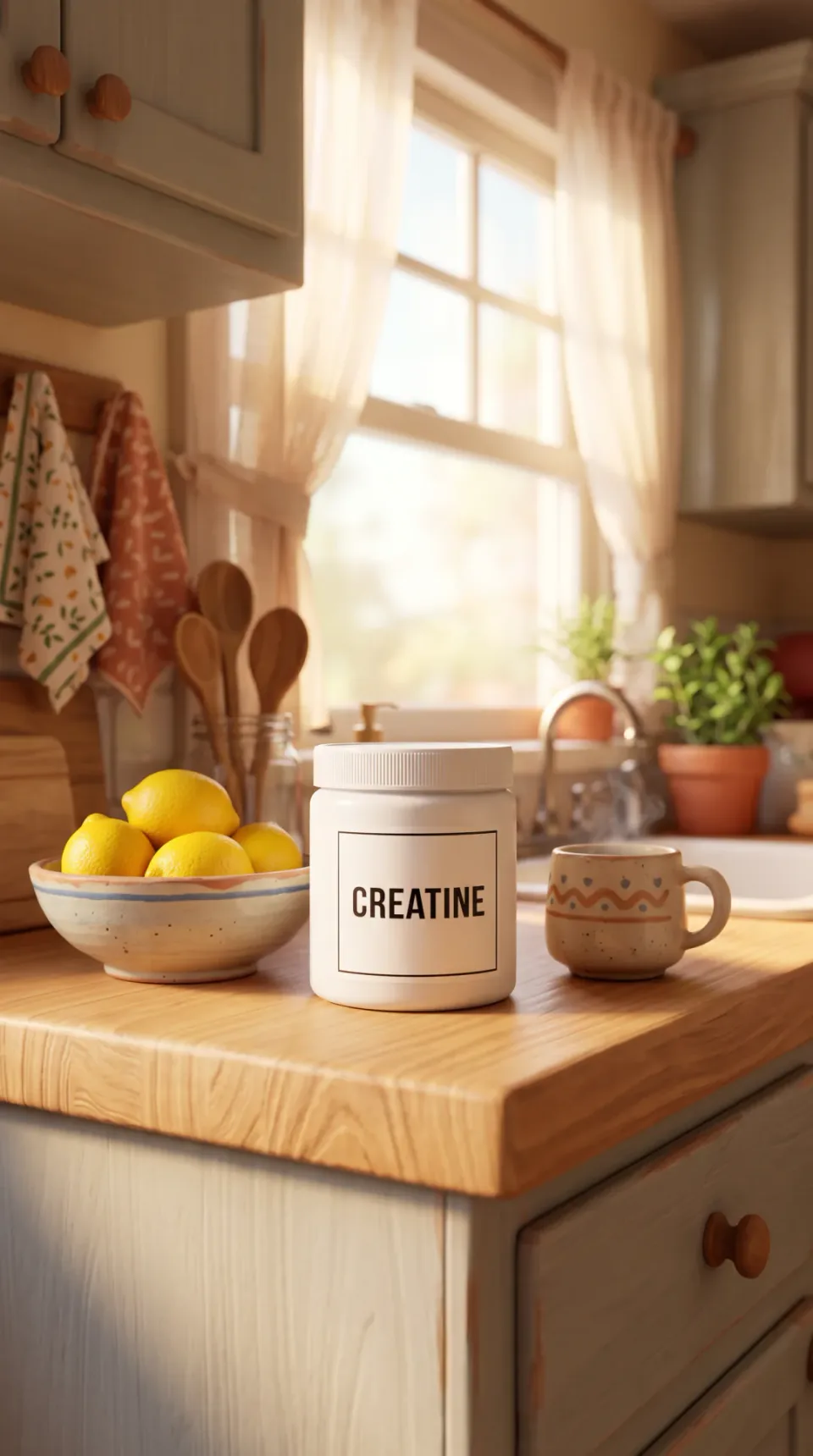
Made for this post from the style block, one sentence of scene and the camera block: a white tub labelled CREATINE on a kitchen counter, in Disney/Pixar style 3D
It opens every image prompt.
A frame from a Pixar animated feature film: high-end stylized 3D animation in which every object and surface is a designed, stylized 3D asset with simplified, appealing shapes. Rich cinematic lighting with soft global illumination, warm bounce light and gentle colour in the shadows, a detailed lived-in environment with believable stylized materials, shallow cinematic depth of field, and saturated but harmonious colour.
Read what it asks for. It names Pixar once, then describes what such a frame is made of: every object a designed 3D asset, soft global illumination, warm bounce light, colour in the shadows, shallow depth of field.
Add one sentence of scene and the camera block, and that is a full product shot prompt. There is no character block, because nobody is in the shot. This is the whole prompt of the frame above, to copy:
A frame from a Pixar animated feature film: high-end stylized 3D animation in which every object and surface is a designed, stylized 3D asset with simplified, appealing shapes. Rich cinematic lighting with soft global illumination, warm bounce light and gentle colour in the shadows, a detailed lived-in environment with believable stylized materials, shallow cinematic depth of field, and saturated but harmonious colour. A white creatine tub with a clean label reading CREATINE in black letters stands on a kitchen counter beside a bowl of lemons and a mug, a window with sheer curtains behind, morning light, no people in the scene. Composed like a hero frame from an animated feature, with the camera inside the scene at a cinematic angle and the scene filling the entire frame. A stylized 3D animated render.
The scene states the label copy and its colour, and the label reads right in both takes we ran.
2. The character block
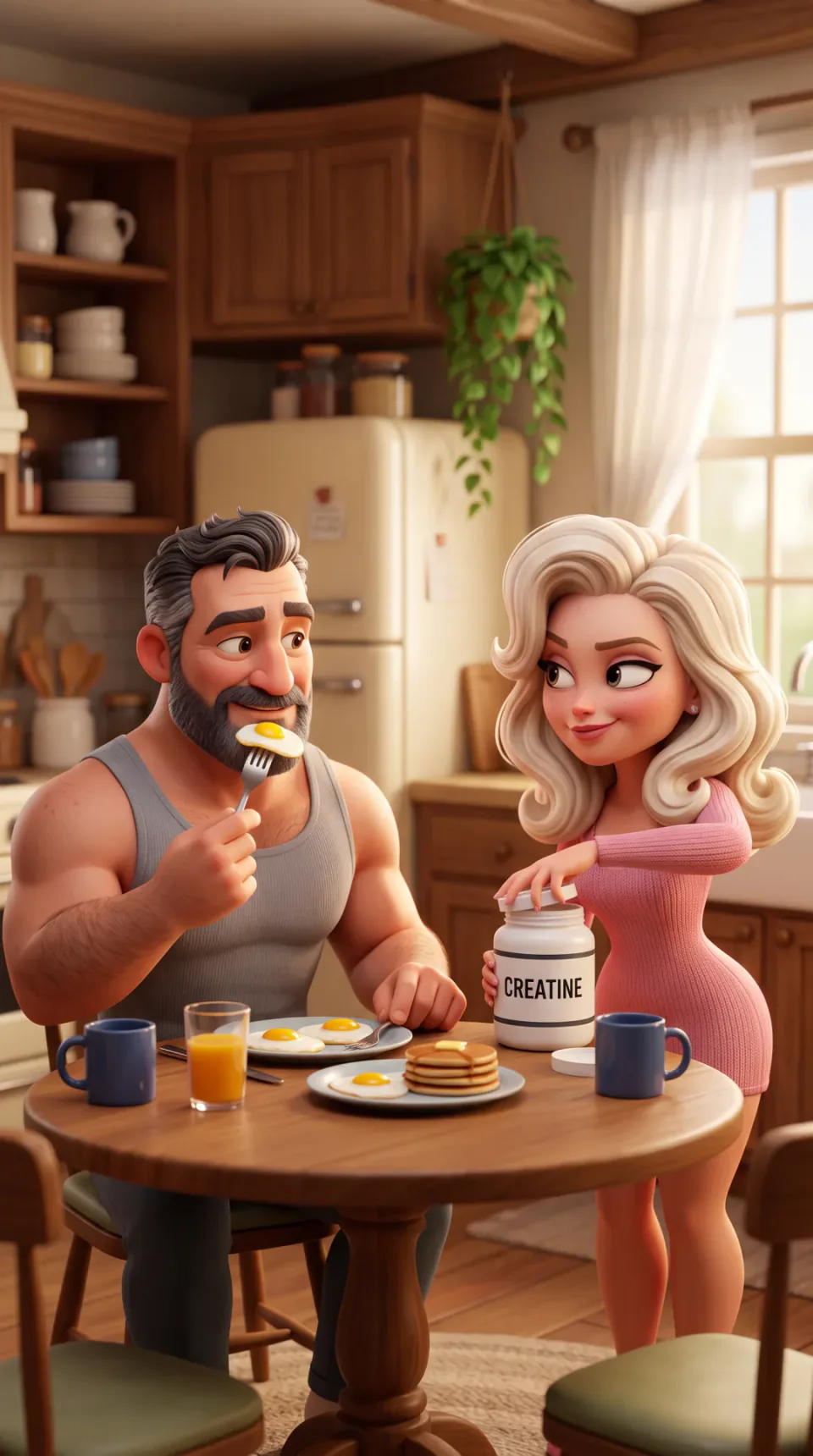
Made for this post: two Disney/Pixar style characters at a breakfast table, with large eyes, catch-lights, sculpted hair and heads slightly large for their bodies
Add it only when the shot has people in frame.
Characters are stylized Pixar humans with caricatured, appealing proportions: heads slightly large for their bodies, about four to five heads tall, with strong readable shape design: a distinctive silhouette and a face built from clear, simple masses. Large expressive eyes with glossy catch-lights, defined expressive eyebrows, a simplified nose and a wide expressive mouth. Smooth skin with soft subsurface scattering and a subtle matte finish, hair sculpted into clear stylized clumps and locks, and clothing with simplified, believable fabric folds. Every face is distinctive and full of personality.
This block sets the character design, and the skill singles out the eye as what makes a face read as Pixar: large, expressive, with glossy catch-lights. The rest pins what the model would otherwise leave to chance: head size, about four to five heads tall, matte skin, hair sculpted into clear clumps.
Leave it out of product shots and mechanism shots. Its character language summons people into scenes that should have none.
3. The scene: the only part you write
In the prompt at the top of this page, the scene is the long sentence in the middle. Each character is described in full. The action and the glance are written as what the bodies and faces do, every prop is named, and the label copy is stated.
It shows the pattern; it is not a template. Your own scene needs the same things: who is in it, what they do, the props, and the label copy when a label is in frame. The rules for writing it are further down, under "How to write the scene".
4. The camera block
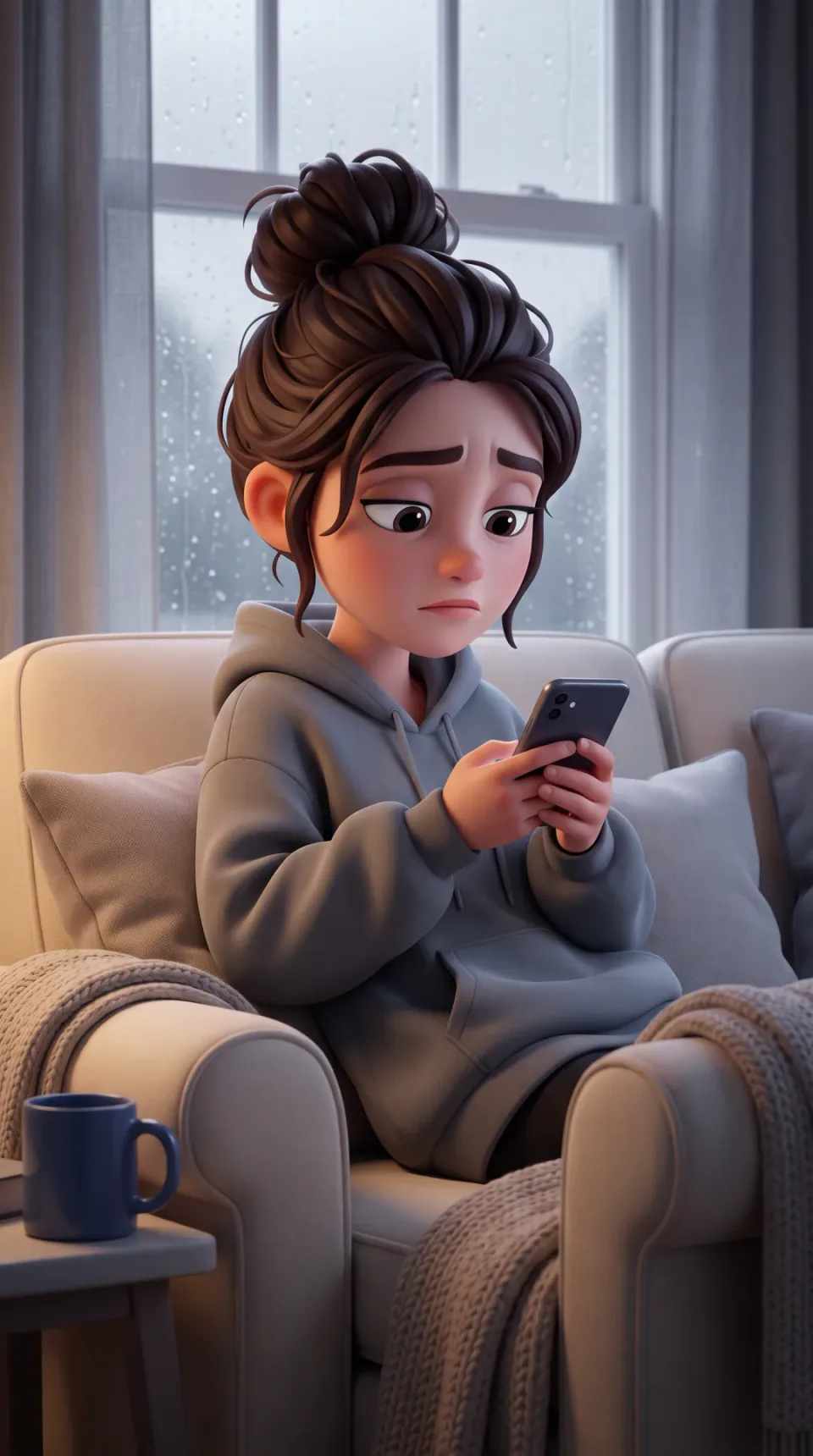
Made for this post: the same three blocks with a scene that asks for grey light, a tired woman on a couch by a rainy window, in Disney/Pixar style 3D
It closes every image prompt.
Composed like a hero frame from an animated feature, with the camera inside the scene at a cinematic angle and the scene filling the entire frame. A stylized 3D animated render.
This block asks for a still from a film, not a character pasted on a backdrop. The camera sits inside the scene and the scene fills the frame, because the video model will animate it and needs a whole world to move through.
The blocks set defaults, and the scene overrides them. The frame above uses the same three blocks, and its scene asks for "soft grey light from a window with rain-speckled glass. Muted and cool in mood." The scene's light wins, and the blocks stay word for word.
Pixar style image prompt: which model to run it on
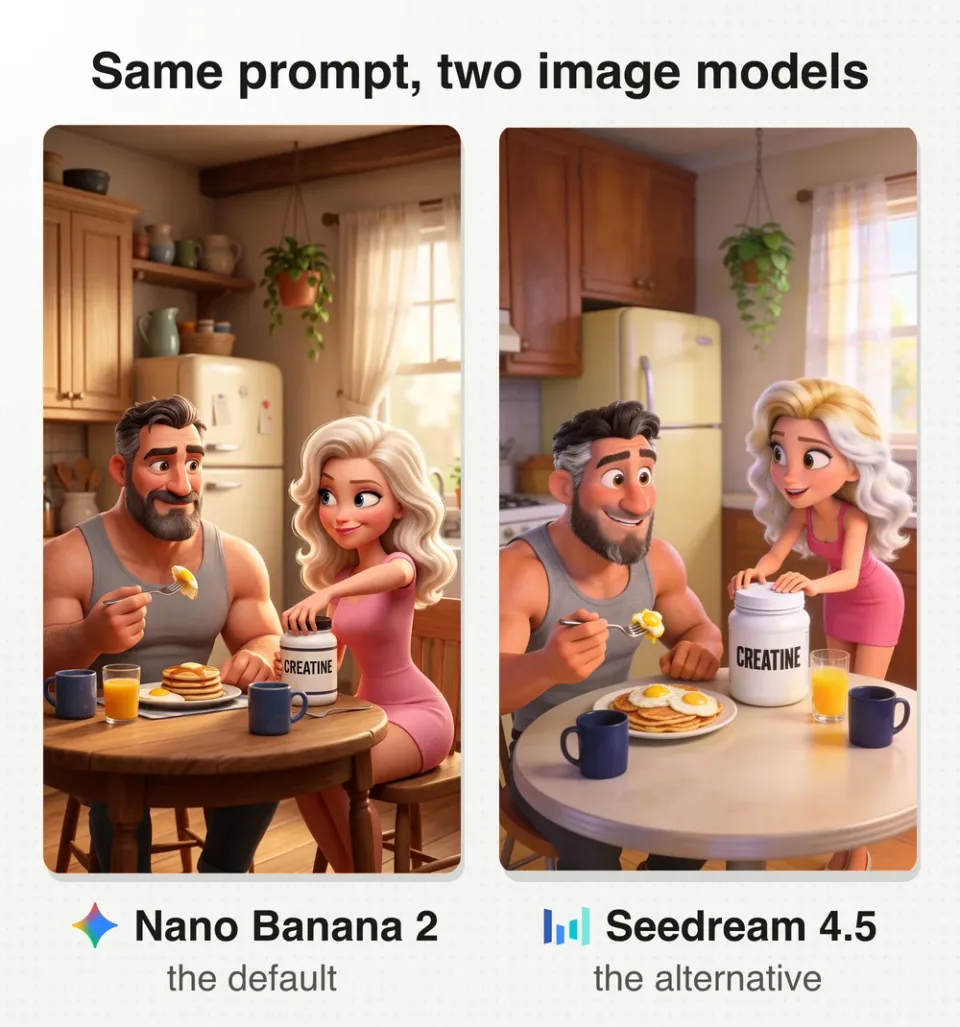
The same Pixar style image prompt on two models: Nano Banana 2 on the left, Seedream 4.5 on the right
The skill sets Nano Banana 2 as the default for stills, start frames and character references. Its reason: it renders this style best and follows the blocks closely.
For a softer, more rounded look, Seedream 4.5 can also be a good variant. Both frames above are the same prompt, word for word: Nano Banana 2 on the left, Seedream 4.5 on the right.
Does the prompt need the word Pixar?
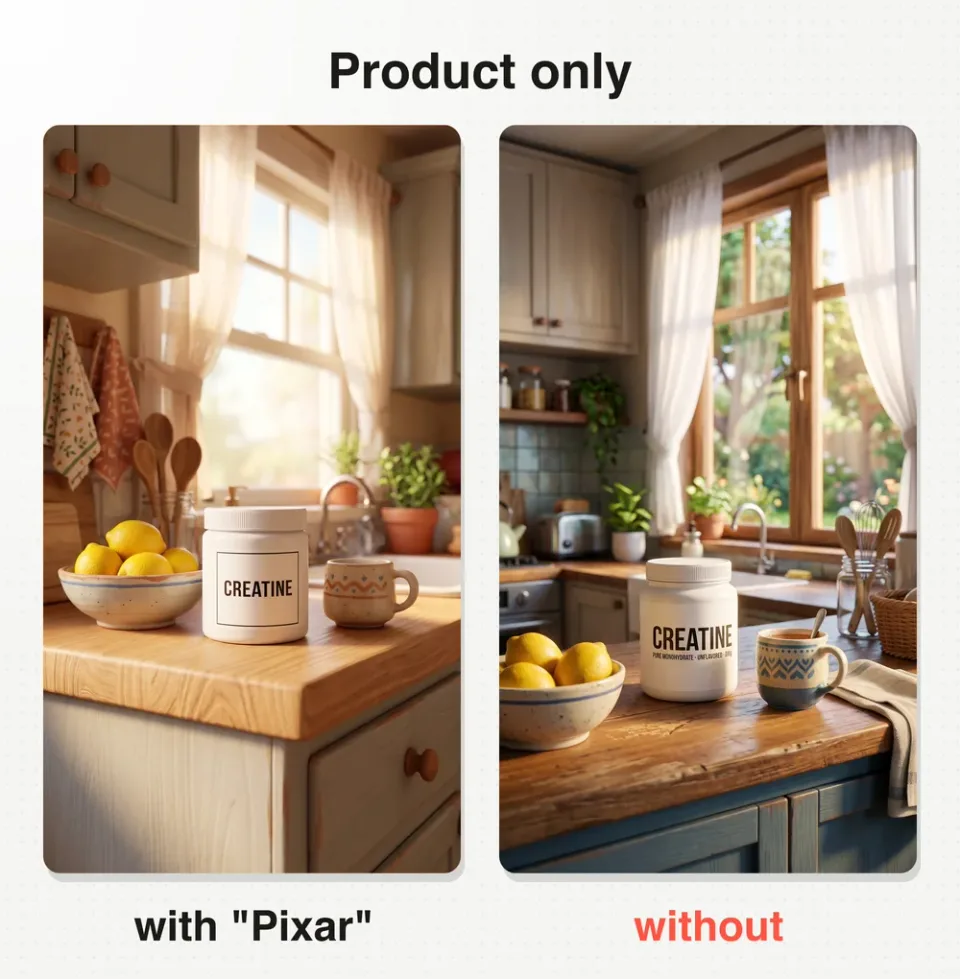
The same product prompt with and without the word Pixar: without it, the frame drifts further toward a photoreal render
Short answer, from a small test: with people in frame, no. With a product alone, the name mattered in both of our takes.
The style block names the studio once ("A frame from a Pixar animated feature film") and the character block once ("stylized Pixar humans"). For this post we swapped both for studio‑free words ("a 3D animated feature film", "stylized humans") and changed nothing else.
With no people in frame, both takes without the name look closer to a photoreal product render than the two takes with it, and both grew small print on the label that the prompt never asked for. One of the two is shown above.
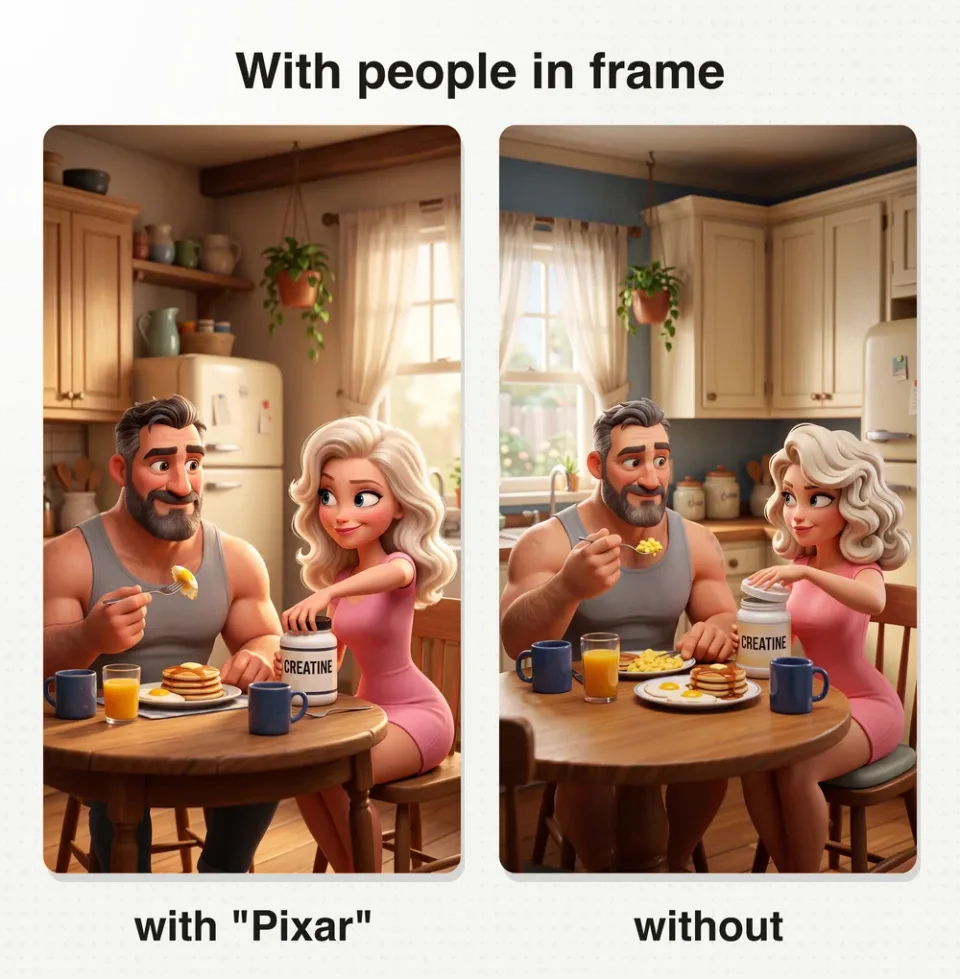
The same prompt with two characters, with and without the word Pixar: the look holds either way
With people in frame, all three takes without the name kept the look. The character block describes it in enough detail to carry it.
That is five frames without the name (three with people, two of the product) against six with it (the four takes of the top prompt, two of the product), on one model, Nano Banana 2. I read it as a pointer, not a law. The skill keeps the name in.
How to write the scene
The blocks carry the look. These rules are for the part you write.
Name the feeling, then write the face
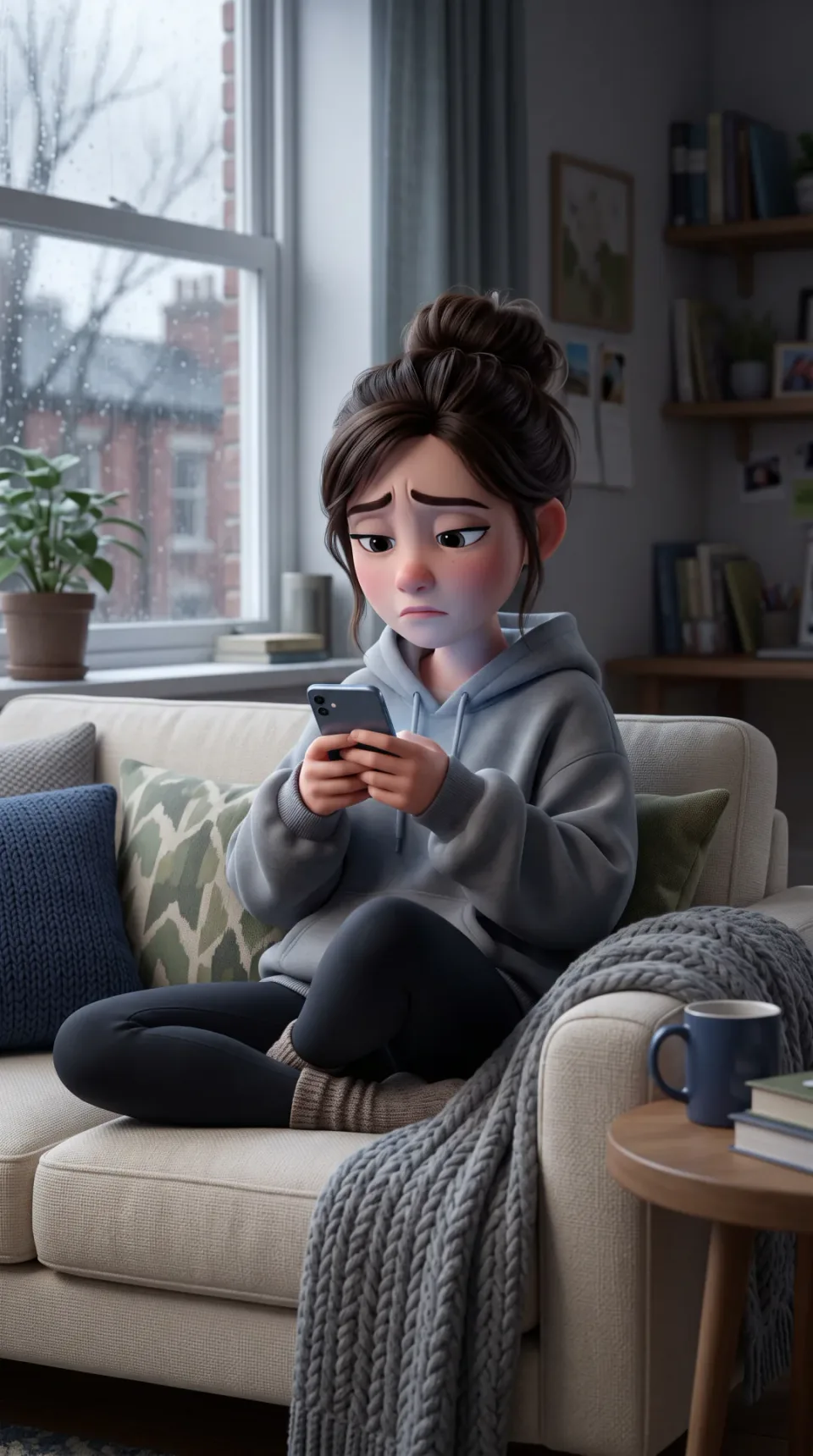
Made for this post: the same couch scene, another take, with inner brows pushed up and the mouth a flat tired line
A young woman with dark brown hair in a messy bun, wearing an oversized grey hoodie, sits curled up on a cream couch scrolling a phone, her inner brows pushed up and her mouth a flat tired line, cushions around her, a blanket draped over the armrest, a navy mug on a side table, soft grey light from a window with rain-speckled glass. Muted and cool in mood.
Decide what the viewer should feel, then direct the face. "Her inner brows pushed up and her mouth a flat tired line" renders a tired face in both couch frames on this page. The skill's warning is that an adjective alone, sad or tired, renders a pleasantly neutral one.
State the label, attach the product
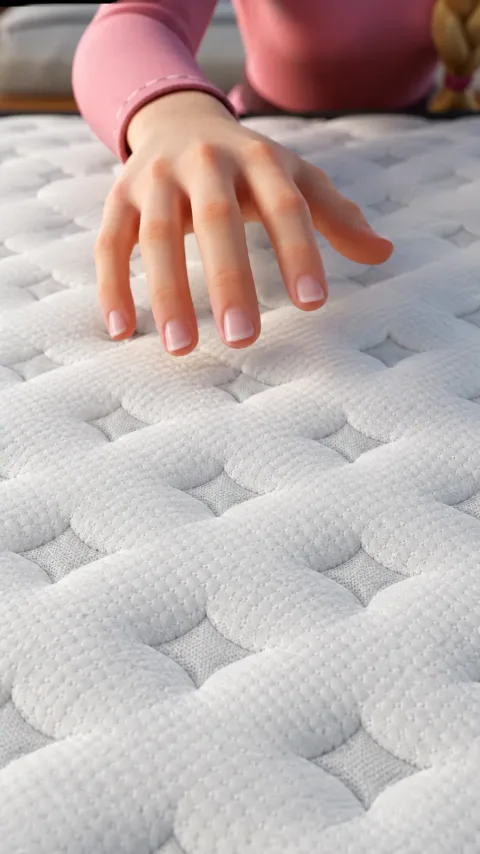
Start frame from the real ad: a hand hovering over a quilted mattress cover, edited to match the real fabric
Attach the product reference whenever the product appears, and state every line of label copy exactly, with its colour. The kitchen frames above did only the second half: no reference, just "a clean label reading CREATINE in black letters".
On my real ad there is no label in this shot, only fabric, so the cover itself had to match the real product. The frame was edited to match it, with this instruction:
Please make the mattress cover under the hand in image 1 be like image 2
Mechanism shots: mid‑action, macro, no people
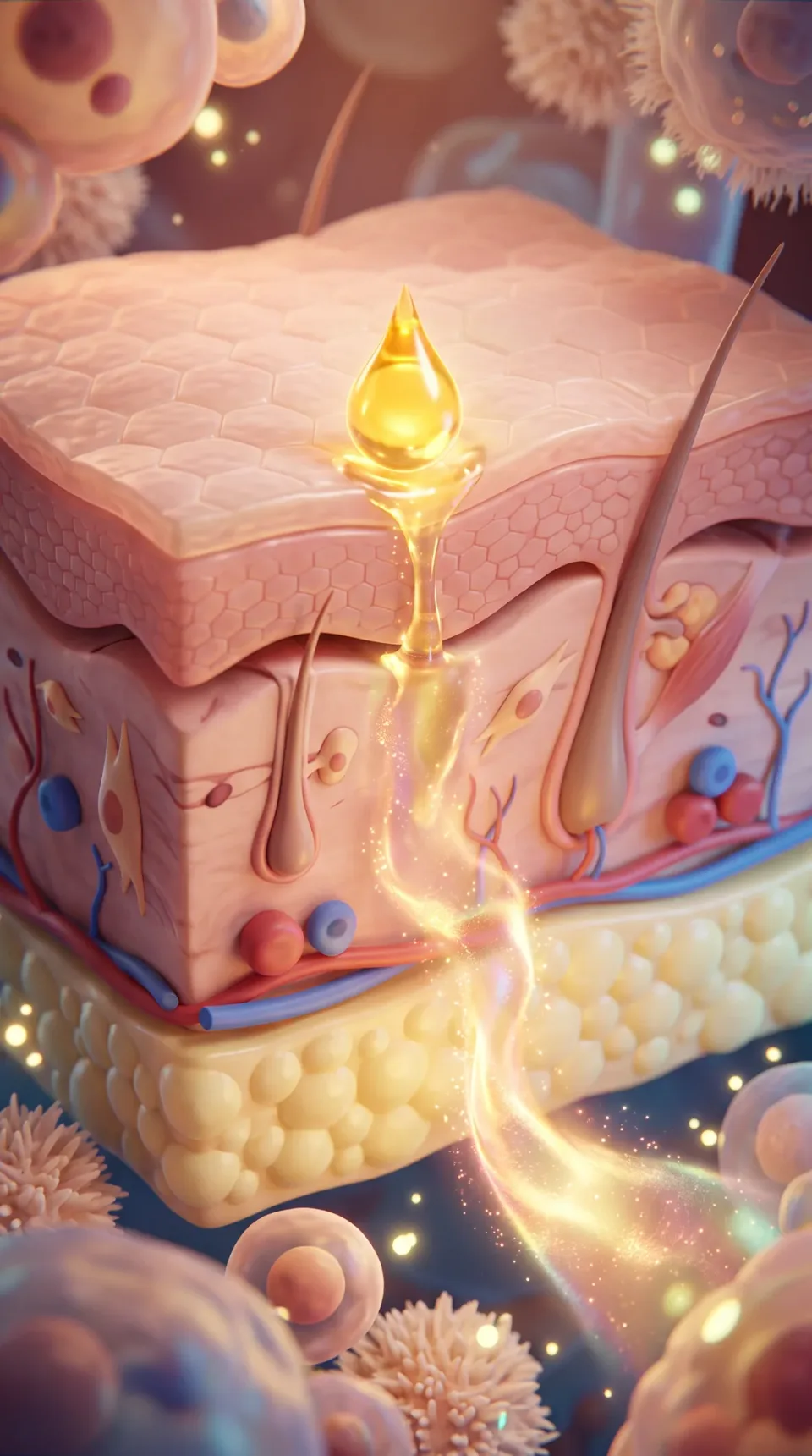
From an earlier test of the blocks: a mechanism shot in Disney/Pixar style 3D, a golden serum droplet absorbing down through three layers of skin
A cross-section of human skin showing three distinct layers (the outer surface, the middle layer, and the deep tissue) with a golden serum droplet being absorbed downward through the layers, the serum spreading and glowing as it penetrates deeper. A zoomed-in macro view, no people in the scene.
Show the ingredient arriving and acting, mid‑action, so the clip can animate the change. This frame is from an earlier test of the blocks, on Nano Banana 2: the style block, this scene, the camera block, and no character block.
Describe body shots in plain visual words: layers, strands, a droplet. Clinical terms get the image rejected by the model provider's safety filter.
The short ones
- Describe every character in full. Age, build, hair colour and style, and clothing ride on each character. Anything left unstated is dice-rolled and drifts between shots.
- One clear subject and one action per frame. A simple shot reads best on a phone. The two-shot at the top is the skill's quality bar for a busy scene, not the shape of every frame.
- Blocks word for word in every prompt. Consistency comes from the blocks plus the character sheet, never from "same style as before".
The skill file has the rest: animals and creatures, the three transition moves and the full list of fixes. Get the free Disney/Pixar skill for Claude.
When a frame misses
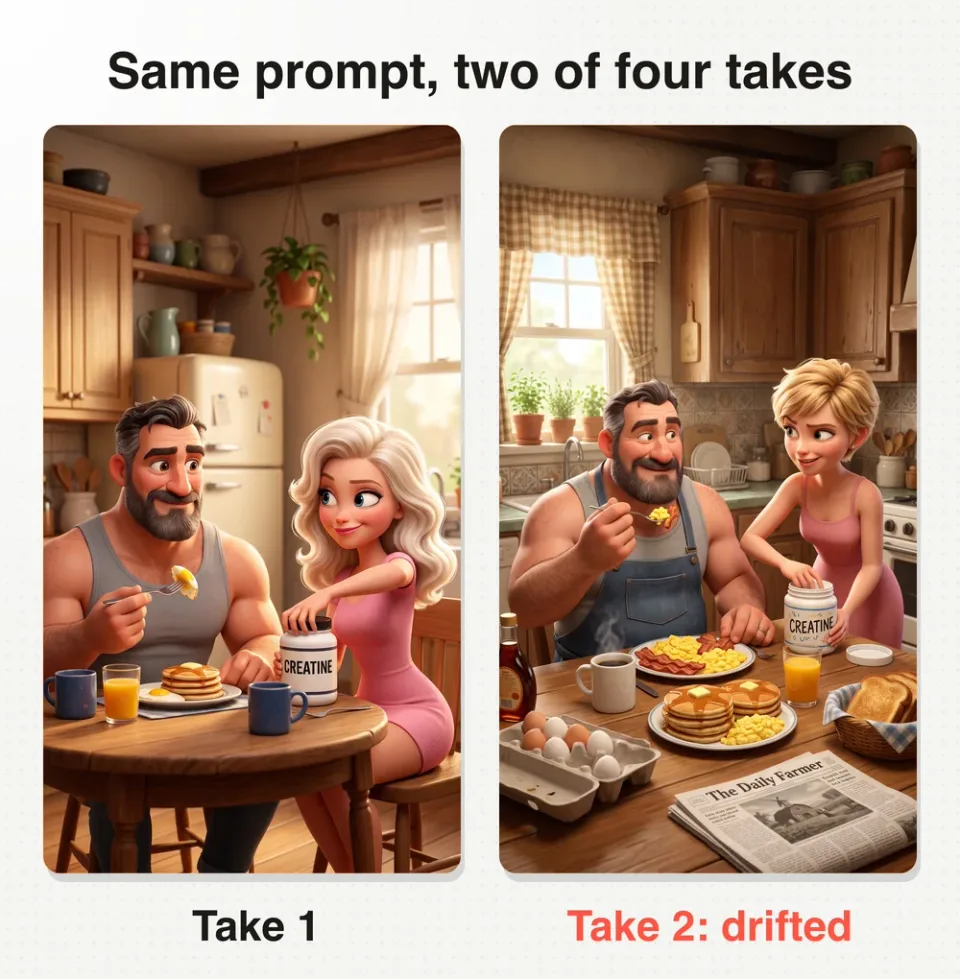
One Disney/Pixar style prompt, two of its four takes: take 1 follows the scene, take 2 drifted to short hair, overalls and a newspaper
For this post we ran the full prompt at the top four times, same words every time. Three takes follow the scene. Take 2 gave her short hair, put him in overalls and added a newspaper nobody asked for.
The skill's rule: when a result misses, run the identical prompt again before you change a word. Once the blocks are locked, variance is almost always the cause.
The skill's fixes for the common misses:
| What you see | The fix |
|---|---|
| People appear in a product or mechanism shot | The character block went in. Leave it out whenever no people are in frame |
| Hair renders as fine realistic strands | Run the identical prompt again. Do not add hair detail |
| The frame comes out as a comic or a collage | If it repeats, append the first line below to the prompt |
| An extra character appears, or the product grows a face | If it repeats, append the second line below to the prompt |
| The emotion does not show on the face | It was written as an adjective. Name the feeling, then the brows, lids and mouth |
| The label is garbled | State the label copy exactly, with its colour, and attach the product reference |
A single continuous frame: no panels, split screens or collages.
Only the characters described appear in the frame; objects and products have no faces.
A real AI prompt for Pixar characters: the character sheet from my ad
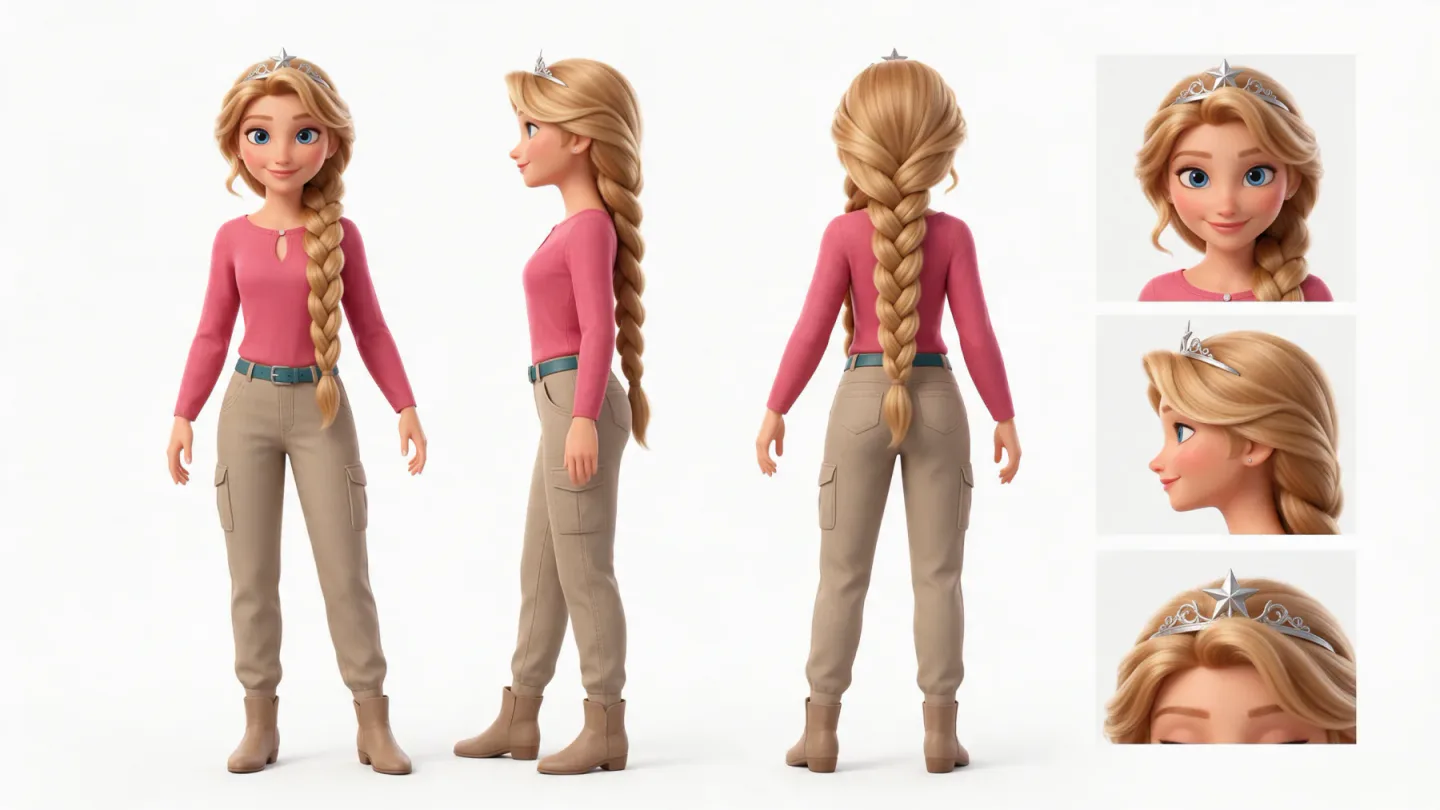
Character sheet of a Pixar style princess from the real ad: three full body views and three close-ups on white
This one is from my real ad. Before I generated a single scene, I locked the two leads as character sheets, and this is the full prompt behind the princess:
Style: Polished Pixar-style 3D storybook animation with appealing, expressive feature-film character design.
Scene: One character hero reference sheet for a fresh, adult Sleeping Beauty-inspired princess.
The character: A pretty princess with a warm fair complexion, long golden-blonde hair in one thick side braid with soft face-framing waves, large clear blue eyes, graceful oval face, and a tall elegant silhouette. Her adventure outfit is a fitted rose-pink travel top, fitted sand-khaki cargo pants with practical pockets, a slim teal belt, simple ankle boots, and a delicate silver tiara with one star accent. Signature detail: the small star on her silver tiara.
Composition: One landscape character sheet with no borders. Across the left three quarters, show three full-body views of this exact same princess at identical scale and baseline in neutral standing poses with arms slightly away from her sides: front view, side profile, and back view. The right quarter is one vertical column of three square close-ups: face front-on in its natural expression, face in profile, and the silver star tiara detail. All views show the same adventure outfit and identical hair, face, proportions, and accessories.
Lighting: Even soft, shadowless studio light on a pure white seamless background.
Constraints: No environment, no additional characters, no text, no labels, no captions, no arrows, no borders, no grid lines, no logos, no watermarks. Every view shows the same character, identical in every detail.
Three full body views, three close-ups, a white background and no text. "Sleeping Beauty-inspired" is this ad's own brief, because the ad is a take on the fairy tale: it is the line to replace with your own character.
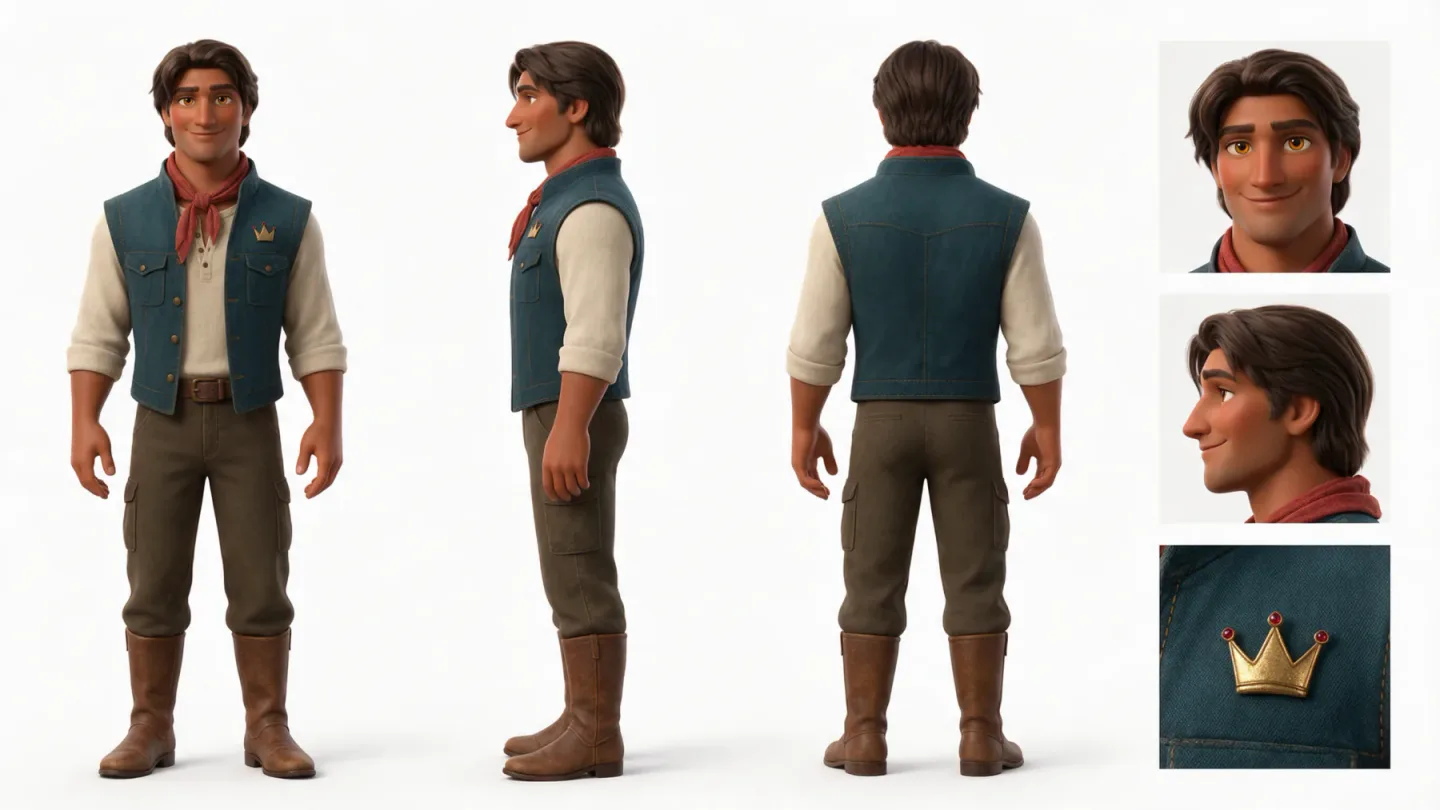
Character sheet of the prince from the real ad: three full body views and three close-ups on white
The prince's sheet has the same structure, with his own description. This is his character line:
The character: A handsome prince with a rich brown complexion, deep espresso-brown hair in a loose side-swept style, warm hazel eyes, a broad, sturdy silhouette, and gently exaggerated expressive eyebrows. His casual adventure outfit is a deep-blue-green field vest over a soft ivory henley, fitted dark-olive cargo trousers, durable brown boots, and a small muted-red scarf accent. Signature detail: a small gold crown-shaped pin on the vest.
Both sheets were made on Seedream 5 Pro, in the ad's public chat. That chat is older than the skill, so its style line is one sentence where the skill now uses blocks.
The skill's own rule is that a character sheet opens with the style block and the character block. We did not test that version for this post, so the sheet prompt to copy is the one above, the one that made these two sheets.
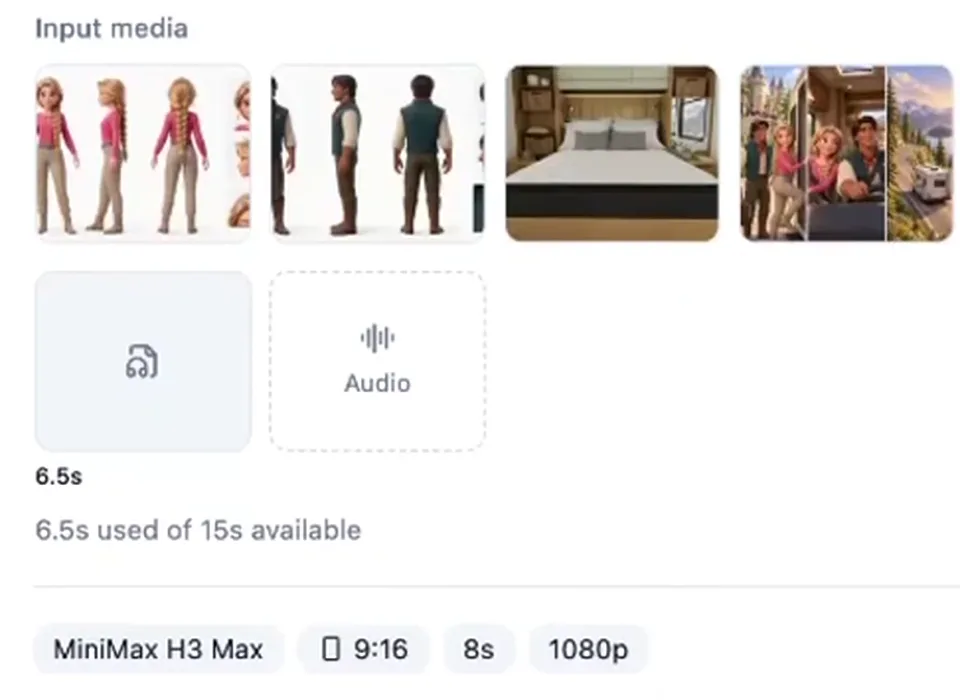
The input row of a staged generation in Starpop, from the video: the two character sheets, an RV bedroom and a storyboard canvas as images 1 to 4, a 6.5 second slice of the song, MiniMax H3 Max
Then the sheets go to work. This is the input row of one staged generation from the video: the two sheets are images 1 and 2.
The prompt names each one and gives it a job before it describes a single shot. Its first lines:
Style: Vertical polished 3D storybook animation, warm cinematic light, consistent with the established princess, prince, and RV world.
References: Image 1 is the selected Princess adventure hero reference; preserve her identity exactly. Image 2 is the selected Prince hero reference; preserve his identity exactly.
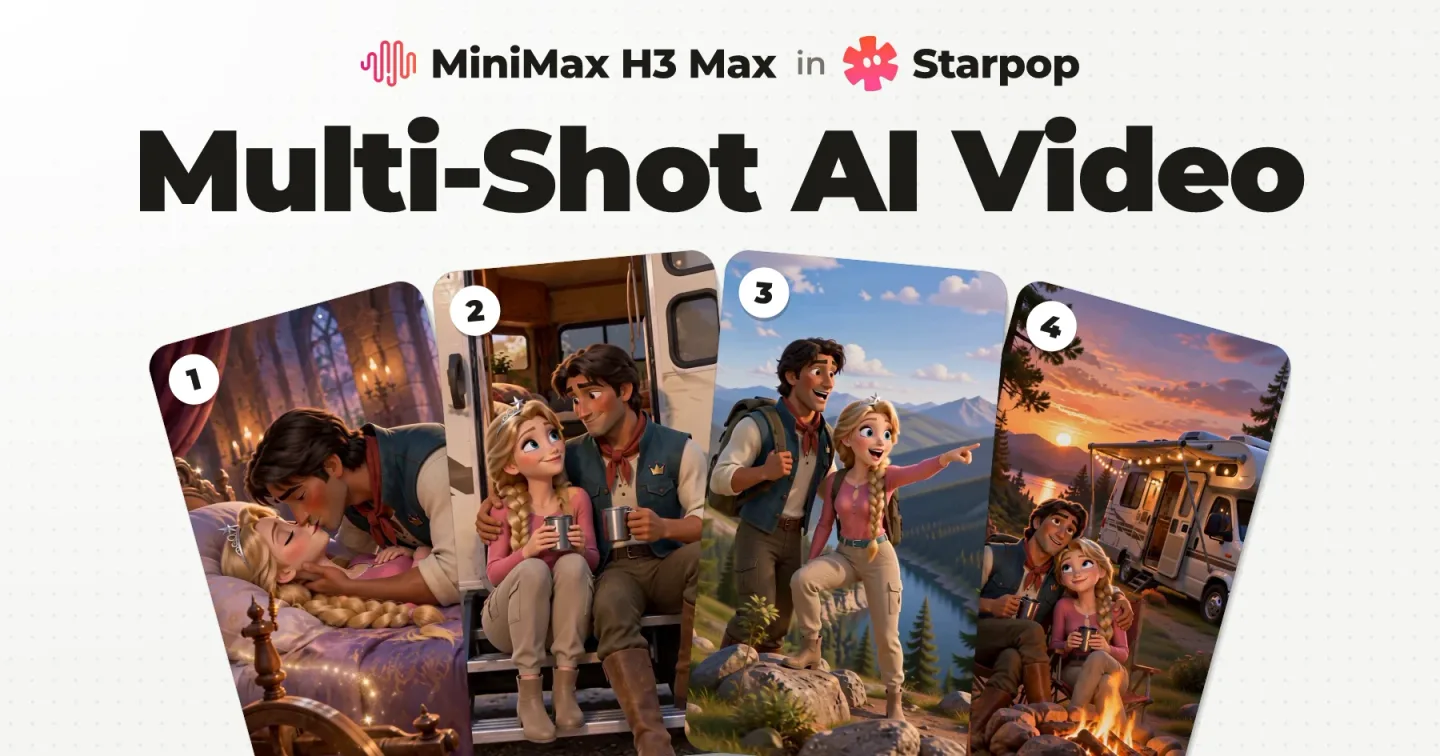
The prompt goes on to do the same for images 3 and 4. That generation has three shots and a slice of the song, and it is taken apart in multi-shot AI video generation.
The chat is public and read only, prompts included: open the chat behind this ad.
The real ad, without the blocks
My ad was not made with these blocks. Most of its prompts that I can show carried the look in one style line, reworded from shot to shot. Under each clip is the opening of a prompt behind it.
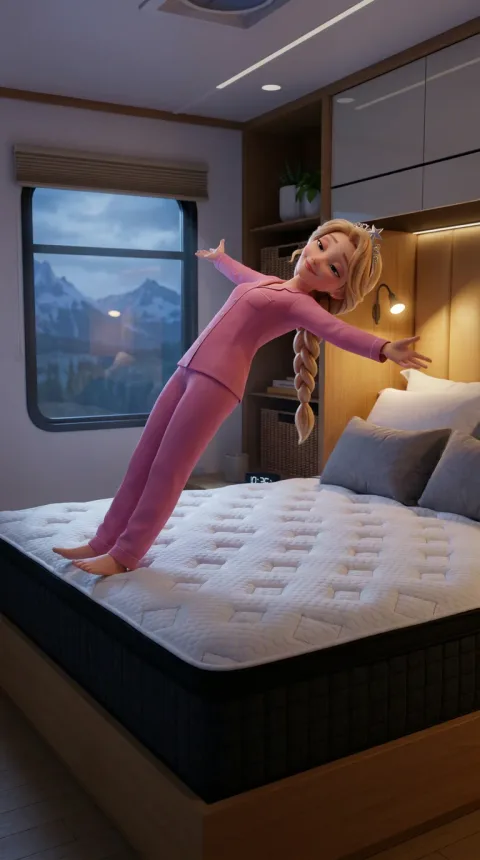 Start frame: she fallsStart frame: she falls
Its start frame prompt opens:
Style: Polished 3D storybook feature animation, expressive feature-film characters, gentle comedic exaggeration, cozy night lighting.
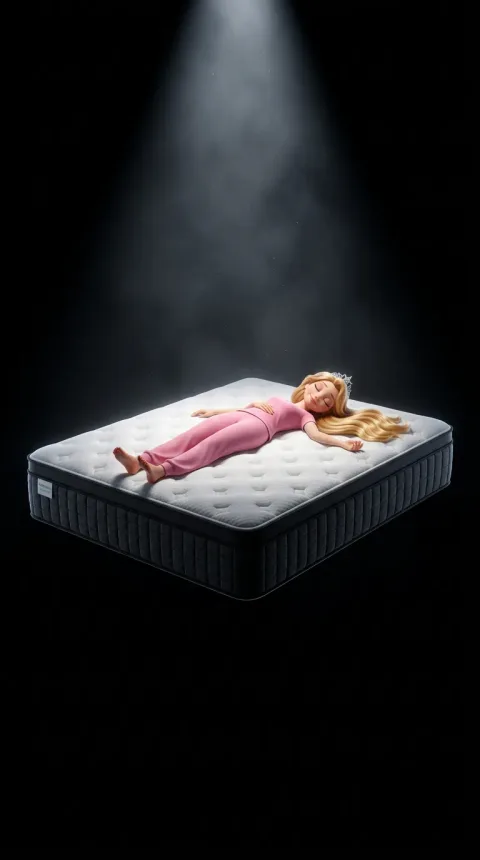 Start frame: spotlightStart frame: spotlight
Its start frame prompt opens with the first line below, and its clip prompt with the second:
Style: Cinematic 3D feature-animation still, dramatic and reverent, high contrast, polished storybook characters.
Style: Cinematic 3D feature animation, premium product-commercial feel, slow weightless motion, high contrast.
Its clip prompt opens with the action, not with a style line:
Close on the princess's hand pressing the quilted cover; a blue glow spread on the quilted cover.
Each prompt I can show has its own wording, and the two start frame prompts above also attached the princess as a reference image. Under the skill, that mood goes in the scene and the block stays fixed.
The single shots are not in the public chat, so only the opening of each prompt is printed here.
Pixar style video prompt: the motion line
Start frame: the tubStart frame: the tubA Pixar style video prompt has a different job from an image prompt. The start frame already carries the look, so in the skill every clip prompt opens with one line:
Smooth cinematic 3D animation in the style of a Pixar feature film, fluid and expressive.
After the motion line, the clip prompt describes the action, the speech and the camera. The clip above is the shortest version, the motion line and one camera move:
Smooth cinematic 3D animation in the style of a Pixar feature film, fluid and expressive. The camera pushes in from the scene to the product label.
The clip at the top of this page adds an action: its prompt asks her to twist the lid off while glancing at him, and the camera to push in slowly.
All three test clips on this page ran on MiniMax H3 Max for 5 seconds with the model's prompt expansion switched off. The model got those words and the start frame, nothing else.
The skill's rule for clips: one motion action each. Stacked actions multiply drift.
Pixar transitions
The skill lists three classic animated feature moves that suit ads.
Camera‑bridge. The anchor stays fixed and the camera moves: push in from the scene to the product label, or pull back from a face to reveal the room. The push in to the tub, in the section above, is one.
Start frame: the couchStart frame: the couchWorld‑bridge. The camera stays fixed and the world changes around the anchor: the problem to solution beat. The exact prompt of the clip above:
Smooth cinematic 3D animation in the style of a Pixar feature film, fluid and expressive. A magical shimmer sweeps the frame and the dull, grey scene turns warm and bright.
Two notes on that clip. The skill builds a transition from a start frame and an end frame, and we ran this one from a start frame only, to show what one sentence does by itself. And the result did two things the prompt never asked for: the camera moved in, and her mood lifted with the light.
Match cut. A shape or a motion rhymes across the cut. A round shape becomes the next scene's round shape: a pancake becomes the sun. We did not test this one.
In a multi shot generation, a transition is one line between two shots. The multi shot post linked above shows one from this ad, a storybook page turn.
FAQ
What is a good Disney Pixar style prompt?
One that describes what the frame is made of, not only the studio. The style block on this page does that: designed 3D assets, soft global illumination, warm bounce light, shallow depth of field. Add the character block when people are in frame, write one scene, and close with the camera block.
How do you write a 3D Disney Pixar style prompt?
In one order: style block, character block when there are people, the scene, camera block. Paste the blocks word for word and write only the scene. In the scene, describe every character in full, write the action as what bodies and faces do, name every prop and state the label copy with its colour.
What is the AI prompt for Pixar characters?
The character block: caricatured proportions, heads slightly large for the body, about four to five heads tall, large expressive eyes with glossy catch-lights, sculpted hair and matte skin. For a character you reuse across an ad, lock it first as a character sheet and attach that sheet to every shot.
Can you use a Pixar style prompt for video?
Yes, with a different job. The start frame carries the look, so the video prompt opens with one motion line and then describes one action and the camera. The three test clips on this page all open with that motion line, and all ran on MiniMax H3 Max.
Next Steps
Copy the prompt at the top, swap in your own scene, and reroll before you rewrite. Then pick the part you need next:
- The full workflow, song to final edit, on this same ad
- How to storyboard an AI ad, so you know what each frame shows before you prompt it
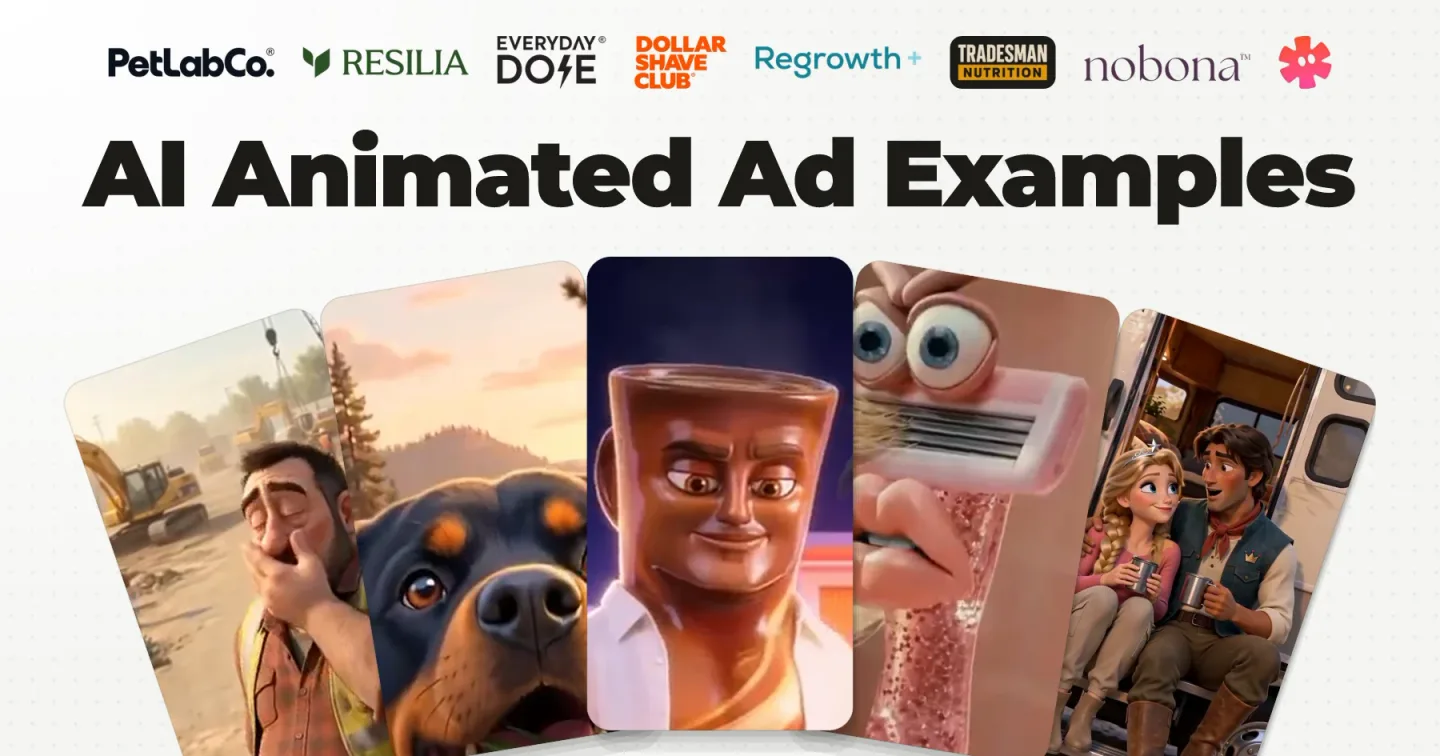
- AI animated ad examples: the 3 types of animated ad, with a real ad for each
- Resilia's singing ads, and what type of ad they are
- AI claymation prompts, the same kind of blocks for clay
The skill packages the blocks and the rules, so an AI agent runs them for you and you stop pasting blocks by hand. Get the free Disney/Pixar skill for Claude.
The Disney/Pixar skill is also one of the skills inside Starpop: pick it, and the agent starts from these blocks. Make your ad in Starpop.
The Discord is where I post these workflows first.