Contents
0%Hey!
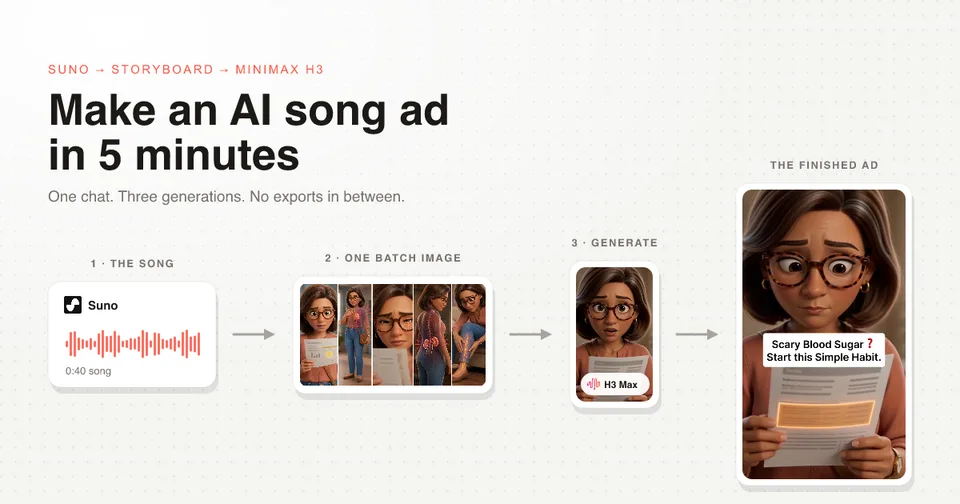
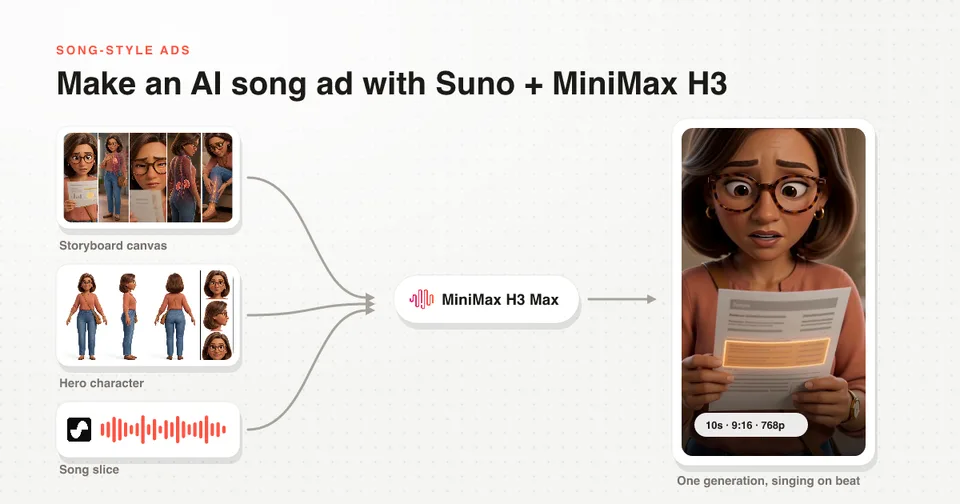
Every AI song ad lives or dies on one decision: you generate the song first, then you feed that same song back into the video model as an input. Here is the 36 second ad that came out of doing it in that order.
Watch the ad
A 3D animated woman reads a scary number on a lab report and sings her way out of it. She lip syncs in some shots and stays silent in others, the visuals are three generations in total, and the song underneath never gets cut.
That last part is the rule everything else hangs off.
Why the song comes first
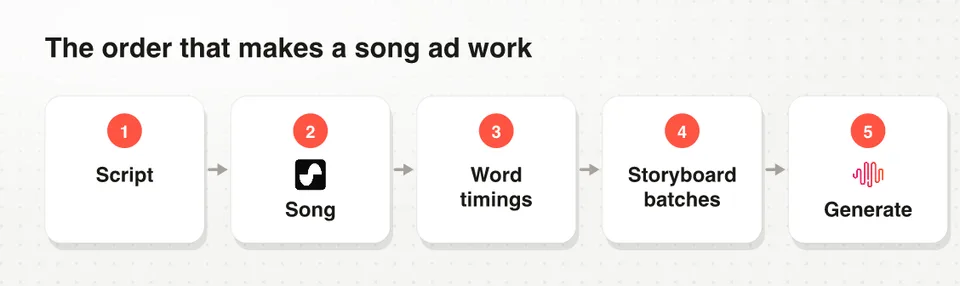
The order of a song ad: script, song in Suno, word timings, storyboard batches, generation on MiniMax H3 Max
A voiceover is flexible. You can trim a breath, stretch a pause, drop a line that is not working, and nobody ever notices.
A song is not flexible. It has a tempo, a bar structure, and a vocal that lands on specific beats. Take two seconds out of the middle and the whole thing sounds broken.
So the song becomes the source of truth for pacing. Once it exists, every decision after it (how many shots, how long each one runs, where the product enters) gets measured against it instead of guessed.
If you storyboard first and then try to write a song that fits, you will spend the evening re-rolling clips. Generate the track, lock it, and build every visual to its timing.
Step 1: Generate the song in Suno
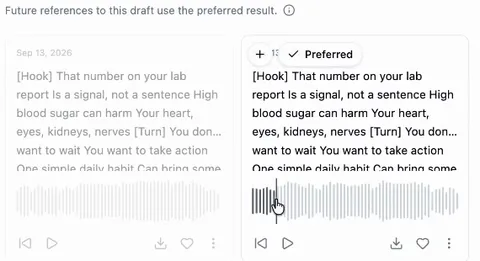
Two Suno takes of the same lyrics generated inside the chat, one marked as the preferred result
Suno is the music model, and in my setup it runs inside the same chat as the rest of the ad, so the script and the track never live in two different tools.
The input is the script you already wrote from real customer research, marked up with [Hook], [Turn] and the rest so the structure survives into the vocal. You get a couple of takes back. Pick the one whose voice actually sounds like the persona you are selling to, not the one with the nicer mix.
The workflow on this page, the batching, the slicing rule and the generation prompts, is packaged as one SKILL.md you can drop into Claude. Download the free song-ad skill file.
Step 2: Get every lyric line timestamped
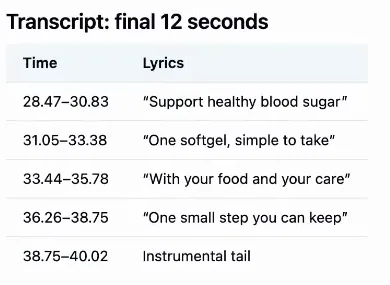
Word timings pulled from the finished song, every lyric line with a start and end time
Next the finished song gets analyzed so every line has a measured start and end time.
This is not a formality. On this ad I asked for a 30 second track and the analysis came back at 40 seconds, so a storyboard built on the length I asked for would have been wrong from the first shot.
What you want out of this step is exactly the table above: time in, time out, the lyric that plays there, and the instrumental tail at the end.
Step 3: Storyboard against the timings, then batch the shots
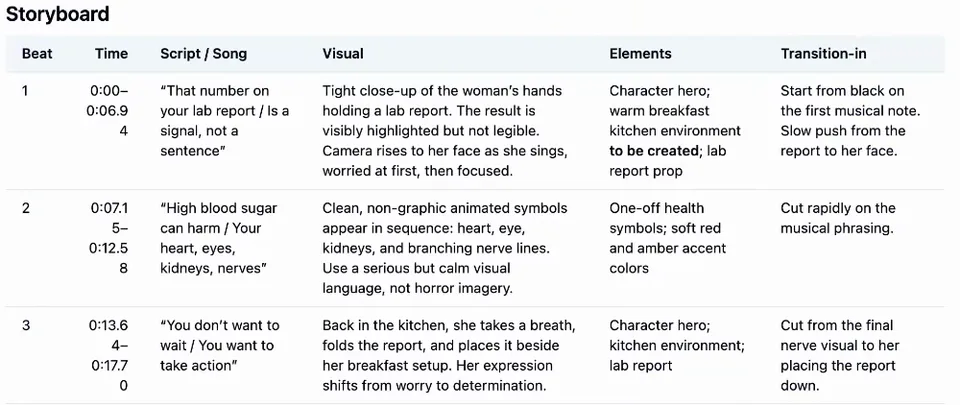
The storyboard table: each shot with its time window, its lyric, its visual and how it cuts in
Every shot gets a time window, the lyric that plays over it, the visual, and how it cuts in. Because those times were measured rather than estimated, the shot lengths are right before a single frame is generated.
Then the part that changes the economics: group the shots into batches, and draw one storyboard canvas per batch.
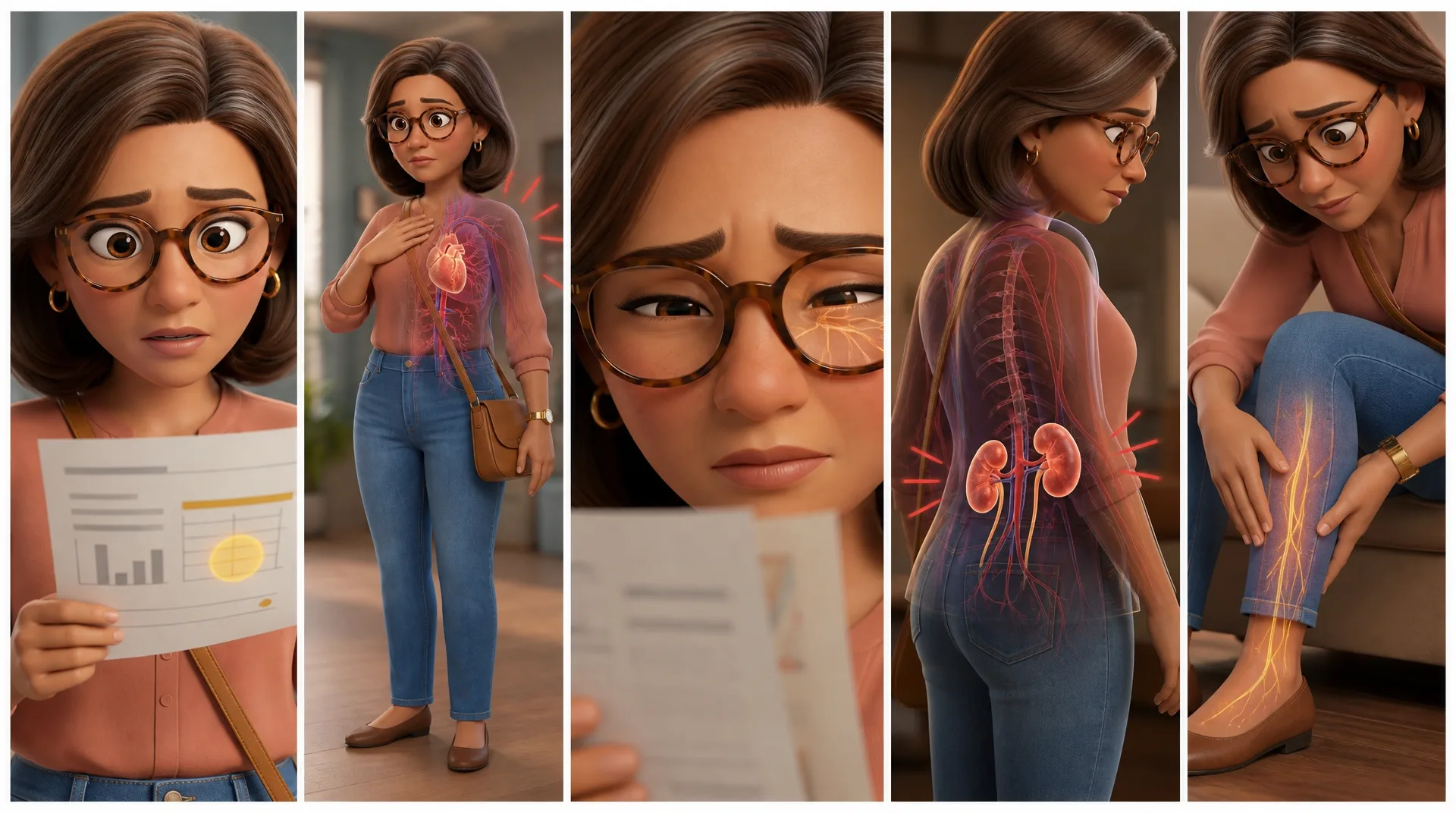
One storyboard canvas holding five shots of the hook and risk sequence, read left to right
Five shots, one image. The old way was five separate images, which meant five times the generations, more waiting, and in my experience worse results. One canvas hands the model the whole sequence in order, and it transitions between the panels inside a single generation.
Step 4: The three inputs that make a character sing
Batch 1 storyboard canvas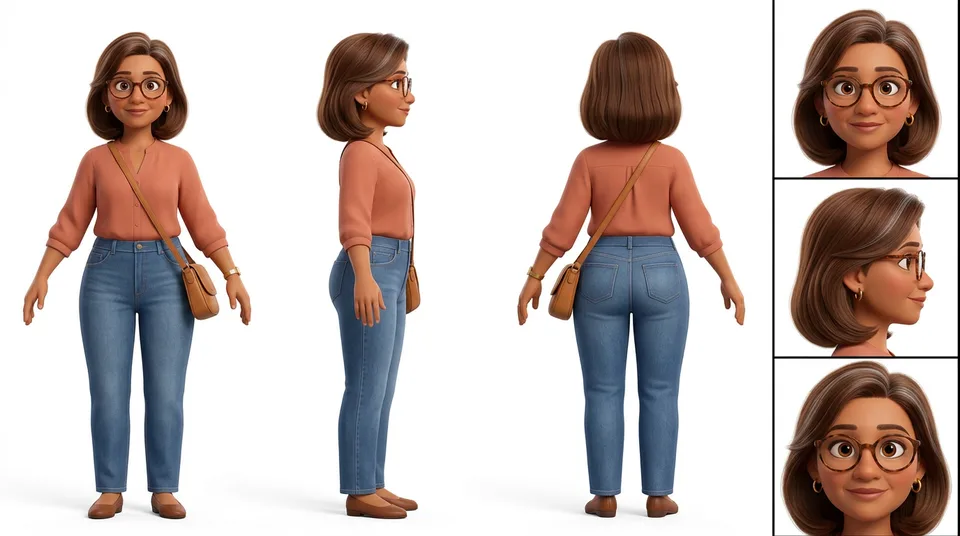 Hero character sheetBatch 1 storyboard canvasHero character sheet
Timestamps in a prompt do not work. Writing "she sings the first line at 0.4 seconds" gets you a character moving her mouth at whatever rhythm the model feels like that day.
The only thing that works is passing the song itself in as an input. MiniMax H3 accepts audio as a reference alongside images, so the model hears the words it has to mouth and lines them up itself.
| Input | What it controls |
|---|---|
| The storyboard canvas | Which shots happen, and in what order |
| The hero character sheet | The same face, clothes and style in every shot |
| The song slice | The timing, and the lip sync |
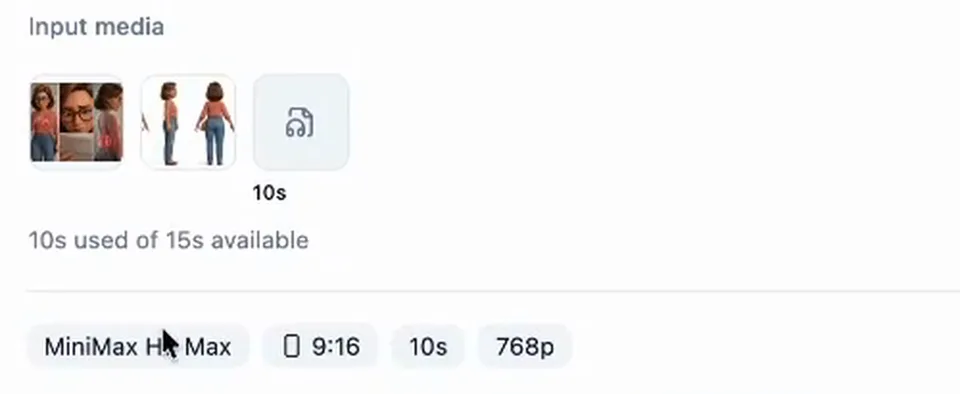
The real generation panel: three input files, 9:16, 10 seconds of a 15 second ceiling, 768p
That is the actual panel. Three input files, 9:16, ten seconds out of a fifteen second ceiling, 768p.
One note on the model name, because it trips people up: H3 Max is fal's post-trained version of MiniMax H3. It caps at 768p where base H3 goes higher, and both take the same image and audio references.
Here is the shape of the prompt that produced the clip above, with the client brand removed:
Vertical polished 3D feature-animation sequence with five connected visual
shots, using the attached storyboard canvas as the visual guide and the
attached song slice only as the timing source. The first shot is the only
on-camera singing shot; lip-sync the hero character clearly to the attached
lyrics. All later shots are silent visualizations over the song. No added
music, no extra dialogue, no captions, no readable text, no medical labels.

Reference image 1 is the five-panel Batch 1 storyboard canvas, read left to
right. Reference image 2 is the exact recurring hero character. Preserve her
exact face, subtle silver hair streak, tortoiseshell glasses, terracotta
blouse, jeans, jewelry, adult proportions, and family-friendly 3D
feature-animation style in every shot.

Shot 1: Begin on the lab report in her hands, then tilt up to her face as she
sings the opening lines, worried but controlled.
Three things in there do the heavy lifting: naming the song slice as the timing source, naming which shot sings and which ones do not, and restating the character in full so shot four still has the face from shot one.
Every generation prompt in this ad came out of one skill file, including the identity clause and the singing rules. Get the free song-ad skill for Claude.
Step 5: Slice the song with no gaps
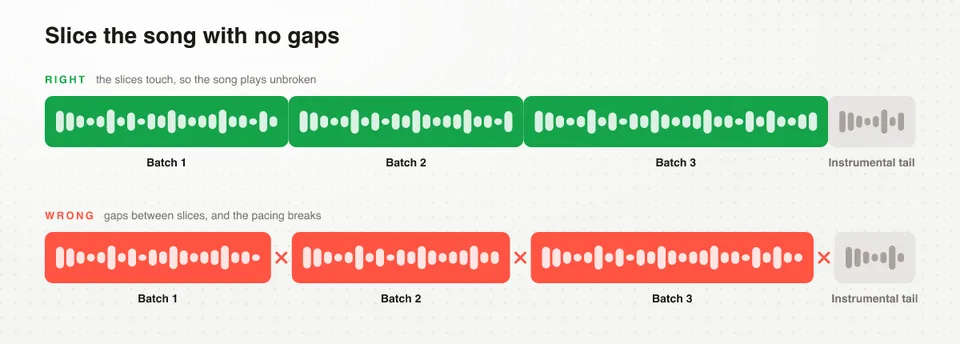
Continuous song slices versus sliced with gaps, and why the gaps break the pacing
Each batch gets its own slice of the song, and the slices have to touch. No gaps, nothing trimmed, instrumental passages left exactly where they are.
Drop half a second between two slices and every generation will look fine on its own and be unusable together, because the song playing underneath no longer matches any of them. This is the hardest part of the format, and it is pure bookkeeping.
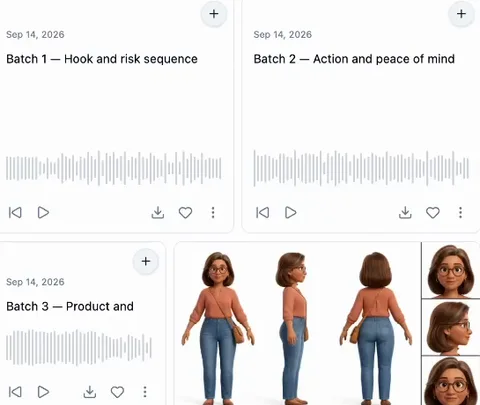
The song sliced into three named batches, each slice starting where the last one ended
I have the chat do the slicing, so the batches come back named and continuous and the track never leaves the tool. If you are cutting it by hand, write the in and out times down and make every slice start on the exact frame the last one ended.
Which shots sing, and which ones do not
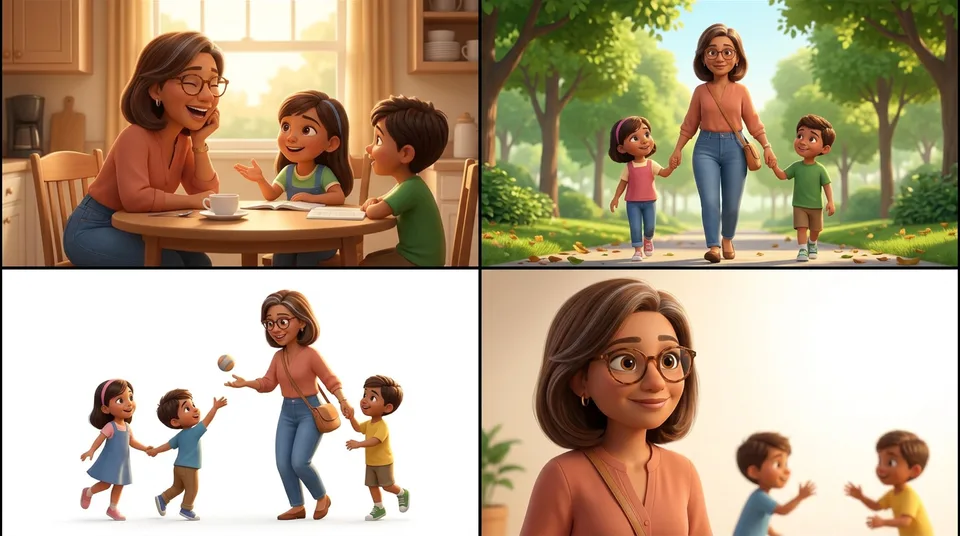 Canvas, four B-roll shotsCanvas, four B-roll shots
A song ad is a mix. A few shots are the character on camera singing, and the rest are silent visualizations that play over the track.
Say which is which, explicitly, in every prompt. Leave it open and the model will try to lip sync a shot of a park, and a mouthing character in a B-roll shot is exactly what makes an AI ad look wrong.
What I aim for: one clear singing shot per batch, usually the first, then let the rest of the batch run as B-roll.
Is the mouth moving on the beat, not just moving? Is it the same face in every shot of the batch? Is there any rendered text on screen? Those three questions catch almost every bad take.
Fill the instrumental tail with an end screen
Songs almost always finish on three to five seconds of instrumental. You could cut it, but it is the most satisfying moment in the whole ad, so keep it and put something on it.
A hypermotion product shot is what I use, generated on the same model from a single product image, with your strongest selling point as a headline on top. I picked the habit up from Kristian Jennings, who has a full video on end cards.
FAQ
Can MiniMax H3 lip sync to a song?
Yes, as long as you attach the audio as a reference instead of describing it in words. H3 and H3 Max both take audio references alongside image references, and the mouth movement is generated against the file you attach.
Do I need Suno to make an AI song ad?
No. Any music model works, and so does a track you already own. What matters is that the song is finished before you storyboard, and that you can hand the video model the exact slice covering each generation.
How long can one generation be?
Five to fifteen seconds on MiniMax H3 and H3 Max. A longer song does not change the method, it just means more batches.
Why is my AI character out of sync with the song?
Almost always one of two things. Either the prompt described the timing instead of attaching the audio, or the slices have gaps in them, in which case every clip after the first one drifts further out.
How long should an AI song ad be?
The one on this page is 36 seconds, which is short for the format. Most song ads running on Meta are two to five minutes, and they hold attention because the song keeps carrying the story.
Next Steps
The order is the whole trick: script, song, word timings, storyboard batches, then generations with the song attached as an input. Get that sequence right and the edit is almost nothing.
- The full workflow, research through export, is in the MiniMax H3 singing ad walkthrough.
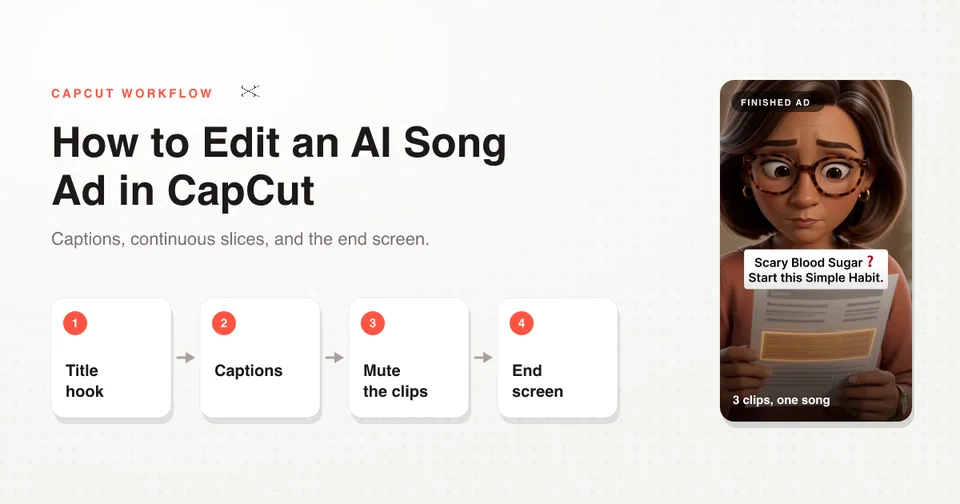
- Everything after the generations, captions and layering and the end screen, is in how to edit an AI song ad in CapCut.
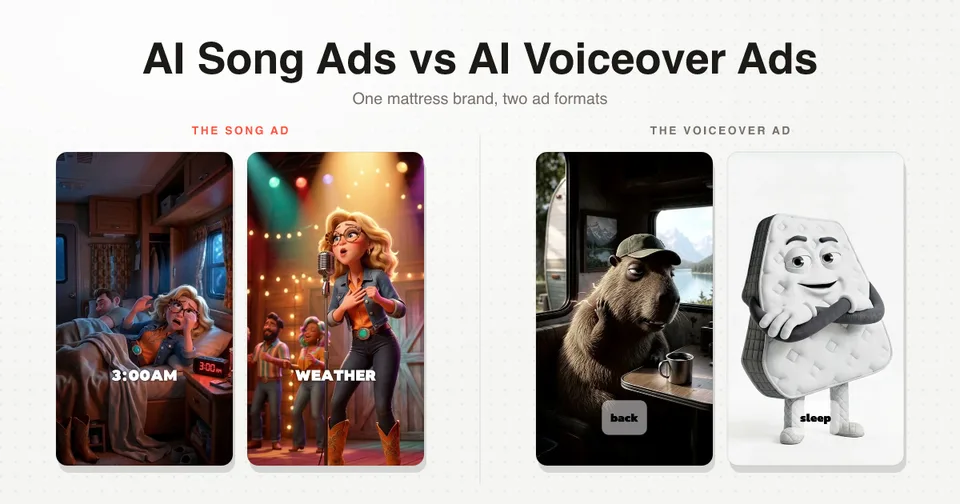
- For what good looks like: four song ads scaling on Meta right now, what one did for a mattress brand, and an earlier, simpler version of this workflow.
- The same order on a Disney/Pixar style song ad, storyboarded line by line: how to make Disney/Pixar style AI ads.
Batching, slicing and the generation prompts, written up as a skill file. Grab the free song-ad skill for Claude.
If you would rather run the whole loop in one place, the song, the character, the batches and the slicing all happen in a single chat in Starpop.