Contents
0%AI ads do not have one particular look.
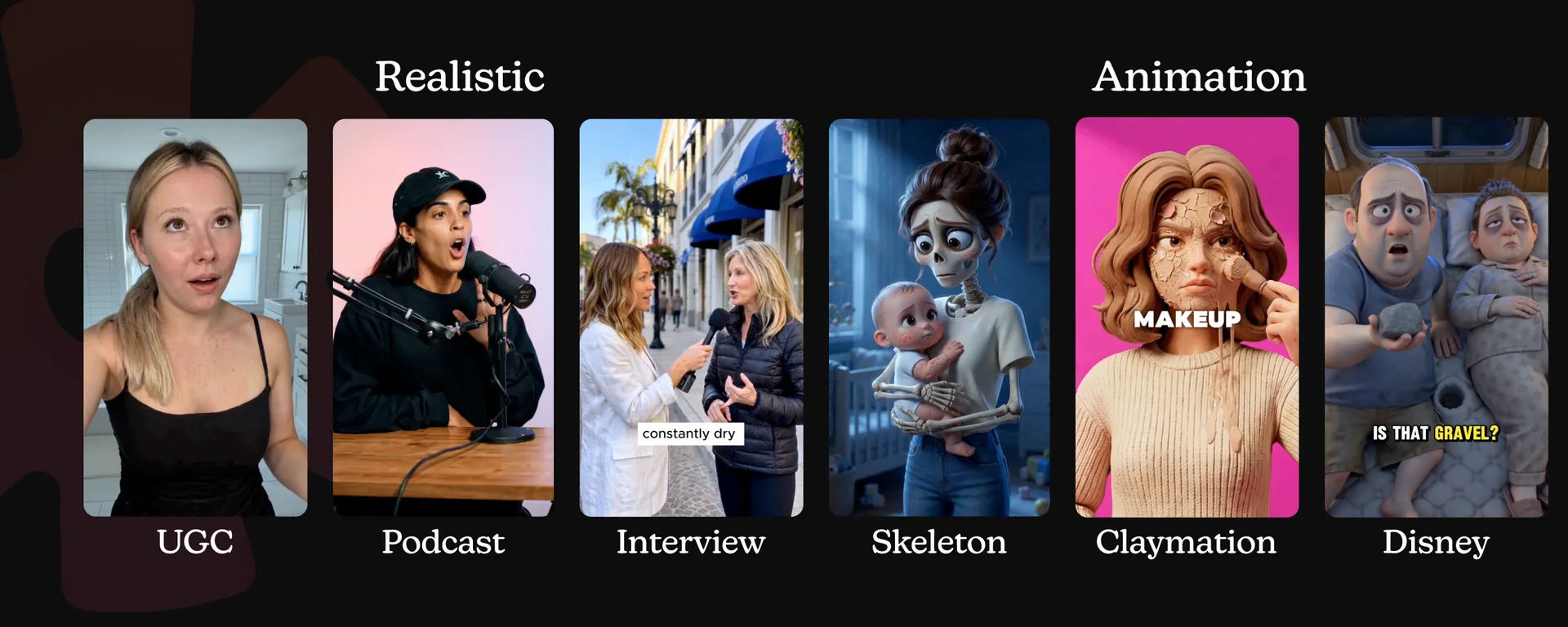
An AI-generated ad can resemble a casual video someone recorded on their phone. It can look like a street interview, a podcast clip, a polished animated film, a claymation scene, or a skeleton delivering a product pitch.
That range is what makes AI useful for advertising, but it also creates a new problem: which format should you choose?
The answer should not begin with the newest model. It should begin with the job the ad needs to do.
If the message depends on trust, familiarity, or a personal recommendation, a realistic format will usually make more sense. If it needs a story, a visual metaphor, or an immediate pattern interrupt, animation gives you more room to play.
This guide breaks AI ads into two broad creative directions:
- Realistic AI ads: UGC, street interviews, and podcast clips
- Animated AI ads: Disney-style 3D animation, claymation, and skeleton ads
We will look at what each format does well, where it tends to fit, and which AI video models are worth testing for it.
What is an AI ad?
An AI ad is an advertisement in which generative AI produces some or all of the creative.
That might include the script, actors, voices, product shots, music, animation, visual effects, or the finished video. Some campaigns use AI for only one step. Others are fully AI-generated from beginning to end.
The important distinction is that AI is the production method, not the format.
UGC is a format. A podcast clip is a format. Claymation is a format. Each one gives the viewer a different reason to pay attention and creates different expectations about what comes next.
That means choosing an AI ad format is still a creative strategy decision. Faster production does not remove the need to understand the audience, find a strong angle, and present the product in a way that fits the message.
The two main directions: realistic and animated
Most AI video ads fall somewhere between realism and animation.
| Direction | Main strength | Typical effect |
|---|---|---|
| Realistic AI ads | Familiarity and direct communication | Feels organic, relatable, and native to social media |
| Animated AI ads | Storytelling and visual imagination | Feels entertaining, distinctive, and memorable |
The categories can overlap. A realistic creator can introduce an animated product demonstration. An animated character can deliver a script built exactly like a UGC testimonial.
Still, the realistic-versus-animated distinction is a useful place to begin because it forces you to answer a basic question:
Should this ad feel like a familiar piece of content, or should it feel like a world the viewer has never seen before?
Realistic AI ads
Realistic AI ads borrow the visual language of content people already watch every day: creator recommendations, public interviews, podcasts, demonstrations, and live-action commercials.
They are especially useful when you want the ad to feel organic rather than highly produced. Instead of interrupting the feed with an obvious commercial, the creative enters through a recognizable social format.
Use realistic AI ads when:
- The product needs a clear explanation
- A relatable spokesperson will make the message stronger
- You want the ad to feel native to TikTok, Reels, or Shorts
- The creative depends on a testimonial, reaction, or conversation
- You need to test many hooks, characters, or audience angles
- Conversion is more important than building a fantasy world
The three most useful realistic formats are UGC, street interviews, and podcasts.
1. AI UGC ads
AI UGC imitates the direct, informal style of user-generated content. A creator speaks to the camera, demonstrates a product, explains a problem, or shares a personal recommendation.
The format works because it removes distance between the speaker and the viewer. There is no narrator introducing the subject and no elaborate story to decode. Someone looks into the camera and gets to the point.
Common UGC structures include:
- “I did not expect this to work, but…”
- Problem and solution
- Product unboxing
- Before and after
- Show and tell
- Tutorial or demonstration
- Response to a comment
- Three reasons to try a product
Why AI UGC works
UGC is built around a person, a problem, and a promise. That makes it flexible enough for beauty, wellness, mobile apps, software, e-commerce, and almost any product with a benefit that can be shown or explained quickly.
AI also makes variation easier. The same core script can be tested with different hooks, actors, rooms, deliveries, and audience profiles without arranging a new shoot for every version.
The mistake is making it too perfect.
Real UGC has texture: a slightly imperfect camera angle, a natural pause, a glance toward the product, or a sentence that sounds spoken rather than written. If every word, movement, and light source feels polished, the result starts looking like a traditional commercial wearing a UGC costume.
Models to test for AI UGC
- Kling O3 Pro: A strong option when reference control, realistic characters, or editing an existing video matters.
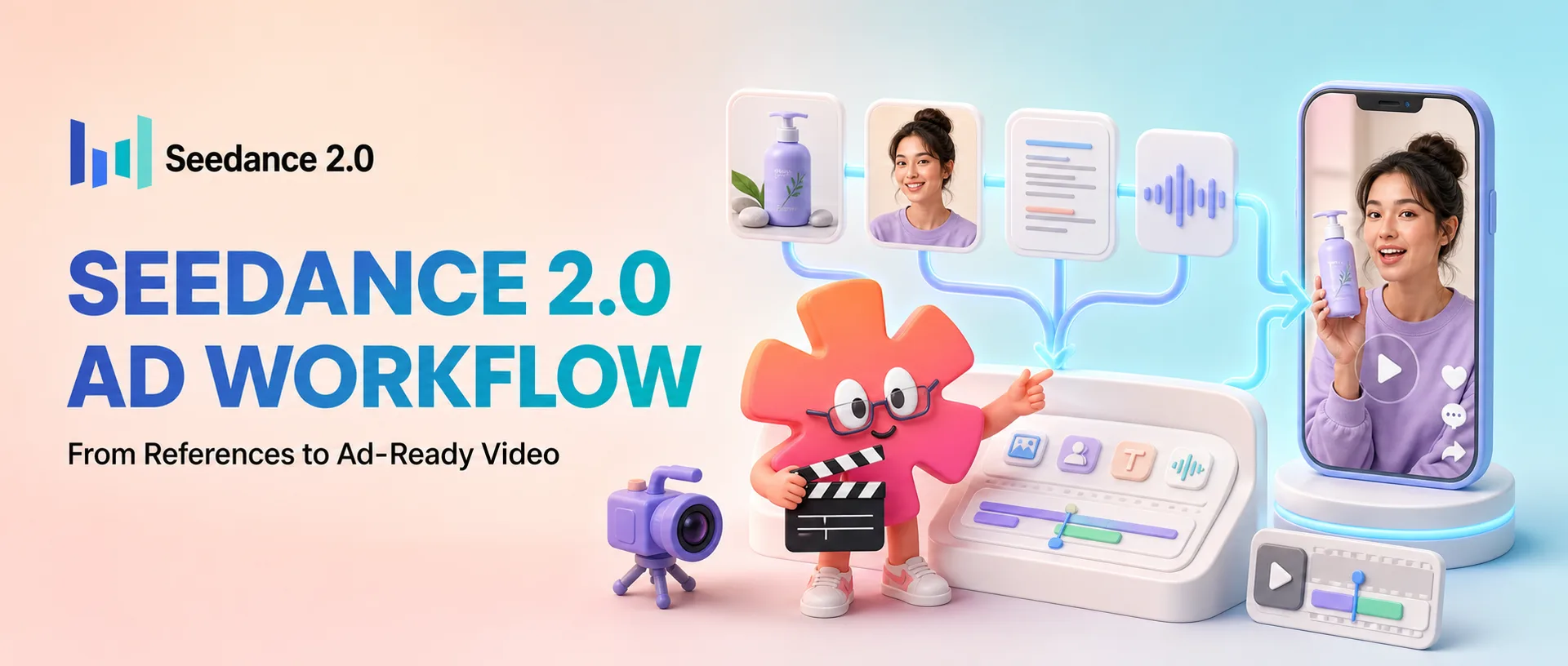
- Seedance 2.0: Especially useful for reference-heavy workflows where the actor, product, environment, audio, and movement all need to work together.
- Sora 2: Worth testing for realistic scenes, physical movement, and synchronized dialogue or sound where it remains available in your workflow.
For a deeper workflow, see our guide to making AI UGC videos with Seedance 2.0.
Do not invent a customer experience and present it as genuine. A fictional AI creator can explain a real product benefit, demonstrate a feature, or perform a clearly scripted concept. It should not fabricate an endorsement, result, or personal story that viewers are expected to believe came from a real customer.
2. AI street interview ads
A street interview begins with a question.
A host approaches people in a public place and asks what they think about a problem, behavior, price, trend, or product. Their answers create curiosity, introduce multiple points of view, or build toward a reveal.
Common openings include:
- “What is the biggest mistake people make when buying this?”
- “How much do you think this costs?”
- “What is one thing you wish you knew earlier?”
- “Would you try this?”
- “What is stopping you from doing this every day?”
Why street interviews work
The question creates an open loop. Viewers want to compare their own answer with what the interviewees say.
The format also has energy. New faces, quick cuts, environmental movement, and short answers let you present several ideas without making the ad feel like a lecture.
Street interviews are a good fit for:
- Lifestyle and fashion brands
- Consumer technology
- Dating and social apps
- Products with a surprising price or feature
- Awareness campaigns
- Concepts that benefit from reactions or social proof
The strongest versions ask one simple question and make every answer distinct. If five people repeat the same polished brand line, the format stops feeling spontaneous.
Models to test for street interviews
- Kling O3 Pro for controlled edits, visual references, and keeping the interview structure grounded
- Seedance 2.0 for combining character, location, camera, and audio references
- Sora 2 for realistic public scenes and natural physical interaction
Continuity is the main challenge. Watch the microphone, background pedestrians, clothing, eye lines, and ambient sound. Small inconsistencies are much more noticeable when the video is trying to look documentary-real.
3. AI podcast ads
AI podcast ads resemble a useful or surprising moment clipped from a longer conversation.
One host might make a strong claim. Another pushes back or asks for an explanation. The answer introduces the mechanism behind a product, reframes a common belief, or tells the viewer something they did not know.
Typical podcast hooks include:
- “Here is what nobody tells you about…”
- “Most people are solving the wrong problem.”
- “I thought this was marketing until I saw how it worked.”
- “Why does this keep happening?”
- “There are two reasons the usual solution fails.”
Why podcast ads work
The setting implies that the viewer has discovered an insight rather than been handed an ad.
It also gives complex products more room to breathe. A two-person conversation can raise an objection and answer it naturally. That makes podcast formats particularly useful for software, business products, financial education, health and wellness, and anything with a mechanism that needs explaining.
The opening matters more than the studio.
Do not begin with introductions, greetings, or the name of the show. Start on the sentence that would make someone stop scrolling. The clip should feel as though it was cut from the most interesting part of the conversation.
Models to test for AI podcast ads
- Kling O3 Pro for realistic speakers and reference-led video work
- Seedance 2.0 for multi-person scenes with audio and visual references
- Sora 2 for conversational realism and synchronized sound
Always add captions during editing. Even perfect generated dialogue cannot sell the message if the viewer is watching with the sound off.
Animated AI ads
Animated AI ads do not need to imitate reality. They can turn products into characters, build miniature worlds, exaggerate a problem, or make an abstract benefit visible.
That makes animation a natural choice for storytelling and engagement.
It is also one of the clearest examples of AI changing production economics. A concept that once required character artists, modelers, animators, lighting artists, and a long rendering process can now be explored through images and short video generations.
Use animated AI ads when:
- You need a strong pattern interrupt
- The idea works best as a story or visual metaphor
- The product can become a character
- The brand is playful, imaginative, or entertainment-led
- The environment would be expensive or impossible to film
- Awareness and memorability matter more than appearing organic
Three formats worth exploring are Disney-style 3D animation, claymation, and skeleton ads. To watch real ones first, see these AI animated ad examples.
4. Disney-style 3D animation
“Disney-style” is often used as shorthand for polished, family-friendly 3D animation: expressive characters, cinematic lighting, emotional faces, and colorful storybook environments.
For an actual campaign, it is better to think in those descriptive terms than to copy a specific studio, franchise, or protected character. The goal is to create an original animated world with the emotional clarity people associate with feature animation.
Why this format works
Expressive characters make simple conflicts easy to understand.
A tired battery can become a character running out of energy. A peach can explain a fitness product. An ingredient can walk the viewer through what happens inside the body. The story can make a product mechanism entertaining without removing the sales message.
This format is especially useful for:
- Family-oriented brands
- Food and beverage
- Health and wellness
- Apps and consumer technology
- Seasonal campaigns
- Products that can be personified
- Brand-awareness creative
There are two main versions:
- Talking character: A mascot, ingredient, or product speaks directly to the viewer.
- Voiceover and B-roll: A narrator carries the script while animated scenes visualize every shot.
Both depend on the same principle: the character and the world attract attention, but the script still does the selling.
Models to test for cinematic 3D animation
- Seedance 1.5 Pro: A useful option for affordable audiovisual generation and stylized character scenes.
- P-Video: Best for fast, inexpensive animation of a strong starting image, especially when each clip needs only one clear action.
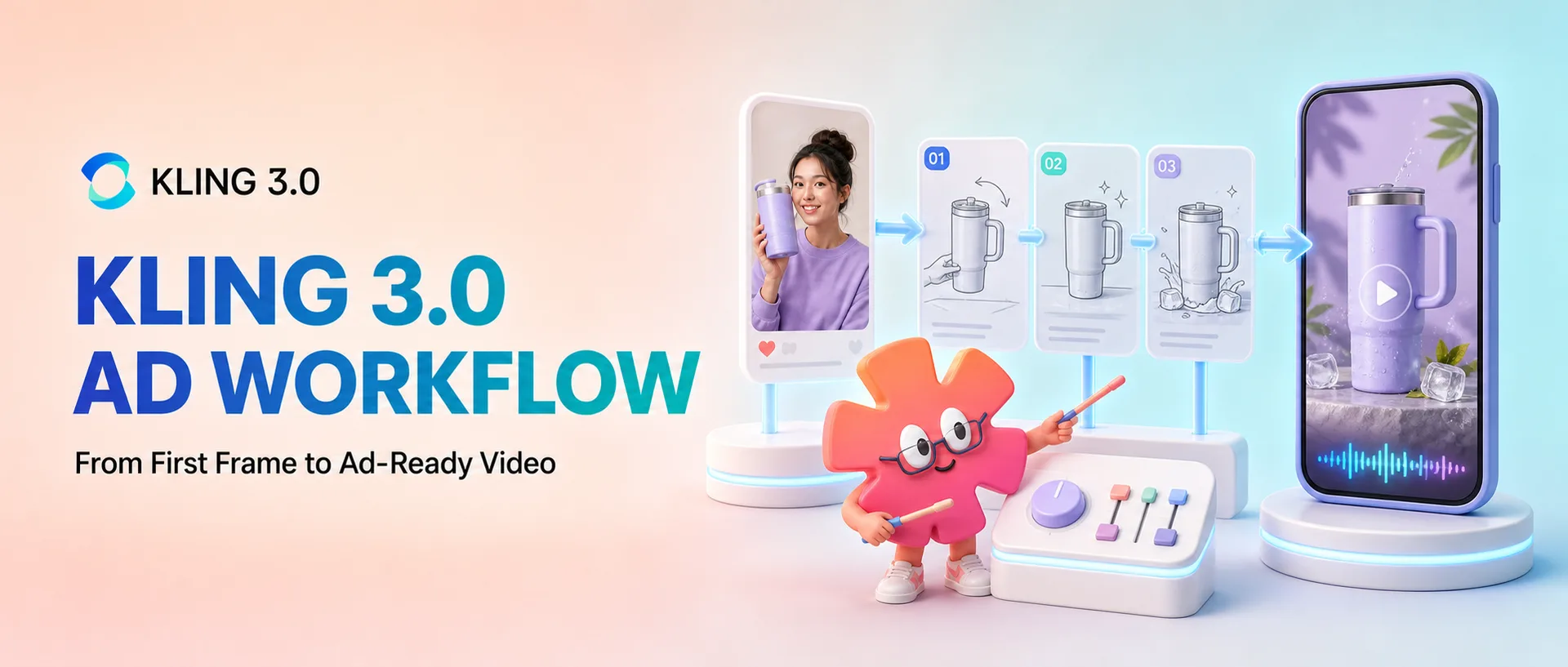
- Kling 3.0: A stronger choice for more cinematic movement, longer clips, native audio, or multi-shot storytelling.
See the complete workflow in our guide to making AI animated character ads. For the song version of the same look, read how to make Disney/Pixar style AI ads.
5. AI claymation ads
Claymation gives AI video a handmade quality.
Characters and objects appear to be sculpted from clay and moved frame by frame. Fingerprints, uneven edges, miniature sets, and slightly stepped motion are not defects in this format. They are the details that make it charming.
Why claymation works
Most digital advertising is visually smooth. Claymation does the opposite.
Its tactile surfaces and physical transformations stand out in a feed. A product can assemble itself from clay, ingredients can morph into the finished item, or a tiny character can demonstrate a feature inside a miniature set.
Claymation is a strong fit for:
- Food and beverage
- Toys and games
- Beauty products
- Arts and crafts
- Children’s products
- Seasonal promotions
- Playful consumer brands
The format is particularly good at transformation. If your product turns one state into another, clay gives you a satisfying visual way to show that change.
When you are ready to build one, use Starpop's dedicated AI claymation ad generator workflow to move from product angle and script to a consistent clay world and finished scenes.
Models to test for claymation
- Seedance 1.5 Pro for stylized audiovisual scenes
- P-Video for quick animation of clay-style start frames and simple product motion
- Kling 3.0 for more involved scenes, character performance, and camera movement
Start by generating a strong still image in the exact clay style you want. Lock the materials, palette, character design, and composition there. Then use the video prompt to describe movement rather than asking the video model to invent the entire look again.
6. AI skeleton ads
Skeleton ads use an instantly recognizable character to turn an ordinary problem into an exaggerated visual joke.
Someone waited so long that they became a skeleton. A tired office worker is “dead by 3 PM.” A skeleton dances after discovering the product. The metaphor is understood before the ad explains it.
Why skeleton ads work
They interrupt the feed immediately.
Skeletons can be funny, strange, dark, or musical, which makes the format useful for brands that are comfortable with a bolder personality. They also give familiar advertising claims a visual twist.
Good fits include:
- Entertainment and gaming
- Energy products
- Fashion and streetwear
- Music
- Halloween campaigns
- Youth-oriented brands
- Products suited to absurd or irreverent humor
The risk is using the skeleton only because it looks interesting. The best skeleton concepts make the character part of the idea.
“This delivery takes too long” becomes a skeleton waiting beside the door. “Do not let your afternoon die” becomes a skeleton slumped over a keyboard. The visual should express the product problem before the script finishes describing it.
Models to test for skeleton ads
- Seedance 1.5 Pro for stylized character scenes with audio
- P-Video for fast character animation, singing, lip sync, and short single-action clips
- Kling 3.0 for richer movement, cinematic scenes, and longer narrative shots
For music-led skeleton creative, the AI song ad workflow is an easy place to start.
Realistic or animated: which should you choose?
The right format is the one that makes the message feel natural.
| If the ad needs to… | Start with… |
|---|---|
| Deliver a personal recommendation | UGC |
| Show several quick reactions | Street interview |
| Explain a complex mechanism | Podcast |
| Build an emotional character story | Cinematic 3D animation |
| Show a tactile transformation | Claymation |
| Turn the problem into a bold visual joke | Skeleton animation |
Choose a realistic format when trust, relatability, explanation, and conversion are the priorities.
Choose an animated format when storytelling, visual novelty, metaphor, and engagement are the priorities.
You can also test the same angle in both directions. A UGC creator might explain why a supplement works, while an animated character shows the same mechanism inside the body. The message stays constant; the creative language changes.
That is a more useful test than generating several ads that look different but say nothing different.
How to choose the AI video model
There is no universally best AI video model.
The strongest model for a realistic one-shot monologue may not be the best choice for a clay character performing three actions. A premium model may be wasted on a two-second camera push that a faster, cheaper model can produce in seconds.
Evaluate models against the shot you actually need:
- How realistic do the people need to look?
- Does the scene contain dialogue or lip sync?
- How many characters appear?
- Does the product need to remain exact?
- Are you using image, video, or audio references?
- Is it one simple action or a multi-shot sequence?
- How quickly do you need to iterate?
- What does each usable clip cost?
As a practical starting point:
| Creative need | Models worth testing |
|---|---|
| Realistic UGC, interviews, and podcasts | Kling O3 Pro, Seedance 2.0, Sora 2 |
| Stylized animation and character ads | Seedance 1.5 Pro, P-Video, Kling 3.0 |
| Fast, simple image-to-video motion | P-Video |
| Reference-heavy direction | Seedance 2.0 or Kling O3 Pro |
| Longer or multi-shot animated scenes | Kling 3.0 |
Model names, access, pricing, and strengths change quickly. Treat this as a shortlist to test, not a permanent leaderboard.
A simple workflow for making an AI ad
Whatever format you choose, the production process should begin before video generation.
1. Define the audience and objective
Who is the ad for, what do they already believe, and what should happen after they watch?
Awareness creative can spend more time on story and entertainment. Conversion creative usually needs to reveal the problem, product, and benefit faster.
2. Find one clear angle
Reduce the ad to one useful thought.
Not “our product has six features,” but “this removes the step that wastes ten minutes every morning.”
One ad can contain several scenes. It should not contain several competing ideas.
3. Match the angle to a format
Would the thought sound strongest as a personal discovery, a public reaction, an expert conversation, an emotional story, a tactile transformation, or a visual joke?
Choose the format only after you can answer that question.
4. Write the hook first
The opening should create immediate tension through:
- A recognizable problem
- A surprising claim
- A direct question
- A strong reaction
- An unusual visual
- A result the viewer wants
5. Build a shot list
Break the idea into short, controllable shots:
- Hook
- Problem
- Product introduction
- Demonstration or mechanism
- Result
- Call to action
Generate each shot separately when the concept becomes too complex for one clip. Short generations are easier to direct, replace, and edit.
6. Create references before spending on video
Lock the actor, product, character, material, environment, or animation style in images first.
A clear starting image gives the video model fewer decisions to invent. That usually produces more consistent results and makes failed clips cheaper to diagnose.
7. Edit for the platform
Generated video is raw material, not necessarily the finished ad.
Use editing to add:
- Captions
- Music and sound design
- Product close-ups
- Brand elements
- Disclosures
- Timing adjustments
- A clear call to action
8. Test meaningful variations
Test different hooks, angles, speakers, and formats—not just tiny wording changes.
The goal is to learn whether the message works, who should deliver it, and how it should look.
Common AI ad mistakes
Starting with the model
“Let’s make something with Kling” is not a strategy. Start with the customer and message, then choose the model capable of producing the required shots.
Making realistic content too polished
UGC, street interviews, and podcast clips need enough texture to feel native to their format. Perfect lighting and scripted brand language can make the result less believable.
Letting animation bury the product
A beautiful character is not an ad by itself. The viewer should still understand the problem, the product, and why it matters.
Asking one generation to do too much
Multiple actions, locations, characters, and camera moves create more opportunities for drift. Split complicated ideas into shorter clips.
Copying protected styles or people
Use original characters, licensed assets, and descriptive visual direction. Do not imitate a real person, copy a protected character, or imply an endorsement you do not have.
Skipping disclosure
Realistic synthetic media deserves particular care. Disclosure rules vary by platform and market, but a practical principle is simple: do not use AI to mislead viewers about who said something, what happened, or what results a real customer experienced.
The format matters more than the novelty
AI has made more kinds of advertising possible for more teams.
Realistic formats such as UGC, street interviews, and podcasts can make a product feel relatable, direct, and native to the feed. Animated formats such as cinematic 3D characters, claymation, and skeleton ads can make the same product more entertaining, emotional, or memorable.
If animation is the direction you want to explore, see the full AI animation ads capability guide for six visual and narrative styles, example workflows, and tutorials.
Neither direction is automatically better.
The best choice depends on what the audience needs to understand or feel. Once that is clear, the format becomes easier to choose, and the model becomes a production decision rather than the source of the idea.
The winning AI ad will not necessarily be the one that looks the most technically impressive.
It will be the one where the message, format, and audience fit together.
Frequently asked questions
What is the best AI ad format?
There is no single best format. UGC and podcast ads are strong for explanation and direct response. Street interviews work well for reactions and curiosity. Animation is often better for storytelling, pattern interruption, and visual metaphors.
Which AI models are best for realistic ads?
Kling O3 Pro, Seedance 2.0, and Sora 2 are useful models to test for realistic UGC, interview, and podcast concepts. The right choice depends on reference support, dialogue, product accuracy, availability, speed, and cost.
Which AI models are best for animated ads?
Seedance 1.5 Pro, P-Video, and Kling 3.0 are strong starting points. P-Video is useful for fast, simple animation from a start image, while Kling 3.0 is better suited to more involved movement and multi-shot storytelling.
Can realistic and animated formats be combined?
Yes. A realistic creator can introduce an animated product demonstration, or an animated mascot can deliver a direct-response UGC script. Hybrid ads often work because they combine a familiar structure with an unexpected visual.
Do AI ads need to be disclosed?
Requirements depend on the platform, location, and content. Synthetic people, voices, testimonials, endorsements, and altered real-world events require particular care. When AI could change what a reasonable viewer believes about who is speaking or what occurred, disclose it clearly.