Contents
0%Most AI video problems begin before anyone writes a prompt.
The product photo is weak. The actor reference shows the wrong outfit. Two images are trying to define the same room. A motion reference introduces a camera style that conflicts with the script. Then the prompt asks the model to solve all of those contradictions at once.
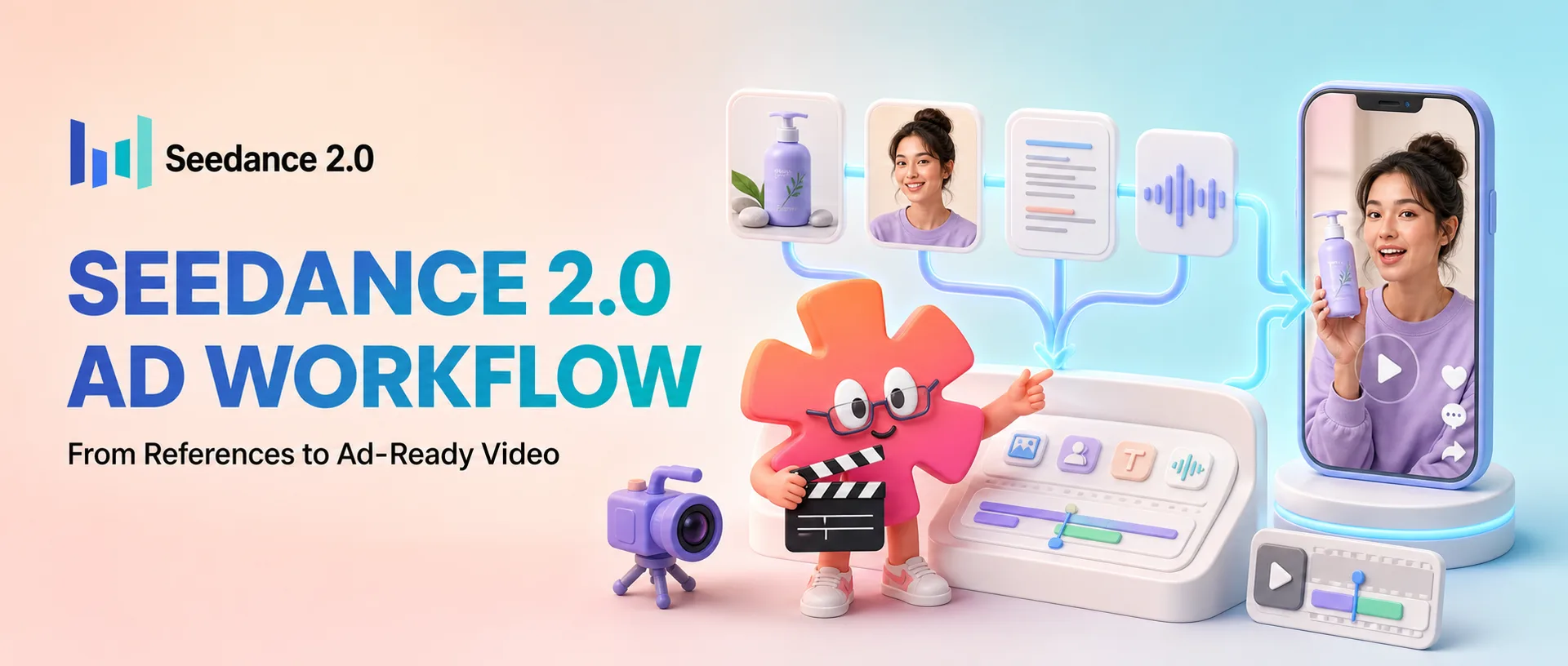
Seedance 2.0 is useful for advertising because it can work with text, images, video, and audio in the same generation. That gives you more control over the product, actor, setting, voice, movement, and camera language than a simple text-to-video workflow.
But more inputs do not automatically create a better ad. The advantage comes from giving every input one clear job and directing the generation like a small shoot.
This guide walks through the complete workflow: from the creative brief and reference pack to the first generation, repair pass, variations, and final edit.
Why use Seedance 2.0 for ads?
Seedance 2.0 is a strong fit when several elements need to remain coordinated in one short video.
For example, you might need:
- The correct bottle, box, or device
- A recurring actor with consistent styling
- A specific room or visual world
- Natural spoken dialogue
- A recognizable camera movement
- The pacing of an existing video
- A particular voice, ambience, or sound effect
A simpler model can be enough when the job is only to animate a product image or make one uncomplicated shot. Seedance becomes more valuable when the result depends on multiple references working together.
That makes it especially useful for:
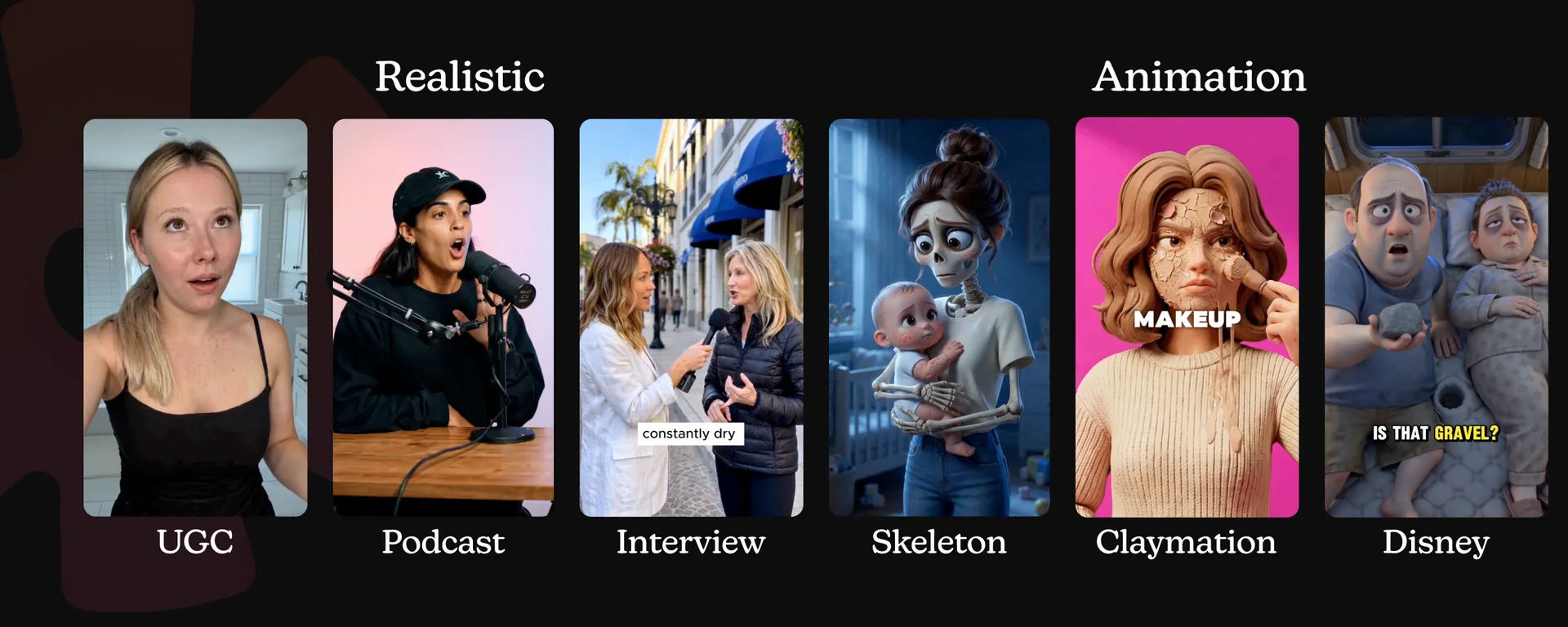
- Talking-head UGC
- Product demonstrations
- Unboxing videos
- Street interviews
- Podcast-style clips
- Product showcases
- Cinematic commercials
- Video extensions and creative remixes
The tradeoff is planning. The more control you want, the more clearly you need to define what each asset controls.
The full Seedance 2.0 ad workflow
The process is easier to manage when you separate it into nine steps:
- Choose one ad format
- Write a one-sentence creative brief
- Build a small reference pack
- Write the script
- Turn the script into a shot plan
- Build the Seedance prompt
- Generate and review a controlled first draft
- Repair one problem at a time
- Create variations, edit, and publish
Each step removes a different kind of uncertainty. By the time you generate, the model should not have to guess what the ad is, who it is for, which product to show, or what happens next.
Step 1: Choose the ad format before the inputs
Do not begin by uploading everything you have. Begin by deciding what kind of ad you are making.
| Format | Best for | What matters most |
|---|---|---|
| Talking-head UGC | Trust, explanation, testimonials, problem-solution hooks | Natural delivery, face consistency, readable product |
| Unboxing | Packaging, anticipation, product discovery | Accurate box, product angles, believable hand interaction |
| Product demo | Showing a mechanism, routine, or result | Clear action order, useful close-ups, product accuracy |
| Street interview | Curiosity, reactions, social proof | Simple question, distinct speakers, location ambience |
| Podcast clip | Education, authority, contrarian claims | Dialogue rhythm, eyelines, voice, restrained camera work |
| Product showcase | Design, texture, premium presentation | Packshot accuracy, lighting, controlled camera movement |
| Cinematic commercial | Emotion, story, brand building | Art direction, shot progression, sound, visual continuity |
Pick one. A 15-second generation should not try to be an unboxing, testimonial, tutorial, and cinematic brand film at the same time.
Then define four things:
- Audience: Who should recognize themselves in the ad?
- Problem: What frustration or desire opens the story?
- Offer: What is the viewer being asked to consider?
- Core claim: What single idea should remain after the video ends?
Turn those answers into one sentence.
Create a 15-second vertical UGC ad for busy professionals who skip breakfast, showing how the product fits into a rushed morning routine and ending with an invitation to try it.
That sentence is your creative filter. If a reference, line, or shot does not help deliver it, remove it.
A generated actor should not be presented as a real customer, doctor, or expert unless that is true and properly disclosed. Use accurate, supportable product claims, and do not fabricate personal results or endorsements.
Step 2: Build a reference pack with one job per asset
A good reference pack is small enough to understand at a glance. Four or five useful assets are usually better than a folder of loosely related images.
Product references
Start with a clean product image. The label, shape, cap, materials, and colors should be easy to see.
Add more product views only when they provide information the first image does not:
- Front or hero angle for identity
- Side or back angle for proportions
- Open package or product-in-use image for interaction
- Product-in-context image for scale
Avoid feeding Seedance several old and new packaging versions. If two references disagree, the model has to invent a compromise.
Character references
Use a face reference when a specific identity needs to remain consistent. Use a separate full-body or styling image when the clothes and silhouette matter.
Keep the roles distinct:
- Face image: identity, hair, age, facial features
- Full-body image: outfit, build, overall styling
If you do not need a recurring creator, you can describe the actor in the prompt instead of adding a character image. Every extra reference should solve a real problem.
Environment reference
One strong image can establish the room, street, studio, or visual tone. Choose an image that clearly shows:
- Layout
- Lighting direction
- Color palette
- Important surfaces or background objects
- The amount of polish you want
Do not use three different kitchens and ask for one consistent room.
Video reference
Use a video reference when a still image cannot communicate the instruction. A video can define:
- Camera movement
- Hand action
- Editing rhythm
- Blocking
- A transition or visual effect
Be explicit about what to borrow. If you only want the one-handed opening motion, say so. Otherwise the model may also borrow the reference video's framing, styling, or pace.
Audio reference
Audio can define:
- Voice tone
- Delivery speed
- Spoken content
- Room ambience
- Music or sound effects
The sound should belong in the scene. A dry studio voice placed inside a noisy gym can feel detached even when the lip sync is accurate.
Write a reference map
Before the shot directions, state what every input controls.
@image[1] = hero product reference. Preserve the bottle shape, white cap,
green label, logo placement, and proportions.

@image[2] = actor identity reference. Preserve her face, dark curly hair,
and natural makeup.

@image[3] = kitchen reference. Preserve the warm morning light, pale wood
cabinets, and uncluttered counter.

@audio[1] = voice reference. Match the relaxed pace and warm delivery only.
This turns a pile of files into a production plan.
Step 3: Write the script before the visual prompt
For a short performance ad, a reliable structure is:
- Hook: Give the viewer a reason to stop
- Problem: Name a familiar frustration
- Mechanism: Show how the product fits into the situation
- Result: Explain the useful outcome without overclaiming
- CTA: Tell the viewer what to do next
Here is a simple 15-second example for a powdered breakfast drink:
“I kept skipping breakfast because mornings were chaos. Now I shake this with water before I leave, and I have something easy to take with me. If your mornings look like mine, try it this week.”
Read the script aloud. Written copy often sounds too formal once a person has to say it.
Cut filler, shorten long product names, and rewrite difficult phrases. Natural dialogue usually contains contractions, pauses, and one idea per sentence.
If the model struggles to pronounce a technical ingredient or brand term, simplify the spoken line and add the exact detail later as an editor overlay.
Step 4: Turn the script into a shot plan
Do not make the model translate a paragraph of copy into a full production on its own. Decide what the viewer sees during each line.
For the script above, the four shots could be:
| Shot | Visual | Dialogue and sound |
|---|---|---|
| Hook | Handheld close-up as the actor rushes into the kitchen and looks at the time | “I kept skipping breakfast because mornings were chaos.” Keys and light room tone |
| Problem | Medium shot; she opens an almost-empty cupboard, then closes it | Dialogue finishes naturally |
| Mechanism | Product close-up; powder enters a shaker, water follows, lid twists shut | “Now I shake this with water before I leave…” Crisp scoop, pour, and shaker sounds |
| Result and CTA | Actor lifts the finished drink and walks out with her bag | “…and I have something easy to take with me. If your mornings look like mine, try it this week.” |
Keep every shot focused on one main action. “She grabs the product, opens it, scoops powder, pours water, shakes it, drinks, smiles, and leaves” is not one shot. It is an entire sequence.
Shot order is usually more reliable than forcing every movement into an exact timestamp. Use Shot 1, Shot 2, and Shot 3, then let the model find natural timing inside the requested duration.
For each shot, specify:
- Framing: close-up, medium shot, wide shot
- One main action
- One main camera instruction
- Visible expression or body language
- Dialogue, ambience, and important sound effects
Step 5: Build the Seedance 2.0 prompt
A practical ad prompt has six parts:
- Format, platform, and overall style
- Reference map
- Named subjects
- Chronological shots
- Audio direction
- Consistency and quality constraints
Here is the complete prompt for the example ad:
Vertical 9:16 creator-style UGC ad for a paid social placement. Natural smartphone footage, warm morning light, believable handheld movement. Clean generated footage with no captions, subtitles, logos added by the model, or music.
@image[1] = hero product reference. Preserve the container shape, cap, label colors, logo placement, and proportions.
@image[2] = actor identity reference. Preserve her face, dark curly hair, and natural makeup.
@image[3] = kitchen reference. Preserve the pale wood cabinets, uncluttered counter, and warm light.
@audio[1] = voice reference. Match the relaxed pace and warm conversational delivery only.
Define the woman from @image[2] as the creator. She wears a charcoal sweatshirt and carries a black work bag throughout.
Shot 1: Handheld close-up in the kitchen from @image[3]. The creator enters quickly, checks the time on her phone, and exhales. She says, “I kept skipping breakfast because mornings were chaos.” Keys land on the counter. Light room tone.
Shot 2: Cut to a fixed medium shot. The creator opens the cupboard, sees there is nothing ready, and closes it. Her shoulders drop slightly.
Shot 3: Cut to a close-up of the product from @image[1]. Her hand scoops the powder into a shaker, adds water, and closes the lid. Preserve the product and label. Crisp scoop, pour, lid, and shaker sounds. She says, “Now I shake this with water before I leave, and I have something easy to take with me.”
Shot 4: Medium shot. The creator raises the finished drink, picks up her bag, and walks toward the door. She says, “If your mornings look like mine, try it this week.” Hold briefly on the product in her hand.
Natural skin texture, stable face, consistent clothing and kitchen, accurate product proportions, believable hand interaction, smooth continuous motion, clean dialogue ending.
Notice what the prompt does not do. It does not pile on vague words such as “epic,” “viral,” or “amazing.” It tells the model what to show, what to preserve, and what happens in order.
It also asks for clean footage. Captions, offer text, legal language, and CTA graphics are easier to control in an editor than inside a generated frame.
For a deeper look at camera language and prompt structure, read the Seedance 2.0 prompt engineering guide.
Step 6: Generate a controlled first version
The first generation is a diagnostic draft. Its job is to reveal which part of the setup needs work.
Do not test five hooks, three actors, two rooms, and a new camera reference in the same pass. Start with:
- One script
- One actor or actor description
- One environment
- One product pack
- One shot structure
- One voice direction
Review the output in this order:
- Product: Is the right product present? Are the shape, cap, colors, and label direction consistent?
- Character: Does the face remain stable? Are the clothes and hair consistent?
- Action: Do the hands, objects, and movement follow a believable sequence?
- Dialogue: Does the delivery sound natural? Does lip sync hold?
- Continuity: Does the room, lighting, and object placement remain coherent?
- Camera: Does each shot have a readable purpose, or is the movement distracting?
- Audio: Are the speech, ambience, and effects balanced? Does the ending cut cleanly?
This order matters because a polished edit cannot rescue the wrong product or a drifting actor.
Step 7: Diagnose the problem before regenerating
When a generation fails, decide whether the cause is the reference, the prompt, or the scope.
| Problem | Likely cause | Repair |
|---|---|---|
| Face changes between shots | Weak identity reference or too much happening | Use a clearer face reference, define the actor once, simplify the sequence |
| Product looks generic | Incomplete or conflicting product views | Use a cleaner hero image, add a useful angle, restate the features to preserve |
| Hands or objects behave strangely | Too many actions in one shot | Split the action into separate shots and slow it down |
| Camera feels chaotic | Multiple movements or vague direction | Give each shot one camera instruction |
| Room changes | Conflicting environment inputs | Use one environment reference and name the details that must remain |
| Dialogue feels stiff | Written language or too much copy | Shorten the sentences and rewrite them as spoken language |
| Unwanted captions appear | The model filled an unspecified ad convention | Request clean footage with no captions and add text in the editor |
| Audio ends abruptly | Dialogue is too long for the clip | Shorten the script, regenerate, or fade and trim in the edit |
Change one variable at a time. If you replace the product images, rewrite the script, and change the camera plan together, you will not know what fixed the result.
Step 8: Turn one winner into useful variations
Once the core ad works, lock the parts that made it work:
- Product references
- Main claim
- Demonstration or mechanism
- Shot structure
- Environment, when it is part of the concept
Then test one creative variable at a time.
Hook variations
Keep the body of the ad fixed and change only the opening:
- “I kept skipping breakfast because mornings were chaos.”
- “If you leave the house with only coffee, this is for you.”
- “This takes less time than waiting for the kettle.”
Actor variations
Use the same script and product with different audience profiles. This tests who makes the message feel most relevant without changing the claim.
Setting variations
Move the same mechanism from a kitchen to an office break room, gym locker, or car before a commute. The setting can make the problem feel more specific.
Delivery variations
Test calm, energetic, skeptical, deadpan, or expert delivery. Keep the words fixed so you are measuring tone rather than new copy.
CTA variations
The CTA can emphasize trial, discovery, price, or urgency. Make sure any offer language matches the actual landing page.
Localized versions
Reuse the winning reference pack and shot structure with translated dialogue and an appropriate voice. Review every localized version with a native speaker before publishing. A direct translation can preserve the words while losing the natural sales rhythm.
The goal is not to create a pile of random videos. It is to build a controlled test matrix around one proven concept.
Step 9: Edit and publish
Treat the Seedance output as clean source footage. Finish the ad in an editor where text and timing are easier to control.
Add:
- Captions
- Product name and price
- Offer details
- Brand fonts and colors
- Logo placement
- Music
- Sound mix and fades
- CTA overlay
- Disclaimers or qualification language
- Synthetic-media disclosure where required
Export the 9:16 version first for vertical placements, then adapt it to square or landscape formats. Do not simply crop important faces, products, or captions out of the frame. Reposition the edit for each placement.
Before publishing, check:
- Every product claim is accurate and supportable
- The shown product matches what the customer receives
- A fictional AI actor is not presented as a real customer or expert
- Price and offer details match the destination page
- Captions match the spoken words
- Required disclaimers are readable
- Music, footage, voices, and reference assets are licensed for the use
- The ad follows the platform's current synthetic-media and advertising policies
The simplest version of this workflow
If you remember only one thing, remember this:
Give every reference one job, give every shot one action, and change one variable at a time.
That is the difference between prompting Seedance like a slot machine and directing it like a shoot.
The first approach produces isolated surprises. The second produces an ad system: a stable product, a repeatable structure, a clear repair process, and variations you can test without rebuilding everything from zero.
You can run the full workflow in Starpop: keep the product, references, script, prompt, and Seedance generations together, then reuse the winning setup for the next hook, actor, setting, or market.