Contents
0%The fastest way to waste a Kling generation is to start with the prompt.
You upload a catalog packshot, ask for a “viral UGC ad,” add a creator, dialogue, three camera movements, a product demonstration, captions, and a CTA. Kling returns something visually impressive, but the label changes halfway through, the creator never actually demonstrates the product, and the final line gets cut off.
The problem is not necessarily the model. It is that the prompt is being asked to do the work of a creative brief, casting decision, product shoot, script, storyboard, sound plan, and editor at the same time.
Kling 3.0 can generate the visuals, performance, dialogue, ambience, product sounds, and shot changes together. It cannot decide which product promise is supportable, which packaging detail must remain exact, or which creative variable your next ad test is supposed to measure.
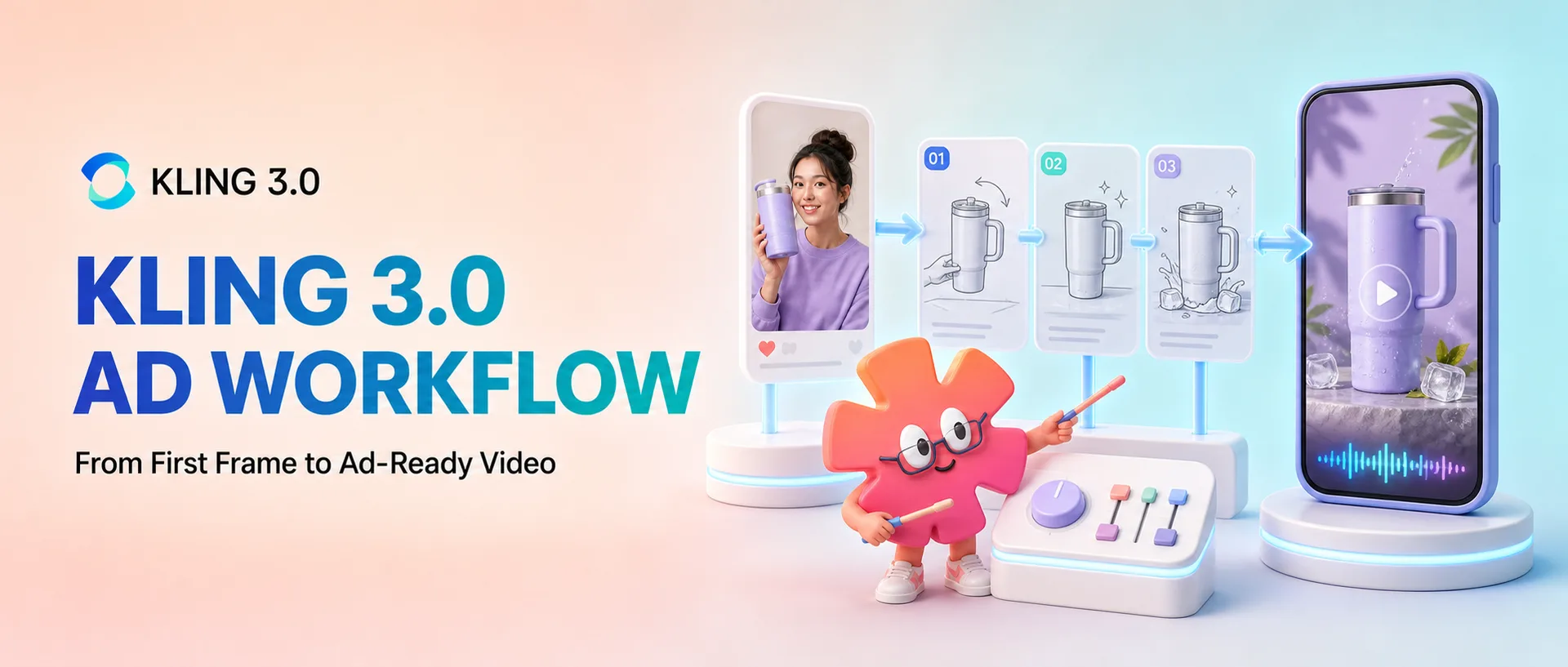
This guide separates those decisions into a repeatable production system. You will learn how to choose the right Kling model in Starpop, prepare a deliberate first frame, write a script and shot plan, generate a useful diagnostic batch, repair weak results, and turn one concept into controlled paid-social variations.
The operating rule is simple:
Build the ad around a deliberate first frame, give each shot one job, and use Kling’s native audio and motion controls only where they improve the concept.
Why use Kling 3.0 for ads?
Kling’s official Video 3.0 guide describes a model that can generate clips from 3 to 15 seconds, work from text or an image, use optional start and end frames, create native audio, and understand multi-shot narratives. It can generate dialogue in English, Chinese, Japanese, Korean, and Spanish, along with supported accents and dialects.
Those capabilities line up well with short-form advertising. One generation can contain a hook, product interaction, spoken copy, room tone, and readable ending. A shorter generation can also become one insert inside a longer edit.
Kling 3.0 is especially useful for:
- Talking-head and creator-style UGC
- Product demonstrations
- Product reveals and beauty shots
- Unboxings and first-reaction concepts
- Compact problem-solution stories
- Cinematic brand footage
- Motion-controlled demonstrations, reactions, try-ons, and choreography
The improvements do not remove the need for quality control. Product geometry, packaging, hands, dialogue, and continuity still need to be checked. A beautiful scene can communicate the wrong claim.
Kling has also improved its ability to preserve text that is already present in an input image. That is valuable when a logo or product label must remain recognizable. It does not mean you should ask the model to typeset an exact discount, disclaimer, or legal qualification inside the video. Add those elements in an editor, where spelling, timing, placement, and readability are under your control.
Kling's own product includes features such as its Element Library and custom storyboard interface. In Starpop, Kling 3.0 Standard and Pro currently expose the controls used in this guide: a prompt, optional start and end frames, flexible duration, aspect ratio for text-to-video, CFG for text-to-video, and the number of variants. Motion Control is a separate model with a character image and motion-reference video.
Treat Kling output as source footage that must pass product review, claims review, editing, and the ad platform’s current policies.
Choose the right Kling workflow before generating
Do not use the most expensive model for every experiment. Match the route to the production problem.
| Ad requirement | Starpop model | Inputs | Production role |
|---|---|---|---|
| Fast concept or hook testing | Kling 3.0 Standard | Prompt, optional start/end frame | Drafts and variation batches |
| Final UGC or hero product shot | Kling 3.0 Pro | Prompt, optional start/end frame | Approved concepts needing more polish |
| Creator repeats an existing gesture or performance | Kling 3.0 Motion Standard/Pro | Character image and reference video | Demonstrations, reactions, turns, choreography |
| Exact product and actor composition must appear immediately | Standard or Pro image-to-video | Prepared first frame | Product-led and creator-led ads |
| Visual ideation without a fixed product | Standard text-to-video | Prompt | Exploring a hook, mood, setting, or treatment |
A cost-aware sequence is:
- Develop the composition and prompt structure with Kling 3.0 Standard.
- Keep the brief fixed and change one variable at a time.
- Move approved concepts to Kling 3.0 Pro when they need a more polished final generation.
- Use Motion Control only when the movement itself is the useful reference.
At the time of writing, Kling 3.0 Standard costs 1.5 Starpop credits per second and Pro costs 2 credits per second. Prices and model availability can change, so treat the credit total shown beside the Generate button as the current source of truth.
The full Kling 3.0 ad workflow
The workflow has twelve steps:
- Write a one-sentence ad brief
- Choose one ad format
- Design the first frame
- Script for the available time
- Turn the script into a shot plan
- Write the Kling prompt
- Choose the Starpop settings
- Generate a diagnostic batch
- Repair one failure at a time
- Use Motion Control when movement is the reference
- Build controlled variations
- Edit, disclose, and publish
We will use a fictional insulated commuter tumbler as the running example. The example assumes that its one-handed lid is a real, demonstrable feature. When applying the workflow to your product, replace every example feature and line with information you can support.
Step 1: Write the one-sentence ad brief
An ad brief should tell you what the viewer needs to understand, not what the finished video should look like.
Define five fields:
- Audience: Who should recognize the situation?
- Problem or desire: What creates tension in the opening?
- Mechanism: What does the product actually do?
- Proof: What can the ad show or state honestly?
- CTA: What should the viewer do next?
For the tumbler example:
Create a 15-second vertical ad for commuters who spill coffee while carrying a bag and phone, showing the tumbler’s one-handed lid in use and ending with an invitation to view the product.
This sentence rules out many distractions. The ad does not need to explain the company’s origin story, every available color, the complete materials list, or three different offers. It needs to show one familiar situation and one useful mechanism.
Replace the example feature with a real, supportable product fact. Do not ask a generated actor to invent personal results or present themselves as a real customer, doctor, or independent expert.
Step 2: Choose one ad format
The same brief can become several kinds of ad. Pick one format before you design the frame or write the prompt.
| Format | Best for | Most important constraint |
|---|---|---|
| Talking-head UGC | Trust, explanation, direct hooks | Natural dialogue and a stable face |
| Problem-solution demonstration | Showing why the mechanism matters | A simple, believable action order |
| Product showcase | Design, texture, premium presentation | Product shape, label, lighting, and restrained movement |
| Unboxing | Packaging, anticipation, discovery | Accurate box and believable hand interaction |
| Before-and-after | A clear visual change | Comparable conditions and a supportable outcome |
| Cinematic brand spot | Emotion, atmosphere, brand building | Art direction, pacing, sound, and visual continuity |
| Motion-controlled creator clip | A specific gesture, turn, try-on, or routine | A clean single-take motion reference |
| AI hook plus real product video | Fast hook testing with authentic proof footage | A visual and audio match between generated and real clips |
Our running example uses a creator-led problem-solution ad: the creator encounters the problem, demonstrates the lid, and leaves with the product. It has the directness of UGC without presenting the fictional creator as a verified customer.
Step 3: Design the first frame
In Starpop image-to-video, the uploaded start image becomes the actual opening frame. It is not merely a loose mood reference. If you need a particular actor, product, outfit, setting, and camera angle, compose those decisions into one strong image before generating the video.
For an ad, the first frame should already answer several questions:
- Who or what is the subject?
- Where is the scene happening?
- How large is the product in the composition?
- Which product details face the viewer?
- Where can captions or offer text go later?
- What action can naturally begin from this pose?
A first-frame checklist
- Match the image aspect ratio to the intended placement.
- Show the product at a readable scale.
- Turn the important label or feature toward the camera.
- Keep hands in a plausible starting position.
- Lock the actor’s face, hair, outfit, and accessories.
- Make the setting clear without filling it with irrelevant objects.
- Leave clean space for captions and platform UI.
- Choose a pose that can move naturally into the first action.
- Remove conflicting packaging versions, duplicate products, or impossible reflections.
A weak first frame for our example would be a transparent tumbler packshot floating in an empty white canvas. It does not establish scale, grip, location, camera height, or where the action begins.
A strong first frame would be a vertical apartment-entryway composition. The creator holds a phone and bag while reaching toward her keys. The tumbler is visible at chest height, its lid and branding face the camera, and there is uncluttered space above and below for editorial overlays.
Image-to-video uses the source image’s framing, so Starpop hides the separate aspect-ratio selector after you add a start frame. Do not build a square image and expect a clean vertical ad later. Cropping after generation can remove the product, hands, or the space you intended for captions.
When to use an end frame
An end frame is useful when the final composition matters, but it asks the model to invent a transition between two states. Keep that transition plausible. A creator can lift a tumbler from waist to chest height; a product should not teleport into another room and transform the camera position in five seconds.
If the start and end states are too different, generate separate clips and cut them together.
Step 4: Script for the available time
Write the spoken copy before the visual prompt. A polished paragraph is not automatically speakable dialogue.
For our 15-second concept, use four shots:
| Shot | Purpose | Visual | Dialogue |
|---|---|---|---|
| 0–3s | Hook | Creator almost spills coffee while reaching for keys | “If your morning requires three hands, watch this.” |
| 3–7s | Problem | Phone, bag, and old cup compete for attention | “I was tired of juggling my coffee on the way out.” |
| 7–12s | Demonstration | Creator opens and closes the tumbler with one hand | “This lid opens and clicks shut with one hand.” |
| 12–15s | Result and CTA | Creator leaves with the product clearly visible | “See the tumbler and choose your color.” |
Read the entire script aloud with a timer. Leave room for pauses, reactions, and the product action. Speech that fills every fraction of the clip usually feels rushed and is more likely to end abruptly.
Write for speech:
- Use contractions.
- Prefer one idea per sentence.
- Remove filler and shorten difficult product names where the meaning remains accurate.
- Assign every line to a named speaker when more than one person appears.
- Put technical detail in an editor overlay if it is awkward to pronounce.
If the line does not fit, shorten it. Do not ask the model to make a person speak unnaturally fast just to protect copy that was too long.
Step 5: Turn the script into a shot plan
The script says what the viewer hears. The shot plan decides what proves it visually.
For every shot, specify:
- Shot size
- Subject
- One main action
- One camera behavior
- Dialogue or voiceover
- Room tone or product sound
- Required product visibility
- Transition or final state
The tumbler sequence becomes:
| Shot | Framing | Main action | Camera and sound |
|---|---|---|---|
| 1 | Handheld close shot | Creator reaches for keys and almost tips the cup | Subtle phone movement, keys, light room tone |
| 2 | Fixed medium shot | Creator puts down the old cup and lifts tumbler | One calm cut, dialogue continues |
| 3 | Product close-up | Creator opens and closes the lid once | Stable camera, crisp lid click |
| 4 | Medium exit composition | Creator picks up bag and leaves with tumbler | Small follow, spoken CTA, brief hold on the product |
Three or four purposeful shots are enough for many 15-second ads. Kling supports more complex multi-shot narratives, but ad clarity matters more than proving how many cuts the model can generate.
Choose the structure deliberately:
- Single take: Best for authenticity, a continuous demonstration, or one creator performance.
- Multi-shot generation: Best for a compact problem-solution story, product reveal, or short dialogue.
- Separate generated clips: Best when product accuracy and per-shot control matter more than seamless one-pass continuity.
If an action contains several verbs—grab, open, pour, close, shake, drink, smile, and leave—it is not one shot. Split it or remove actions that do not support the brief.
Step 6: Write the Kling prompt
A useful Kling ad prompt follows the order of a production document:
- Placement, format, and capture style
- Subject and product continuity
- Chronological shot directions
- Dialogue assigned to the correct person
- Ambience and product sounds
- Ending state
- Clean-footage constraints
Here is the complete prompt for the running example:
Vertical 9:16 paid-social UGC ad, 15 seconds. Natural phone-camera footage in a bright apartment entryway, subtle handheld movement.
The same creator, outfit, tumbler, phone, bag, and room remain consistent. Preserve the tumbler's shape, lid, color, and visible branding from the uploaded first frame.
Shot 1: Close handheld framing. The creator reaches for her keys while holding her phone and nearly tips the cup. She looks at the camera and says, “If your morning requires three hands, watch this.” Keys make a light sound against the table.
Shot 2: Medium shot. She places the old cup down and picks up the referenced tumbler. One calm cut; no dramatic camera move. She says, “I was tired of juggling my coffee on the way out.”
Shot 3: Product close-up. She opens and closes the lid using one hand. The lid makes a crisp click. Preserve the product proportions and label. She says, “This lid opens and clicks shut with one hand.”
Shot 4: Medium shot. She picks up her bag and leaves with the tumbler visible. She says, “See the tumbler and choose your color.” Hold the final composition briefly.
Natural room tone, clear conversational speech, believable hand interaction, stable face and wardrobe. Generate clean footage without captions, offer text, legal copy, or a generated end card.
The prompt states what must remain stable, then focuses on change over time. Add exact captions, price, promotion, logo lockups, disclaimers, and CTA treatments later so they remain editable.
A product-showcase prompt
For a short product insert, reduce the number of actions and remove the creator dialogue:
Five-second vertical product insert beginning from the uploaded hero frame. Preserve the tumbler's exact silhouette, handle, lid, finish, and visible branding. The camera makes one slow, controlled push toward the tumbler while soft morning light moves across the surface. A small bead of condensation travels down the side. Quiet room ambience and one clean lid click. End with the complete product centered and still. No captions, price, offer text, or additional objects.
The job of this clip is not to deliver the entire sales pitch. It is a clean product proof or visual reset that can sit between spoken sections in the final edit.
Step 7: Choose the Starpop settings deliberately
After the prompt and first frame are ready, choose the generation settings based on the shot plan.
Standard or Pro
Use Standard to test composition, prompt structure, duration, and hooks. Use Pro for an approved concept that needs a more polished result. Pro will not repair a contradictory brief or impossible transition.
Duration
Use 3–6 seconds for a hook, insert, reaction, or single action. Use 10–15 seconds for dialogue or a compact narrative. A five-second product shot with one clean move is better than a 15-second shot that runs out of things to do.
Aspect ratio
For text-to-video, Starpop offers 16:9, 9:16, and 1:1. Use 9:16 when the primary destination is Reels, Stories, or TikTok. Meta recommends vertical Reels creative with audio and important messages inside the safe zone, while TikTok also recommends 9:16 for in-feed ads.
In image-to-video, the uploaded image establishes the framing. Prepare the source at the correct aspect ratio instead of relying on a later crop.
CFG scale
CFG is visible in text-to-video mode. The displayed midpoint is 0.5. Move it higher when the model is ignoring important prompt instructions; move it lower when the result follows the words but feels overly constrained. Change it only after you have identified prompt adherence as the problem.
Start and end frames
Use a start frame when the product, actor, wardrobe, location, or opening composition matters. Use an end frame when you need a specific final composition and the movement between the two images is achievable inside the duration.
Variants
Generate a small batch from the same setup to compare executions of one direction.
Audio
Starpop’s Kling 3.0 Standard and Pro forms currently generate native audio. Write dialogue, ambience, and useful sound effects into the prompt. If you want a silent visual, you can remove or mute the generated track in the edit.
Step 8: Generate a diagnostic batch
The first batch is a diagnostic test of the production setup.
Hold these variables constant:
- Brief
- Script
- First frame
- Duration
- Shot order
- Model
- Product claim
Review every result in this order:
- Product identity: Is it the correct product throughout?
- Geometry and text: Do the lid, handle, colors, proportions, and label remain coherent?
- Actor: Does the face, hair, and wardrobe stay stable?
- Interaction: Are the hands and object movement physically believable?
- Dialogue: Are the lines complete, assigned correctly, and synchronized well enough?
- Shot order: Does the story progress in the intended sequence?
- Camera: Does each movement help the action rather than distract from it?
- Audio: Are speech, ambience, and product sounds balanced?
- Ending: Does the clip finish cleanly with a usable product composition?
- Safe zone: Can captions and CTA graphics be added without covering the face or product?
Do not pick the prettiest clip first. A cinematic generation with the wrong lid is not a usable product ad.
Step 9: Repair one failure at a time
When an output fails, identify whether the cause is the frame, prompt, scope, settings, or source action. Then change only that part.
| Symptom | Likely cause | Repair |
|---|---|---|
| Product changes shape | Weak first frame or too many interactions | Strengthen the first frame and simplify the product action |
| Label blurs during movement | Product is too small or moves too quickly | Increase product scale and reduce camera or object motion |
| Dialogue is cut off | Too much copy for the duration | Shorten the spoken line |
| Wrong character speaks | Dialogue is not assigned clearly | Name each speaker directly before each line |
| Shot order changes | Prompt contains competing timelines | Use numbered chronological shots with one action each |
| Camera feels floaty | Vague or stacked camera moves | Give each shot one camera instruction |
| End-frame transition warps | Start and end states are too different | Simplify the end frame or generate separate clips |
| UGC looks like a commercial | Excessive cinematic language | Request phone texture, natural light, and restrained movement |
| Audio is busy | Dialogue, music, ambience, and effects compete | Keep dialogue, room tone, and one useful product sound |
| Output invents captions | Ad conventions were left unspecified | Request clean footage and add typography in the editor |
If the lid warps, do not also replace the actor, rewrite the hook, add an end frame, and switch to Pro. First shorten the action, enlarge the product, and remove competing camera movement. Each generation should answer one question.
Step 10: Use Motion Control when movement is the reference
Kling 3.0 Motion Control solves a different problem from Standard and Pro generation. It transfers movement from a reference video onto the character in an image.
Use it when the performance is valuable:
- A creator opens a product with a distinctive gesture
- A model turns to show a garment
- A short demonstration or reaction depends on exact body timing
- A presentation uses a specific hand and upper-body sequence
A multi-cut ad, montage, or clip with several camera changes is not a clean motion reference.
The Motion Control workflow
- Record or license one uninterrupted reference performance.
- Prepare a character image aligned with the reference pose and framing.
- Upload the character image and motion-reference video in Starpop.
- Choose the primary inspiration.
- Use the optional prompt to describe the setting and details that must remain stable.
- Generate the transferred performance.
- Replace or rebuild the sound during editing.
When Video is the primary inspiration, the output orientation follows the reference video and the reference can be up to 30 seconds. This is useful for more complex movement. When Image is primary, the orientation follows the character image and the maximum is 10 seconds. This is useful when the image composition and camera relationship matter more.
Starpop’s current Motion Control workflow uses one character image and one reference video, and it does not retain the reference video’s original sound. Plan the final voiceover, dialogue, music, and effects as a separate editing step.
Use a compact prompt:
Preserve the creator's face, hair, outfit, and product from the character image. Transfer the reference performance's natural one-handed opening gesture and upper-body timing. Vertical phone-camera framing in a real apartment entryway. Keep the tumbler rigid and correctly proportioned.
Only use motion references you own or have permission to use. The same rule applies to the person’s likeness, voice, clothing design, and any visible product or brand.
Step 11: Build controlled ad variations
Once the ad works, lock the product, mechanism, proof, and body. Vary one creative category per batch.
Hook variations
- “If your morning requires three hands, watch this.”
- “My coffee used to be the hardest part of leaving the house.”
- “This is the tiny feature I notice every morning.”
Other useful variables
- Creator delivery: calm, energetic, skeptical, deadpan
- Setting: apartment entryway, office kitchen, parked car before a commute
- First-frame composition: direct-to-camera, problem in progress, product already visible
- Product reveal: immediate versus after the problem line
- CTA: view the product, compare colors, learn how it works
- Structure: single-take versus compact multi-shot
- Finish: Standard concept versus Pro final
Changing the hook, actor, setting, offer, and CTA together creates a different ad with no clear lesson.
| Batch | Variable being tested | What stays fixed |
|---|---|---|
| A | Hook line | Actor, frame, body, product action, CTA |
| B | First-frame composition | Hook, script, actor, product action, setting |
| C | Delivery style | Script, frame, product, shot order, CTA |
| D | CTA | Hook, body, product proof, creator, setting |
For the paid-media side of the process, read the guides to Meta video ad metrics and how much budget to use when testing Meta ad creatives.
Step 12: Edit, disclose, and publish
Treat the approved Kling generation as clean source footage. Finish the ad in an editor.
Add:
- Accurate captions
- Brand typography and colors
- Product name and supported details
- Price and current offer
- CTA
- Music and final sound mix
- Qualification or legal language
- AI or synthetic-media disclosure where required
Export a purpose-built vertical version rather than assuming one crop works everywhere. Keep faces, products, captions, and CTA graphics inside the correct safe zones. The Facebook and Instagram ad sizes and safe-zones guide includes practical placement diagrams.
Before publishing, check:
- The shown product matches what the customer receives.
- Every claim is accurate and supportable.
- A fictional AI actor is not presented as a real customer, doctor, or independent expert.
- No unauthorized likeness, cloned voice, music, footage, or motion reference is used.
- Captions match the spoken dialogue.
- Product and message remain visible around platform UI.
- The price, offer, and CTA match the destination page.
- Required disclosures are present and readable.
- The ad follows the platform’s current advertising and synthetic-media policies.
TikTok currently requires a disclaimer for ads containing AI-generated, synthetic, or significantly manipulated media. Its AI-generated content disclaimer can add the disclosure through Ads Manager. Check the current rule at publication time because platform policies change.
The US Federal Trade Commission does not impose a blanket ban on AI avatars in marketing. Its testimonial guidance makes the important issue clear: the underlying testimonial must not be fake or false, and the use of an avatar can still be deceptive depending on how the ad presents it. An obviously fictional demonstration is different from fabricating a customer experience.
The simplest version of the workflow
If you remember only four instructions, use these:
Prepare the frame, direct the sequence, diagnose the output, and vary only one creative lever at a time.
The first frame decides what Kling preserves. The shot plan decides what changes. Diagnosis identifies the failure; controlled variations reveal what the audience responds to.
You can run this workflow in Starpop: use Kling 3.0 Standard for concept development, Pro for approved final shots, and Motion Control when a recorded performance is the essential reference.
For a shorter model overview, read Where can you use Kling 3.0?. To compare the production logic with a multi-reference workflow, see How to use Seedance 2.0 to make ads.
FAQ
Is Kling 3.0 Standard or Pro better for ads?
Use Standard for concepts and variations. Use Pro for approved ideas that need a more polished generation. Pro is not a substitute for a feasible shot plan.
Should I use text-to-video or image-to-video?
Use image-to-video when an exact product, actor, setting, or composition matters. Use text-to-video when exploring a direction without a fixed subject.
How long should a Kling ad be?
Hooks and inserts may need 3–6 seconds; dialogue and compact stories may need 10–15. Use extra time only for meaningful progression.
Can Kling 3.0 generate dialogue and sound effects?
Yes. Assign dialogue to named speakers, keep it short enough for the duration, and request only sounds that belong in the scene.
Can Kling preserve packaging text and logos?
Text preservation has improved, but every frame needs review. Use a large, clear product and add exact offers, disclaimers, and CTAs in the editor.
Should I create the full 15-second ad in one generation?
Use one generation when the story is simple and continuity is valuable. Generate separate clips when each shot needs tight product control or when the start and end states are too different for one reliable transition.
What is the difference between Kling 3.0 and Kling 3.0 Motion Control?
Standard and Pro generate a video from a prompt and optional start/end frames. Motion Control uses a character image plus a reference video to transfer the reference performance’s movement.
Can I run Kling-generated ads on Meta and TikTok?
AI-generated footage can be used in ads when the creative follows the platform’s current technical, advertising, and synthetic-media policies. You remain responsible for claims, rights, disclosures, offers, and the accuracy of the product shown.
Do AI-generated ads need a disclosure?
That depends on the platform, market, and content. TikTok currently requires AI-generated or significantly manipulated ad media to be disclosed. Check every destination’s current rules before publishing and obtain legal advice for regulated or high-risk campaigns.
How many variations should I generate?
Generate enough executions to compare one direction, review them, and then decide what to change. The useful unit is not the total number of videos; it is one clearly defined variable tested against a stable control.