Contents
0%Part of our How to Recreate series: we take an ad that's getting watched, rebuild it for a different product, and show every step.
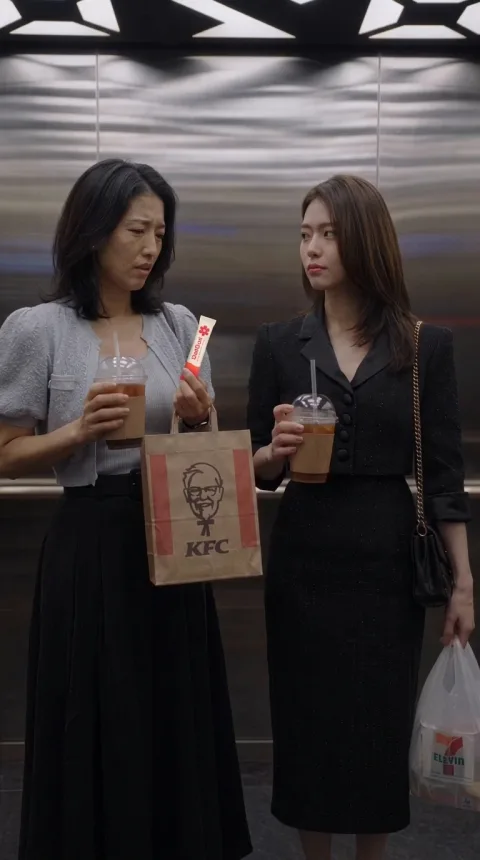
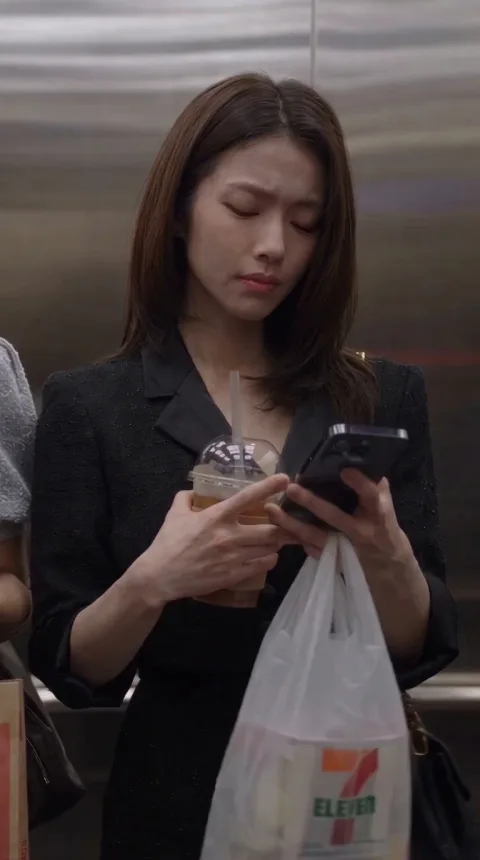
Three women step into an elevator. Two of them gossip in Korean about the third: her body is too good, it must be surgery. The third woman turns around and thanks them, in Korean. That's the whole hook of a 101-second AI drama reel that has passed 4.7 million views on Instagram.
This guide shows you how we recreated it shot for shot for a different product, an electrolyte drink mix called StarDust, in one Starpop chat. You get the breakdown of why the original works, exactly what we kept and what we changed, the real prompts, and every take that broke along the way, with the fix.
Never made an AI video before? You don't need to. The guide starts with the tools you need and a short primer on the handful of ideas every stage relies on.
Want the shortcut? Starpop's free Recreate an ad skill runs this whole process for any ad you bring it: the breakdown, the script swap, the reference sheets, the frames and the edit. Start it in Starpop with this ad already attached, or copy the prompt into Claude, ChatGPT or another AI assistant connected to Starpop.
Make a recreated ad
Use Starpop's replicate-video skill to recreate a proven ad for my product. I'll share the ad's link. If Starpop isn't connected, read https://starpop.ai/docs/integrations/mcp.md and help me connect it first.
The prompt works inChatGPTClaudeGeminiGrokand more

The original: 4.7M views on Instagram
The reference is a reel by the AI ad creator @frankyshaw, pinned on the creator's profile. When we read the public counts on November 18, 2026, it showed 4.7 million views, 68.9K likes and 640 comments.
Those are public view counts, not sales or ad results. They tell you one thing: a lot of people stopped scrolling for this. That's the property worth recreating.
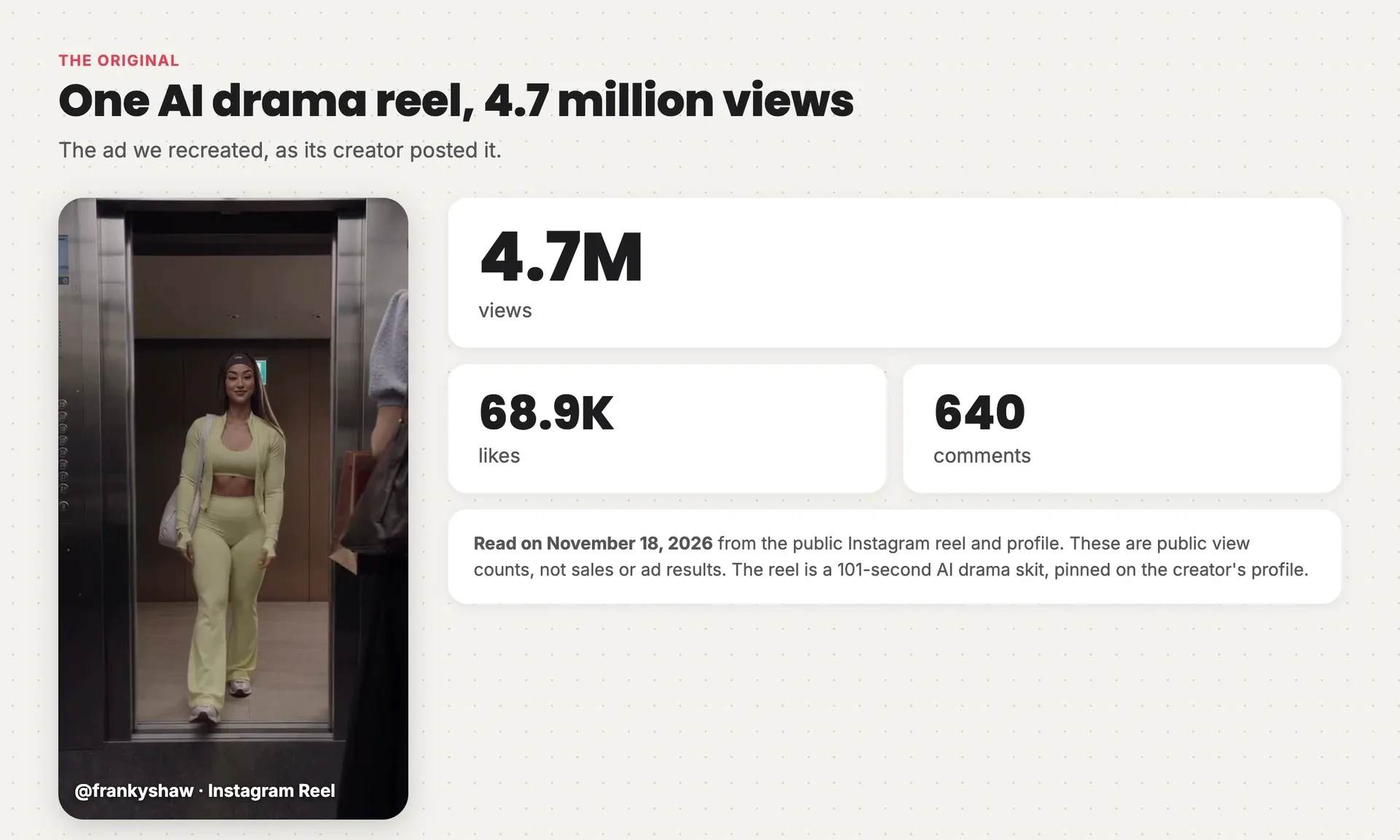
The original reel's opening frame next to its public Instagram counts read on November 18, 2026: 4.7M views, 68.9K likes and 640 comments
In the reel's caption, the creator makes the point this whole guide rests on: the concept should come from a person, and AI should just help bring it to life. Recreating a proven ad is a way to borrow a concept that already works while you learn the craft. When you publish your own, credit the idea, and change more than the product if you can.
Our recreation
Watch it with sound on, and notice when the product shows up.
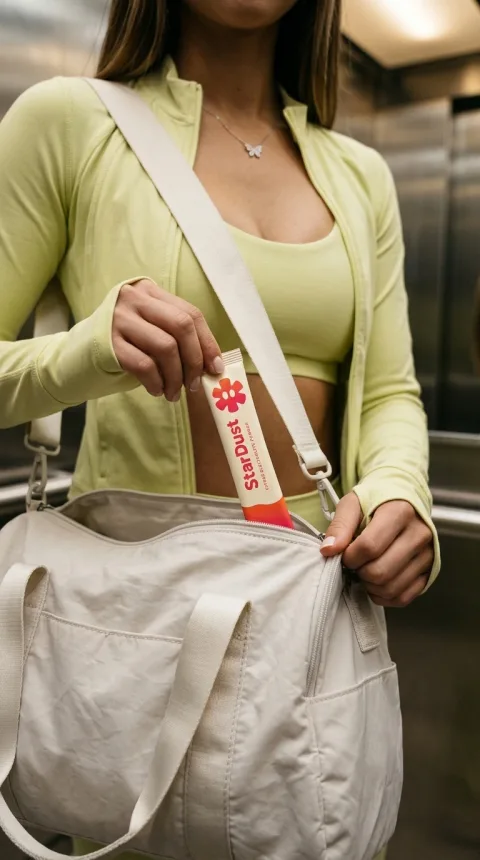
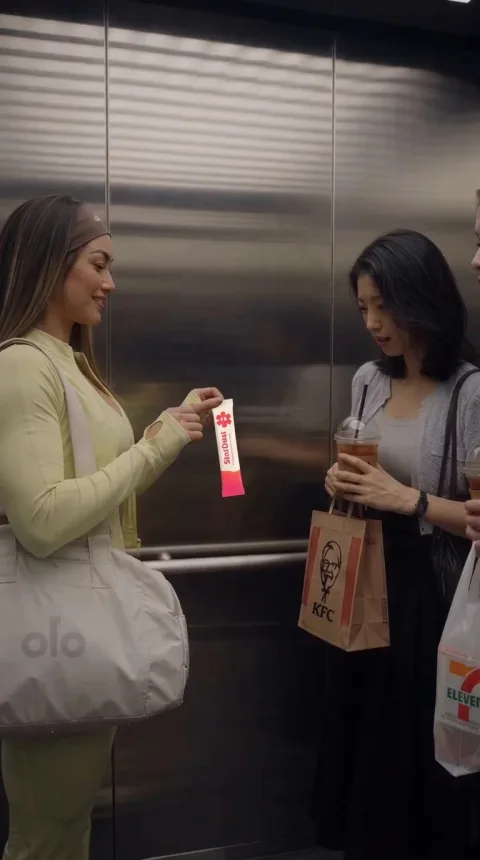
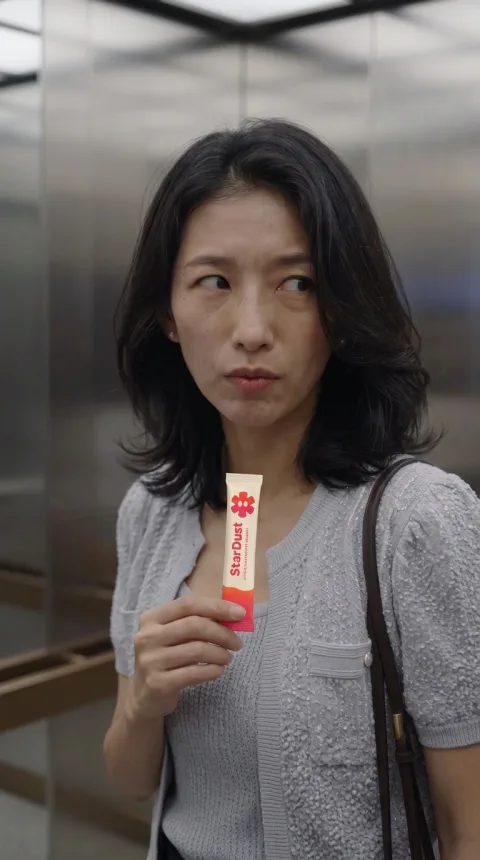
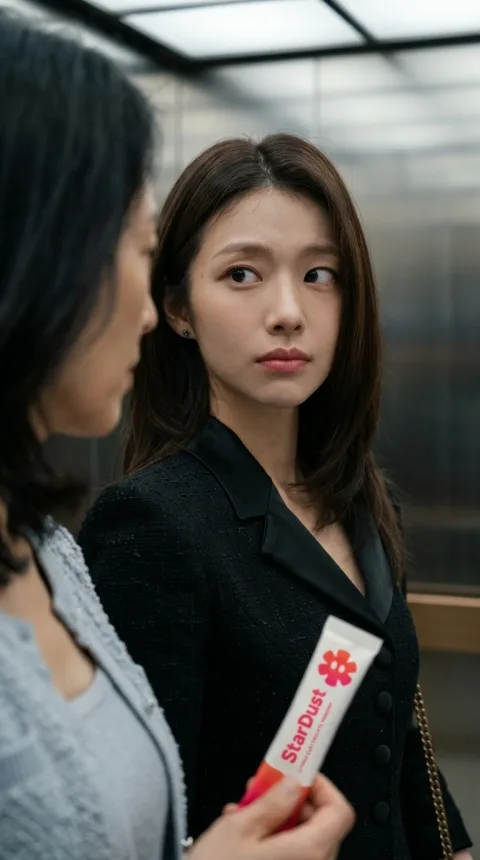
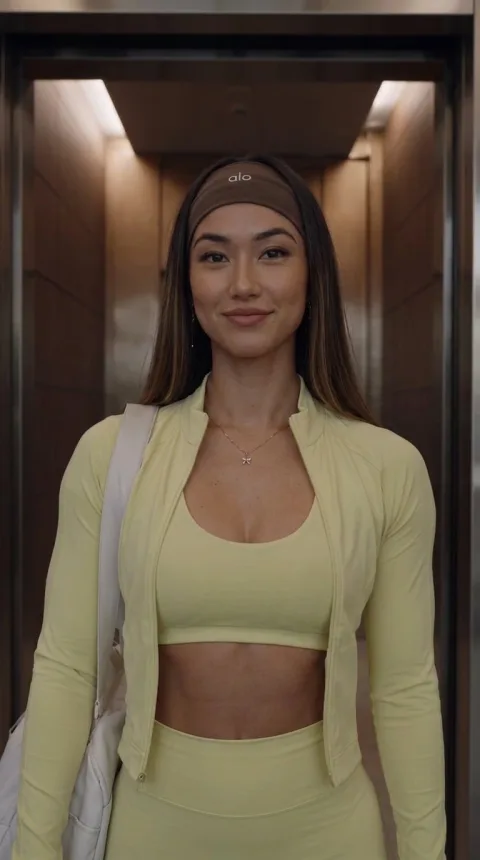
It's the same scene. The gym-goer walks in, the two friends gossip, she says "감사합니다" ("Thank you"), and explains she was stationed in Seoul in 2010. They apologize, ask about her routine, and she pulls a StarDust sachet out of her bag at about 0:59. After she leaves, one friend can't take the elevator again, and the other quietly says she's buying StarDust.
It runs 1:40 at 1080 × 1920: 28 shots, made in five video generations, with Korean dialogue, English subtitles and an English voiceover at the end. Nothing is filmed.
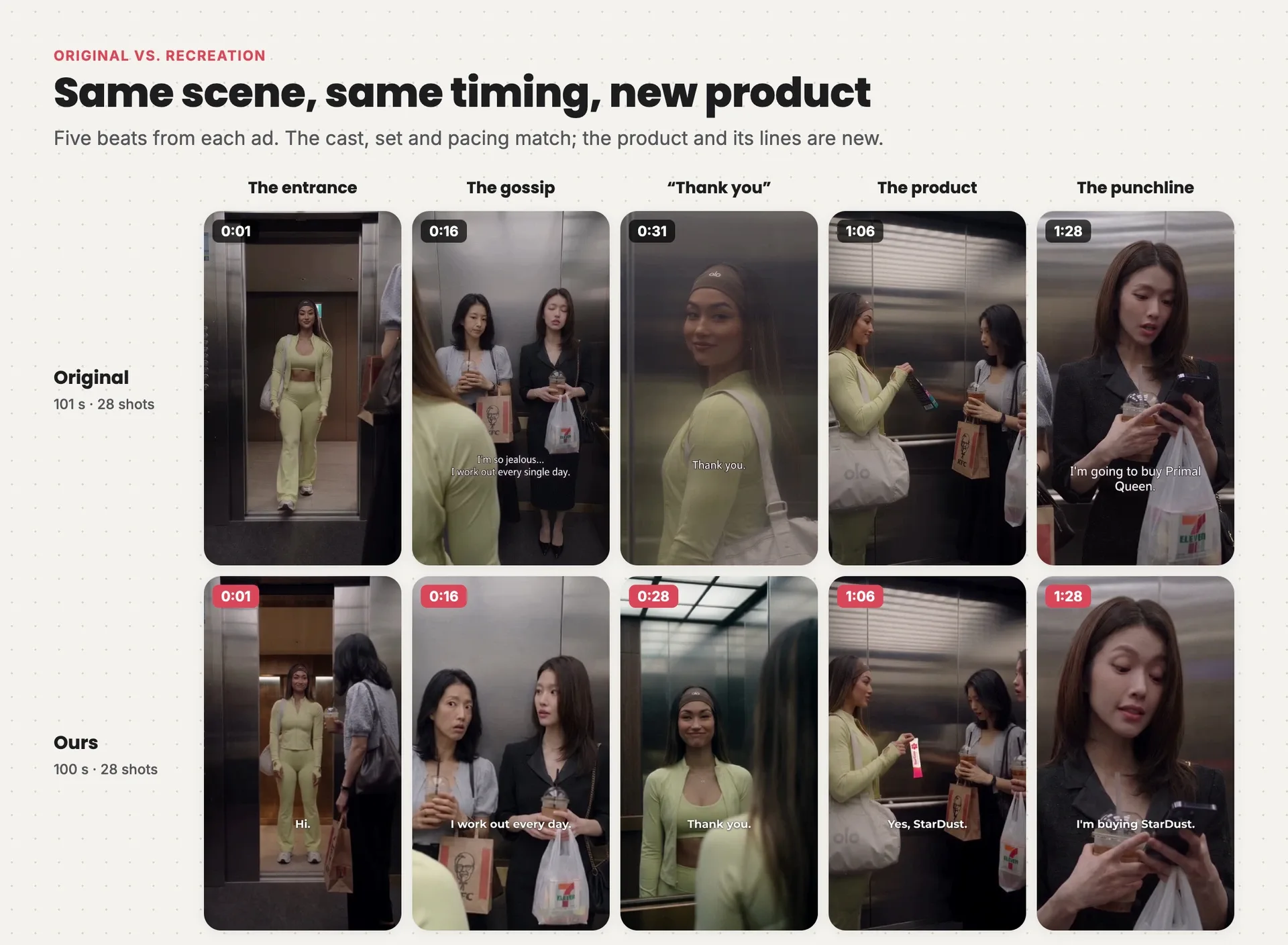
Five beats from the original and the recreation side by side, the entrance, the gossip, the thank-you, the product and the punchline, landing within three seconds of each other
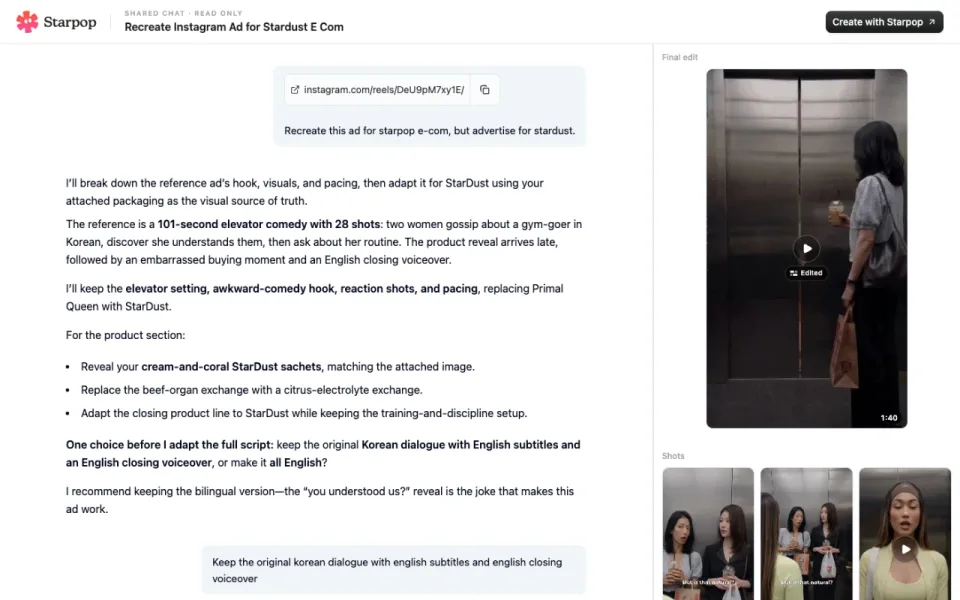
The full chat behind this ad
Open the full chat in Starpop
Why this ad works
Before you generate anything, take the reference apart. You're looking for the reason people watch it, because that's the part you must not break.
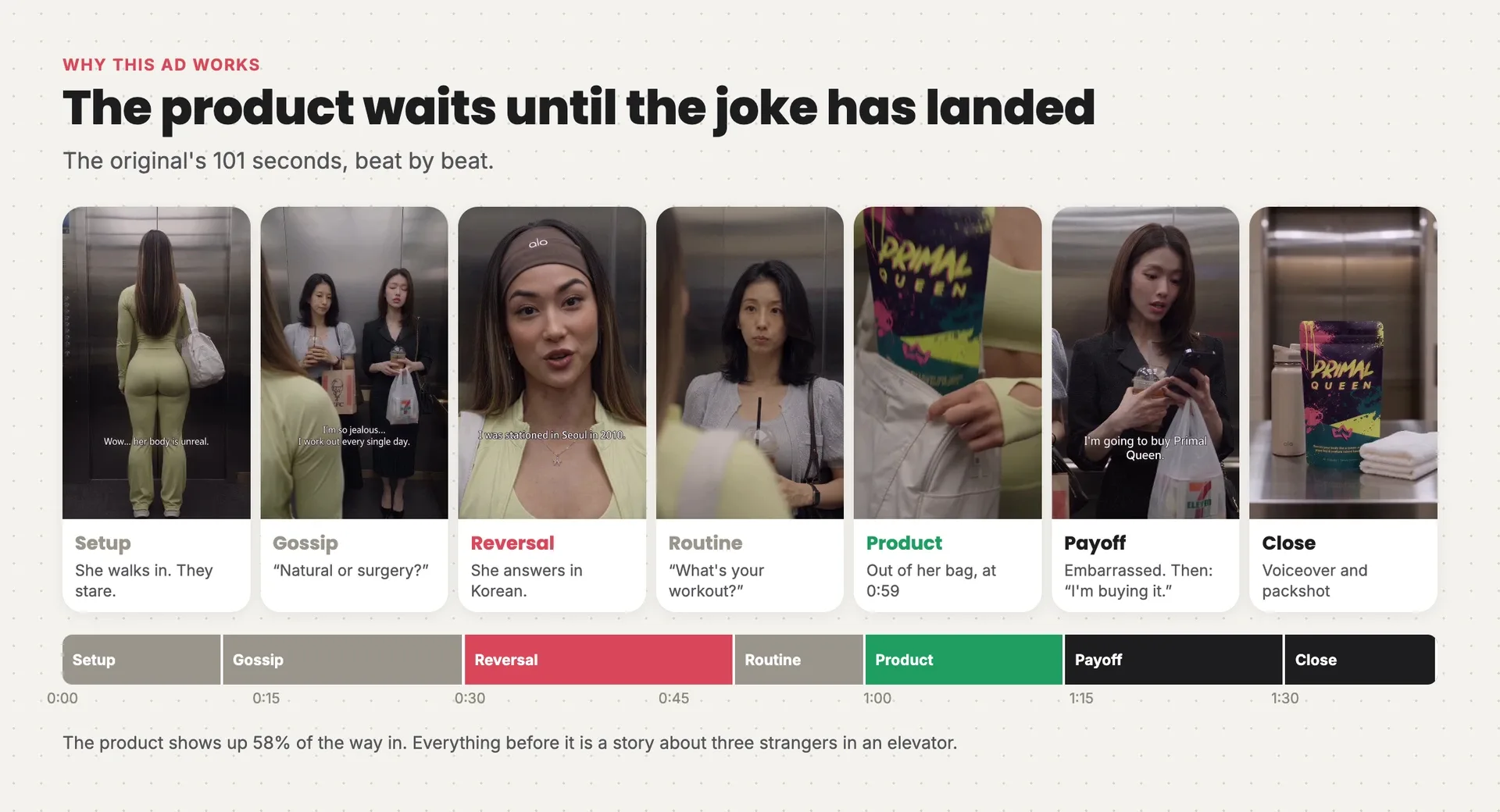
The original's 101 seconds as seven beats: setup, gossip, the Korean reversal, the routine, the product at 0:59, the embarrassed payoff and the close
- The hook is gossip the viewer is in on. You hear what the friends say about her, and she seemingly doesn't. You stay to see if she finds out.
- The reversal is the language. She understood every word. The friends' faces at 0:33 are the payoff the first half promised.
- The product arrives late. It comes out of her bag at 0:59, 58% of the way in, as the answer to a question the friends asked: what's your secret?
- The payoff turns the joke on the buyer. The embarrassed friend can't ride that elevator again, and the other one buys the product anyway. The sale lands as a punchline.
If the product showed up in the first ten seconds, none of this would work. There'd be no question left for it to answer.
Keep vs. change
Recreating is a set of decisions, not a copy. Decide what stays and what goes before you make a single image, and write it down.
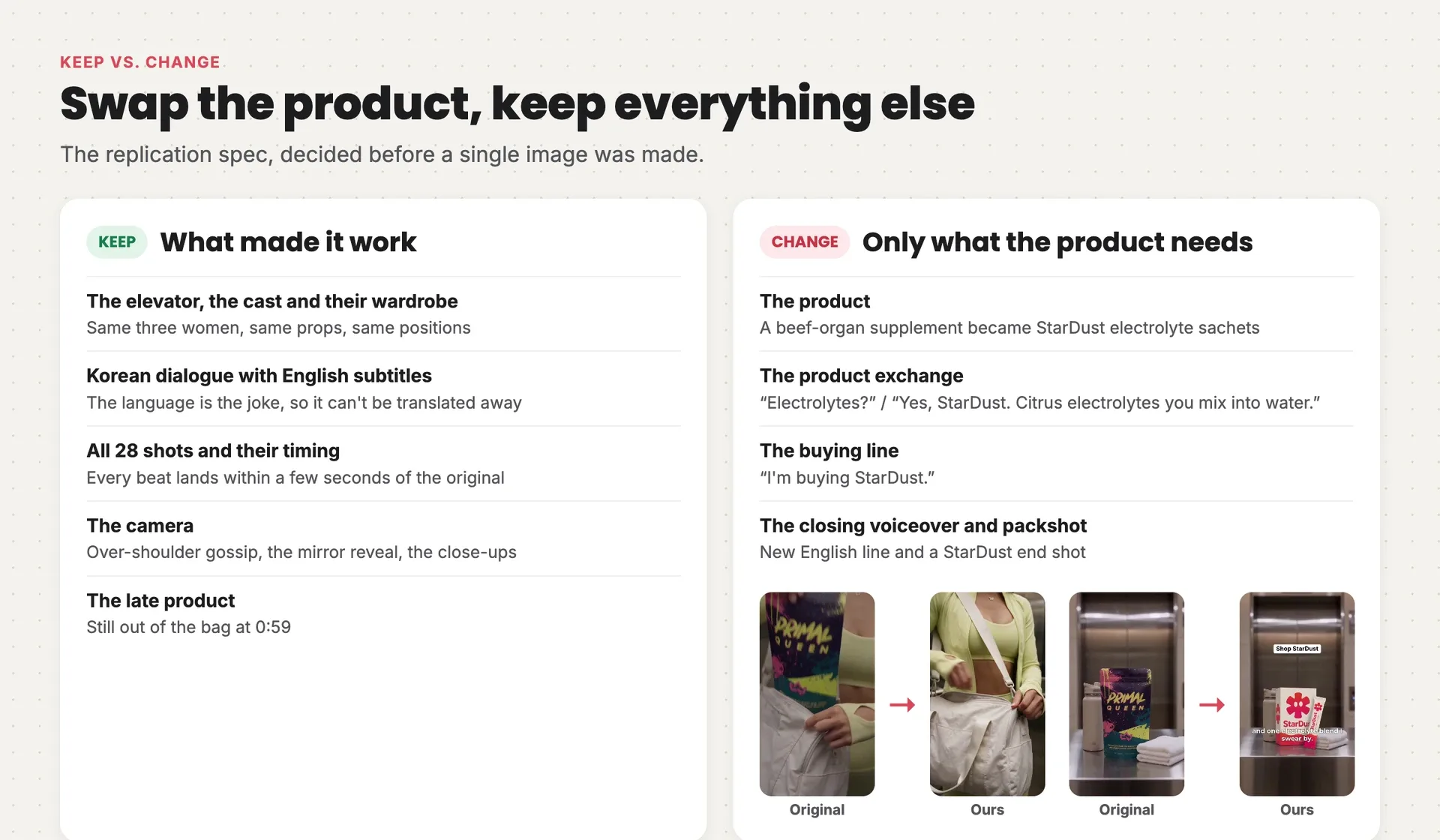
What we kept from the original (the elevator, the cast, the Korean dialogue, all 28 shots, the camera and the late product) next to what changed (the product, its two lines, the buying line and the closing)
The rule is simple: change only what the new product needs. Everything the viewer watches for stays. Everything about the original brand goes.
The biggest decision was the language. We could have made it all English, but then the gym-goer has no secret to reveal. So the ad keeps its Korean dialogue with English subtitles, and only the end voiceover is in English.
The script stayed word for word except for three moments. Here are the lines that changed, with the subtitle English under each:
FRIEND A:   전해질이요?
            Electrolytes?

GYM-GOER:   네, 스타더스트. 물에 타 마시는 시트러스 전해질이에요.
            Yes, StarDust. Citrus electrolytes you mix into water.

FRIEND B:   나 스타더스트 사려고.
            I'm buying StarDust.

VOICEOVER:  They thought I paid for this body. And I did.
            Just not to a surgeon. Early mornings, real discipline,
            and one electrolyte blend I swear by. StarDust.
Keep each new line about as long as the one it replaces. A line twice as long stretches its shot, and the timing that makes the scene work starts to drift.
What you need
You need four kinds of tools, plus a few things from you. Every tool below is part of Starpop, so you can do the whole recreation in one chat. If you'd rather put your own setup together, this is what each one has to do.
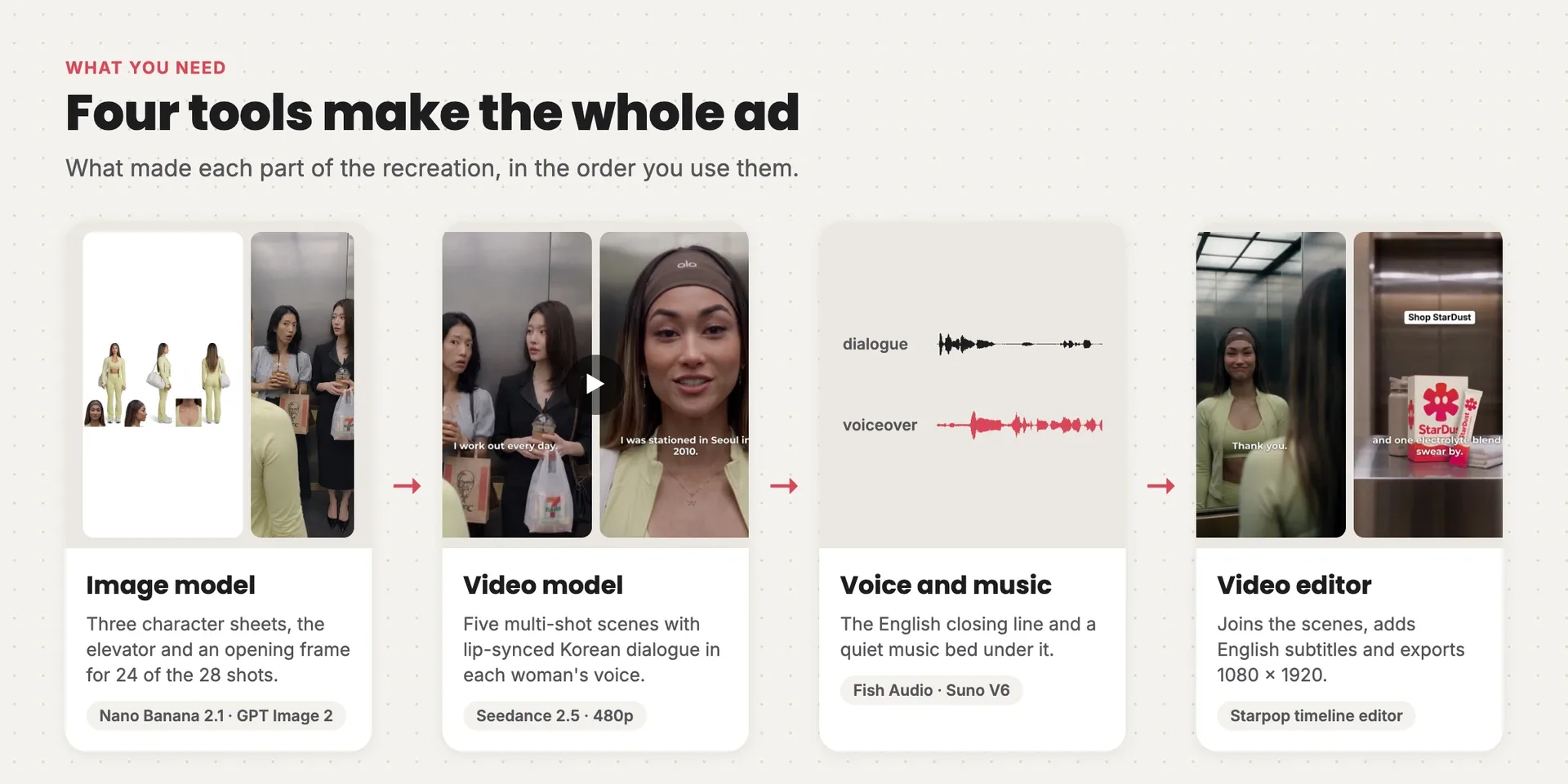
The four tools behind the recreation: an image model made the reference sheets and frames, a video model made five multi-shot scenes, a voice and a music model made the closing audio, and an editor assembled the cut
| Tool | What it has to do | Used in the example |
|---|---|---|
| Image model | Take several reference images at once and edit an existing frame without changing the rest | Nano Banana 2.1, plus GPT Image 2 for one stubborn fix |
| Video model | Turn start frames into a multi-shot clip of up to 30 seconds, with lip-synced dialogue in more than one voice and language | Seedance 2.5 at 480p |
| Voice | Read a short line in a natural, knowing tone | Fish Audio, with a designed voice |
| Music | A quiet bed under the closing line | Suno V6 |
| Video editor | Join clips, crop, add subtitles and a text overlay | Starpop's timeline editor; CapCut or Premiere work too |
From you:
- the ad you want to recreate, as a link or a file
- your product and a clear packshot
- the real facts about your product, so the new lines are true
Starpop has every model above, imports the reference ad from its link, keeps your references attached to every generation, and the Recreate an ad skill runs every stage for you.
New to AI video? Read this first
Already made a few AI videos? Skip to the process. Otherwise, these five ideas carry everything that follows.
1. Each model does one job
No single tool makes the ad. An image model turns a text description (a prompt) into a still picture. A video model turns stills into a moving clip, and the newest ones make the actors speak, too. A voice model reads a line, a music model writes a bed, and an editor puts it all in order. You pass each piece from one tool to the next, exactly as the diagram above shows.
2. Every generation starts from zero
A model doesn't remember your last image. Describe "the gym-goer" twice and you can get two different women. The fix is a reference image: a picture you attach to the prompt that says "this is who it is" or "this is where we are". Attach the same references to every generation and the cast stays the same from the first shot to the last.
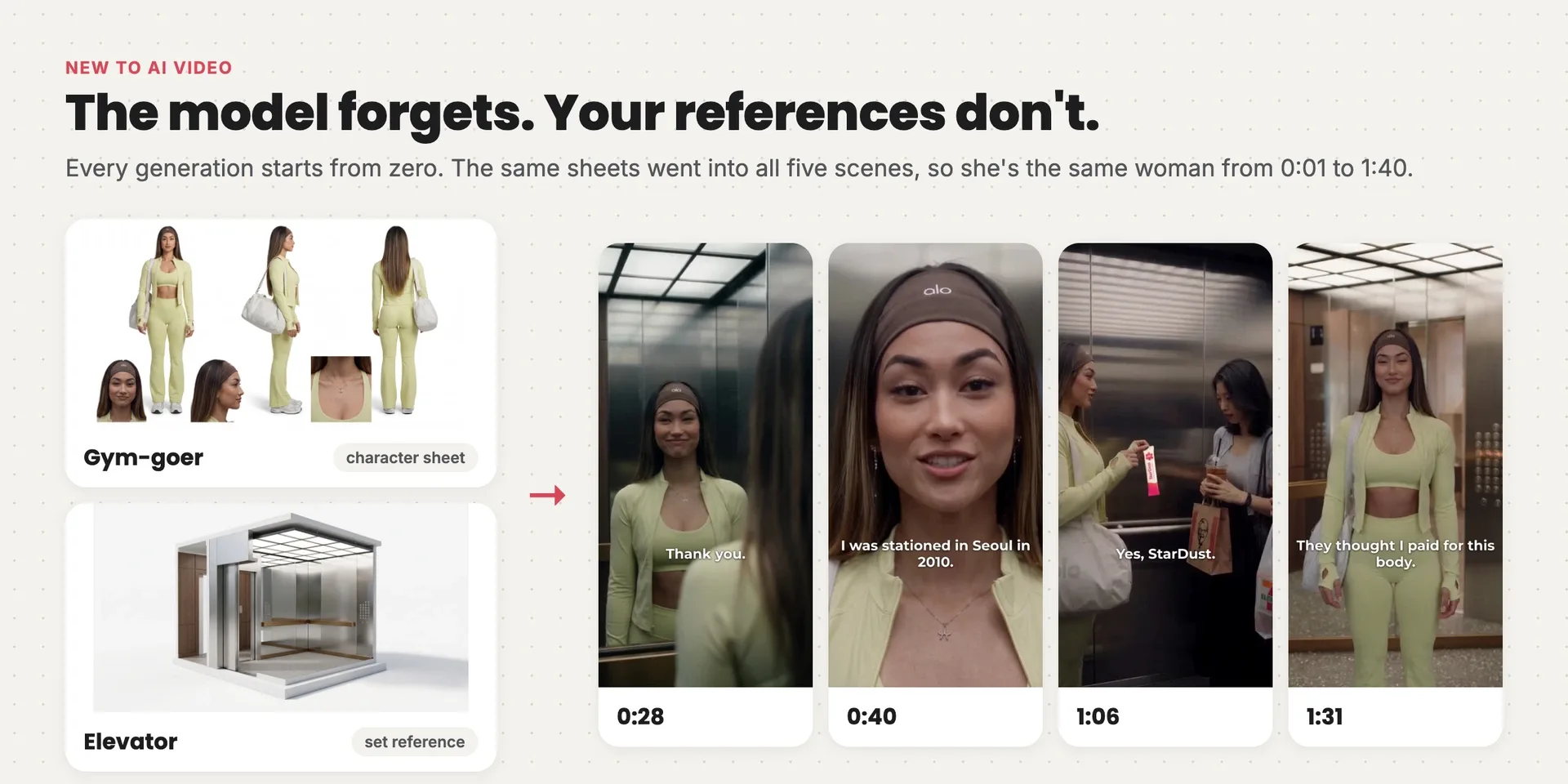
The gym-goer's character sheet and the elevator reference on the left, and four frames from across the ad on the right where she keeps the same face, headband and outfit
3. A prompt has parts
Good prompts aren't clever sentences. They're short labeled sections in the same order every time: the look, what each reference is for, the shots, the exact words, the voices, and what to leave out. Every video prompt in this recreation follows that pattern.
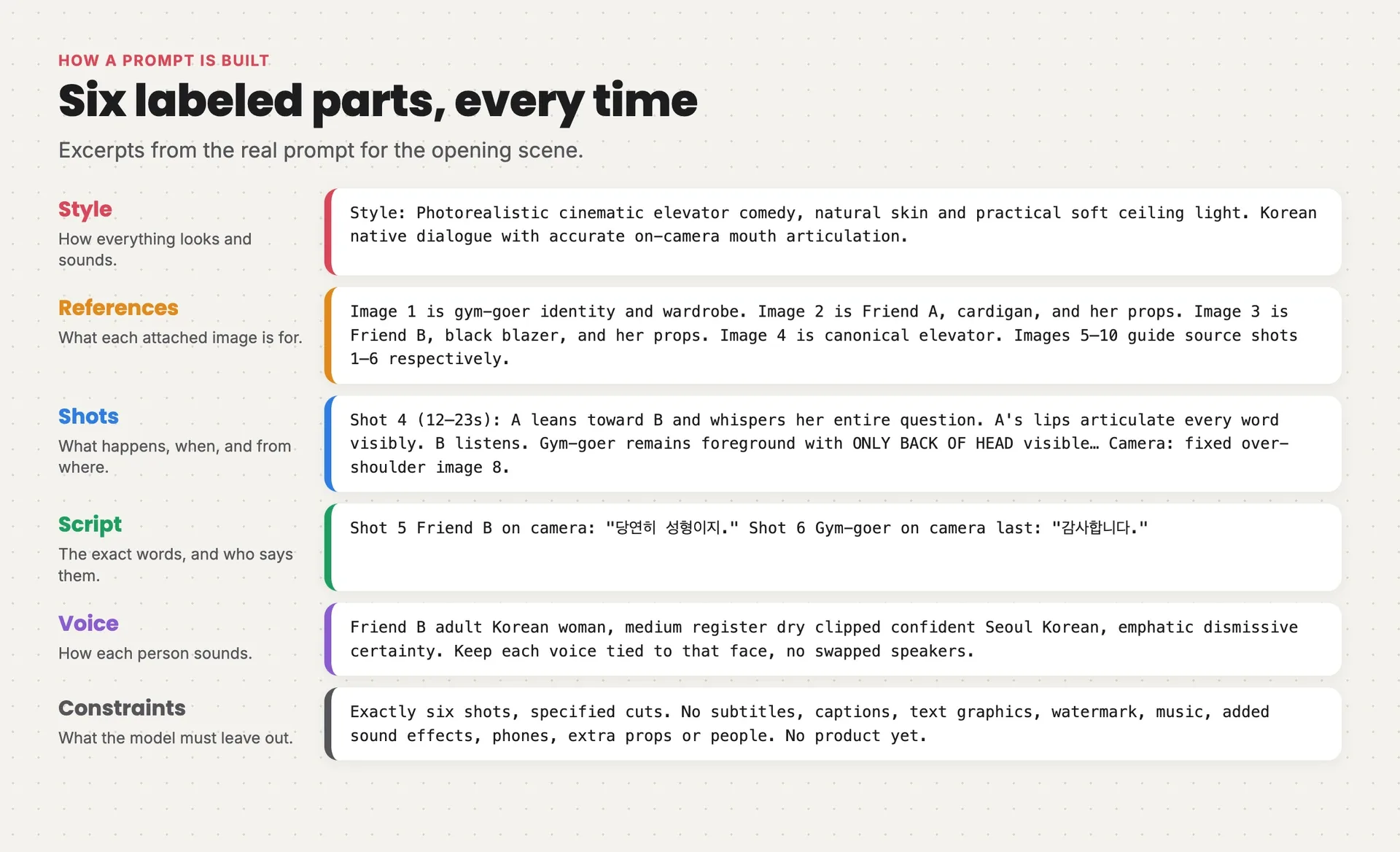
The opening scene's real video prompt split into six colored parts: style, references, shots, script, voice and constraints
4. Start frames become a clip
Video models work best when you hand them the pictures to start from. You make a start frame for each shot with the image model, then give the video model those frames, the references and a prompt describing the action and the dialogue. A multi-shot model cuts between several angles in one generation, which keeps three actors' voices, faces and timing consistent across a whole conversation.
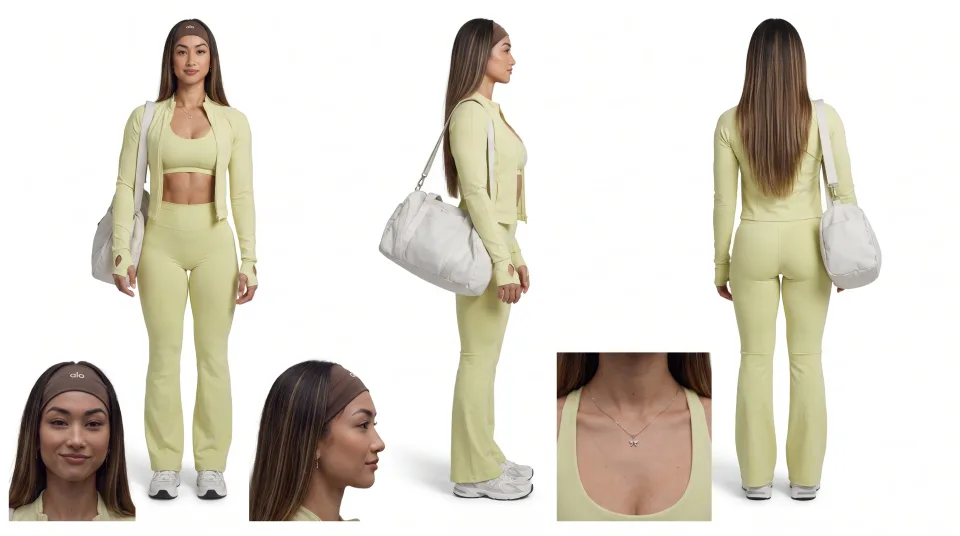 Gym-goer character sheet
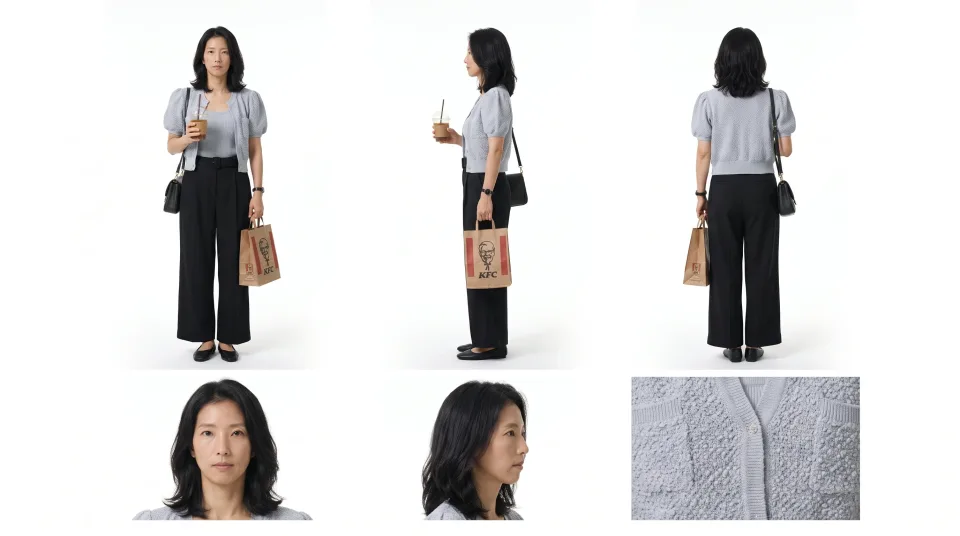 Friend A character sheet
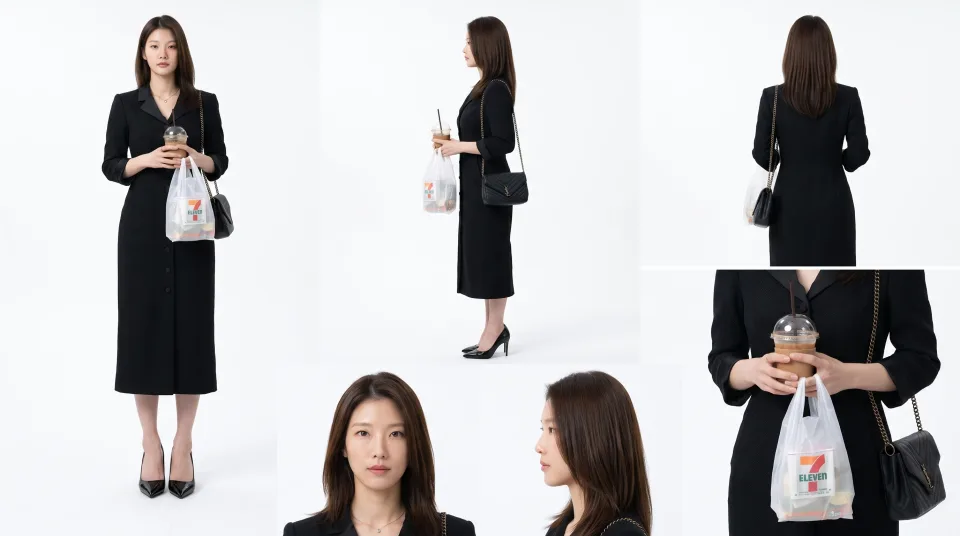 Friend B character sheet
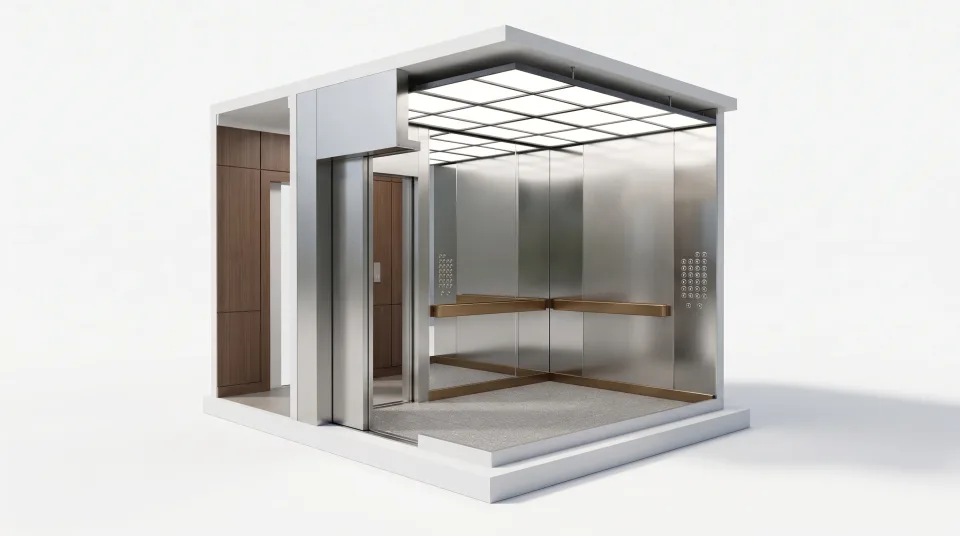 Elevator reference
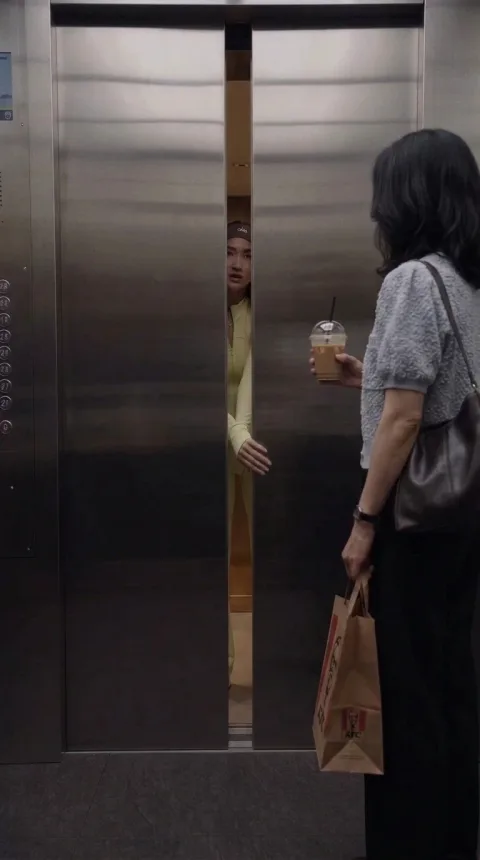 Start frame for shot 1
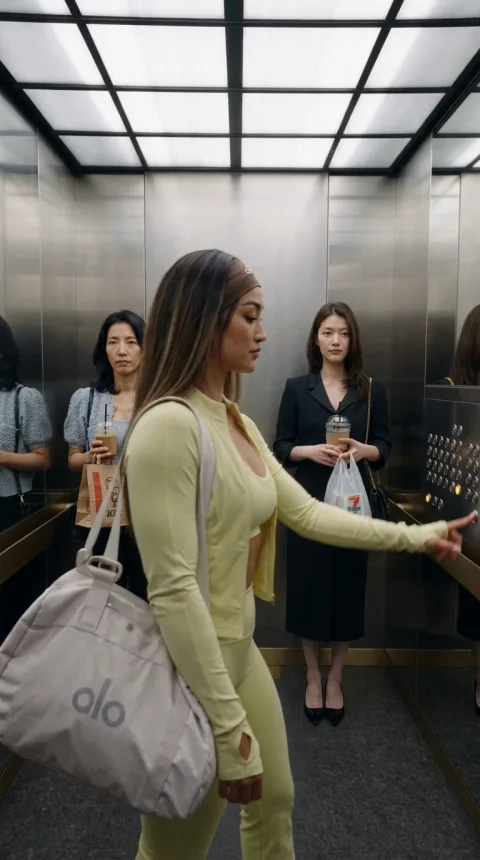 Start frame for shot 2
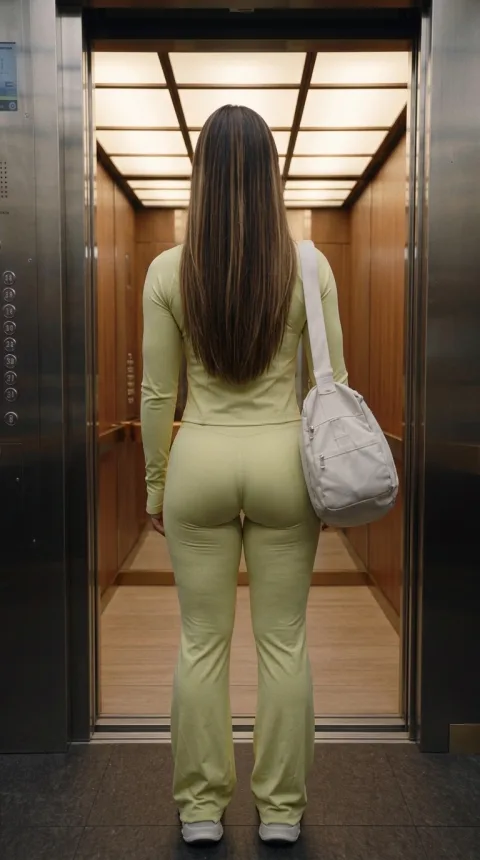 Start frame for shot 3
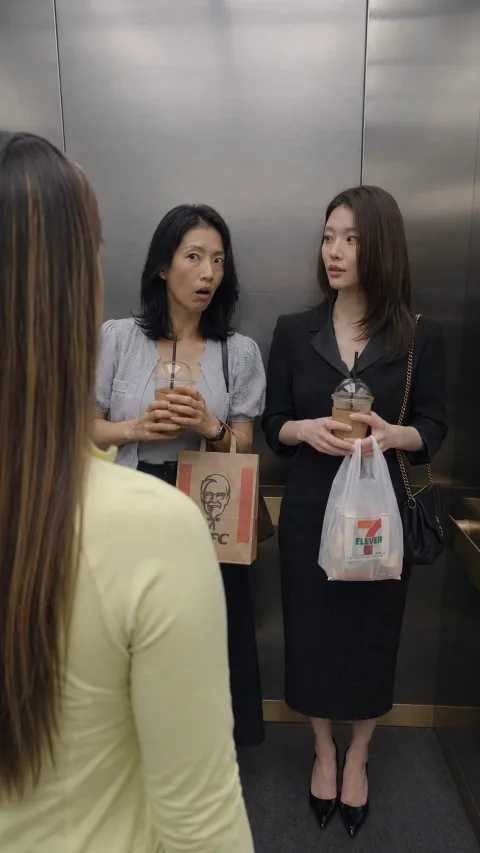 Start frame for shot 4
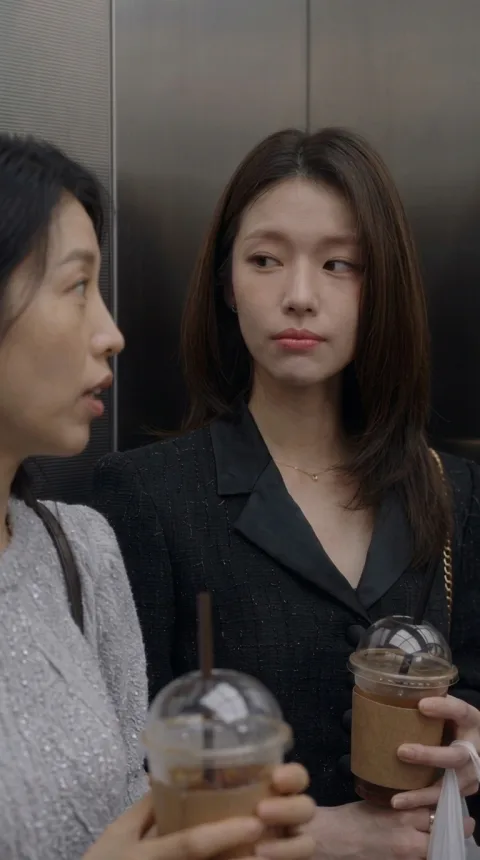 Start frame for shot 5
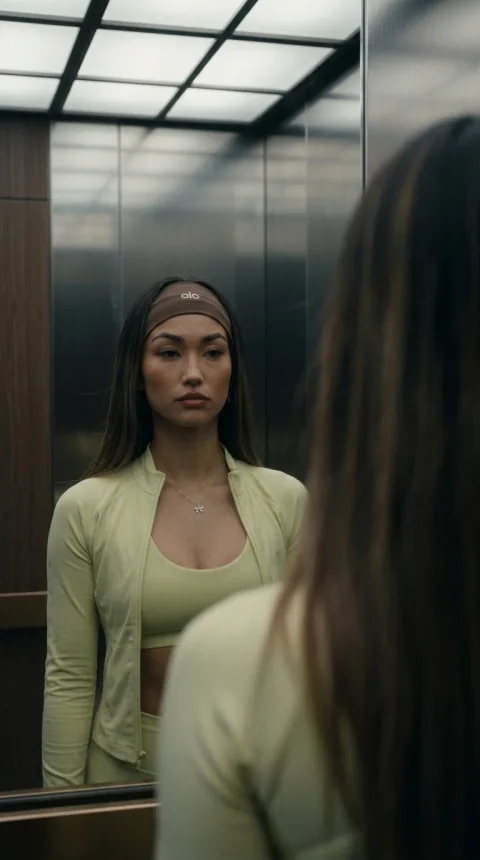 Start frame for shot 6Gym-goer character sheetFriend A character sheetFriend B character sheetElevator referenceStart frame for shot 1Start frame for shot 2Start frame for shot 3Start frame for shot 4Start frame for shot 5Start frame for shot 6
Want to go deeper? Omni-reference vs start and end frames explains the ways to guide a video model, and multi-shot prompting covers generating several shots at once.
5. Results vary, so fix things early
Run the same prompt twice and you get two different results, so plan for retries. Each step also costs more per try than the one before it: words are free to rewrite, a new picture is cheap, and a new video clip is the most expensive try of all. That's why this guide keeps telling you to settle things before moving on.
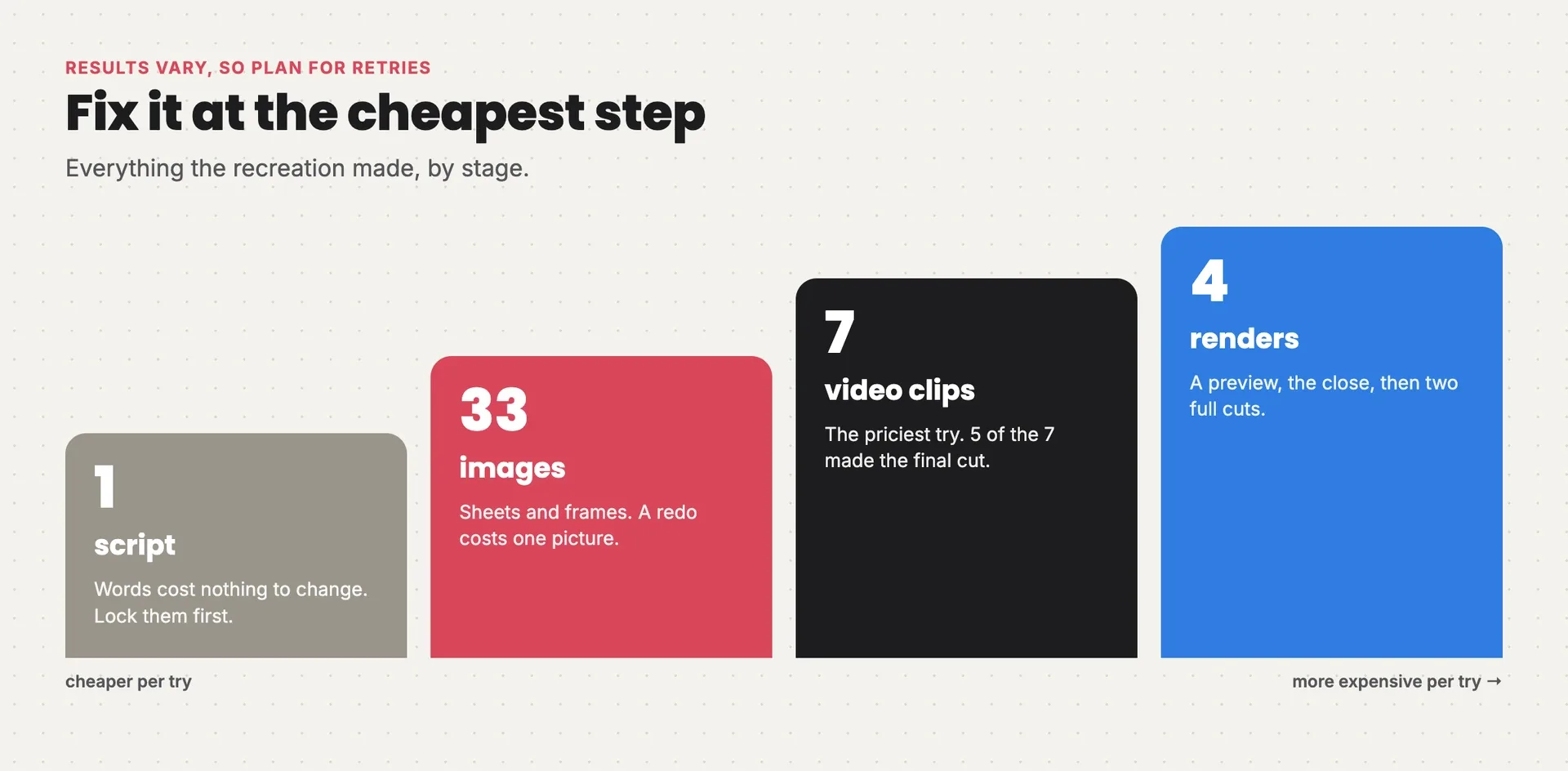
Everything the recreation made: one script, 33 images, 7 video clips of which 5 made the final cut, and 4 renders, with each step costing more per try
The words you'll see
| Term | What it means |
|---|---|
| Reference ad | The ad you're recreating |
| Reference image | A picture attached to a prompt to fix who, where or how something looks |
| Character sheet | One clean image of a character from several angles, used as their reference |
| Start frame | The still a shot starts from |
| Multi-shot generation | One video generation that cuts between several shots |
| Lip sync | Mouths moving in time with the spoken words |
| Continuity | Props, positions and faces staying the same from shot to shot |
| 9:16 | Vertical video, the shape of a phone screen |
| 480p | A low, cheaper video resolution, sharpened for the final export |
The process at a glance
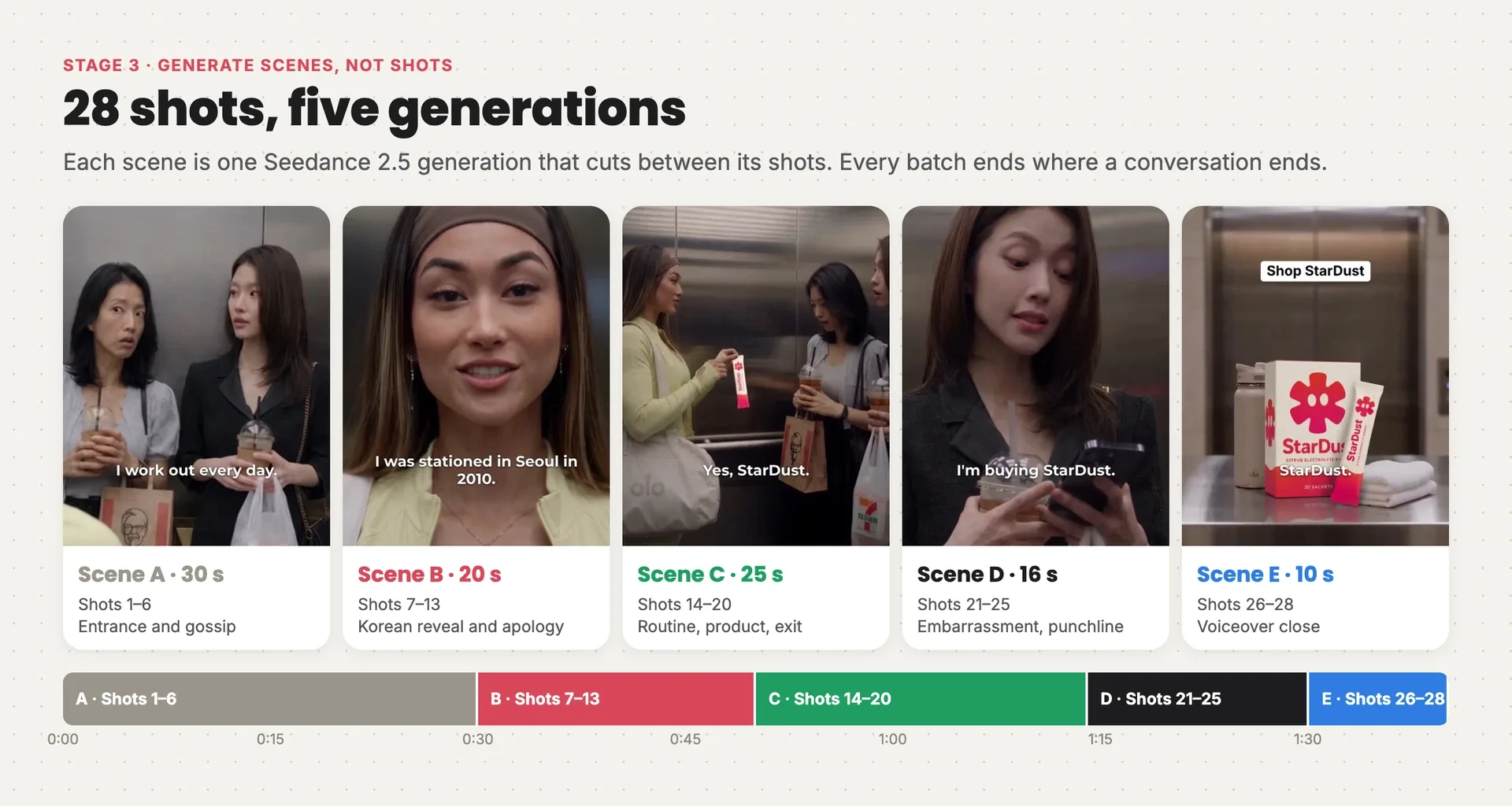
The finished ad as five scenes on one timeline: A, the entrance and gossip; B, the Korean reveal; C, the routine and product; D, the punchline; E, the voiceover close
- Lock the cast and the set. Build one reference sheet per character and one for the elevator.
- Make a start frame for every shot. Rebuild each of the original's shots with your cast, and check every frame before it moves.
- Generate scenes, not shots. Group the shots into five conversations and generate each one as a single multi-shot clip.
- Edit and rescue. Join the scenes, add subtitles, and fix what you can in the edit before you pay for another generation.
Before any of this, you did the two steps above: you took the reference apart and wrote down what to keep and change.
If you remember only two rules, remember these:
- Generate whole conversations, not single shots. One generation per scene keeps faces, voices and timing consistent, and makes it feel like a film rather than a slideshow. That needs a shot plan and good references, so the planning is where the work goes.
- Every scene gets the same original references. Never build a scene from the last scene's output. Small drifts add up.
Stage 1: Lock the cast and the set
Goal: one clean reference for each person and the place, so every later generation has something fixed to copy.
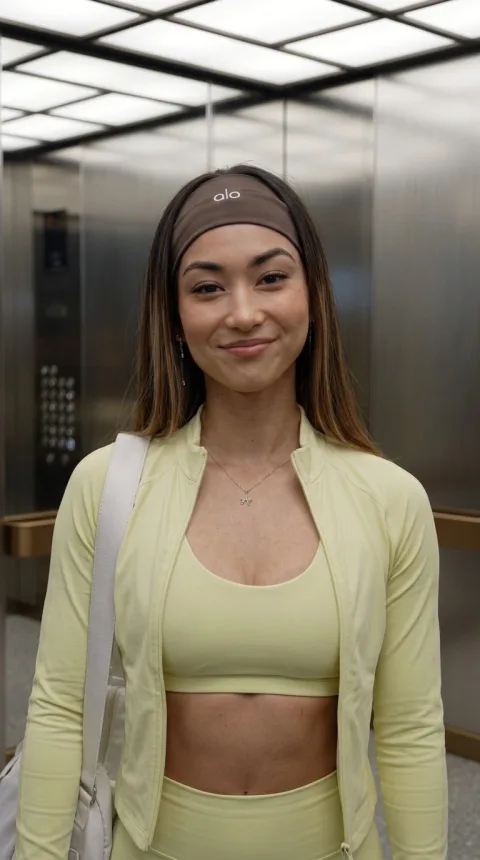
Grab frames of each person and the elevator from the reference ad, then have the image model turn them into clean sheets: each woman from the front, side and back, with close-ups of her face and one signature detail, and the elevator as a cutaway model showing the doors, the button panel and the landing outside.
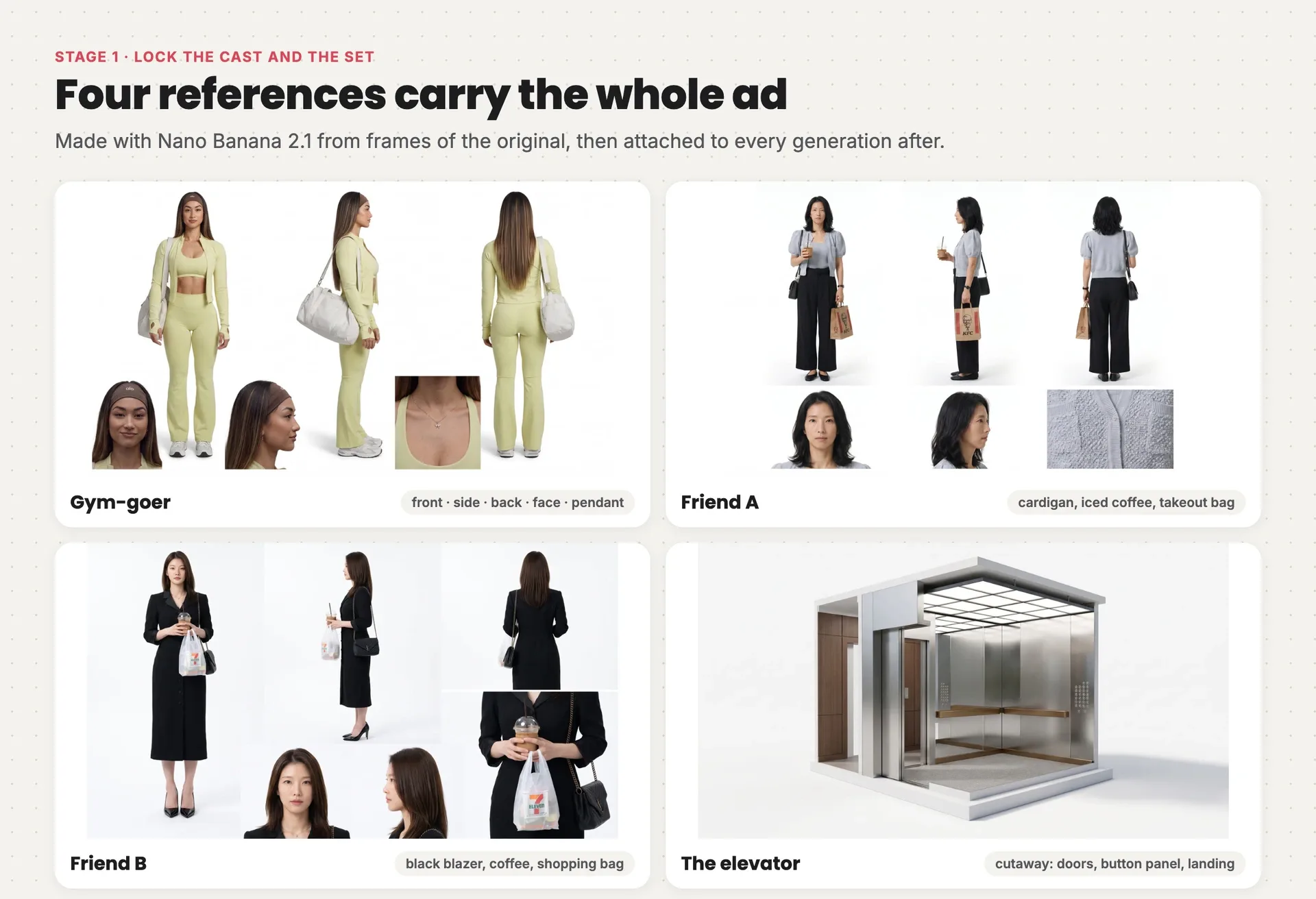
The four reference sheets: the gym-goer, Friend A with her iced coffee and takeout bag, Friend B in her black blazer, and a cutaway model of the elevator
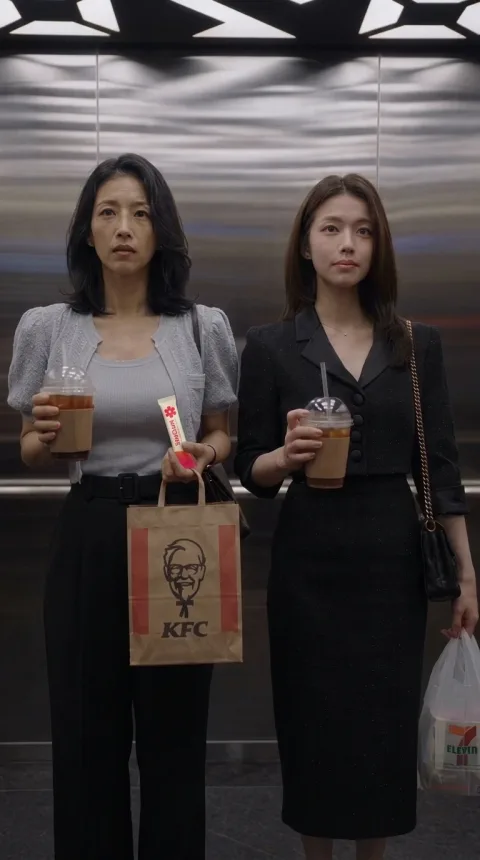
The props matter as much as the faces. In a 100-second scene, the friends hold the same drinks and bags the whole time, and the viewer notices when one jumps hands or disappears. The first sheet for Friend A had exactly that problem.
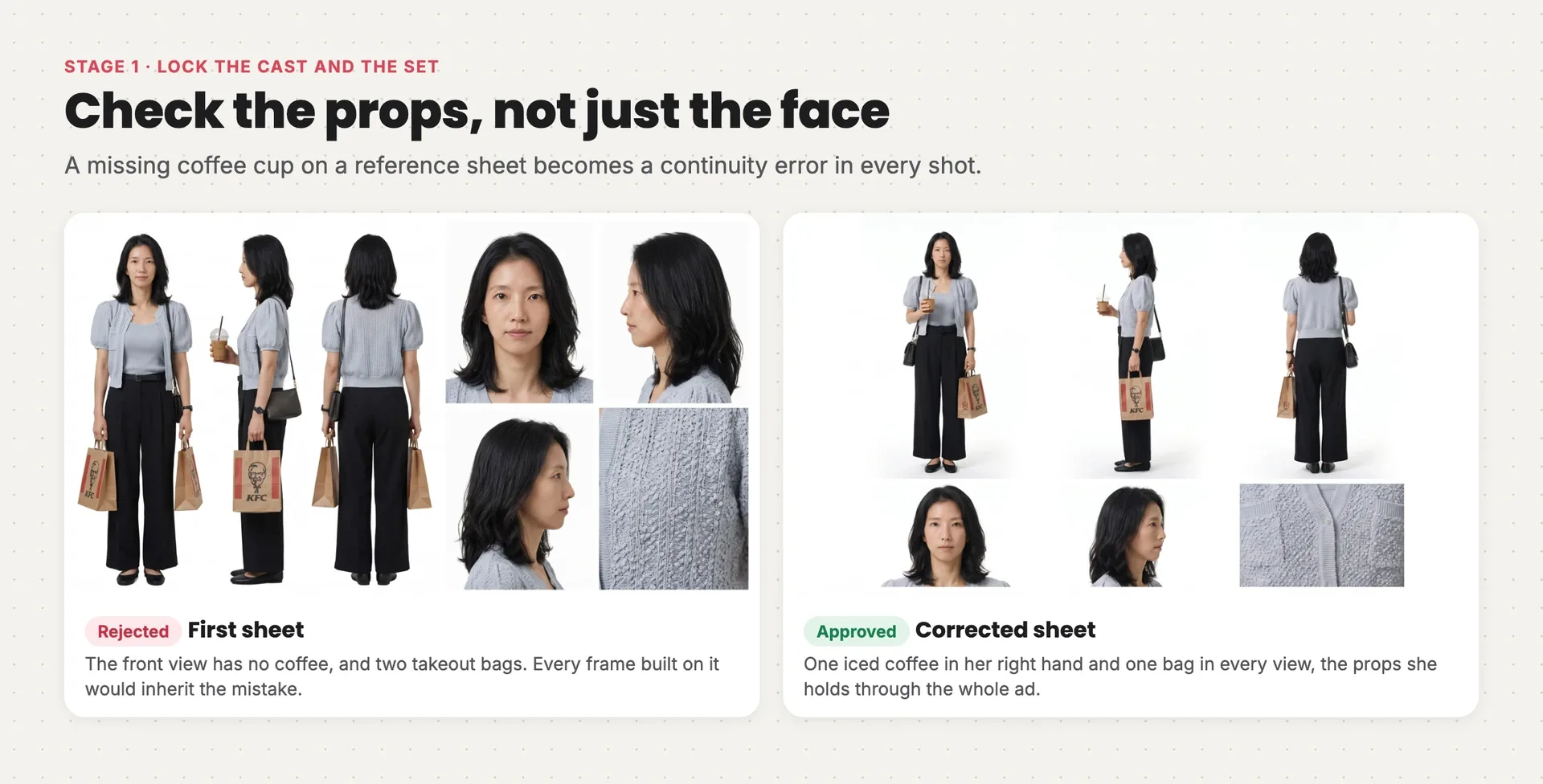
Friend A's first character sheet, with no coffee and two bags in the front view, next to the corrected sheet with one iced coffee and one bag in every view
Fixing it at this stage cost one image. Missed, it would have become a continuity error in every shot she appears in. Check every sheet for the props, not just the face.
Here's the gym-goer's sheet prompt. The first image is a close frame of her face from the reference, the second a full-body frame:
Style: Photorealistic casting reference sheet, natural human anatomy.

References: Image 1 supplies the gym-goer's facial identity, hair, headband, necklace and upper wardrobe. Image 2 supplies ONLY her full-body proportions, matching activewear, footwear and duffel; use only the gym-goer, not the other women. Do not take either image's setting, shot action, camera composition or subtitles.

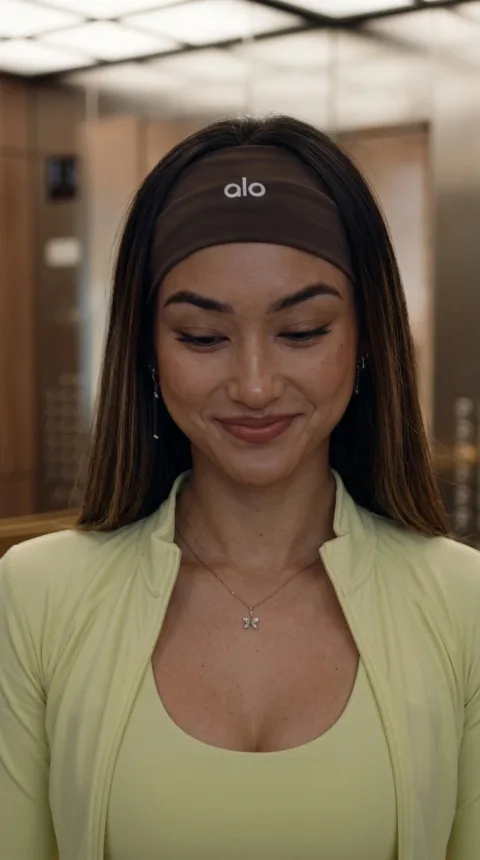
Visual: One canonical character sheet dedicated to the gym-goer. Keep the referenced young adult woman's face, warm skin, long straight highlighted brown hair, brown headband, small butterfly pendant, pale yellow-green cropped open zip jacket, matching sports bra, matching flared leggings, white-grey sneakers and pale grey-white shoulder duffel. Three full-body views of the identical character, front, profile and back, same scale and baseline, neutral relaxed pose. Below, small close-ups of her face front and profile, plus the butterfly pendant signature detail.

Composition: Landscape sheet on pure white, uncluttered separated views, full bodies uncropped, one coherent identity in every view.

Lighting: Soft even studio light for identity clarity.

Constraints: No environment, no subtitles, no captions, no labels, no borders, no grid, no watermarks. Do not reproduce other people.
Before you move on:
- one sheet per speaking character, plus one for the set
- every prop the character holds in the ad, in every view
- no background, subtitles or other people on any sheet
Stage 2: A start frame for every shot
Goal: one approved still for each shot, matching the original's framing, with your cast and your product in it.
For each of the original's shots, take its opening frame as the composition reference (where the camera is and who stands where) and attach the sheets for whoever is in the shot. After the product reveal, attach your packshot too. The image model rebuilds the frame with your cast in the original's exact framing.
The recreation made frames for 24 of the 28 shots. The other four repeat a camera setup from earlier in the scene, so the video prompt points them at that earlier frame instead.
- Scene A · 0:00–0:30 · Entrance and gossip
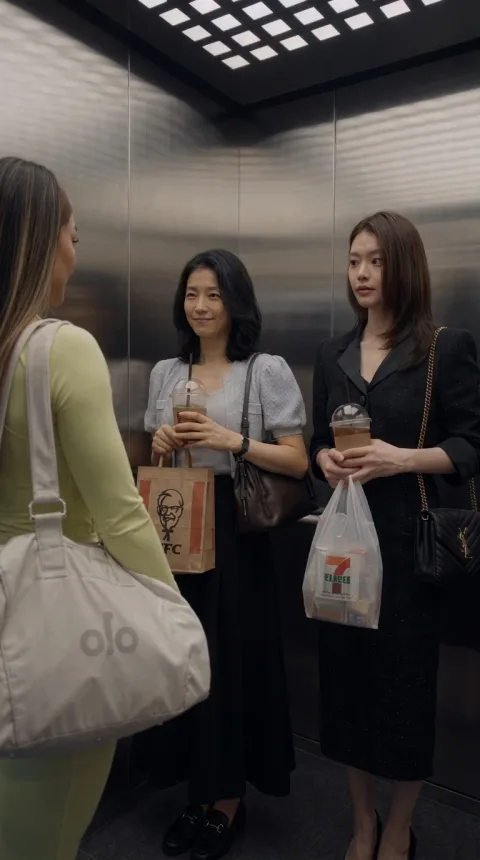
- Shot 1Gym-goer, Friend A
“Hi.” “Hi.”
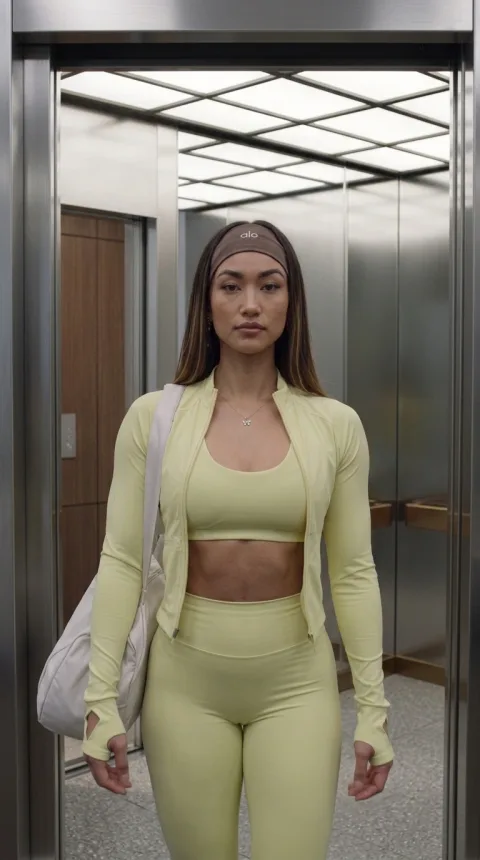
Doors open. The gym-goer steps in with her duffel; Friend A waits in the foreground.
- Shot 2
Interior wide. She presses a floor button and faces the doors; the friends stand at the back.
- Shot 3Friend A, off camera
“Wow, her body is incredible.”
Rear full-body view of her facing the doors.
- Shot 4Friend A
“I’m so jealous. I work out every day. But is that natural? Or surgery?”
Over her shoulder. Friend A leans toward Friend B; the gym-goer shows only the back of her head.
- Shot 5Friend B
“Obviously surgery.”
Tight on Friend B, one eyebrow raised.
- Shot 6Friend B, then gym-goer
“You can’t get that from working out.” “Thank you.”
Mirror shot. The gym-goer registers the remark and starts to turn.
- Scene B · 0:30–0:50 · The Korean reveal
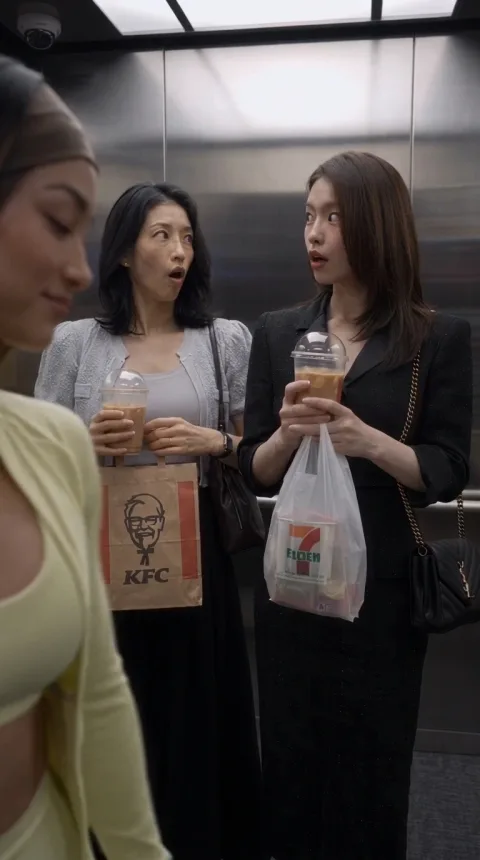
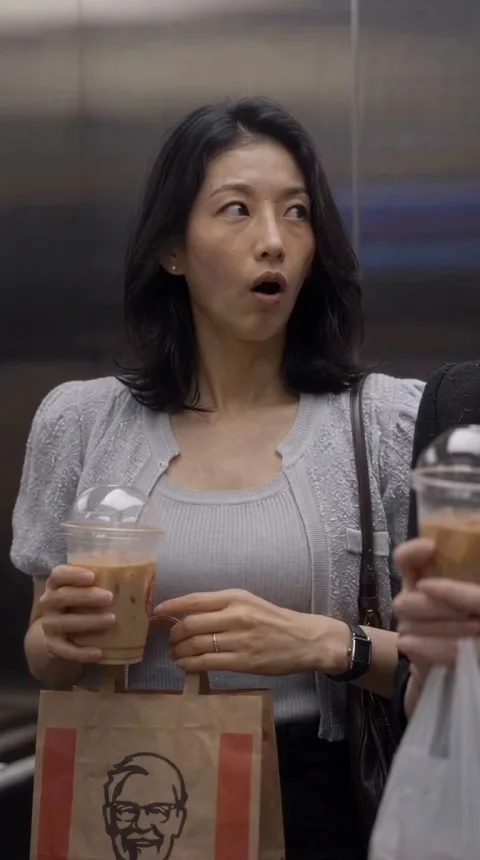
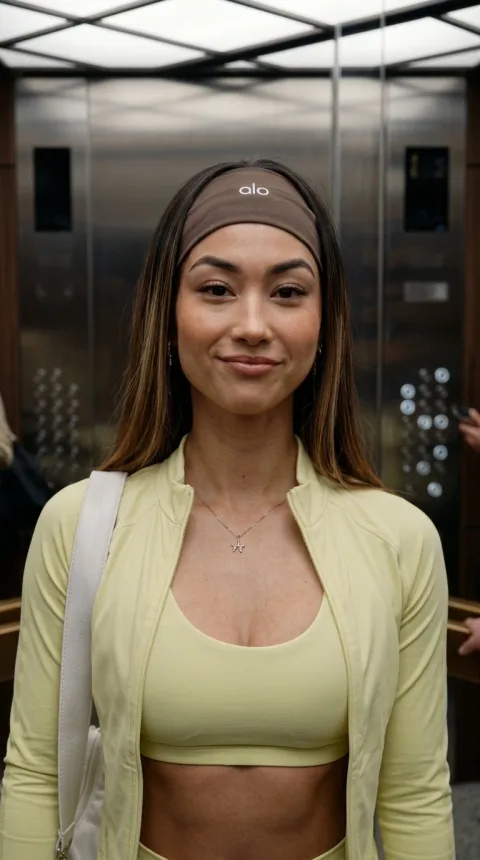
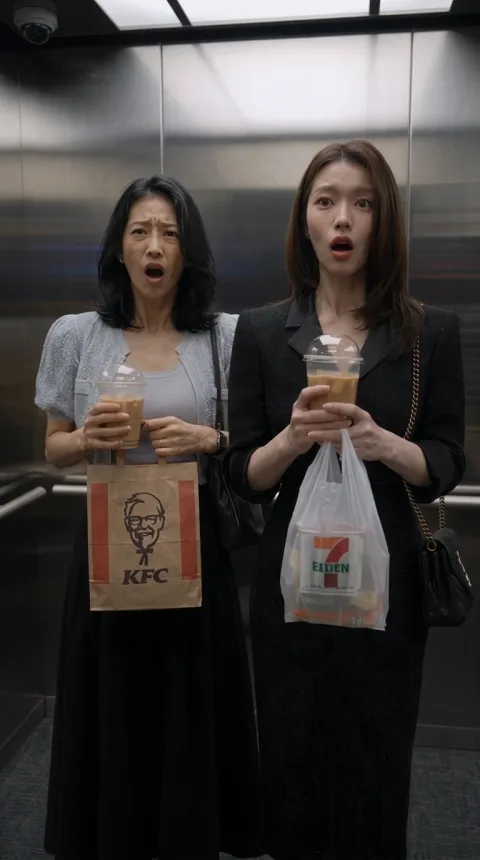
Then check every frame before it moves. The most important check in this ad isn't the face. It's who knows what, when. The gym-goer can't react to the gossip until "Thank you", or the reversal is spoiled.
The first frame for the gossip shot got that wrong: her face was turned toward the friends.
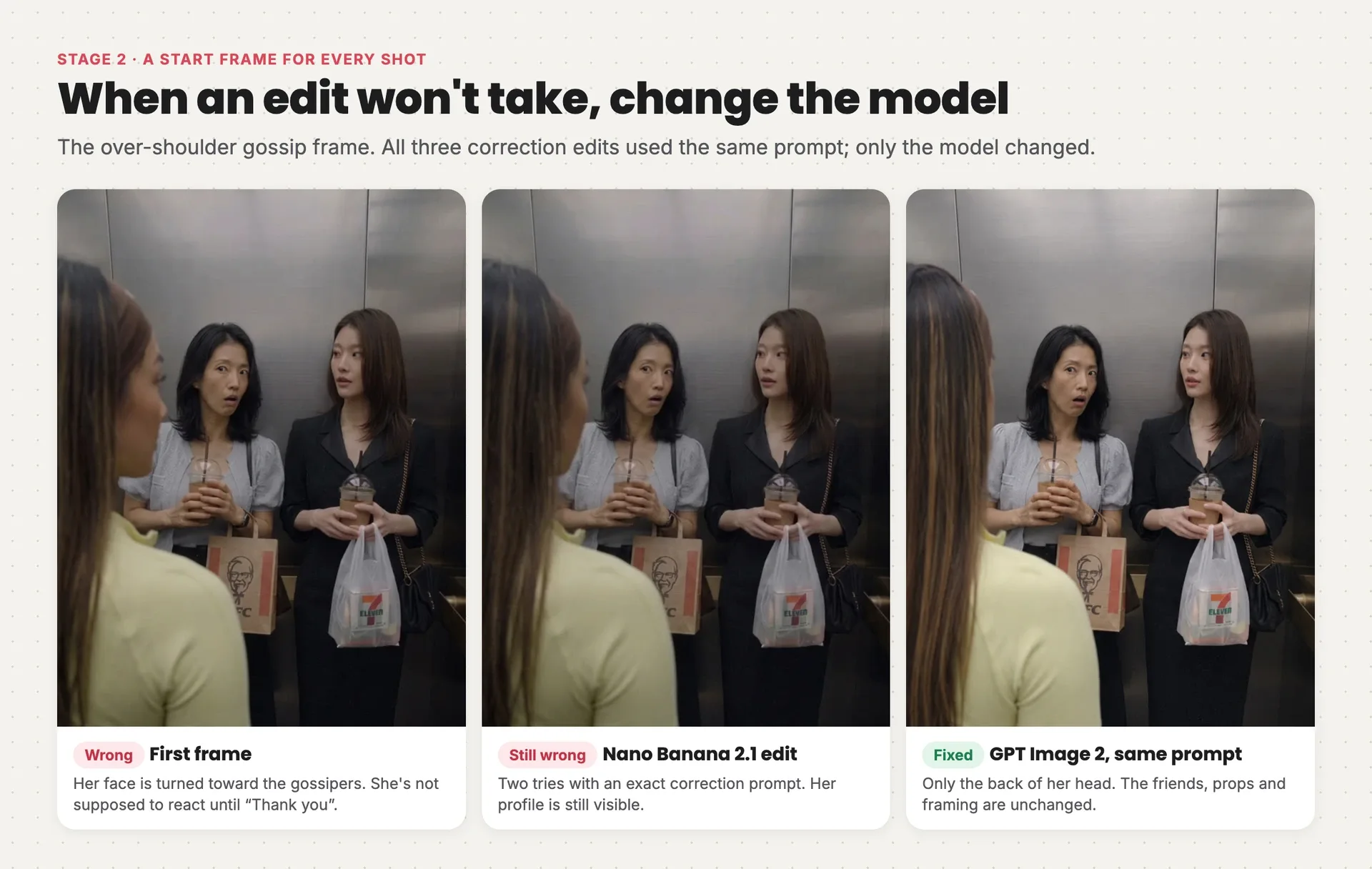
The gossip frame three times: the first frame with the gym-goer's face turned toward the friends, a Nano Banana 2.1 edit with her profile still visible, and the GPT Image 2 edit showing only the back of her head
We asked Nano Banana 2.1 to turn her head away, twice, with a precise correction prompt. Both edits still showed her profile. The same prompt in GPT Image 2 fixed it on the first try, and changed nothing else in the frame. When an edit won't take after two tries, change the model, not the prompt.
The correction prompt. The first image is the frame to fix, the second the gym-goer's sheet:
Style: Photorealistic elevator comedy film still; exact targeted continuity correction.

References: Image 1 is the shot to edit. Take its entire composition, camera position, framing, elevator walls, light, foreground shoulder placement, both background women's identities, expressions, poses, clothing, cups, bags and all object positions unchanged. Image 2 supplies ONLY the foreground gym-goer's canonical hair, brown headband, head shape and wardrobe identity. Do not take its white background, sheet layout, neutral poses or camera angles.

Visual: Change ONLY the foreground gym-goer's head orientation. She has NOT turned around to acknowledge the two women. Her torso stays exactly as in image 1, her head aligned naturally with her torso facing the elevator doors ahead of her, AWAY from the two women behind her. In this camera view, show the BACK of her head: continuous highlighted brown hair and brown headband across the rear of her head. Her face must be completely occluded by her head and hair: no visible eye, nose, cheek, mouth or facial profile on the right edge of her head. Remove the right-facing facial profile currently looking toward the two women. She is not glancing sideways or looking over either shoulder. Do not move her head's position or alter her body. Keep the two women and every background detail pixel-faithful to image 1.

Composition: Exact image 1 vertical framing, foreground depth, camera axis, subject scale and positions. One film still, not a sheet.

Lighting: Preserve image 1's overhead elevator illumination unchanged.

Constraints: No other edits. No visible facial profile on the foreground gym-goer, no head turn toward the women, no eye contact. No captions, subtitles, added text, borders or watermark.
Notice the shape of it: say what to keep, then change one thing. An edit prompt that only describes the change invites the model to redraw the whole picture.
Before you move on, check every frame for:
- each person's face, outfit and props matching their sheet
- props in the same hands as the shot before
- who's looking at whom, especially before a reveal
- no product before the product beat
Stage 3: Generate scenes, not shots
Goal: five acted, lip-synced clips that each play one whole conversation.
This is the stage that makes the ad feel like a film. You could animate each of the 28 shots separately, but every generation would invent its own version of the voices, the light and the timing, and the cuts would feel stitched together. Instead, each scene is one Seedance 2.5 generation that cuts between several shots on its own.
To do that, plan which shots belong together. The recreation groups them around complete exchanges, so no line of dialogue is split between two generations:
| Scene | Shots | Length | What happens |
|---|---|---|---|
| A | 1–6 | 30 s | Entrance, gossip, "Thank you" |
| B | 7–13 | 20 s | The Korean reveal and the apology |
| C | 14–20 | 25 s | The routine, the sachet, her exit |
| D | 21–25 | 16 s | Embarrassment and the buying line |
| E | 26–28 | 10 s | The voiceover close |
Each prompt attaches the three character sheets and the elevator, then every shot's start frame, labeled with the shot it opens. It lists the shots with their seconds and camera, the exact Korean lines and who says them, a description of each voice, and what to leave out. Here's the prompt for scene A, after the head fix:
Style: Photorealistic cinematic elevator comedy, natural skin and practical soft ceiling light. Korean native dialogue with accurate on-camera mouth articulation.

References: Image 1 is gym-goer identity and wardrobe. Image 2 is Friend A, cardigan, and her props. Image 3 is Friend B, black blazer, and her props. Image 4 is canonical elevator. Images 5–10 guide source shots 1–6 respectively. Image 8 is the CORRECTED back-of-head composition: obey it, her face is invisible during gossip. Never display reference sheets.

Shots:
Shot 1 (0–3s): Doors open, gym-goer enters and greets friends, Friend A answers. Camera: doorway wide exactly image 5. Friend A has coffee cup right hand and paper bag left, no phone. B is already inside behind camera. Transition: Cut to.
Shot 2 (3–6.5s): Gym-goer presses floor button and faces doors, friends at back A left B right. Camera: wide image 6. Transition: Cut to.
Shot 3 (6.5–12s): Gym-goer stands facing doors, back to friends. A's admiration is off camera. Camera: rear full-body image 7. Transition: Cut to.
Shot 4 (12–23s): A leans toward B and whispers her entire question. A's lips articulate every word visibly. B listens. Gym-goer remains foreground with ONLY BACK OF HEAD visible, nose and eyes fully hidden, looking toward doors AWAY FROM friends throughout. Camera: fixed over-shoulder image 8. Do not turn gym-goer here. Transition: Cut to.
Shot 5 (23–26s): B speaks her first sentence with visibly synchronized mouth and raised eyebrow. Camera: B close-up image 9. Transition: Cut to.
Shot 6 (26–30s): B finishes off camera. ONLY NOW gym-goer gives knowing smile and begins turning to thank friends. Camera: mirror medium image 10. Keep reflection coherent.

Script:
Shot 1 Gym-goer: "Hi."
Shot 1 Friend A: "Hi."
Shot 3 Friend A off camera: "와, 몸매 진짜 대박이다."
Shot 4 Friend A on camera: "부럽다, 진짜. 나 매일 운동하는데. 근데 저거 자연산일까? 아니면 성형?"
Shot 5 Friend B on camera: "당연히 성형이지."
Shot 6 Friend B off camera first: "저건 운동으로 안 돼."
Shot 6 Gym-goer on camera last: "감사합니다."

Voice & delivery: Gym-goer adult woman late twenties/early thirties, warm medium-low smooth clear register, relaxed General American English greeting and fluent conversational Korean with light non-native lilt; amused and friendly at thanks. Friend A adult Korean woman, lighter mid-high slightly breathy expressive Seoul Korean, conspiratorial intelligible whisper, exaggerated envious eyebrows. Friend B adult Korean woman, medium register dry clipped confident Seoul Korean, emphatic dismissive certainty. Keep each voice tied to that face, no swapped speakers. Visible speakers articulate their exact lines; others' mouths stay closed. Preserve pauses without delaying words into wrong shots.

Constraints: Exactly six shots, specified cuts. No subtitles, captions, text graphics, watermark, music, added sound effects, phones, extra props or people. No product yet. No gym-goer head turn or eye contact before shot 6. Same clothing, drinks, bags and handedness throughout. Every quoted word once in order, no added or translated dialogue.
Three habits in that prompt do most of the work:
- Every line belongs to a face. "Friend B on camera", "Friend A off camera". Without this, the model hands lines to whoever is in frame.
- The secret is spelled out. "No gym-goer head turn or eye contact before shot 6." The model doesn't know where the joke is unless you tell it.
- No subtitles in the generation. Burned-in text from the model is unreadable and can't be edited. Subtitles go on in the edit.
Run the first scene as a pilot and watch it before you generate the rest. A wrong direction then costs one clip, not five.
The pilot came back with all six shots and working lip sync, plus one continuity slip: Friend A held a phone at the door, then coffee inside. A corrected start frame and a second take fixed the phone, but its dialogue timing was worse. So the scene uses both.
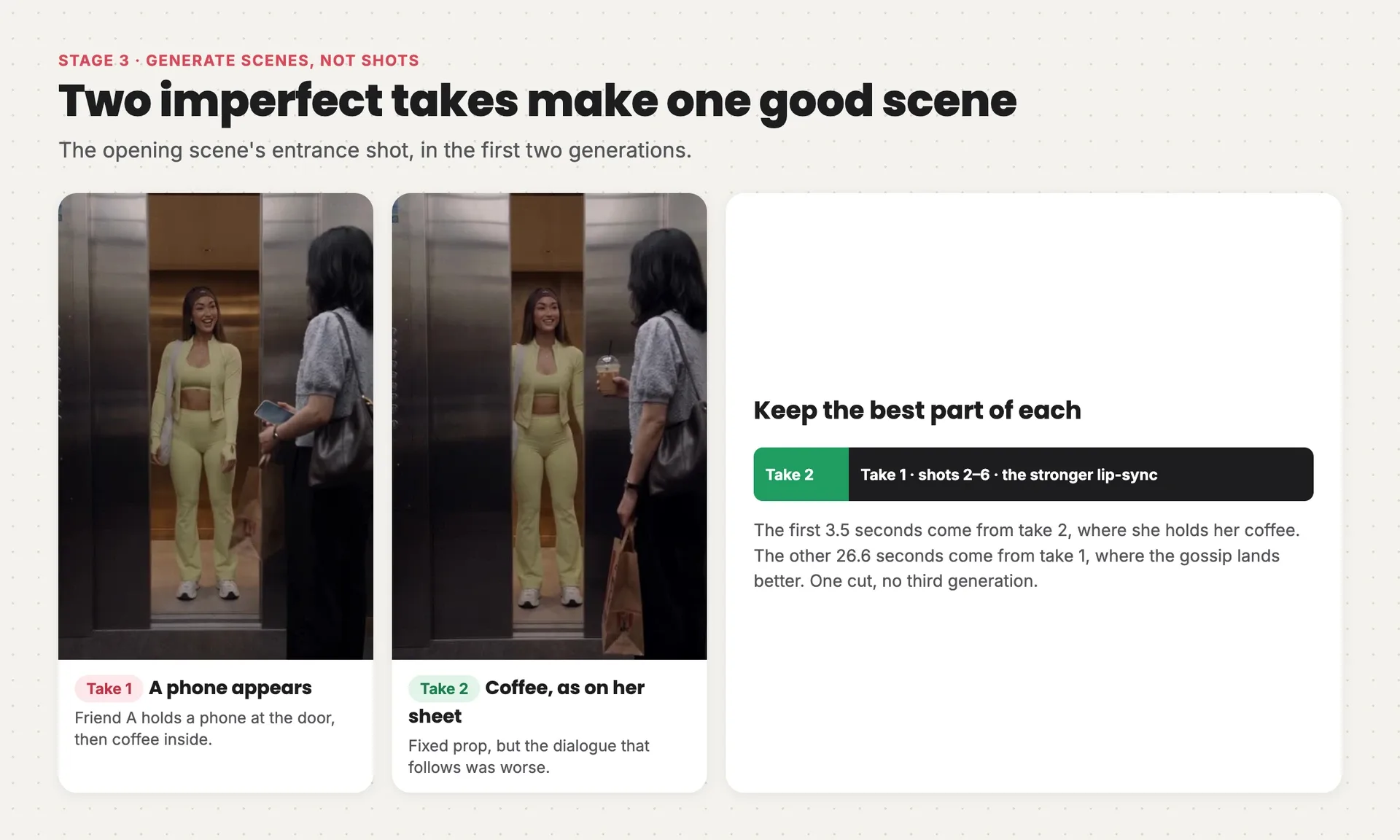
The entrance shot in take 1, where Friend A holds a phone, and take 2, where she holds her coffee, with the splice that uses take 2's first 3.5 seconds and take 1's remaining 26.6 seconds
You don't have to choose between two flawed takes. If the problem sits in one shot, cut at the shot boundary and keep the best of each.
Before you move on, watch every scene with sound for:
- each line spoken by the right person, with lips moving in time
- listeners keeping their mouths closed
- props staying in the same hands across cuts
- the product only where the script puts it
Stage 4: Edit and rescue
Goal: one finished cut with subtitles, without paying for a single generation you don't need.
Line the five scenes up, trim the joins, and add English subtitles timed to the Korean dialogue. Keep them short, one phrase at a time, and hold each one long enough to read through the pauses.
The first full cut still had a problem the frame fix hadn't fully solved. At 0:16, in motion, the gym-goer's head drifts toward the friends again. Instead of regenerating the scene and risking the lip sync, the edit crops in on the friends.
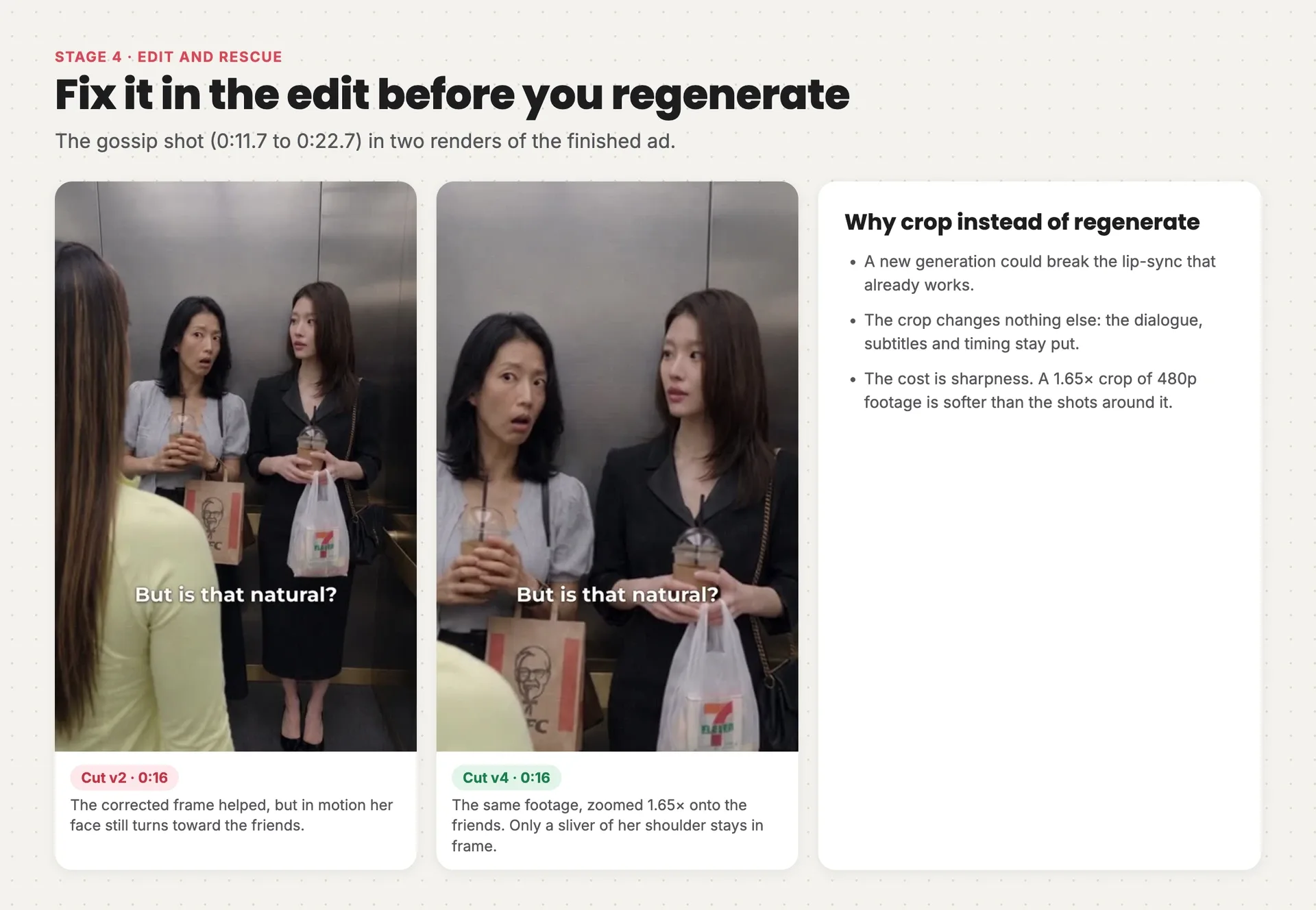
The gossip shot at 0:16 in two renders: in the first, the gym-goer's face turns toward the friends; in the second, the same footage is zoomed 1.65 times onto the friends so only her shoulder shows
The crop is 1.65×, from 0:11.7 to 0:22.7. Nothing else moves: the dialogue, subtitles and timing are untouched. The trade-off is sharpness, because a crop of 480p footage is softer than the shots around it. For a reaction shot of two people talking, that's a price worth paying. Fix it in the edit first. Regenerate only when the edit can't save it.
Two more fixes happened here, and both are easy to miss:
- An extra "um" before "Of course." The video model added it. The edit cuts about a second out of scene C to remove it.
- The automatic transcript missed the buying line. Don't trust a transcript to confirm a line is there. Listen to it.
The ending works the other way round: the voice comes first. The English voiceover was generated before the last scene and measures 9.53 seconds, so the three closing shots were timed to it rather than the other way round.
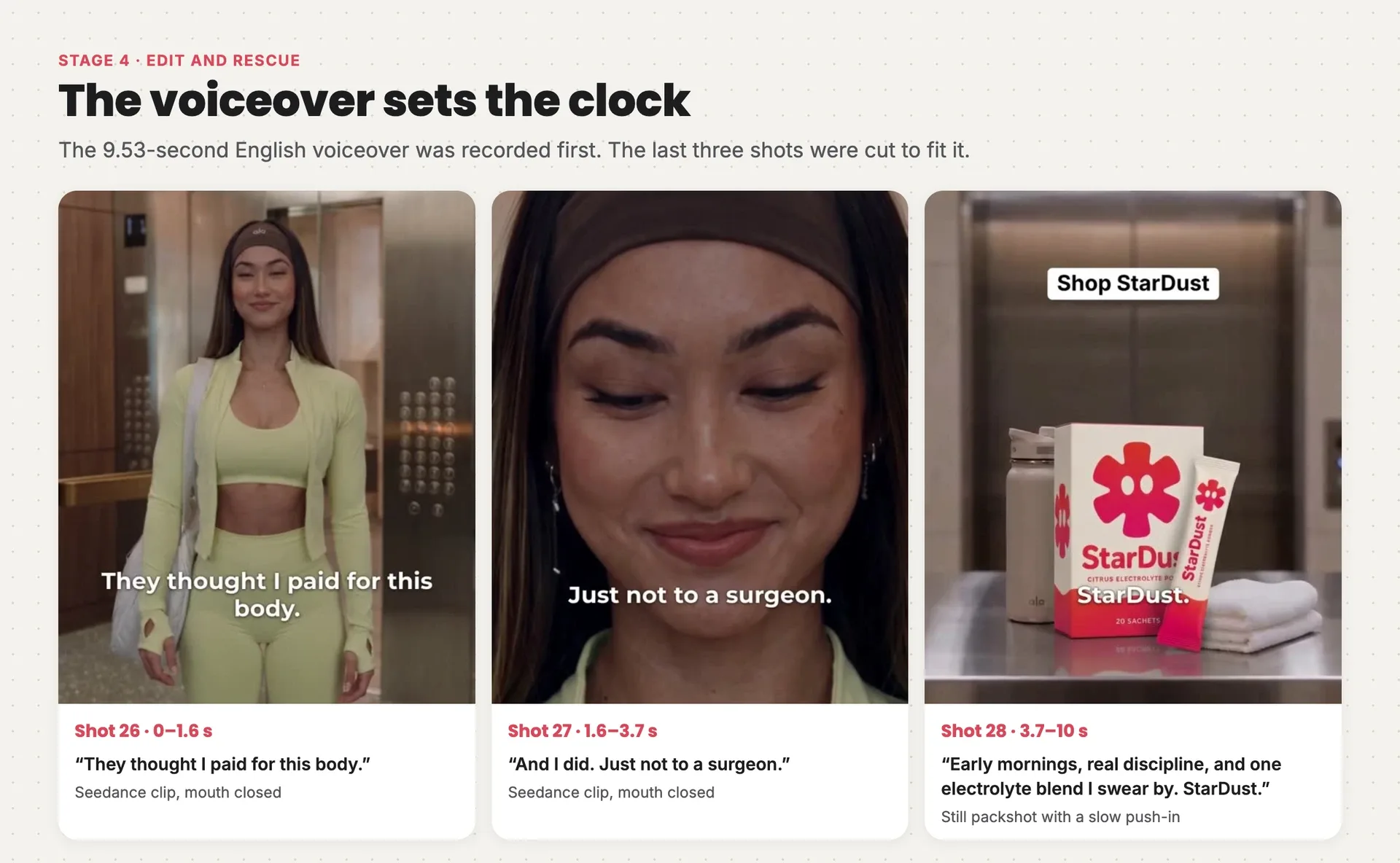
The three closing shots under the 9.53-second English voiceover: the gym-goer smiling outside the elevator, a close-up smirk, and the StarDust packshot with a slow push-in
The last shot isn't a video clip at all. It's the packshot still, with a slow push-in added in the edit, so the label stays perfectly sharp. When nothing in a shot needs to move, don't animate it. A "Shop StarDust" overlay comes in for the last 4.5 seconds, and a quiet Suno V6 music bed sits under the voiceover.
The finished cut runs 1:40, exported at 1080 × 1920.
Recreate any ad with the skill
Everything above is what Starpop's Recreate an ad skill does for you, for any ad you bring it:
- it imports the ad from its link and breaks down its shots, transcript, sound and hook
- it asks why you're recreating it, then writes down what to keep and what to change
- it adapts the script with your product's real facts and shows you every changed line before it goes further
- it builds the reference sheets and a start frame for every shot, and checks them before any video
- it generates cinematic ads as multi-shot scenes, and assembles the edit with subtitles
It asks you for the ad, your product, and what you want to change. Then it shows you the adapted script, line by line, before it generates a single frame.
In Starpop
The skill is built in
Opens a chat with Recreate an ad selected and this ad attached as the example.
Recreate this adIn your AI assistant
ChatGPT, Claude, Gemini, Grok
Paste this in. If Starpop isn't connected yet, your assistant walks you through it.
Use Starpop's replicate-video skill to recreate a proven ad for my product. I'll share the ad's link. If Starpop isn't connected, read https://starpop.ai/docs/integrations/mcp.md and help me connect it first.
Want to see every prompt, frame and take from this recreation? They're all in the full chat.