Contents
0%Hey!
The thing that separates AI ads that flow from AI ads that feel like a slideshow is not the image model. It is how you handle the seams between shots. There are exactly two techniques for it, they compose, and this post shows both on a real ad.
The problem: every generation is an island
A video model has no memory. Generate ten clips separately and you get ten clips that start and end wherever the model felt like, joined by hard cuts. For most formats that is survivable. For a continuous format like the Zack D. Films style, where the originals run 42 seconds without a single cut, it is fatal.
So the unit of planning cannot be the clip. It has to be the seam, and every seam gets one of two treatments.
Technique 1: omni-reference batching
Omni-reference means the video model accepts multiple reference images in one generation. Instead of one frame in and one clip out, you hand it several scene frames plus the transitions you want between them, stated in the prompt.
 Scene frame 1: the chaos spiral hook
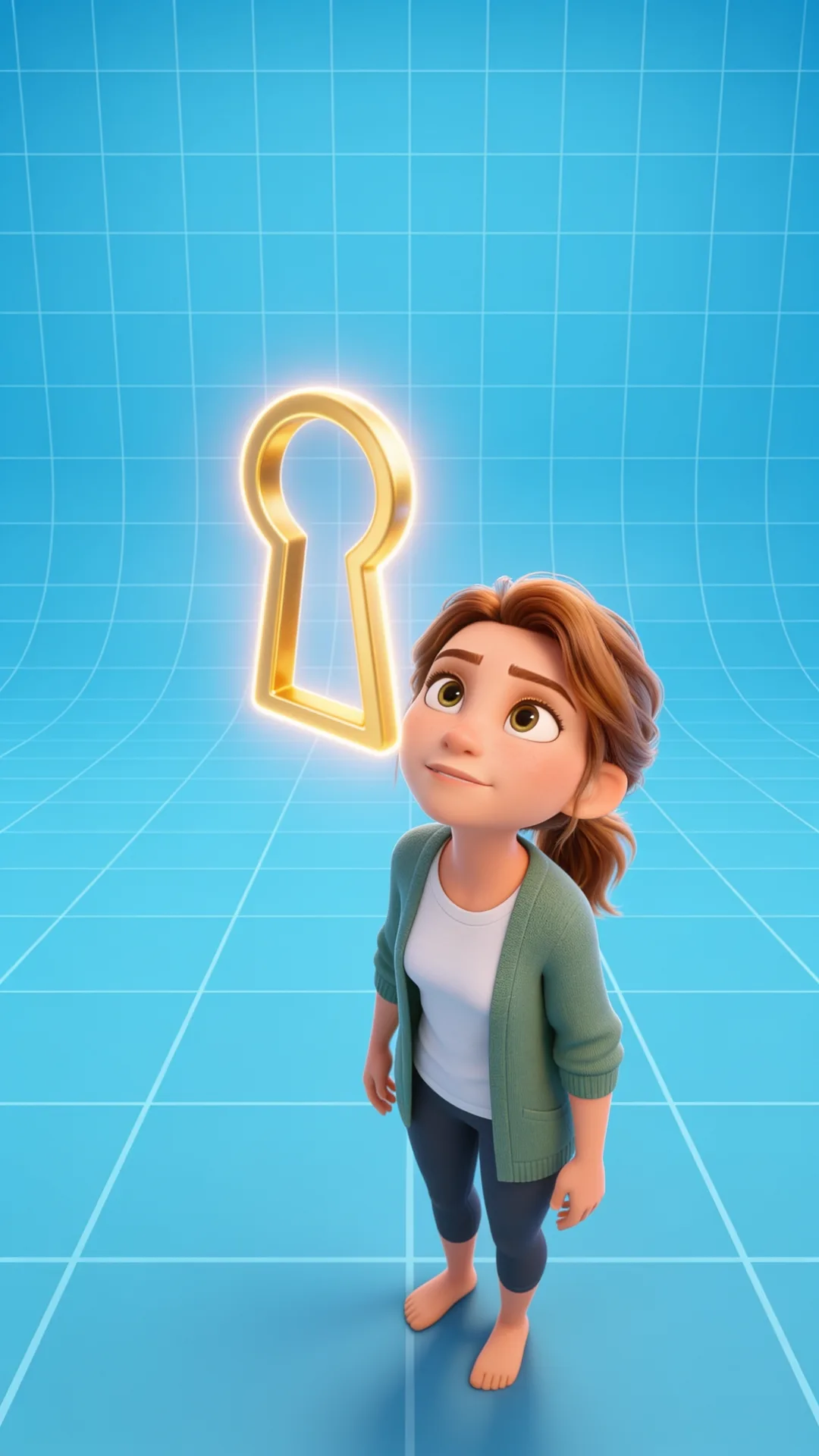 Scene frame 3: the golden keyholeScene frame 1: the chaos spiral hookScene frame 3: the golden keyhole
The model resolves the movement between the frames internally, which means the transitions come out as camera motion rather than cuts. One generation holds up to 15 seconds, so three or four shots fit comfortably.
The one rule that makes or breaks it: state every transition explicitly. A seam you leave unstated gets whatever the model picks, and the model picks a cut.
The lottery version of this technique is feeding a model ten seconds of story and hoping. These ads change something visible roughly every second, so that prompt is asking the model to invent ten shots with no control over any of them. Give it designed frames and named transitions instead. Composition is decided at the image stage, always.
Technique 2: chaining the last frame
Batching handles continuity inside a generation. The seams between generations need the second technique: capture the final frame of one clip and hand it to the next generation as its starting reference.
 The final frame of the hook batch: the character at the golden keyholeThe final frame of the hook batch: the character at the golden keyhole
Because both clips share that exact frame, the seam is invisible by construction. In the keto ad build this ran the whole length of the ad: ten batches, each one opening on the captured last frame of the one before it.
The two techniques are not rivals. Batching is continuity inside a generation, chaining is continuity across generations. A full ad uses both constantly.
The skill plans every seam for you: which shots batch together, where the chain hands off, and the transition class at every join. Download it free.
The head-to-head: Seedance 2 Mini vs Gemini Omni Flash
Both models take omni references and cost the same, so I tested the first batch on both before committing.
Seedance 2 Mini respected my reference images better. Compositions landed closer to the frames I designed.
Gemini Omni Flash was not close on the thing that actually matters: the transitions. Where Seedance moved between scenes competently, Gemini animated through them smoothly, with the camera-carried flow this format lives on.
I went with Gemini for the remaining nine generations. The lesson generalizes: judge an omni model on its transitions, not its frame fidelity. A model that nails your frame but cuts between scenes is producing a slideshow of your storyboard.
Settings that carried the build: 9:16 vertical, 720p, 15 second cap per generation, up to 9 reference images per batch.
When a hard cut is fine
Not every seam needs either technique. The originals themselves contain a few genuine cuts, and shots that do not flow into each other can be generated independently and cut together in the editor.
The bar is not "never cut." The bar is that every seam is chosen: batched, chained, or deliberately cut. The ads that feel fake are the ones where the seams are accidents.
Next steps
See both techniques running through a complete build in the full workflow post, or study how the original format uses continuity in the format breakdown. For the applied version on a real ad, one storyboard canvas into one generation, read multi-shot AI video generation.
The batching rules, the chain hand-offs, and the transition classes are all in the SKILL.md. It works in Claude, ChatGPT, or any agent. Get it here.