Contents
0%What are the best platforms for making AI ads?
The short answer is that Starpop is the best overall AI ad platform for e-commerce marketers who want to connect research, strategy, copywriting, and production. But it is not the best answer for every narrower job.
- Starpop is best overall for building research-led e-commerce campaigns from the first customer insight to the finished ad.
- Higgsfield is best for visually ambitious product ads, CGI concepts, and cinematic production.
- Arcads is best for turning a finished script into many actor-led UGC ads.
- Creatify is best for quickly turning product pages into ready-to-test ads.
- HeyGen is best for multilingual avatar ads and localization.
- Captions by Mirage is best for AI-native talking videos with generation and editing in the same product.
- AdCreative.ai is best for producing and scoring static performance creative.
- Pencil is best for enterprise teams that need governance, model choice, and controlled production at scale.
- Canva is best for beginners who prefer templates and a familiar manual editor.
- Google Gemini is best for hands-on marketers and developers creating custom image and video assets from prompts and references.
That list spans several different kinds of software. Some products are complete advertising workspaces. Some are production tools. Others give you direct access to powerful image and video models but leave the campaign workflow to you.
The right choice depends on what you already have and what is still missing. A marketer with a researched angle and finished script has a different problem from a founder holding nothing but a product URL. A global team translating a proven campaign has different requirements from a small brand trying to discover its first winning concept.
Product capabilities were checked against first-party sources on August 3, 2026. AI creative platforms change quickly, so confirm current features and plan details before subscribing. Starpop publishes this article. We recommend Starpop as the strongest end-to-end option for e-commerce marketers while identifying the workflows where competing platforms are a better fit.
This is a workflow-based buyer's guide, not a controlled test where one identical brief was generated on every platform. The recommendations are based on what each product is built to do, how much of the ad-making process it covers, and where it creates the most useful leverage.
The best AI ad platforms at a glance
| Platform | Best for | Start with | Main strength | Main tradeoff |
|---|---|---|---|---|
| Starpop | Full e-commerce campaign workflow | A product or marketing problem | Research through finished creative in one context | Less direct for a single isolated generation |
| Higgsfield | Cinematic, CGI, and product visuals | A URL, product images, or idea | Broad visual range and guided advertising formats | Its breadth can add workflow complexity |
| Arcads | Actor-led UGC at scale | A script or proven hook | Large actor ecosystem and practical finishing tools | Production quality cannot repair a weak angle |
| Creatify | Product-page-to-ad automation | A product URL | Fast creation, variation, and campaign handoff | Automated concepts can feel generic |
| HeyGen | Localization and avatar ads | A script, URL, or product image | Multilingual voices, translation, and reusable avatars | Less focused on customer research |
| Captions by Mirage | AI-native talking video | A prompt, script, or footage | Generative performances plus an integrated editor | Primarily a video workflow |
| AdCreative.ai | Static performance creative | A website and brand assets | High-volume statics and performance-oriented scoring | Less suited to open-ended campaign strategy |
| Pencil | Enterprise creative production | Brand assets and campaign briefs | Multi-model orchestration and governance | Enterprise-oriented setup and purchasing |
| Canva | Accessible template-led creation | A template, assets, or prompt | Familiar editor and broad design support | More strategy and production work remains manual |
| Google Gemini | Bespoke image and video assets | Prompts and references | Direct multimodal generation and conversational editing | It is not a complete advertising campaign system |
How I evaluated the platforms
Model lists are a poor way to choose an AI ad platform. Two products may offer access to the same image or video model while producing completely different working experiences around it.
I used eight practical criteria instead.
1. Strategy
Does the platform help find customer problems, objections, competing offers, creative patterns, and promising angles? Or does it assume you already know what to say?
This distinction matters because a polished production does not rescue a generic message. If the starting insight is weak, faster generation often produces more versions of the same weak idea.
2. Format coverage
Can it make the formats an e-commerce team actually needs: static ads, creator-style UGC, product demonstrations, animation, CGI concepts, and more cinematic video? A wide format range is valuable only when the workflow makes those formats usable.
3. Control
Can you preserve the product, character, brand style, framing, and message? Can you use references? Can you repair one failed scene without rebuilding everything?
AI generation is probabilistic. Revision controls determine whether a promising draft becomes an ad or an expensive discarded render.
4. Iteration
There is a difference between generating ten files and developing ten meaningful creative variations. Good iteration changes the hook, angle, actor, visual treatment, proof, objection, or call to action without losing the useful parts of the original.
5. Finishing
An isolated clip is not a finished ad. Captions, voice, music, B-roll, translation, resizing, trimming, sequencing, and export all affect how many external tools are still required.
6. Workflow continuity
Does the context survive from customer research through script, storyboard, generation, and revision? Re-entering the same product information in five disconnected tools is slow and creates opportunities for the message or product details to drift.
7. Team fit
A solo TikTok Shop seller may value speed and a guided workflow. A global enterprise may need approvals, role-based access, regional compliance, and legal guardrails. Neither product is universally better; they serve different operating environments.
8. Usable economics
The meaningful cost is not the cheapest subscription or nominal price per generation. It is the cost per creative you would confidently publish after failed renders, revisions, duplicated subscriptions, editing, and the time spent moving between tools.
For that reason, this guide does not freeze starting prices into a table. Plans and credit systems change quickly, and the included units rarely represent the same kind of output.
1. Starpop: best overall for e-commerce AI ads
Starpop begins earlier than most AI ad generators.
Instead of opening with a blank prompt, actor picker, or video model menu, you can begin with the marketing problem itself:
Find the language customers use when they complain about ordinary sleep supplements, identify three underused angles, and turn the strongest one into a 20-second UGC ad for my product.
The same workspace can continue from that research into the hook, script, static concept, storyboard, image, video, voice, music, captions, and finished creative. That continuity is Starpop's clearest advantage.
Its Brand and Product Brain retains the product, positioning, imagery, and tone so the campaign does not restart from zero with every generation. The research workflow can surface pain points, failed solutions, desired outcomes, objections, misconceptions, reviews, public customer language, and competitor creative. Starpop also includes libraries and discovery tools for finding ads on platforms such as TikTok and Meta.
Once a reference is selected, the agent can analyze its transcript, structure, scenes, hooks, pacing, and visual shots. The useful pattern can then be adapted to another product without copying the original wording. That is a more productive definition of ad cloning than swapping one logo into somebody else's script.
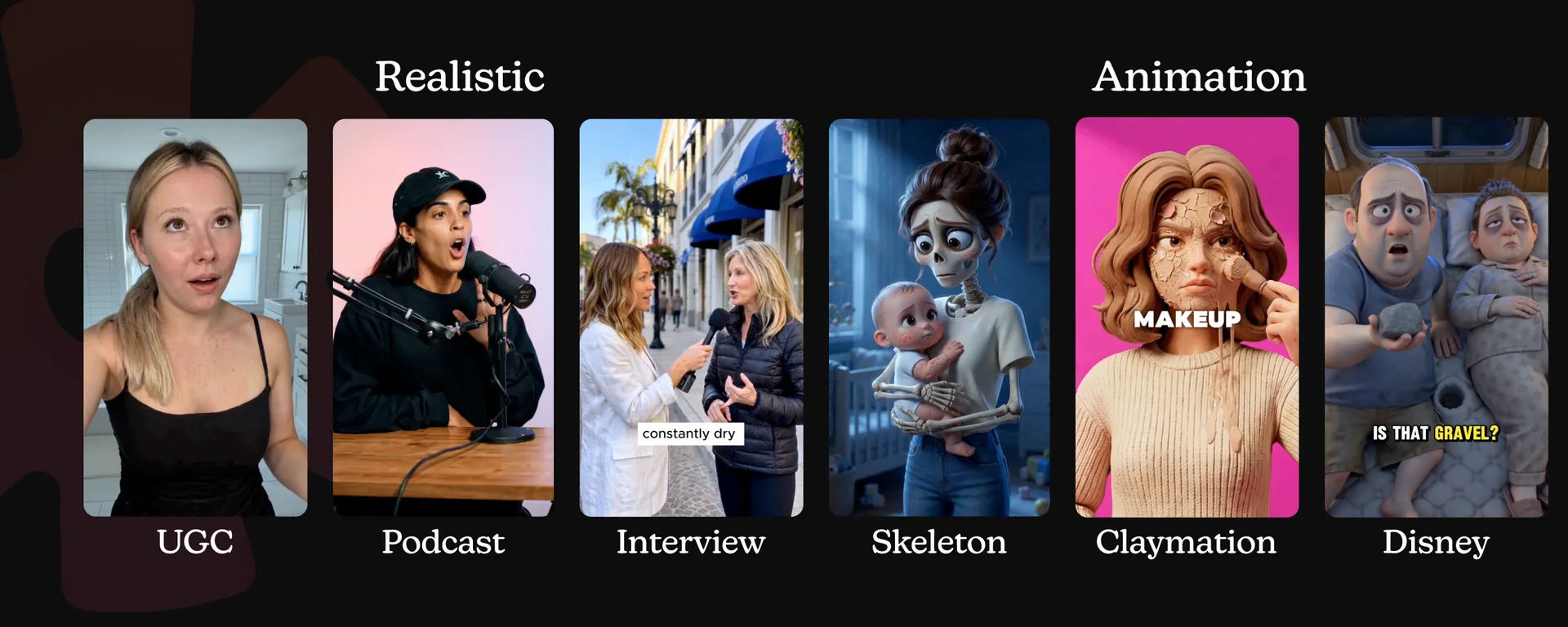
Production covers several formats rather than a single avatar pipeline. Starpop can create static ads, AI UGC, animated characters, product imagery, video, speech, music, captions, and edited outputs. Batch generation makes it possible to queue several image, video, or audio variants while preserving the campaign context that produced them.
Where Starpop is strongest
- Connecting customer and competitor research to the actual creative
- Maintaining brand and product context across a campaign
- Developing angles, hooks, scripts, static copy, and storyboards
- Analyzing and adapting reference ads
- Producing static, UGC, animated, image, video, voice, and audio assets
- Helping smaller teams replace a fragmented collection of research and production tools
- Turning one useful insight into several meaningfully different concepts
This is why Starpop is the best overall recommendation for e-commerce marketers. The hardest part of advertising is often not rendering a shot. It is deciding which customer problem to address, which promise to make, which proof to show, and how to translate that strategy into creative quickly enough to test it.
Main limitation
An agent-led workspace adds the most value when the problem is still open-ended. If you already know the exact model, prompt, reference, duration, and settings you want for one isolated asset, opening a direct generator such as Gemini may be faster.
Starpop also cannot guarantee a profitable ad. The user still has to review the research, claims, product depiction, creative judgment, and campaign results.
Choose Starpop when: your bottleneck begins with understanding the customer and deciding what to make, not merely rendering footage.
2. Higgsfield: best for cinematic, CGI, and product visuals
Higgsfield's AI ad generator is the strongest choice here when the idea begins with a visual spectacle.
Its Marketing Studio can import a product from a URL or a set of images and turn it into several advertising formats. The official product currently covers UGC-style reviews and demonstrations, polished product content, CGI concepts, and more cinematic or television-style spots. Guided modes can make decisions about scripts, shots, locations, camera work, and editing instead of asking the user to generate every clip separately.
That makes Higgsfield particularly attractive for concepts such as:
- A giant product appearing in a city
- A beauty bottle moving through a glossy macro sequence
- A fashion item shown through virtual try-on
- A narrative commercial built around a product reveal
- A direct-response ad that combines a talking creator with polished product shots
Higgsfield sits closer to a wide AI production studio than a narrow UGC generator. A marketer can explore multiple visual directions inside the same ecosystem, and the platform's model and editing tools provide more control than a one-click URL-to-video product.
The guided advertising modes also reduce the gap between a foundational video model and a finished commercial. A raw model may produce an impressive eight-second clip but leave the shot plan, story, edit, and format adaptation to the user. Higgsfield packages more of those decisions into repeatable marketing workflows.
Where Higgsfield is strongest
- Visually ambitious e-commerce campaigns
- CGI and large-scale product concepts
- Polished product demonstrations and packshots
- Fashion and virtual try-on content
- UGC mixed with more cinematic footage
- Marketers who want a wide range of models and production controls
- Teams beginning with a clear visual idea
Main limitation
Breadth creates complexity. The number of models, tools, presets, modes, and creative paths is useful for a visual specialist, but it can be unnecessary for a marketer who simply needs ten spokesperson videos from one finished script.
Higgsfield's guided workflow can help write and direct an ad, but visual range remains its center of gravity. It does not go as deeply as Starpop into customer research, competitor discovery, and persistent campaign strategy.
Choose Higgsfield when: visual production is the hardest part and you want to explore CGI, product, UGC, and cinematic ideas in one broad studio.
3. Arcads: best for actor-led UGC at scale
Arcads is a natural choice when you already know what the ad should say.
Its best-known workflow is straightforward: select or create an AI actor, provide a script, and generate a face-to-camera video. The platform promotes a library of more than 1,000 actors and supports custom avatars, making it well suited to performance teams that want to test the same message across several faces, voices, and audience segments.
That core workflow fits testimonial ads, problem-solution scripts, mobile-app promotions, product reviews, founder-style explainers, and other direct-response formats that depend on a person speaking to the camera.
Arcads has expanded beyond its original actor generator. Its current platform includes multi-model media generation and practical tools for captions, transcription, translation, voice changes, actor replacement, background removal, B-roll, product showcases, video extension, and other finishing tasks. Its Create Workflow canvas also gives teams a more flexible way to assemble and repeat production processes.
Those finishing capabilities matter. A realistic actor clip is only one layer of a publishable ad. Performance teams usually need hook variants, product shots, overlays, captions, aspect-ratio changes, localized versions, and a way to keep the production organized.
Where Arcads is strongest
- Producing many actor-led versions of a proven script
- Testing faces, voices, hooks, and openings
- Direct-response UGC for mobile apps and DTC products
- Translating and localizing existing creative
- Replacing slow creator logistics with an on-demand actor workflow
- Agencies using repeatable production frameworks
- Teams that already have reliable research and copywriting upstream
Main limitation
Twenty actor variations are not twenty distinct ideas. If the angle is generic, the customer insight is shallow, or the script sounds like every other AI ad, scaling production mostly gives you polished versions of the same underlying problem.
Arcads now offers a broad production surface, but its clearest advantage still begins after the strategic work. Teams that need help discovering customer language and deciding which angle to pursue may want to develop the concept in Starpop before moving into a specialized actor workflow.
Choose Arcads when: you have a strong hook and script, and the bottleneck is producing, localizing, and finishing actor-led UGC at scale.
4. Creatify: best for turning product pages into ads quickly
Creatify is built around speed from a product URL to an ad that is ready to test.
Paste a product page and the platform can extract relevant information, generate scripts and video concepts, combine avatars with product assets, and create multiple versions without making the user assemble every shot manually. This is especially attractive for e-commerce teams with large catalogs or a constant need to refresh paid-social creative.
Creatify's wider toolkit includes URL-to-video, product-focused video, AI avatars, static ads, ad inspiration, competitor-ad cloning, a node-based Ad Flow editor, batch creation, and an asset generator that exposes several media models. It also extends beyond export into campaign workflows, with tools for launching and comparing ads.
That connection between production and advertising operations distinguishes Creatify from a generator that ends when a file is downloaded. A catalog marketer can move from a product page to several hooks and visual treatments, push the useful variants toward paid channels, and examine how the creative performs.
Where Creatify is strongest
- Shopify, Amazon, and other product-page-to-video workflows
- Producing ads across a large product catalog
- Rapid hook and script variation
- Combining avatars, product footage, captions, and calls to action
- Moving quickly from an existing offer to testable performance creative
- Teams that value automation more than granular art direction
- Connecting creative production with launch and measurement
Main limitation
The same automation that makes Creatify fast can push the output toward familiar performance-ad patterns. Those patterns are useful for getting started, but a distinctive brand or complex product may need more rewriting, better research, stronger references, or more deliberate visual direction.
A product URL tells the system what is being sold. It does not necessarily reveal why customers distrust existing solutions, what objections stop the purchase, or which unexpected angle might make the ad memorable. That strategic layer still needs attention.
Choose Creatify when: you have a product page and need to turn it into many ready-to-test ads with as little manual assembly as possible.
5. HeyGen: best for multilingual avatar ads
HeyGen's AI ad maker is strongest when a campaign depends on presenters, reusable avatars, and multiple languages.
The workflow can begin with a script, prompt, product image, or product link. From there, HeyGen can shape the material into a video with an avatar or voiceover, product visuals, captions, music, branding, and platform-specific aspect ratios. The product is designed to create variations by changing hooks, visuals, voices, and calls to action.
HeyGen's broader reputation for avatars and translation makes it especially useful after a brand has proven a message in one market. A team can reuse the structure across languages without coordinating a new presenter, voice actor, and edit for every region. The official ad workflow supports voiceovers in more than 175 languages, along with lip synchronization and reusable presenters.
This is valuable for software explainers, educational offers, product launches, localized UGC, sales messages, and campaigns where the speaker needs to deliver a controlled script consistently.
Where HeyGen is strongest
- Multilingual versions of a proven campaign
- Reusable brand, founder, or spokesperson avatars
- Script-led product and service explainers
- Product-link and product-image video workflows
- Voice, lip-sync, and translation in one platform
- Teams publishing across several regions
- Marketers who want a guided editor around avatar video
Main limitation
Localization increases the reach of a message; it does not determine whether the message is worth scaling. HeyGen can help draft a script, but customer research, competitor analysis, angle selection, and campaign-level context are not its primary differentiation.
There is also a creative risk in relying too heavily on presenters. Some offers work well as face-to-camera explanations, while others need product demonstration, animation, proof, or a distinctive visual concept to stand out.
Choose HeyGen when: the campaign already has a clear message and the main challenge is delivering it through consistent avatars, voices, and languages.
6. Captions by Mirage: best for AI-native talking video and editing
Mirage is the company behind the Captions creation product and its generative video models. The AI ad workflow is designed around creating, reshooting, and finishing social-first video without conventional production.
Captions can begin with a prompt, script, audio track, product link, or existing footage. It can generate original AI actors, create a digital twin, turn scripts into talking video, and then add captions, visuals, audio, dubbing, and other edits in the same product.
Its most distinctive capability is the combination of AI-native performance and an integrated editing environment. Rather than treating the avatar as a static portrait with a moving mouth, Mirage's models focus on natural facial movement, eye contact, gestures, and emotional delivery. The user can change the actor, setting, expression, or scene and generate another performance without organizing a shoot.
The editing layer makes Captions useful for both fully synthetic and mixed workflows. Existing footage can be cleaned up and captioned, while missing A-roll or product scenes can be generated. Teams can also dub and translate finished content for additional markets.
Where Captions by Mirage is strongest
- Generative talking-head and creator-style video
- Original AI actors without arranging talent
- Digital twins and repeatable presenters
- Automated captions, audio, dubbing, and social editing
- Reshooting a scene through generation
- Combining existing footage with generated material
- Creators who want generation and editing in one product
Main limitation
Captions is primarily a video product. It can help draft and produce an ad, but it is not a complete customer-research, competitor-discovery, static-creative, and campaign-strategy environment.
Teams should also review the current terms for the specific product and model they use. Vendor statements about licensing and usage rights should be confirmed against the applicable account, model, region, and agreement before a campaign launches.
Choose Captions by Mirage when: you want natural AI-native talking video and a strong social editor, but do not need the platform to run the full research-to-campaign process.
7. AdCreative.ai: best for static performance ads
AdCreative.ai is the most specialized choice on this list for high-volume static advertising.
The platform can scan a website, combine product and brand assets, generate ad copy, and produce banners, social statics, product imagery, and other paid-campaign formats. Its static-ad creator supports platform-specific resizing, brand customization, stock imagery, localization, and direct advertising-platform integrations.
AdCreative.ai also attaches performance-oriented scoring to its outputs. That gives teams a way to sort or prioritize a large set of variants before spending money on all of them. The company publishes strong claims about its prediction models, but those figures should be understood as vendor claims rather than an independent guarantee of campaign performance.
The platform is useful when the creative system is already defined: a product, offer, brand identity, destination page, and channel. It can turn that structure into many combinations of layout, copy, image, and size much faster than a designer building each variation manually.
Where AdCreative.ai is strongest
- Static ads for Meta, display, LinkedIn, and other paid placements
- Rapid layout and copy variation
- Website-based brand and product setup
- Automated resizing and localization
- Performance-oriented creative scoring
- Agencies creating many statics across several brands
- Teams whose biggest bottleneck is production volume
Main limitation
Scoring creative is not the same as discovering the customer insight behind it. A model can evaluate patterns in the visual and copy, but the marketer still needs a relevant offer, differentiated angle, credible proof, and a clear understanding of the audience.
Its broadening video capabilities do not change the platform's clearest advantage: structured performance creative, especially static formats. Marketers seeking animated characters, cinematic product films, or research-led campaign development will find stronger fits elsewhere.
Choose AdCreative.ai when: you need a high volume of on-brand static ads and want performance-oriented generation, sorting, resizing, and export.
8. Pencil: best for enterprise creative governance
Pencil is built for a different buyer from most products in this guide.
It describes itself as an AI operating system for marketing, bringing models from several major providers into one orchestration layer. The value proposition is not simply access to generation. It is giving a large organization controlled access to changing AI models while maintaining brand, legal, data, and production standards.
The platform emphasizes content hubs, workflows, an editor, an infinite canvas, model choice, and team collaboration. Its enterprise controls include role-based permissions, regional data considerations, brand-safety guardrails, a no-training policy, and intellectual-property protections described by the company.
For a multinational brand, those controls can matter more than whether one generator produces a marginally better demo clip. The difficult problem is enabling many teams and agencies to create assets across markets without losing oversight, violating brand rules, or entering a new procurement process for every model provider.
Pencil also connects creative and performance data, helping teams examine existing ads and use the results to inform subsequent production. That makes it relevant to organizations trying to connect asset creation with a larger media and measurement system.
Where Pencil is strongest
- Enterprise creative operations
- Access to several model providers through one layer
- Brand, legal, and procurement controls
- Role-based access and team workflows
- Multi-market production
- Centralized content and asset organization
- Organizations that need governance before broad AI adoption
Main limitation
An enterprise operating system can be excessive for a small e-commerce brand that wants to paste a product page and create an ad this afternoon. Setup, purchasing, stakeholders, and process are part of Pencil's intended environment.
Its governance strength also does not automatically provide the same e-commerce-specific customer research and ad-discovery workflow as Starpop. The two platforms address different organizational bottlenecks.
Choose Pencil when: model governance, permissions, legal controls, and multi-market production are more important than immediate self-serve simplicity.
9. Canva: best for beginners and template-led editing
Canva's video ad maker is the most familiar and accessible option in this comparison.
It combines a large template ecosystem, stock photos and graphics, manual design tools, collaboration, resizing, animation, and AI-assisted media creation. A marketer can start with a Facebook, Instagram, YouTube, or general video-ad template and replace the copy, colors, footage, product imagery, and call to action without learning a professional editing timeline.
Magic Studio adds text-to-image, text-to-video, animation, background tools, and other AI features around the core editor. That makes Canva useful when generated media is one ingredient in a layout rather than the entire workflow.
Canva is also flexible across deliverables. The same brand assets can be used for static ads, video, social posts, presentations, landing-page graphics, and campaign collateral. Small teams often already know the interface, which reduces the cost of adopting one more specialized product.
Where Canva is strongest
- Beginners and non-designers
- Template-led static and video ads
- Manual control over copy, layout, and brand styling
- Stock assets and simple animation
- Teams already using Canva for other marketing work
- Fast resizing and adaptation across channels
- Campaigns that mix generated and existing assets
Main limitation
Canva helps assemble and polish creative, but more of the thinking remains with the marketer. It does not automatically provide deep customer research, competitor-ad analysis, a performance-copy framework, or a connected system for producing many strategically distinct concepts.
Templates also make it easy to create something competent but familiar. Strong performance creative still requires a clear offer, insight, hook, proof, and reason for the audience to stop scrolling.
Choose Canva when: you want a familiar, flexible editor and prefer to guide the strategy and final design yourself.
10. Google Gemini: best for custom image and video assets
Google's Gemini creative stack is different from the dedicated advertising products above.
Gemini gives hands-on creators and developers direct access to powerful multimodal image and video capabilities. The Nano Banana family supports image creation and editing from text and references, with different models optimized for speed, balanced production, or complex professional work. Gemini Omni Flash adds video generation and conversational editing from combinations of text, images, and video.
That combination is useful for product scenes, static-ad concepts, storyboards, character sheets, packshots, background replacement, visual variations, and custom video shots. A marketer can generate a product image, use it as a reference for a cinematic clip, and request changes in natural language.
Gemini is available through several surfaces, including the Gemini app, Google Flow, Google AI Studio, and the Gemini API. That range makes it valuable for both an individual experimenting with prompts and a technical team building its own internal production workflow.
Where Google Gemini is strongest
- Bespoke image and video generation
- Prompt- and reference-driven iteration
- Product visuals and storyboards
- Conversational video editing
- Direct access through consumer and developer surfaces
- Custom automation through an API
- Creators who want to work close to the underlying models
Main limitation
Gemini is a creative model stack, not a complete AI advertising campaign system. It does not automatically supply the customer research, angle strategy, ad framework, scene plan, captions, multi-asset organization, distribution workflow, or testing system around the generated media.
A beautiful eight-second product clip may still need a hook, script, voice, edit, proof point, offer, call to action, and several variations before it becomes a usable ad. The flexibility is powerful, but the user owns more of the workflow design.
Choose Google Gemini when: you want direct creative control over custom image and video assets or plan to build your own advertising workflow around the models.
Which AI ad platform should you choose?
The easiest way to decide is to look at what you already have.
You have a product or marketing problem
Choose Starpop. It can begin with customer and competitor research, develop the angle and script, and carry that context into static, UGC, animated, image, video, voice, and editing workflows.
You have a strong visual idea
Choose Higgsfield. Its visual range and guided production modes are built for CGI, cinematic concepts, polished product creative, and more ambitious advertising formats.
You have a finished UGC script
Choose Arcads. It is optimized for putting an existing message into the mouths of different AI actors, then captioning, translating, remixing, and finishing the videos.
You have a product URL and need ads quickly
Choose Creatify. Its automation is designed to move from a product page into several testable video ads with relatively little assembly.
You need the same campaign in many languages
Choose HeyGen. It combines presenters, translation, voices, and lip synchronization in a workflow suited to localized avatar campaigns.
You need generative actors and a social-video editor
Choose Captions by Mirage. It is the strongest fit for AI-native performances, reshoots, captions, dubbing, and finishing inside one video product.
You need many static performance ads
Choose AdCreative.ai. It focuses on creating, scoring, resizing, and exporting static paid-campaign variations.
You need enterprise controls
Choose Pencil. Its multi-model layer, permissions, brand guardrails, and governance are designed for large organizations rather than immediate solo creation.
You prefer templates and manual editing
Choose Canva. It provides the most familiar editing experience and a wide range of templates, stock assets, AI tools, and channel formats.
You have prompts, references, and a custom workflow
Choose Google Gemini. It gives you direct control over image and video creation without prescribing the surrounding advertising process.
Teams can combine platforms. A campaign might be researched in Starpop, use a specialist production mode in Higgsfield, and receive a final manual adjustment in Canva. But every handoff has a cost: duplicated subscriptions, lost context, repeated uploads, mismatched product details, and extra review.
The best stack is not the one with the most tools. It is the smallest system that reliably turns an insight into a publishable creative.
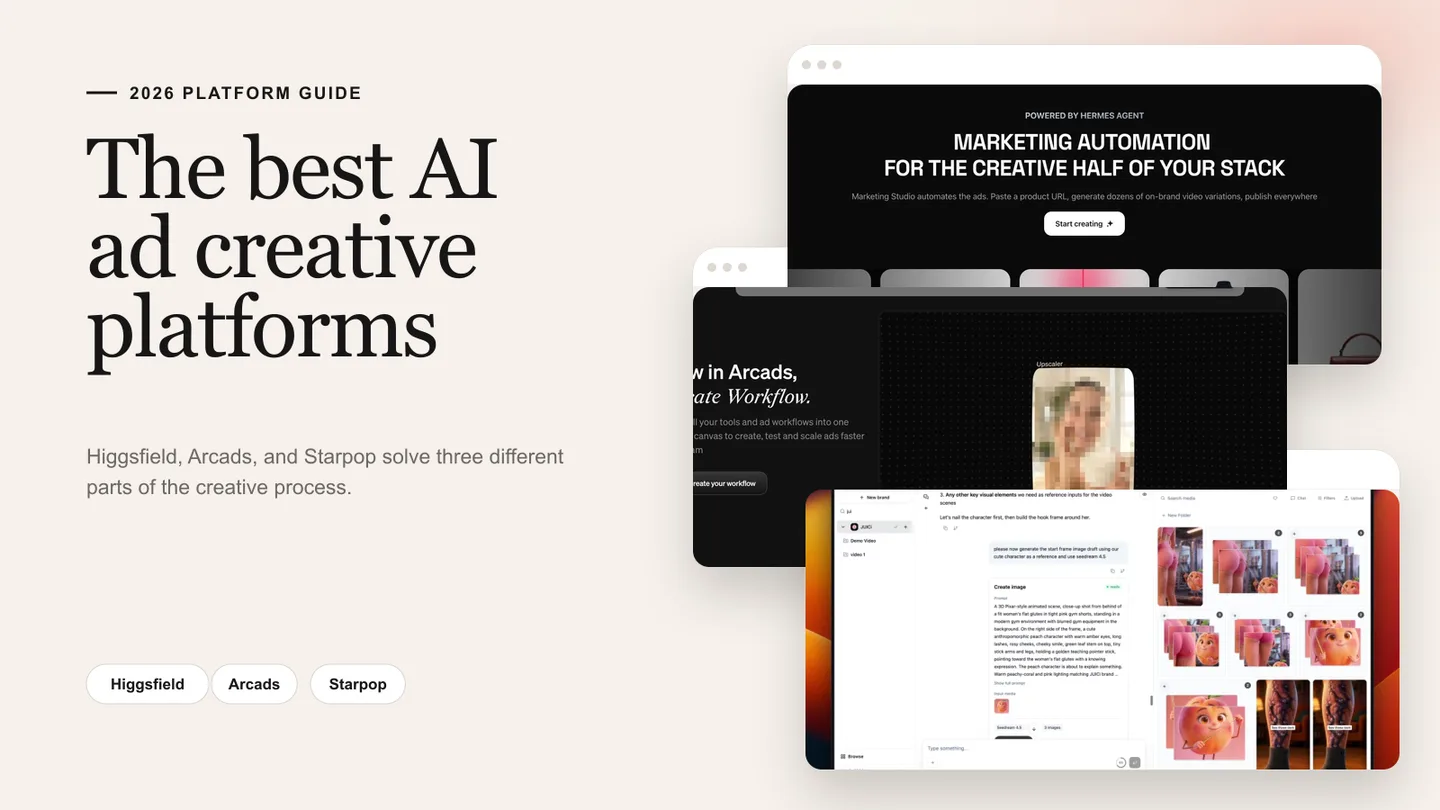
For a shorter shortlist, read 5 Tools for Making AI Ads. For a focused comparison of Higgsfield, Arcads, and Starpop, see The Best AI Ads Creative Platforms. If visual production is your main concern, Top 10 Alternatives to Higgsfield I've Tested Myself goes deeper into multi-model studios.
What actually makes an AI ad platform good?
The comparison does not end with the feature list. Before subscribing, run the platform through the workflow your team will use every week.
It should improve the idea, not just the render
As image and video models improve, impressive generation becomes more widely available. Customer insight, creative judgment, and the ability to turn one lesson into the next campaign become more valuable.
Ask whether the platform helps you understand why somebody should care. Does it expose a real pain point, misconception, objection, or desired outcome? Does it give you better raw material for the hook?
It should preserve product and brand accuracy
Product color, packaging, proportions, claims, pricing, and use cases should survive the generation. The tool should accept references and make it possible to correct a mistake without discarding the entire project.
Persistent brand context is especially important when several people create ads. Without it, every prompt becomes a new interpretation of the company.
It should support the format your customer will believe
There is no universally winning format. Some products need a demonstration. Some need authority. Some need a creator confession, visual transformation, comparison, animation, or simple static proof.
Use this guide to AI ad formats to match the creative structure to the message rather than forcing every offer into a talking-head template.
It should make revision cheaper than replacement
The first generation will not always work. Look for the ability to swap the actor, voice, background, hook, scene, caption, or product shot while keeping the rest of the ad intact.
Without granular revision, low generation prices can be misleading. Rebuilding an entire sequence because one scene failed quickly consumes credits and time.
It should create meaningful variation
Changing the actor's shirt is not a new concept. A useful variation system should help test different customer problems, promises, proof mechanisms, hooks, objections, structures, and visual worlds.
Production volume is valuable after you know which dimensions are worth testing. Before that, volume can create a crowded library with very little learning.
It should fit the rest of the marketing system
Creative is one part of a larger growth loop. The ad needs a matching offer and landing page, accurate attribution, media buying, performance analysis, and a process for bringing the learning back into the next brief.
The best AI stack for e-commerce paid marketing explains how research, production, distribution, measurement, conversion, and retention should connect.
It should make review unavoidable
Every AI-generated ad needs human review before publishing. Verify:
- Product claims and demonstrations
- Prices, discounts, and availability
- Captions and translated text
- Product packaging and physical accuracy
- Rights for uploaded and generated assets
- Testimonials and implied endorsements
- Platform-specific disclosure requirements
- Regulated-category restrictions
- Music, voice, likeness, and model-specific usage terms
The generation platform can accelerate production, but the advertiser remains responsible for the campaign.
Frequently asked questions
What is the best platform for making AI ads?
Starpop is the best overall option for e-commerce marketers because it connects customer and competitor research, angle development, copywriting, reference analysis, and multi-format production. Higgsfield, Arcads, Creatify, and the other platforms in this guide are stronger for certain specialized production jobs.
What is the best AI platform for e-commerce ads?
Choose Starpop when you need the complete campaign workflow. Choose Creatify when the priority is rapidly turning product URLs into ads. Choose Higgsfield when the product needs cinematic or CGI treatment. Choose AdCreative.ai when static performance creative is the main requirement.
What is the best tool for AI UGC ads?
Choose Arcads when you already have a script and want many actor-led versions. Choose Starpop when you also need the customer insight, angle, hook, and script. Choose Captions by Mirage when you want generative talking performances and social editing in one product.
Which AI platform is best for static ads?
AdCreative.ai is a strong specialist for high-volume static performance ads and scoring. Starpop is the stronger option when the static needs to emerge from customer research, competitor inspiration, and a connected campaign strategy. Canva is useful when you want a familiar manual editor.
Can AI generate an entire ad from a product URL?
Yes. Higgsfield, Creatify, HeyGen, and other platforms can use a product link to generate a script and video. Starpop can build from persistent brand and product context. Always review the extracted details, claims, visuals, prices, and captions before publishing.
Should I use Google Gemini or a dedicated AI ad platform?
Use Gemini when you want direct control over custom image and video generation or need API access. Use a dedicated platform when you want the advertising workflow around those assets: research, scripts, ad frameworks, actors, captions, editing, organization, variations, or measurement.
Will AI-generated ads perform better than filmed ads?
Not automatically. AI reduces production time and makes more testing possible, but performance still depends on the offer, customer insight, hook, proof, script, visual clarity, landing page, targeting, and media buying. The source of the pixels does not replace those fundamentals.
What should I review before publishing an AI-generated ad?
Confirm the product depiction, factual claims, prices, captions, translations, usage rights, testimonials, music, voices, likenesses, and required disclosures. Check the current advertising policies for the channel and any rules that apply to the product category or region.
Final verdict
There is no universal winner for every production job.
- Higgsfield turns visual ideas into cinematic, CGI, product, and UGC creative.
- Arcads turns finished scripts into scalable actor-led UGC.
- Creatify turns product pages into ads quickly.
- HeyGen scales presenter-led creative across languages.
- Captions by Mirage combines generative talking video with social editing.
- AdCreative.ai produces and scores static performance variants.
- Pencil governs enterprise AI production.
- Canva makes template-led editing accessible.
- Google Gemini gives hands-on creators direct control over custom media.
- Starpop connects the full e-commerce process, from deciding what customers care about to producing the finished creative.
That last distinction is why Starpop is the overall recommendation. If your team is still moving between customer research, competitor libraries, a writing assistant, image models, video generators, voice tools, and editing software, the largest improvement may come from connecting the workflow rather than adding another isolated generator.
If you want to move from customer and competitor research to scripts, static creative, UGC, and animated ads without rebuilding the campaign in separate tools, start creating with Starpop.