Contents
0%Hey!
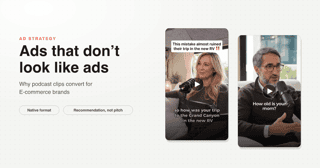
Podcast clips are the most native ad format on social right now, and the new Flux 3.0 video model finally makes the voices good enough to fake one convincingly.
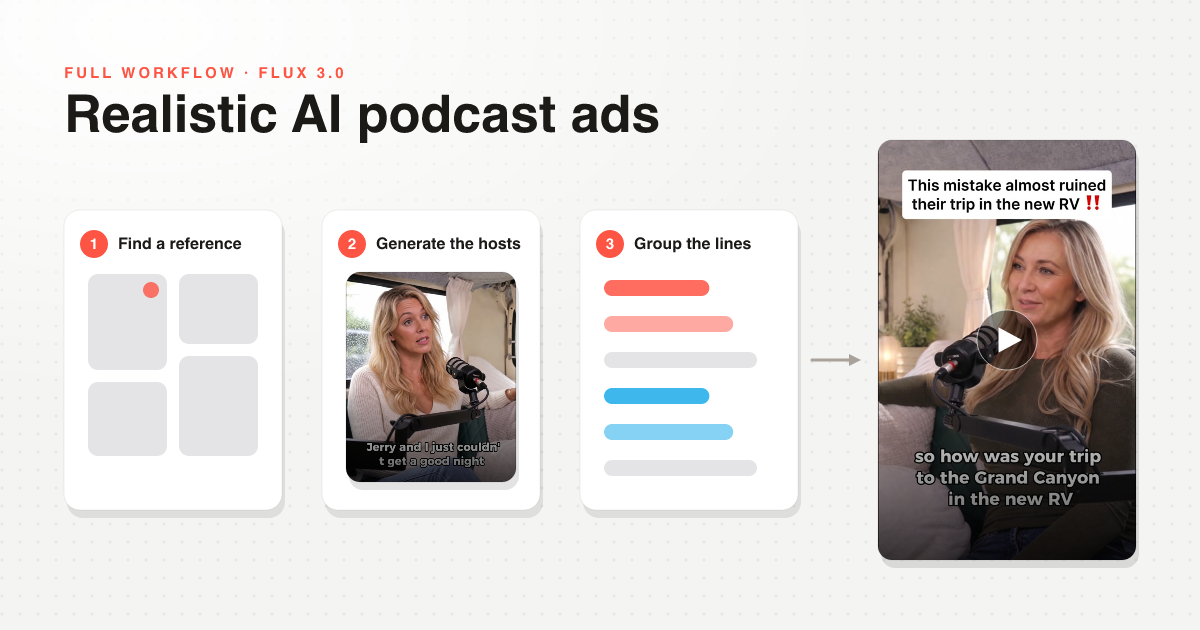
The finished ad
Not a perfect ad. But the voices and the overall realism carry it, and the whole thing came together in an afternoon inside Starpop.
The honest self-review: the script is the weak point. The transition into the product pitch is too abrupt, and there is no B-roll. Both of those are script problems, not model problems.
With video models this good, realism is no longer the bottleneck. About 80% of a believable podcast ad is the script. If the dialogue sounds human, you are most of the way there before you generate a single frame.
Step 1: Steal your scene from Pinterest
Before you prompt anything, find a real reference. I searched Pinterest for podcast setups until I found a woman recording a podcast inside an RV, and that one image dictated the entire look of the ad.
- Search for your audience, not your product: "women's podcast", "outdoor podcast", whatever matches your buyer.
- Watch out for AI results. Pinterest is flooded with generated content now, so sanity-check that your reference is real footage.
- Without a reference, whatever you generate will drift into that generic AI look. With one, the model has something concrete to match.
Step 2: Build your host images
I generated the two podcast host images inside Starpop's image page, using the Pinterest reference for the environment.
The trick that made the difference: give the model a real actress image as a character reference. Asking the model to improvise a person produced mediocre faces. Passing a reference from the actors library instantly made the hosts look like real people.
Step 3: Group each host's lines into one generation
This is the core Flux 3.0 lesson. The model has a 5-second minimum and a 20-second maximum per generation, so generating one clip per line of dialogue does not work.
Write the full back-and-forth script first
Two hosts, natural interview rhythm: question, answer, follow-up. This is where the realism is won or lost. The step right after it, deciding who says which line and what each shot is, is in how to storyboard an AI ad.
Group all of host A's lines into one generation
One generation containing several of her lines back to back. One generation means one consistent voice and tone across every line.
Do the same for host B
For a typical ad script you end up at 2 to 3 generations per person, so 5 to 6 total. One generation per line would have been about 30 clips and an organizational nightmare.
Cut the lines apart in your editor
Each long clip gets sliced into its individual lines in CapCut and interleaved into the conversation. The cutting takes minutes.
Step 4: The prompt structure that actually worked
I tested prompts with shot descriptions and cinematography keywords. They lost to the simplest possible structure:
- This is a script. Line 1: "...", Line 2: "...", Line 3: "..."
- One sentence of context (two friends recording a podcast in an RV)
- One sentence of tone (casual, warm, conversational)
That is the whole prompt. Between lines, the actor even pauses naturally.
The two editing hacks that sell it
Crop it uglier
 StarpopStarpop
The full 9:16 output looked too clean, too composed, too AI. Cropping it to the aspect ratio real podcast clips use made it look native immediately. Sometimes making your AI video a bit uglier is exactly what makes it believable.
Fix clipped words in ElevenLabs, not with regenerations
Flux 3.0 sometimes cuts a generation slightly short, so the last word gets clipped. Mine ended on "I thin" instead of "I think."
Instead of regenerating the whole clip, I generated just the missing sound in ElevenLabs, took the trailing "k" from it, and layered it under the original audio. Completely unnoticeable in the final ad, and it saved a full regeneration cycle.
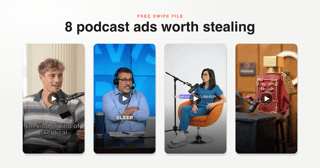
I turned this entire workflow into a Claude skill: it writes the script, identifies your characters, groups their lines for the model's duration limits, and applies the prompt structure above. Grab it free on the AI podcast ad page, and study the podcast ad swipe file alongside it.
Next Steps
Find one real podcast reference for your niche today, write a 6-line back-and-forth about the problem your product solves, and run it through this workflow.
If you want the shortcut, download the free podcast-ad skill, browse the swipe file of 8 examples, and watch the full video walkthrough in the sidebar.