What does the output look like?
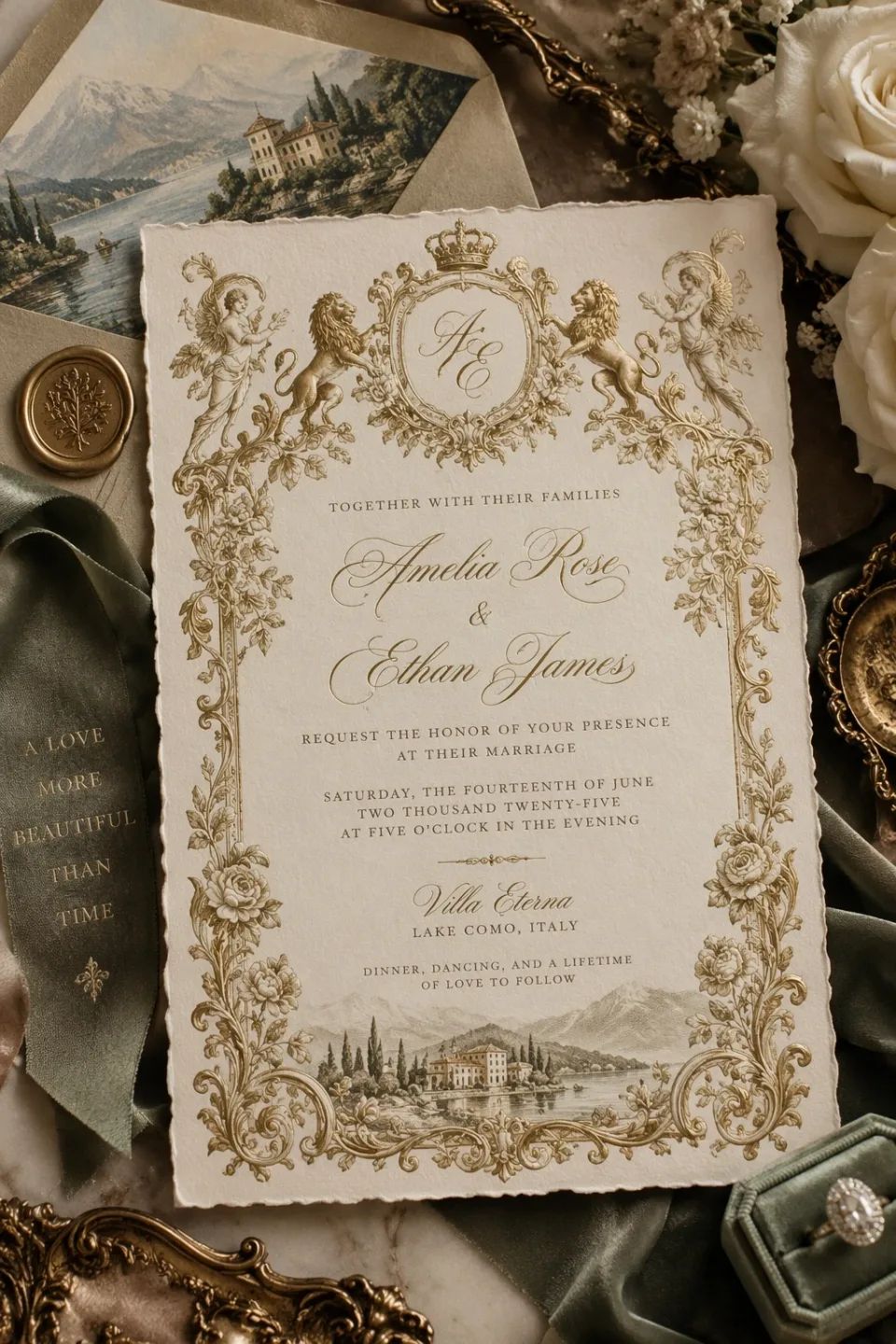
An ornate wedding invitation
A generated invitation combines gold illustration, fine typography, and a styled tabletop. OpenAI’s GPT Image 2.5 announcement does not identify whether this example uses Sunburst or Flare.
OpenAI official family example: Introducing ChatGPT Images 2.5What can GPT Image 2.5 Sunburst do?
Precision-focused image generation and editing for intricate visual detail
- Intricate visual detail
- Reference-based image editing
- Assets with transparent backgrounds
- Inputs
- Text, Image
- Aspect ratios
- 1:1, 3:2, 2:3, 16:9, 9:16, 4:3, 3:4, 4:5, 1.91:1
- Output options
- 1K:auto, 1K:low, 1K:medium, 1K:high, 1K:xhigh, 1K:max, 2K:auto, 2K:low, 2K:medium, 2K:high, 2K:xhigh, 2K:max, 4K:auto, 4K:low, 4K:medium, 4K:high, 4K:xhigh, 4K:max
- Typical generation time
- About 2 minutes
- Developer
- OpenAI
- Higher quality increases generation time and credit cost.
- Reference images add to credit cost; up to 16 are supported.
How much does GPT Image 2.5 Sunburst cost?
Base estimate
$0.025–$0.65 USD / image
0.25–6.5 credits / image
Estimated dollar cost uses the Solo monthly plan at $0.10 USD per credit. Your cost per credit depends on your plan.
Prices are per output image. Resolution, quality, reference images, and editing mode can affect the charge. Check the total shown in Starpop before generating.
How to use GPT Image 2.5 Sunburst
- Click “Create with GPT Image 2.5 Sunburst” and sign in or create an account. After setup, Starpop opens a new image workspace tab with the model selected.
- Describe the image to create, or attach the images you want to edit and identify what should change.
- Choose the output size, quality, and background. Select Transparent when you need a cutout asset.
- Review the credit estimate and generate. Check the result in your workspace, then download it or adjust your inputs to try again.