What does the output look like?
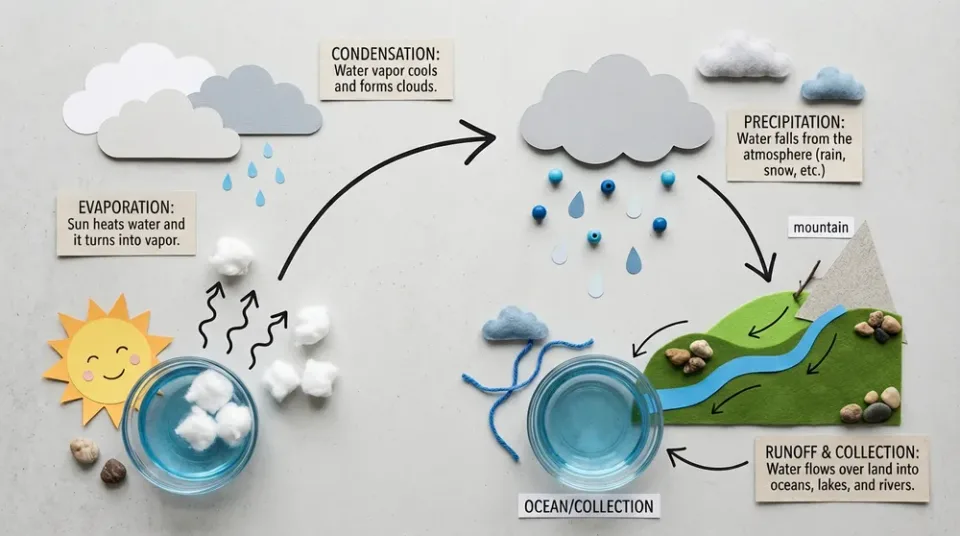
A water-cycle infographic
A generated educational diagram with craft materials, arrows, and readable labels, published in Google’s Nano Banana 2 announcement.
Google example: Nano Banana 2 announcementWhat can Nano Banana 2 do?
Next-gen fast image generation with multi-resolution output
- Rapid image generation and editing
- Draft-to-4K production workflows
- Campaign assets across many aspect ratios
- Inputs
- Text, Image
- Aspect ratios
- Match source, 1:1, 2:3, 3:2, 3:4, 4:3, 4:5, 5:4, 9:16, 16:9, 21:9
- Output options
- 0.5K, 1K, 2K, 4K
- Typical generation time
- About 22 seconds
- Developer
- Resolution affects credit cost, so early exploration is more efficient below 4K.
- Reference edits should use direct preservation language for people, products, and brand elements.
How much does Nano Banana 2 cost?
Base estimate
$0.075–$0.175 USD / image
0.75–1.75 credits / image
Estimated dollar cost uses the Solo monthly plan at $0.10 USD per credit. Your cost per credit depends on your plan.
Prices are per output image. Resolution, quality, reference images, and editing mode can affect the charge. Check the total shown in Starpop before generating.
How to use Nano Banana 2
- Click “Create with Nano Banana 2” and sign in or create an account. After setup, Starpop opens a new image workspace tab with the model selected.
- Enter a description for a new image, or attach reference images for an edit.
- Choose the aspect ratio and resolution. Lower resolution can be used for a layout draft before making a larger version.
- Review the credit estimate and generate. Check the result in your workspace, then download it or adjust your inputs to try again.