What does the output look like?
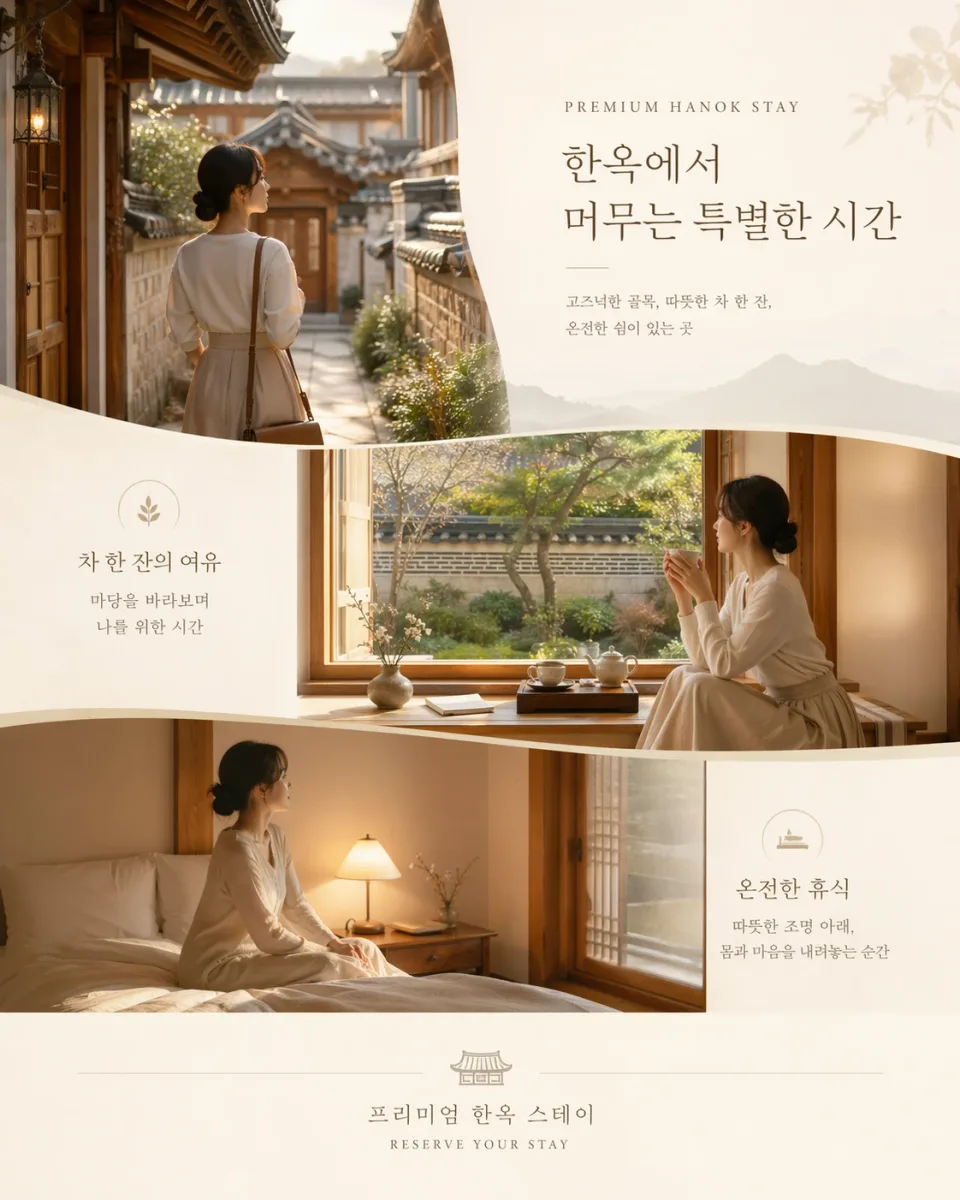
A Korean hospitality campaign
A generated hanok-stay advertisement combines Korean typography, editorial layout, and coordinated interior and courtyard scenes.
OpenAI official example: Introducing ChatGPT Images 2.0What can GPT Image 2 do?
OpenAI image generation with strong prompt adherence and text rendering
- Ad creative with rendered text
- Instruction-heavy image editing
- Multi-resolution campaign production
- Inputs
- Text, Image
- Aspect ratios
- 1:1, 3:2, 2:3, 16:9, 9:16, 4:3, 3:4
- Output options
- 1K:auto, 1K:low, 1K:medium, 1K:high, 2K:auto, 2K:low, 2K:medium, 2K:high, 4K:auto, 4K:low, 4K:medium, 4K:high
- Typical generation time
- About 45 seconds
- Developer
- OpenAI
- High-quality large-format outputs use materially more credits than draft settings.
- Even strong text rendering should be proofread before publishing.
How much does GPT Image 2 cost?
Base estimate
$0.025–$0.65 USD / image
0.25–6.5 credits / image
Estimated dollar cost uses the Solo monthly plan at $0.10 USD per credit. Your cost per credit depends on your plan.
Prices are per output image. Resolution, quality, reference images, and editing mode can affect the charge. Check the total shown in Starpop before generating.
How to use GPT Image 2
- Click “Create with GPT Image 2” and sign in or create an account. After setup, Starpop opens a new image workspace tab with the model selected.
- Describe the image and any exact text it should include, or add source images for an edit.
- Choose the output size and quality; check the estimate after adding references.
- Review the credit estimate and generate. Check the result in your workspace, then download it or adjust your inputs to try again.