Contents
0%Selling hoodies online without professional product photos used to mean hiring photographers, booking models, and waiting days for edits. A solid hoodie mockup generator changes that equation entirely, letting you produce realistic, ad-ready visuals in minutes from your laptop. Whether you're launching a new colorway or A/B testing designs across ad sets, mockups are the fastest path from concept to campaign.
The catch? Not all mockup tools deliver the same quality. Some give you flat, obviously fake results that hurt click-through rates. Others nail realism but lack the flexibility to scale. The right tool should produce visuals that look like they came from an actual photoshoot, realistic enough to run as paid ads on Meta, TikTok, or Google Shopping.
We built Starpop to help brands and agencies create hyper-realistic marketing assets with AI, from UGC-style videos to product imagery. So we know what separates a usable mockup from a scroll-stopper. Below, we've rounded up five of the best hoodie mockup generators available in 2026, comparing their strengths, limitations, and best use cases so you can pick the right fit for your workflow.
1. Starpop.ai
Starpop.ai goes beyond a standard hoodie mockup generator by combining AI image generation with video, voice, and ad creation tools in one platform. Instead of producing a static flat-lay and stopping there, you can turn that mockup into a fully animated UGC-style ad inside the same workflow, which cuts production time significantly.
What you can make for hoodie mockups and ads
With Starpop, you can generate product-holding characters wearing your hoodie design, drop them into lifestyle scenes, and produce both static images and motion assets from a single prompt. Over 225 image templates give you a strong starting point, and the AI handles fabric texture and lighting to produce results that look closer to actual photography than a typical render.

Starpop's image-to-video pipeline means your hoodie mockup can become a moving ad without leaving the platform.
How the workflow works from design to ad-ready assets
You upload your design, select a character template or scene, and generate your image. From there, you animate the image into a short video clip, layer in a voiceover using the built-in voice cloning tool, and trim the final output in the same dashboard. Batch processing supports up to 20 assets at once, which saves real time when you're testing multiple colorways or ad formats simultaneously.
Best use cases and teams it fits
Starpop fits e-commerce brands and performance marketing agencies that need to move fast across both static and video ad formats. Small agencies managing multiple apparel clients get extra value from shared workspaces and role-based access controls that keep client assets organized.
Limits and watch-outs
Starpop is built for marketing output, not technical apparel design. If you need precise measurement overlays or detailed print-placement specifications, you'll want a dedicated mockup tool for that step before bringing assets into Starpop for ad production.
Pricing
Starpop runs on subscription-based plans with team credits pooled across workspaces. Pricing scales with the number of seats and credits your team needs, so smaller brands can start lean and upgrade as output volume grows.
2. Canva
Canva is a widely recognized design platform that includes a growing library of apparel mockup templates you can customize without any design experience. It's a practical option if your team already uses Canva for other brand assets and wants to consolidate tools in one place.
Mockup options for hoodies and apparel
Canva's template library includes flat-lay and lifestyle-style hoodie mockups that you can update with your colors, graphics, and logos. The selection is narrower than dedicated mockup platforms, but the drag-and-drop editor makes basic customization fast even for non-designers who are just getting started.
How fast you can build on-brand variations
You can duplicate a template, swap colors, and drop in your logo in under five minutes. Brand Kit integration automatically pulls your exact fonts and color palette, so every variation stays on-brand without manual adjustments each time.
Canva works best when you need quick static mockups and already have your brand assets loaded into the platform.
Best use cases and teams it fits
Small apparel brands and solo creators who need decent-looking mockups without a steep learning curve get the most from Canva. It works well for organic social posts and simple product listings where photorealistic rendering is not the top priority.
Limits and watch-outs
Canva's hoodie mockup generator options are limited compared to specialized tools. You won't get realistic fabric texture or advanced scene control, so results can look generic when you scale to paid ad campaigns.
Pricing
The free plan includes basic templates, and Canva Pro runs at $15 per month per person, which unlocks Brand Kit access and premium mockup assets.
3. Placeit
Placeit is a dedicated mockup platform owned by Envato that focuses almost entirely on product visualization. Its library is one of the largest available, making it a strong hoodie mockup generator for apparel brands that need variety fast.
Template depth for hoodie listings and social ads
Placeit offers thousands of hoodie-specific templates, covering flat-lays, model shots, lifestyle scenes, and social ad formats. You can filter by gender, age group, and setting, which speeds up the search when you need a specific visual style for a campaign.
How it handles models, scenes, and variants
You upload your design file and Placeit maps it onto the mockup automatically, adjusting for wrinkles and fabric folds. Switching between dozens of model poses and backgrounds requires no re-uploading of your artwork each time, which keeps the process efficient when you're testing multiple variants.
Placeit's automatic design placement saves significant time when you're cycling through multiple colorways or size options in a single session.
Best use cases and teams it fits
Placeit works well for print-on-demand sellers and small apparel brands that primarily need static product images for Etsy listings, Shopify stores, and organic social posts.
Limits and watch-outs
The platform produces only static images, so you cannot animate mockups or build video ads from within the tool. Results can also look uniform since many other sellers pull from the same template library.
Pricing
Placeit offers a subscription plan at around $14.95 per month, with unlimited downloads across its full template library included.
4. Artboard Studio
Artboard Studio is a browser-based design tool that gives you precise control over mockup presentation, making it a strong option as a hoodie mockup generator for brands that need polished, layered visuals without installing software.
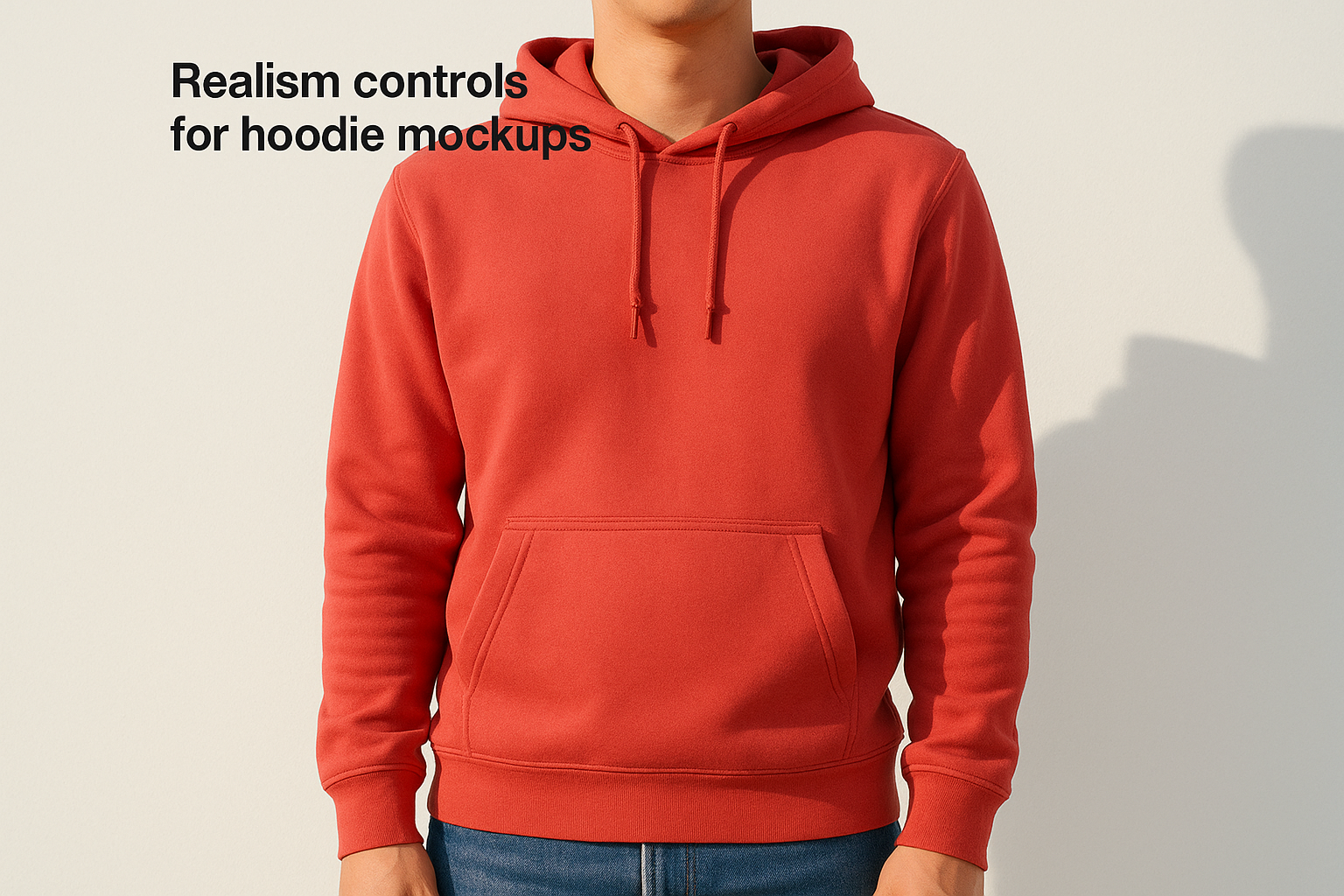
Realism controls for hoodie mockups
Artboard Studio lets you adjust shadows, lighting direction, and fabric overlays directly in the editor. These controls produce results that look more like studio photography than a basic template render, which matters when you're running paid ads where visual quality directly affects click-through rates.
How it handles scenes, layers, and brand kits
You can build multi-layer scenes that combine your hoodie mockup with backgrounds, props, and brand elements on a single canvas. The brand kit feature stores your logos, color palettes, and fonts, so you apply them consistently across every design without reuploading assets each time you start a new project.
Artboard Studio's layered editor gives you more creative control than most template-based mockup tools.
Best use cases and teams it fits
Artboard Studio fits small creative teams and independent designers who want more visual flexibility than simpler template tools offer but do not need a full video production pipeline attached to their mockup workflow.
Limits and watch-outs
The platform carries a steeper learning curve than basic drag-and-drop tools, so first-time users may need extra time to get comfortable with the layer-based editor before output speeds up.
Pricing
Artboard Studio offers a free tier with limited exports, and paid plans start at around $29 per month for full access to templates and exports.
5. Mockey AI
Mockey AI is a fast, browser-based hoodie mockup generator built around speed and simplicity. It strips away the advanced editing layers you find in tools like Artboard Studio and focuses on getting clean mockup outputs as quickly as possible, which makes it a practical pick when you need volume over customization.
AI-assisted mockup templates for hoodies
Mockey AI uses AI to automatically apply your uploaded design to hoodie templates, handling placement, perspective, and basic shadow adjustments without manual input from you. The template library covers common hoodie styles, colors, and flat-lay angles, giving you enough variety for standard product listings and social posts without spending time hunting for the right scene.
Mockey AI's automated placement works well when you need to push out mockups quickly across multiple colorways without touching layer controls.
How it handles bulk-style output and speed
You can upload a design once and cycle through multiple hoodie templates in a single session, downloading each output as you go. The process is fast, and no account setup is required to test the tool, which lowers the barrier for first-time users who want results before committing to a paid plan.
Best use cases and teams it fits
Mockey AI fits solo founders, POD sellers, and early-stage apparel brands that need functional mockups for product listings without a heavy time investment.
Limits and watch-outs
You get limited control over lighting, backgrounds, and scene composition, so results lack the polish needed for high-budget paid ad campaigns.
Pricing
Mockey AI offers a free tier with watermarked downloads, and paid plans start at around $9 per month for watermark-free exports.
Next Steps
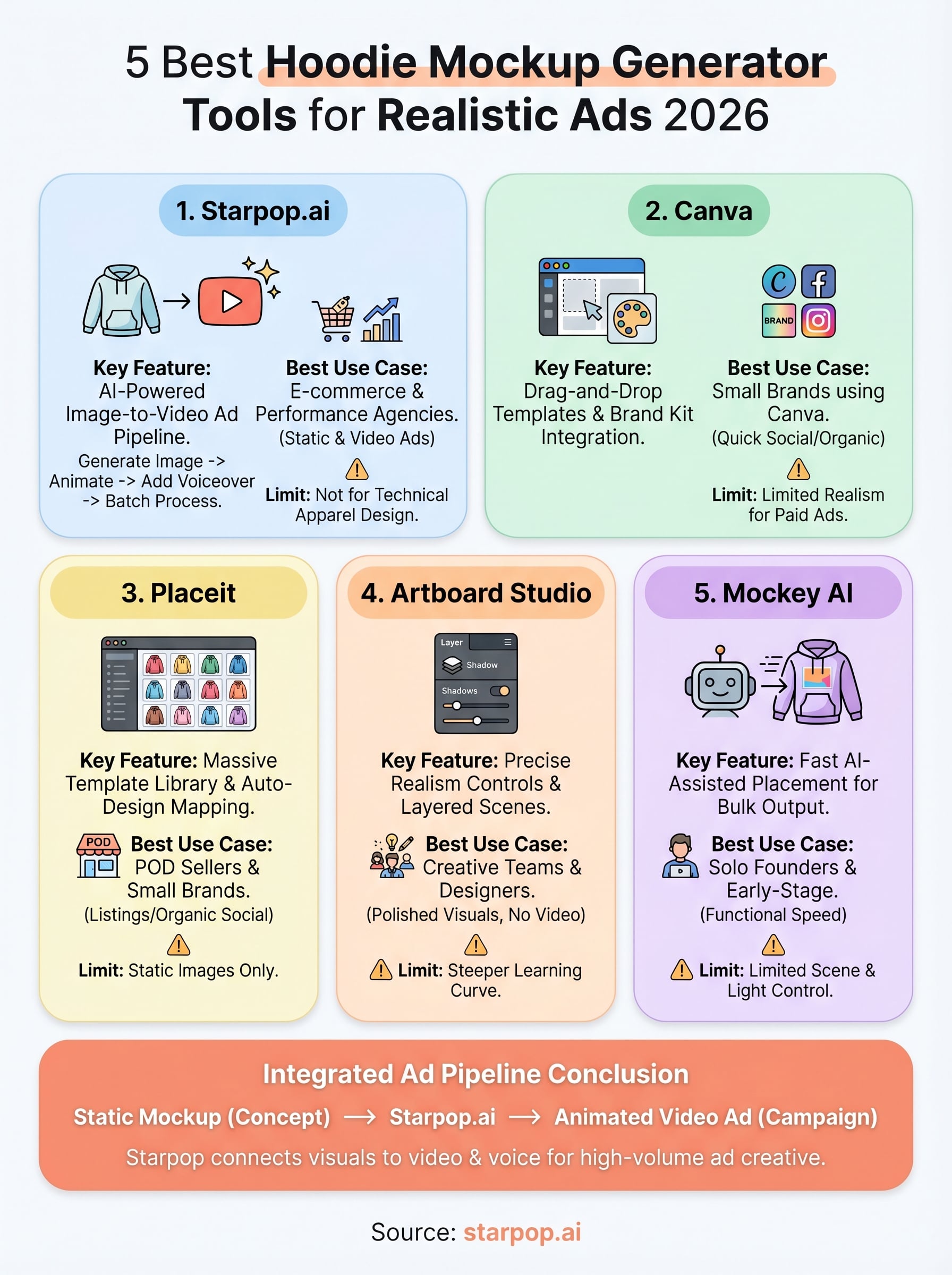
Picking the right hoodie mockup generator comes down to what you need on the other side of the export button. If your goal stops at a clean product image for a listing, Placeit or Mockey AI will get you there fast. If you need mockups that feed directly into paid ad campaigns, you need a tool that connects static visuals to video, voiceover, and multi-format output without forcing you to jump between platforms.
That is exactly where Starpop.ai fits into your workflow. You can generate a realistic hoodie image, animate it into a video ad, and export both formats in the same session, all without managing five separate subscriptions. For e-commerce brands and agencies running high-volume ad creative, that integrated pipeline makes a measurable difference in how fast you move from idea to live campaign. Try it yourself at Starpop.ai and see how far one platform can take your ad production.