Contents
0%Whether you're mapping out a detailed shifting script or outlining scenes for your next short film, a messy Google Doc isn't going to cut it. A solid Notion script template gives you the structure to organize characters, scenes, dialogue, and world-building details in one place, without losing your mind scrolling through endless pages.
Notion works well for this because it's flexible enough to handle both creative and technical workflows. You can build linked databases for characters, embed reference images, toggle between outline and full-script views, and share everything with collaborators. That structure matters whether you're crafting a DR script for shifting or writing a screenplay you actually plan to produce.
And when your script is ready to become something visual, that's where a platform like Starpop comes in. We help creators turn written concepts into polished video content, talking-head ads, cinematic b-roll, localized voiceovers, using AI models you'd otherwise need five separate subscriptions to access. So the script template gets your ideas organized; Starpop helps you produce them at scale.
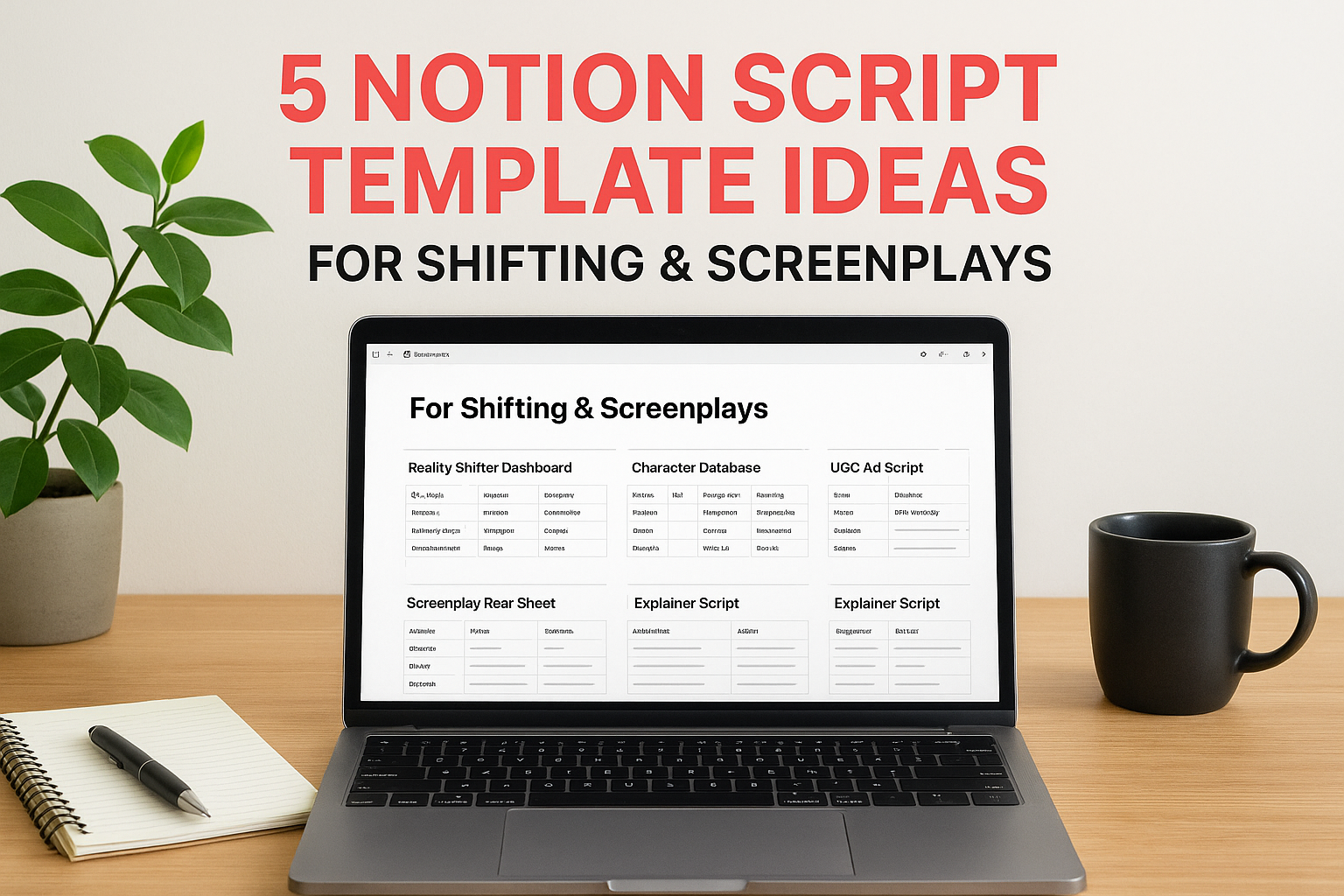
Below, you'll find five Notion script template ideas built for different use cases, from reality shifting journals to screenwriting databases and video ad scripts. Each one is designed to keep your creative process clean, searchable, and ready to act on.
1. Starpop Ad Script Template for UGC Videos
This notion script template is built around one goal: getting from a product idea to a tested video ad as fast as possible. UGC-style ads follow predictable structural patterns, hook, problem, solution, proof, call to action, so a clean Notion setup lets you batch-write variations and track which ones move to production.
Template goal and when to use it
Use this template when you need to produce multiple UGC ad variations for a single product or campaign. It works best for e-commerce brands and agencies running paid traffic on TikTok or Meta, where creative volume directly affects how quickly you find a winning format.
Core Notion structure to build
Build this as a Notion database where each row represents one individual ad script. Link it to a separate Product database so you can pull product names, claims, and image references directly into each script row without retyping anything across entries.
Once your scripts live in a linked database, filtering by status or ad format takes seconds, not minutes.
Fields to include for fast creative testing
Add these fields to each script entry so you can move fast without losing track of what is ready:
- Hook variant (text): The opening line, write 2 to 3 options per row
- Ad format (select): Talking-head, b-roll, or mixed
- Target audience (text): Who the ad speaks to directly
- Pain point (text): The specific problem you are addressing
- CTA (text): Your exact call to action phrase
- Status (select): Draft, Review, or Ready for Production
How to move from Notion to Starpop production
Once a script reaches "Ready for Production," pull the hook and body copy directly into Starpop's video generation workflow. Starpop supports talking-head UGC formats and cinematic b-roll, so your Notion script structure maps onto the platform's scene builder without any reformatting needed on your end.
2. DR Shifting Script Dashboard
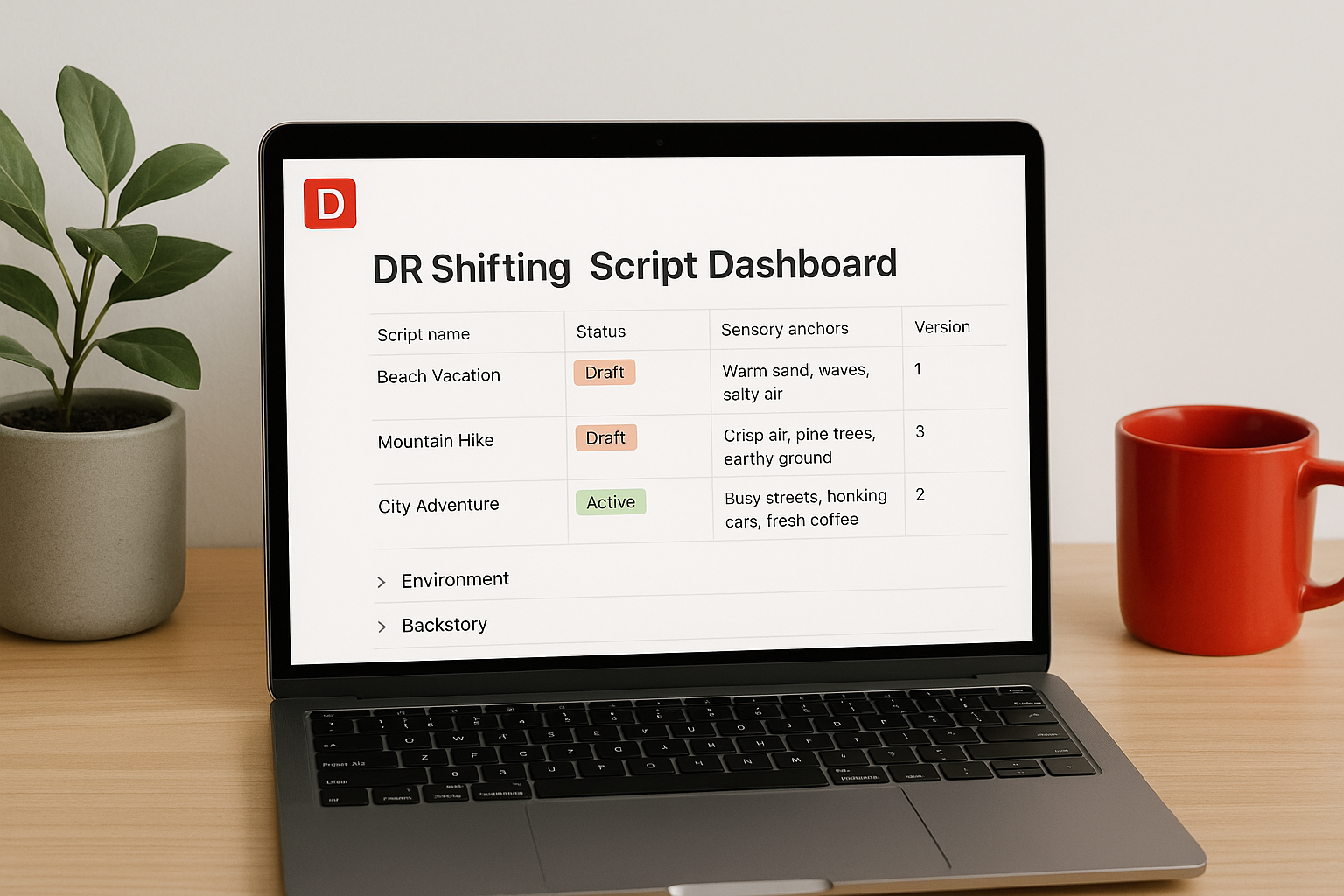
A DR shifting script dashboard helps you store and organize multiple Desired Reality scripts in one searchable place. This notion script template works well when your DR has distinct locations, rules, and timelines you want to refine over multiple sessions.
Template goal and when to use it
Use this template when your DR has grown complex enough that a single document becomes hard to navigate. It keeps your script versions, reality rules, and sensory details organized in a database format so you can find what you need without scrolling through hundreds of lines.
Core Notion structure to build
Build a database where each row is a unique script entry. Add a linked page inside each row for the full script body so the database stays clean at the top level.
Use a "Version" number field to track updates without overwriting scripts you may want to return to.
Fields to include for clear, consistent scripting
Include these fields in every entry:
- Script name (text): Label by DR name or session goal
- Status (select): Draft, Active, or Archived
- Sensory anchors (text): Key sights, sounds, and physical feelings tied to the shift
Tips to keep it detailed without getting overwhelmed
Break your full script body into toggle blocks inside each row: environment, backstory, and affirmations each in their own toggle. This keeps the page clean and lets you focus on one element at a time during a session.
3. DR Character and Relationships Script
A character-focused notion script template keeps every person in your DR organized with consistent details you can reference across multiple scripts. When your DR includes a full cast of characters, tracking their names, backstories, and relationship dynamics in a single Notion database prevents the kind of small contradictions that break immersion.
Template goal and when to use it
Use this template when your DR involves several characters with defined roles. It works best when relationships and boundaries between characters need to stay consistent across different script versions or sessions.
Core Notion structure to build
Build a character database where each row holds one character. Link each row back to your DR shifting dashboard so every script can pull character details without duplicating information across pages.
Linked databases make it easy to update one character entry and have that change reflect across every connected script automatically.
Fields to include for characters, dynamics, and boundaries
Add these fields to keep each character entry complete: character name, role (select), personality summary (text), relationship to you (text), and hard boundaries (text).
Tips to avoid contradictions across scripts
Before writing a new script, review the character database first. Checking relationship fields and boundaries before you write keeps your DR internally consistent across every session.
4. Screenplay Beat Sheet and Scene List
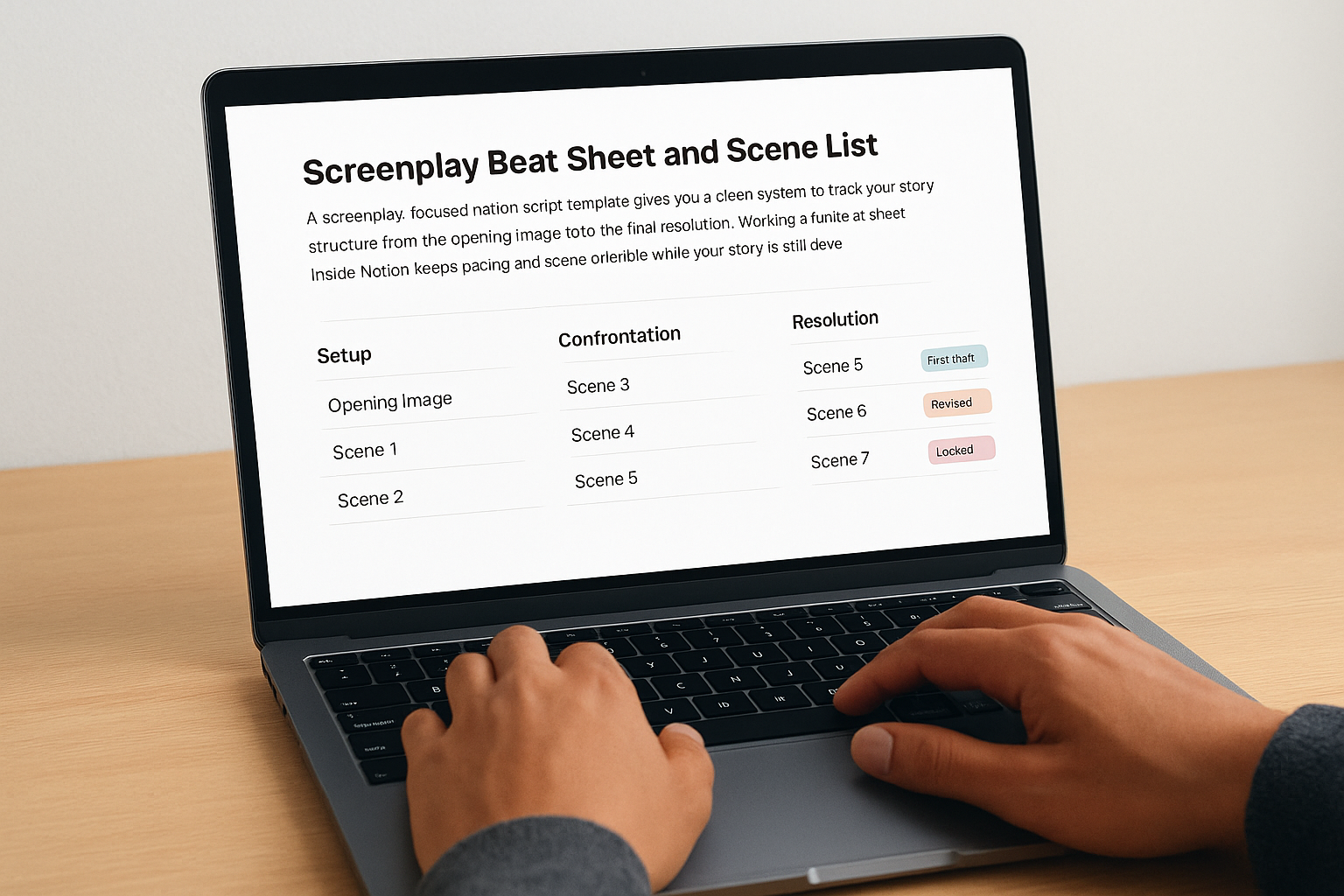
A screenplay-focused notion script template gives you a clean system to track your story's structure from the opening image to the final resolution. Working through a beat sheet inside Notion keeps pacing and scene order visible while your story is still developing.
Template goal and when to use it
Use this template when you're writing a short film, feature, or episodic script and need a structured way to plan before writing full dialogue. It works best during the development phase, when scenes shift around frequently and you need to see the whole story at once.
Core Notion structure to build
Build a scene database where each row represents one scene or beat. Add a linked page inside each row to store full scene dialogue separately from the structural overview.
Keeping structure and dialogue in separate layers lets you reorganize beats without disrupting your full script content.
Fields to include for beats, scenes, and revision tracking
Add these fields to each row:
- Beat name (text): Short label for the scene's dramatic purpose
- Scene number (number): Keeps order sortable at all times
- Dramatic function (select): Setup, confrontation, or resolution
- Revision status (select): First draft, revised, or locked
Tips to keep pacing and structure visible
Switch to Notion's board view grouped by dramatic function to see your story's shape instantly. If one section looks thin, you know exactly where to add scenes before writing a single line of dialogue.
5. Video Demo and Explainer Script
A video demo or explainer script has a tighter structure than most formats. Every second counts, and you need your hook, key steps, and voiceover cues mapped out before you record anything. This notion script template keeps all of that in one place so nothing gets missed during production.
Template goal and when to use it
Use this template when you're scripting a product walkthrough, app demo, or how-to explainer. It works best when your video needs to communicate a clear outcome in under two minutes without losing the viewer halfway through.
Core Notion structure to build
Build a linear page with toggle blocks for each section of the video. Keep your hook, step-by-step body, and closing CTA in separate toggles so you can rewrite one section without disturbing the rest.
Separating your hook from the body lets you test multiple opening lines without touching your core script content.
Fields to include for hooks, steps, and voiceover
Add a hook variant field, a voiceover notes block, and a screen action column describing exactly what appears on screen during each line.
Tips for timing, clarity, and on-screen visuals
Read your script out loud and time each section. If a step runs over 20 seconds, cut it down or split it into two separate beats.
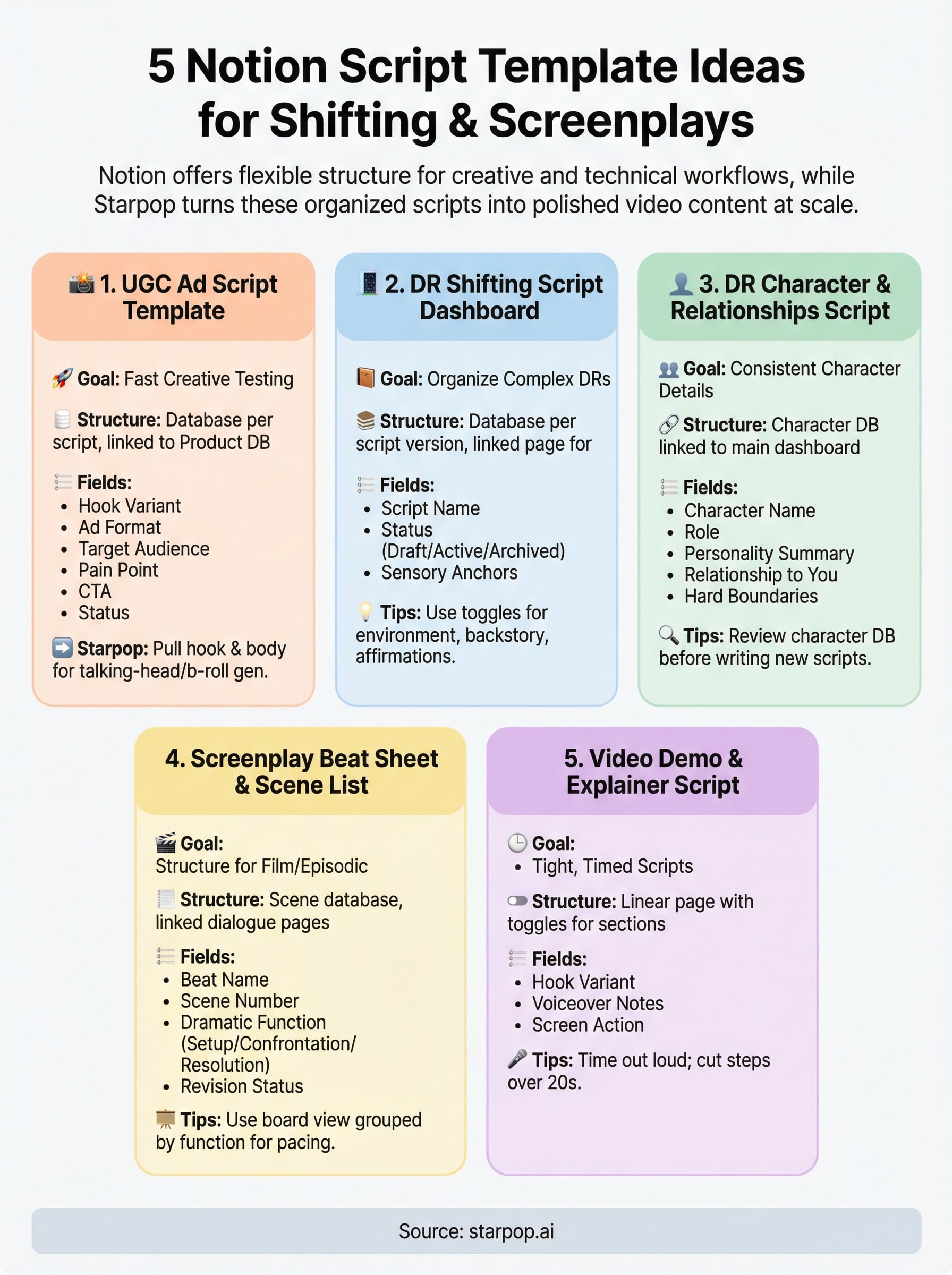
Wrap-Up and What to Do Next
Each notion script template idea in this list solves a different problem. The UGC ad template helps you batch-write and test creative variations fast. The DR shifting dashboard and character database keep your reality-building detailed and consistent. The beat sheet gives your screenplay a visible structure before you write a single line of dialogue. The explainer template keeps your video scripts tight and timed from the start.
Pick the template that matches your current project and build it in Notion before your next session. Start simple, add fields only when you actually need them, and keep the structure working for you instead of slowing you down.
When your script is ready to become a real video, whether that is a UGC ad, product demo, or cinematic clip, start creating on Starpop and turn your written concepts into polished, production-ready content without a filming crew or multiple tool subscriptions.