Contents
0%Seedance 2.5 Flash is now available on Starpop. It's the faster, lower-cost version of ByteDance's Seedance 2.5. It makes videos from 4 to 30 seconds long with sound generated in the same pass, from a text prompt, a start and end frame, or a mix of image, video, and audio references.
In our tests, Flash videos were ready in about 2 minutes, compared with 3 to 4½ minutes for Seedance 2.5. Times vary with demand, but Flash is built for the moments when you want to try an idea, change it, and try again.
Same prompt, Seedance 2.5 and Flash
We gave both models the same prompts in Starpop. Every clip below is 10 seconds at 720p and 16:9, and the sound was generated by the model. Turn on the sound to hear it.
A conversation at a coffee shop
Two friends sit across from each other at a small wooden table in a cozy neighborhood coffee shop, chatting casually over lattes. The woman says, "I finally fixed the leaky faucet this weekend." The man laughs and replies, "Took you long enough, it's been dripping since spring." Warm afternoon window light, soft background chatter and cups clinking, natural handheld camera, medium two-shot.
Seedance 2.5
Seedance 2.5 Flash
Both videos were made in Starpop from the prompt above.
Both models speak both lines of dialogue in order and keep the two faces consistent for the full 10 seconds. Seedance 2.5 frames the pair closer in a darker, moodier café and gives them bigger reactions, with a full laugh and a gesture with the cup. Flash uses a wider two-shot with brighter window light and calmer, smiling delivery.
An animated mascot from a text prompt
A polished 3D animated scene: Starpop's mascot, a coral-pink rounded asterisk character with big white oval eyes, thin lavender round glasses, a friendly smile, peach arms and legs, and white sneakers, runs a tiny film set on a pastel peach-to-cyan desk. It snaps a clapperboard, a miniature camera on a tripod rolls toward it, and it gives the lens a thumbs-up and says, "Action!" Soft studio light, slow push-in, playful orchestral sting.
Seedance 2.5
Seedance 2.5 Flash
Both videos were made in Starpop from the prompt above.
Both models say "Action!" and end on a thumbs-up, but neither reproduces our asterisk from the description alone. Both draw a five-pointed star with glasses and sneakers. Seedance 2.5 keeps a plain backdrop and pushes into a tight close-up. Flash builds a fuller desk film set with a studio light and more props, and keeps the character in a medium shot.
The same mascot from a reference image
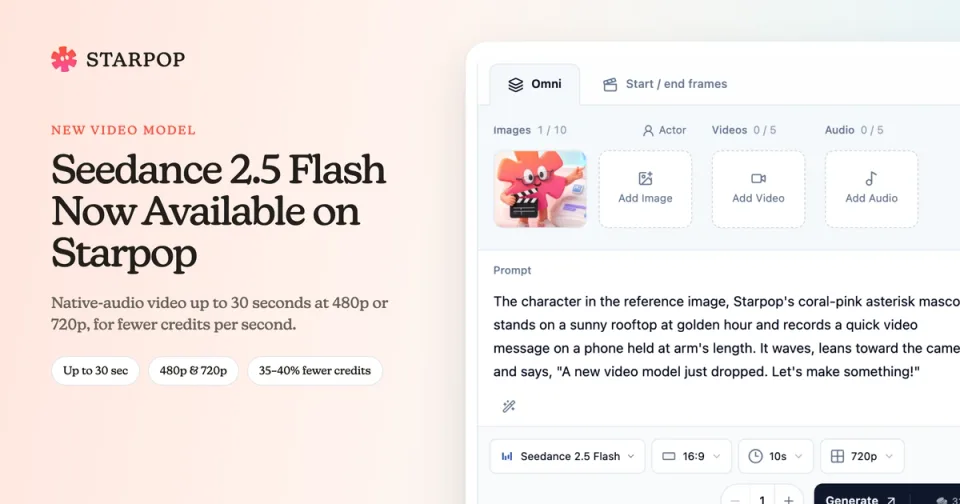
To keep a character exact, give the model a picture of it. We added one image of our mascot in Omni mode and used this prompt:
The character in the reference image, Starpop's coral-pink asterisk mascot, stands on a sunny rooftop at golden hour and records a quick video message on a phone held at arm's length. It waves, leans toward the camera and says, "A new video model just dropped. Let's make something!" Then it spins once and gives a thumbs-up. Keep its shape, glasses, colors, and sneakers exactly as in the reference. Polished 3D animation, warm light, upbeat music.
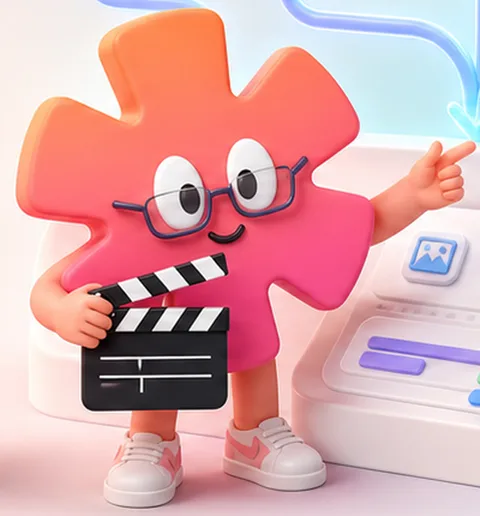 The Starpop mascot, a coral-pink asterisk with glasses and white sneakers, holding a clapperboardThe Starpop mascot, a coral-pink asterisk with glasses and white sneakers, holding a clapperboardThe Starpop mascot, a coral-pink asterisk with glasses and white sneakers, holding a clapperboardThe Starpop mascot, a coral-pink asterisk with glasses and white sneakers, holding a clapperboard
Both videos were made in Starpop at 16:9.
With the reference, both models keep the asterisk shape, the glasses, the colors, and the sneakers. Both deliver the line, spin, and finish with a thumbs-up. Seedance 2.5 moves the camera more and shows more of the rooftop. Flash holds the phone-at-arm's-length selfie framing longer before pulling back for the spin.
What's different from Seedance 2.5
- Up to 720p: Choose 480p or 720p. Seedance 2.5 also offers 1080p.
- Fewer references: Add up to 10 images, 5 videos, and 5 audio clips. Seedance 2.5 accepts 30 images, 10 videos, and 10 audio clips.
- Fewer credits per second: Flash costs 35% less at 720p and 40% less at 480p.
Everything else works the same way: 4- to 30-second videos, sound generated with the picture, 16:9, 9:16, 1:1, 4:3, 3:4, and 21:9 output, and both the Omni and Start / end frames modes.
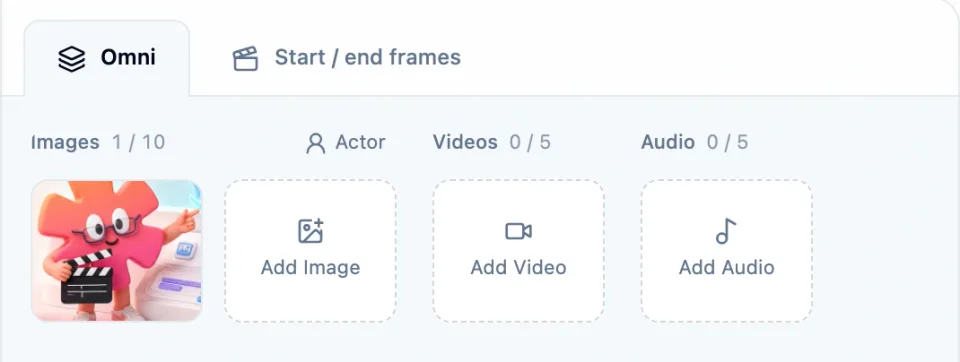
The Seedance 2.5 Flash Omni form with one reference image added and room for up to 10 images, 5 videos, and 5 audio clips
Reference videos can add up to 30 seconds in total, and so can reference audio. Audio references need at least one image or video beside them.
Pay fewer credits per second
| Credits per second | Seedance 2.5 | Seedance 2.5 Flash |
|---|---|---|
| 480p | 2.5 | 1.5 |
| 720p | 5 | 3.25 |
| 1080p | 12.5 | Not available |
A 10-second 720p video costs 32.5 credits with Flash instead of 50 with Seedance 2.5.
When you add reference videos, both models charge 60% of the rate above, counted over the length of your reference videos plus the length of the new video. A 10-second 720p video guided by a 10-second reference video costs 39 credits with Flash and 60 with Seedance 2.5. The total is always shown on the Generate button before you start.
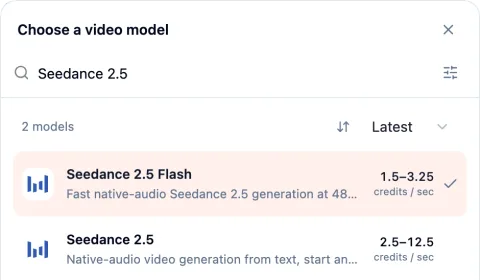
The Starpop model picker showing Seedance 2.5 Flash at 1.5 to 3.25 credits per second and Seedance 2.5 at 2.5 to 12.5 credits per second
Flash or Seedance 2.5: which should you choose?
Choose Seedance 2.5 Flash when you're exploring. It's a good fit for testing a script, trying several directions for the same scene, checking whether a set of references works, or making many social variations at 480p or 720p.
Choose Seedance 2.5 when the clip is going out as a final ad. Use it when you need 1080p, more than 10 reference images, or the most expressive performances.
A practical workflow is to find the right prompt and references with Flash, then make the final version with Seedance 2.5.
How to use Seedance 2.5 Flash
Open Video
In your Starpop workspace, select Video and choose Seedance 2.5 Flash from the model picker.
Choose a mode
Select Omni to start from a prompt or guide the result with images, videos, and audio, or Start / end frames to set the opening and closing shot.
Write the prompt
Describe the scene, action, camera movement, dialogue, and sound. If you added references, say what each one is for.
Add your media
Add up to 10 images, 5 videos, and 5 audio clips, or one or two frames.
Choose the output
Pick an aspect ratio, a duration from 4 to 30 seconds, and 480p or 720p. Check the credit total and select Generate.
Use it in chat or from your own AI assistant
Seedance 2.5 Flash is also available in Starpop chat. Ask Star to use Seedance 2.5 Flash, describe the video you want, and point to the media that should become frames or references. Star can prepare the draft for you to review before generation.
If you've connected ChatGPT, Claude, or another assistant to Starpop, it can use Seedance 2.5 Flash too.