Contents
0%GPT Image 2.6 Flare and GPT Image 2.6 Sunburst are now available on Starpop. Create an image from a prompt, guide it with up to 16 reference images, or edit an existing image by describing the change. Both models offer 16 aspect ratios and output up to 4K.
Same prompt, GPT Image 2.5 and 2.6
We gave GPT Image 2.5 and 2.6 the same prompts. Every image below is 2K at High quality.
An animated film still
A Pixar-style 3D animated film still. A small round-faced girl with a messy red braid and an oversized yellow raincoat crouches in a rainy city alley at night, holding up a glowing jar of fireflies to a scruffy one-eared stray cat who stares at it in wonder. Warm lantern light against cool blue rain, soft volumetric haze, puddle reflections, expressive oversized eyes, subsurface skin scattering, stylized but detailed textures, shallow depth of field, cinematic composition.
GPT Image 2.5 Flare
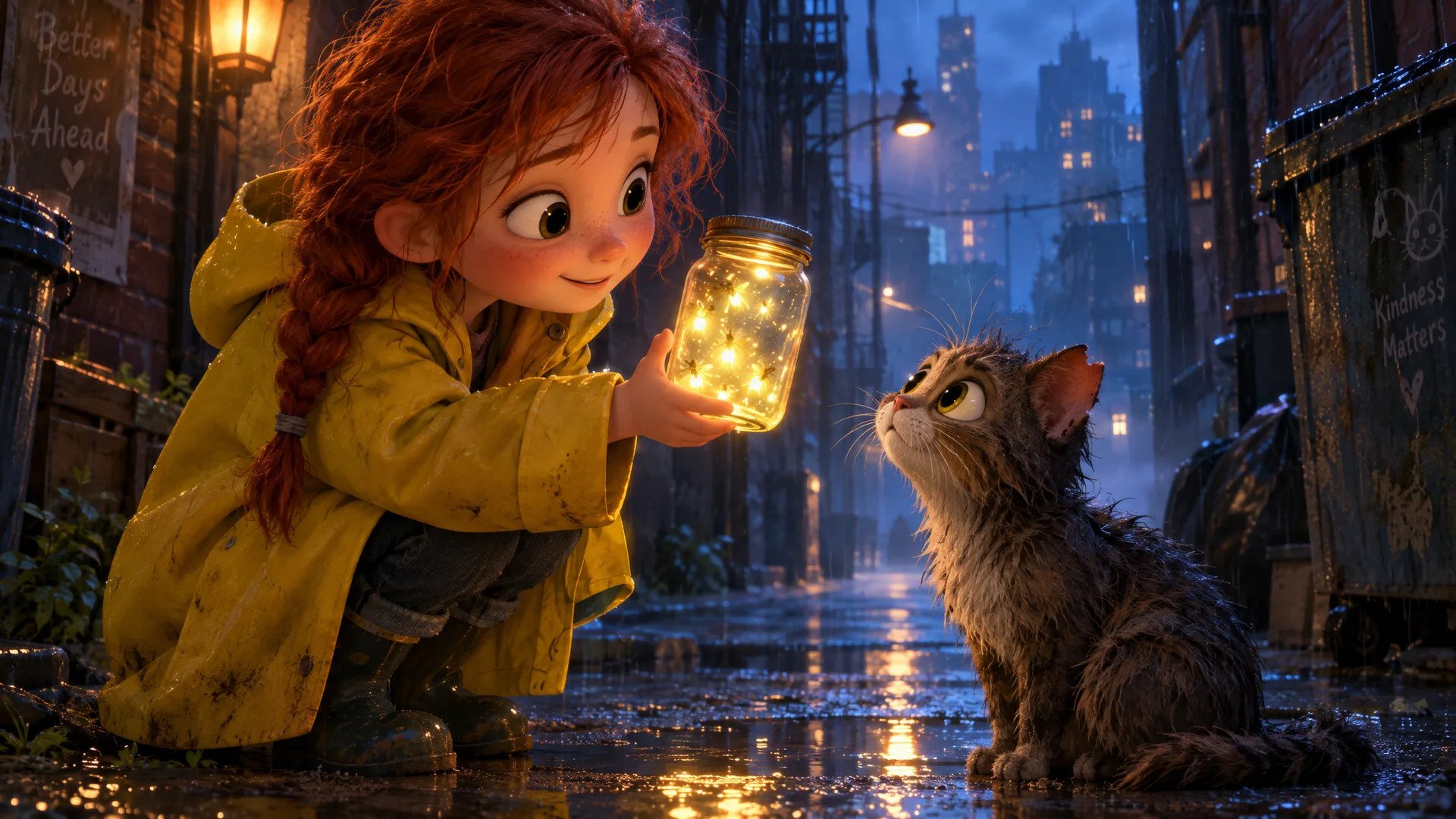
GPT Image 2.5 Flare: the girl holds the firefly jar out to a wet tabby cat, with slogans painted on the alley walls
GPT Image 2.6 Flare
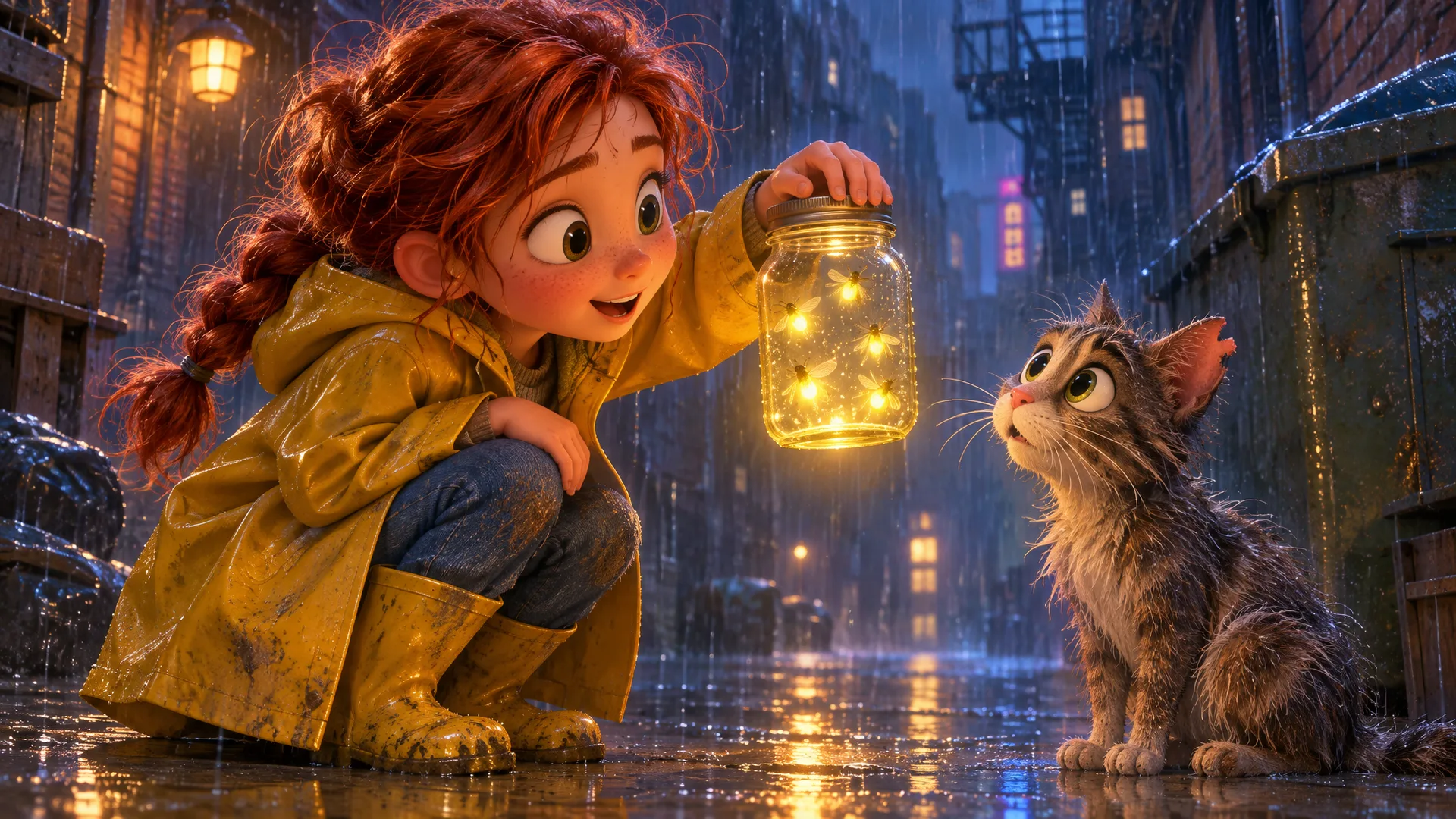
GPT Image 2.6 Flare: the girl lifts the glowing jar toward a wide-eyed cat in heavy rain, with neon signs in the distance
GPT Image 2.6 Sunburst
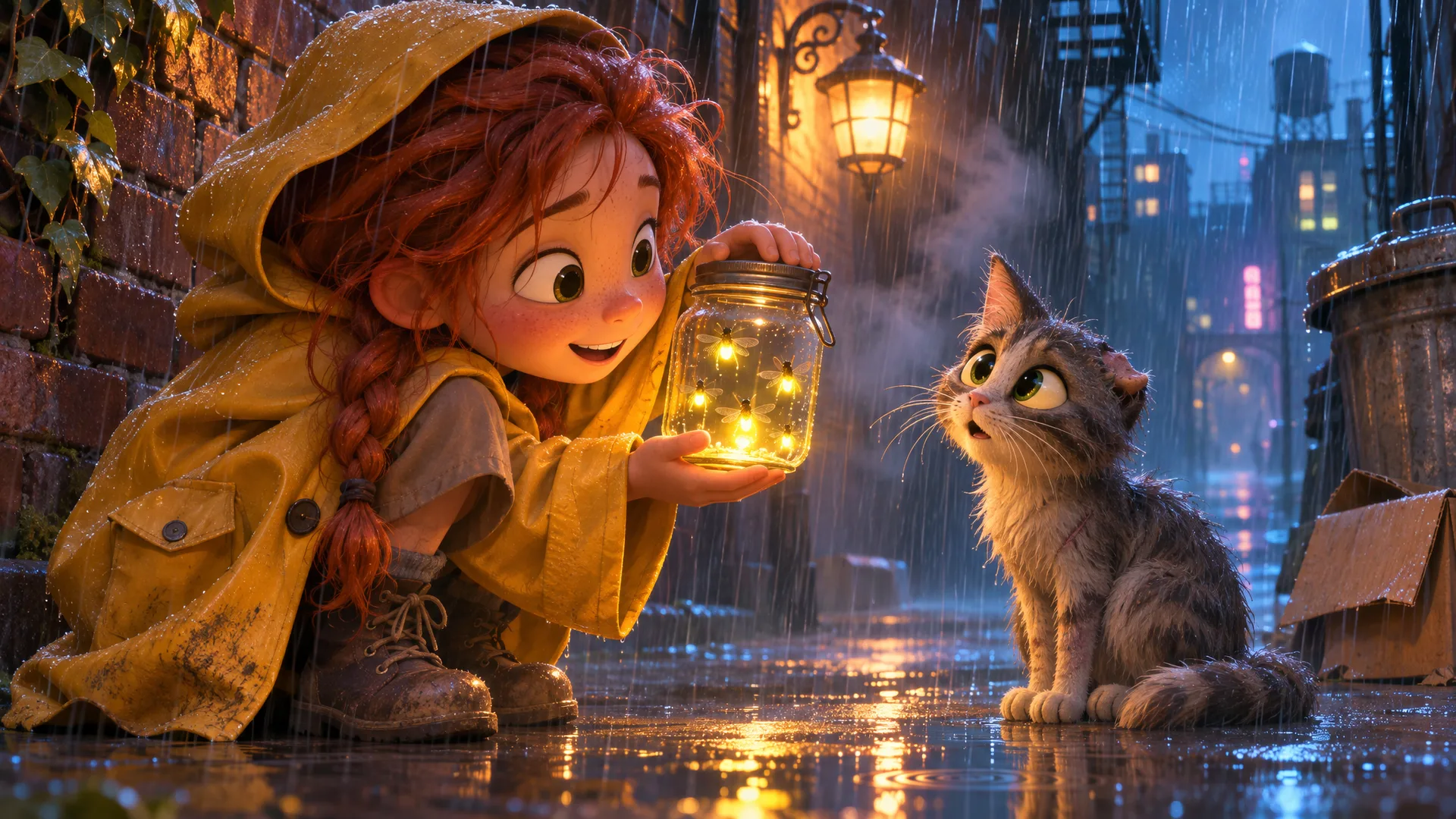
GPT Image 2.6 Sunburst: the girl in a hooded raincoat cradles the jar beside a wall lantern while the cat looks up in surprise
All three images were made by the Starpop team from the prompt above at 16:9.
All three follow the brief closely. GPT Image 2.5 painted slogans on the walls that the prompt never asked for. Neither GPT Image 2.6 image added any text, and both show heavier rain and more expressive faces.
A UGC selfie
A realistic UGC-style vertical smartphone photo for an Instagram story. A woman in her late twenties with natural skin texture, visible pores, light freckles and minimal makeup sits cross-legged on her unmade bed in soft morning window light, holding a small amber glass dropper bottle of face serum up toward the camera with a casual, excited half-smile, mid-sentence. Shot on an iPhone front camera at arm's length: slight wide-angle distortion, a little motion blur on her hand, slightly blown-out window highlights. Messy real bedroom background with a laundry basket, a half-drunk mug of coffee and a phone charger on the nightstand. Unedited, unposed, authentic.
GPT Image 2.6 Sunburst
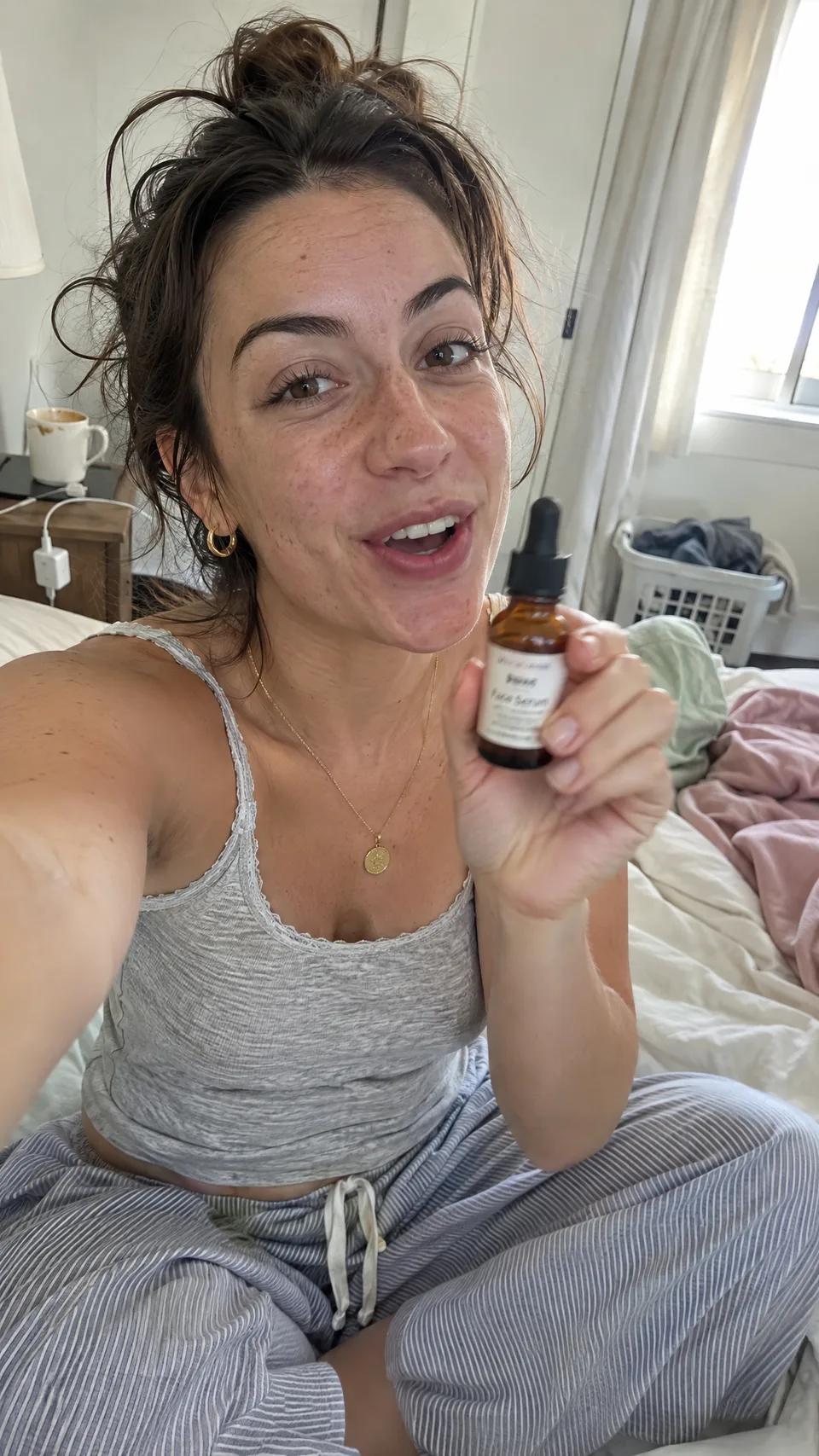
GPT Image 2.6 Sunburst: an arm's-length selfie of a woman on an unmade bed holding a serum bottle toward the camera, with a laundry basket and coffee mug behind her
Made by the Starpop team from the prompt above at 9:16. The product is fictional.
The background details from the prompt are all there: the laundry basket, the mug, and the charger on the nightstand. The outstretched arm and blown-out window make it look like a real front-camera photo.
When an image includes a product, check its label before you use it. In our tests, both GPT Image 2.5 and 2.6 sometimes printed a real brand name on the bottle when the prompt didn't name one. Name your own product, or describe a plain label, to keep control of what appears.
Flare or Sunburst: which should you choose?
OpenAI says Images 2.6 generates images about 50% faster than Images 2.5. It positions Flare as the fast option for everyday generation and Sunburst for higher-quality images and more consistent results across edits. Read OpenAI's announcement.
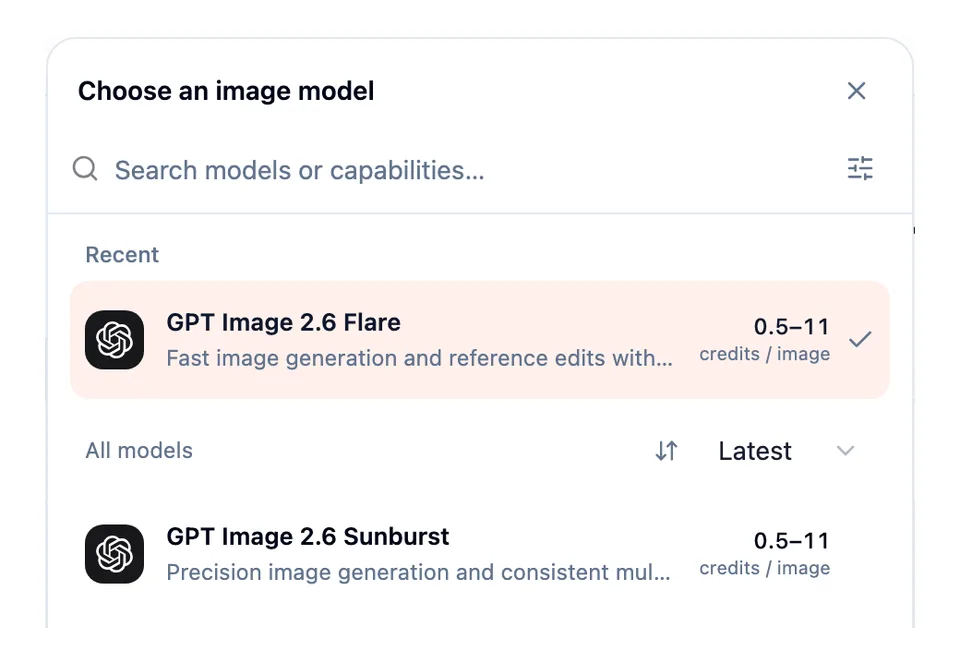
The Starpop image model picker with GPT Image 2.6 Flare and GPT Image 2.6 Sunburst, each from 0.5 to 11 credits per image
| Your next task | Start with | Why |
|---|---|---|
| Explore a new ad concept | Flare | Try several settings and styles quickly. |
| Turn one idea into several posts | Flare | Change the format or scene and compare results. |
| Refine a hero image or product scene | Sunburst | Spend the extra time where small details matter. |
| Edit the same image over several turns | Sunburst | Keep the parts you like consistent from one edit to the next. |
Both models cost the same in Starpop, so pick by speed and detail rather than price.
16 aspect ratios
GPT Image 2.6 adds seven aspect ratios that GPT Image 2.5 doesn't have: 5:4, 2:1, 1:2, 21:9, 9:21, 3:1 and 1:3. The menu groups all 16 into square, portrait and landscape.
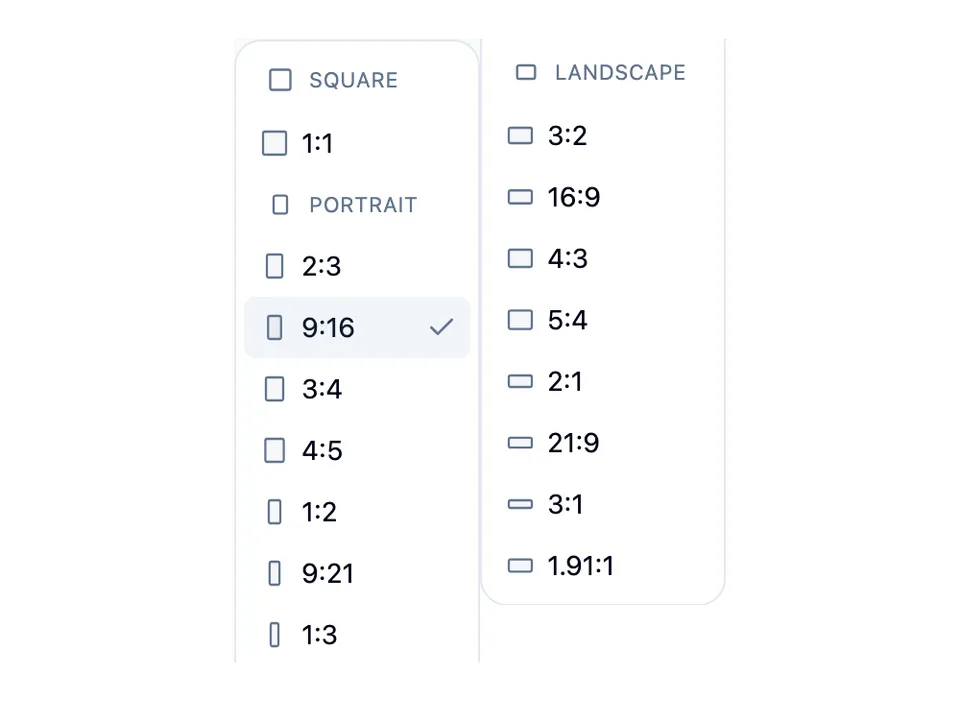
The GPT Image 2.6 aspect ratio menu: 1:1, eight portrait ratios from 2:3 to 1:3, and eight landscape ratios from 3:2 to 1.91:1
- 3:1 and 2:1 for website banners, email headers and wide hero images.
- 21:9 for cinematic, widescreen scenes.
- 1:2, 9:21 and 1:3 for tall images such as scrolling story layouts.
- 1.91:1 for link and feed ads.
How to use GPT Image 2.6 on Starpop
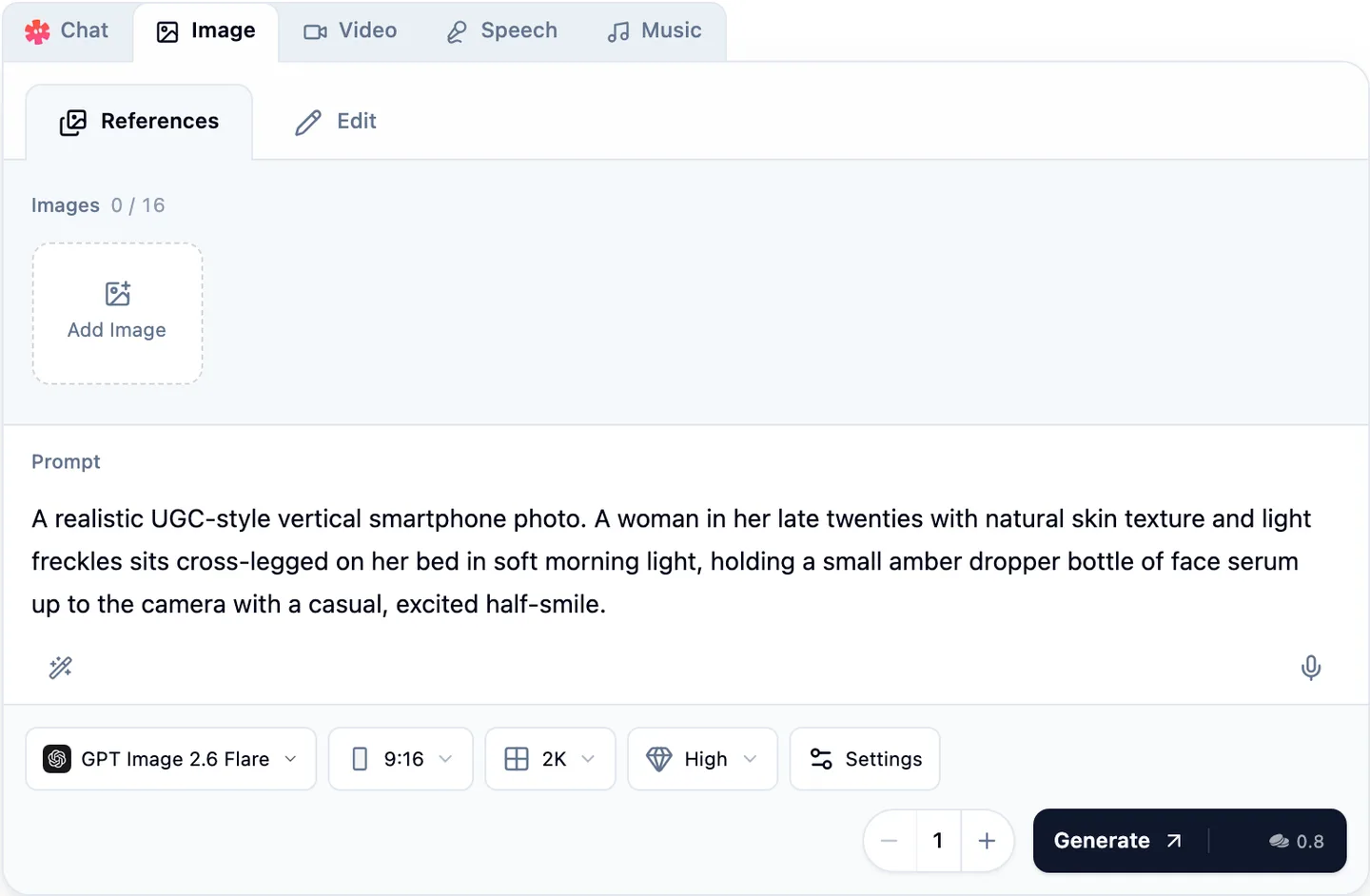
The Starpop Image composer with GPT Image 2.6 Flare, a UGC selfie prompt, 9:16, 2K, High quality, and a 0.8-credit Generate button
- Open the Image tab in the workspace composer, then choose GPT Image 2.6 Flare or GPT Image 2.6 Sunburst from the model picker.
- Stay on References to create a new image. Add up to 16 images when the result should follow a product, character or visual style.
- To change an existing image, choose Edit, add the Image to edit, and add up to 15 supporting images.
- Write your Prompt. Put any words that must appear in the image in quotation marks.
- Choose the aspect ratio, resolution (1K, 2K or 4K) and quality (Auto, Low, Medium, High, Extra High or Max). Under Settings, set the Background to Auto, Transparent or Opaque.
- Review the credit total and select Generate.
Prompts can be up to 32,000 characters long. Starpop creates still PNG images with GPT Image 2.6. OpenAI's animated GIF and SVG outputs aren't available in Starpop.
What it costs
The price depends on the resolution, the quality, and the shape of the image. At the same resolution, square images cost more than wide or tall ones.
| Quality | 1K, 9:16 or 16:9 | 2K, 9:16 or 16:9 | 4K, 9:16 or 16:9 |
|---|---|---|---|
| Low | 0.4 | 0.4 | 0.8 |
| Medium | 0.5 | 0.7 | 1.5 |
| High | 0.6 | 0.8 | 2 |
| Extra High | 1 | 1.5 | 3 |
| Max | 2.5 | 3 | 6.5 |
A square image at 2K and High costs 2 credits, and the most expensive option, a 4K square at Max, costs 11 credits. Auto uses Medium quality and costs the same as Medium. Each reference image adds 0.25 credits. The Generate button always shows the exact total before you create anything.
Use it in chat
You can also ask Star for GPT Image 2.6 by name in chat, for example: "Use GPT Image 2.6 Sunburst to make a 4:5 ad of this product on a marble counter." Star uses that model for the image.