Contents
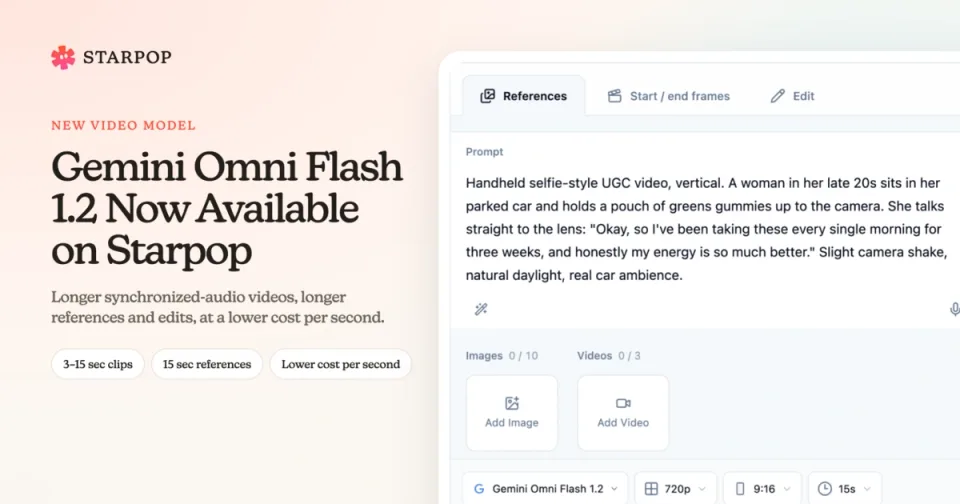
0%Gemini Omni Flash 1.2 is now available on Starpop. It creates video and sound together, just like Gemini Omni Flash 1.1, but it gives you more room for each idea. A hook, a product demo, and a closing line can now fit into one 15-second take instead of being stitched together from shorter clips.
Same prompt, both models
We gave Gemini Omni Flash 1.1 and 1.2 the same prompts in Starpop. Every clip below is 10 seconds at 720p, and the sound was generated by the model. Turn on the sound to hear it.
A 3D animated short
A 3D animated Pixar-style short film scene: a small, round-bodied robot with big expressive glass eyes discovers a single glowing orange flower growing through a crack on an abandoned rooftop garden at golden hour. The robot slowly kneels, tilts its head curiously, and gently cups the flower with its metal hands while dust motes float in warm sunlight. The camera slowly pushes in from a wide shot to a close-up of the flower reflected in the robot's eyes. Soft whimsical orchestral music; the robot makes a quiet, delighted beep.
Gemini Omni Flash 1.1
Gemini Omni Flash 1.2
Both videos were made in Starpop from the prompt above at 16:9.
Both models follow the shot from the wide opening to the reflection in the robot's eyes. Gemini Omni Flash 1.2 gives the scene a cleaner city backdrop and a brighter, more polished finish.
A UGC selfie testimonial
Handheld selfie-style UGC video shot on an iPhone front camera, vertical. A woman in her late 20s with a messy bun and minimal makeup sits in the driver's seat of her parked car, natural daylight coming through the window. She holds a matte green pouch of greens gummies up to the camera and talks directly to the lens in a casual, excited tone: "Okay, so I've been taking these every single morning for three weeks, and honestly my energy is so much better. And they actually taste good!" She shakes the pouch, laughs, and pops one gummy in her mouth. Slight camera shake, authentic and unpolished, real car ambience.
Gemini Omni Flash 1.1
Gemini Omni Flash 1.2
Both videos were made in Starpop from the prompt above at 9:16. The product is fictional.
Both models speak the scripted line word for word. Gemini Omni Flash 1.2 has more natural expressions and a looser handheld feel, while 1.1 follows the driver's-seat detail more literally.
What's new compared with 1.1
- Longer videos: Choose any length from 3 to 15 seconds. Gemini Omni Flash 1.1 stops at 10 seconds.
- Longer reference clips: Each reference video can be up to 15 seconds instead of 3.
- Longer edits: Edit a source video of up to 15 seconds in one pass.
- Lower cost per second: 720p, 1080p, and 4K cost less than they do with Gemini Omni Flash 1.1.
Everything else you used in 1.1 is still here: text prompts, start and end frames, up to 10 reference images, 16:9 and 9:16 output, and resolutions from 360p to 4K.
Make videos up to 15 seconds long
Pick a duration from 3 to 15 seconds, one second at a time. That's enough for a full UGC testimonial, a product walkthrough with a voiceover, or a short story that needs a beginning, middle, and end.
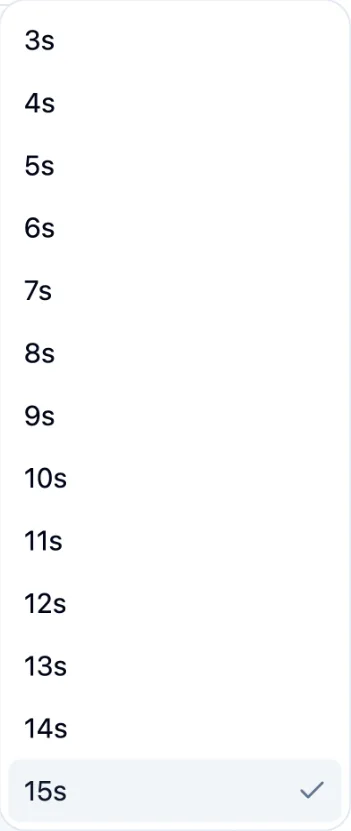
The Gemini Omni Flash 1.2 duration menu with every option from 3 to 15 seconds
When you add both a start frame and an end frame, a video can be up to 10 seconds long. Starpop hides the longer options while two frames are selected, so you always see the lengths that work.
Guide it with longer reference clips
In References mode, you can combine up to 10 images and 3 videos. Each reference video can now be up to 15 seconds, so a whole camera move, product demo, or performance can guide the result instead of a 3-second snippet.
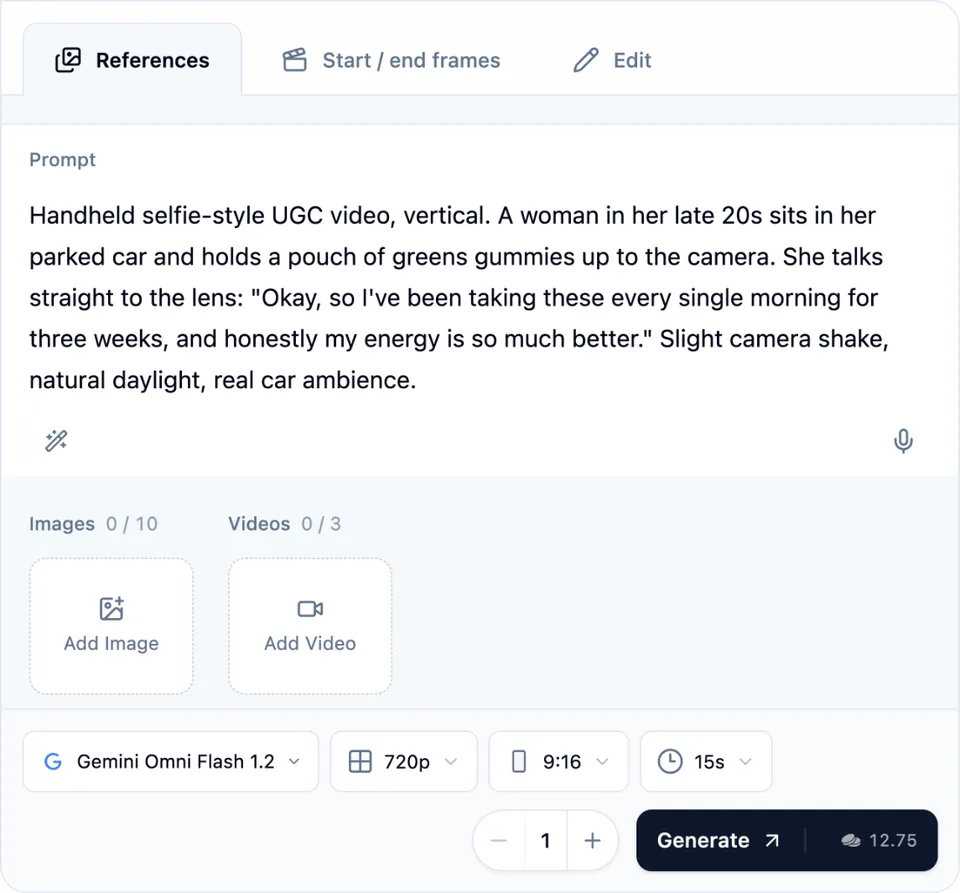
The Gemini Omni Flash 1.2 References form with a prompt, room for 10 images and 3 videos, 9:16 output, and a 15-second duration
If a reference video is longer than 15 seconds, Starpop uses its first 15 seconds.
Edit longer clips
In Edit mode, add one source video of up to 15 seconds and describe the change in plain language. Say what should change and what must stay the same, such as the face, the voice, the dialogue, or the camera movement.
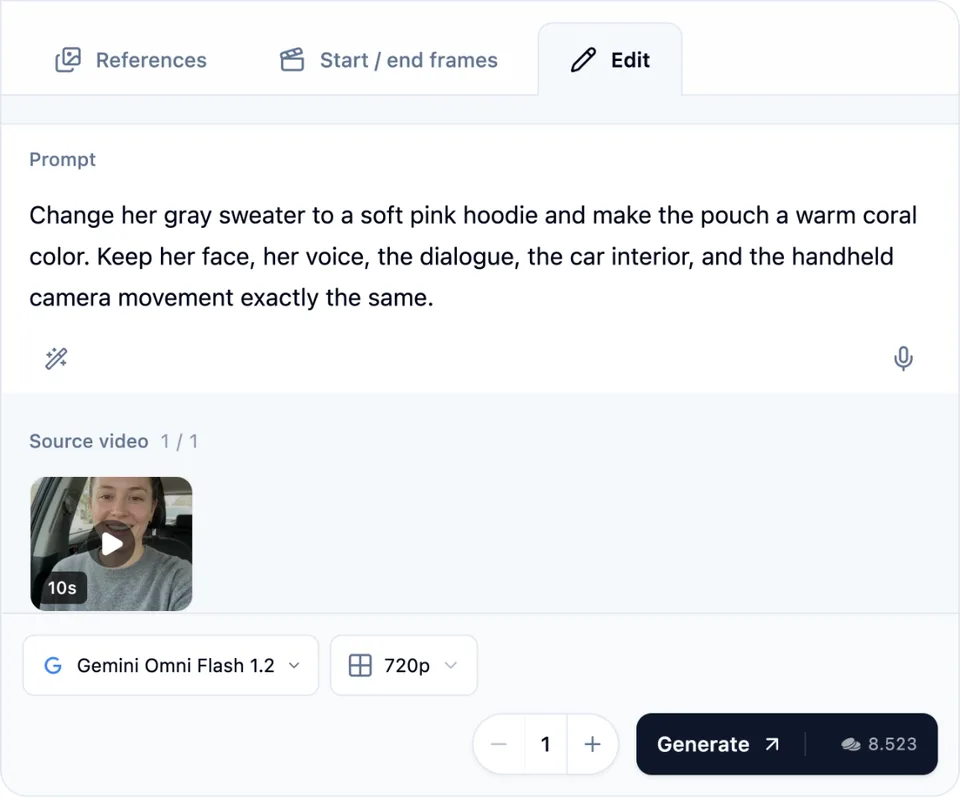
The Gemini Omni Flash 1.2 Edit form with a 10-second source video and an instruction to change the sweater and pouch color
You choose the resolution, and the cost is based on the length of your source clip. If a source video is longer than 15 seconds, shorten it before you edit.
Pay less per second
Gemini Omni Flash 1.2 costs less than 1.1 at 720p and above:
| Credits per second | 1.1 | 1.2 |
|---|---|---|
| 360p | 0.3 | 0.3 |
| 720p | 1 | 0.85 |
| 1080p | 1.5 | 1.25 |
| 4K | 3 | 2.5 |
A 10-second 720p video costs 8.5 credits instead of 10. The total is shown on the Generate button before you start.
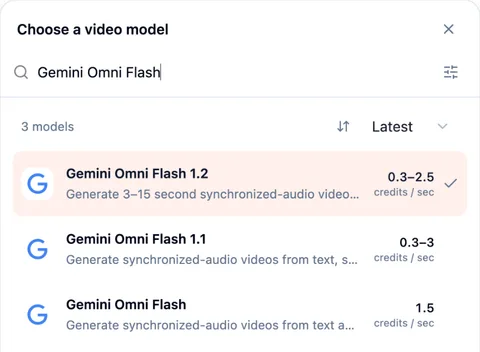
The Starpop model picker showing Gemini Omni Flash 1.2 at 0.3 to 2.5 credits per second and Gemini Omni Flash 1.1 at 0.3 to 3 credits per second
How to use Gemini Omni Flash 1.2
Open Video
In your Starpop workspace, select Video and choose Gemini Omni Flash 1.2 from the model picker.
Choose a mode
Select References to start from a prompt or guide the result with images and videos, Start / end frames to set the opening and closing shot, or Edit to change an existing video.
Write the prompt
Describe the scene, action, camera movement, dialogue, and sound. In Edit mode, say what should change and what should stay the same.
Add your media
Add up to 10 images and 3 reference videos of up to 15 seconds each, one or two frames, or one source video of up to 15 seconds.
Choose the output
Pick 16:9 or 9:16, a duration from 3 to 15 seconds, and 360p, 720p, 1080p, or 4K. Check the credit total and select Generate.
Use it in chat or from your own AI assistant
Gemini Omni Flash 1.2 is also available in Starpop chat. Ask Star to use it, describe the video you want, and point to the media that should become frames, references, or the source video. Star can prepare the draft for you to review before generation. When you ask for realistic footage, Star now suggests Gemini Omni Flash 1.2 first.
If you've connected ChatGPT, Claude, or another assistant to Starpop, it can use Gemini Omni Flash 1.2 too.