Contents
0%Finding out what the fastest-growing brands are running on Meta usually means checking one advertiser at a time in Meta’s Ad Library, scrolling through thousands of ads, and guessing which ones matter.
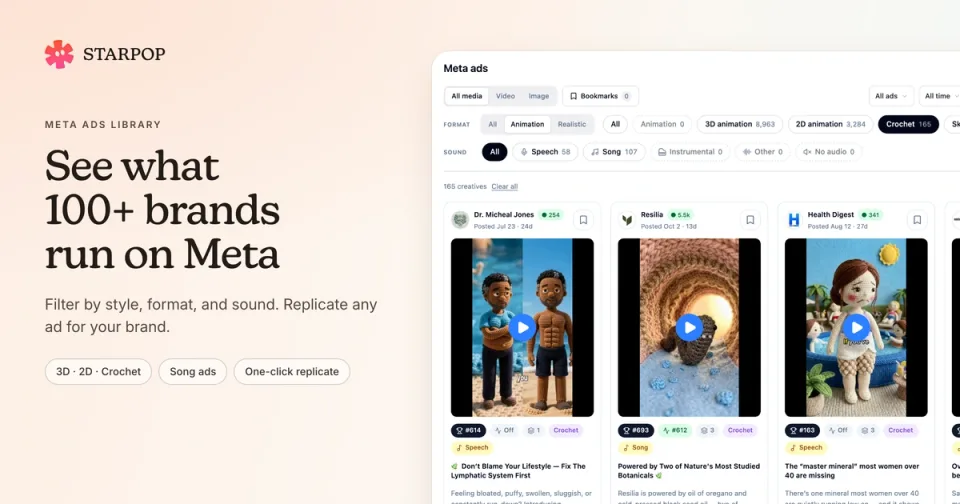
Starpop now tracks the Meta ads of more than 100 fast-growing DTC brands, including Resilia and RYZE Superfoods. Open Inspiration → Meta ads to browse more than 150,000 of their ads. Filter them by style, format, and sound, see which creatives each brand pushes hardest, and replicate any ad for your own brand in one click.
The Meta ads library is available on paid Starpop plans.
Browse the ads 100+ brands are running
The Ad accounts list shows every tracked account with its active and total ad counts. Accounts that belong to the same brand are grouped together. Use Search brands to jump to one, or stay on All brands to browse everything at once.
Choose a brand to see its collected ads in one place, including videos and images, running and stopped. Alongside Resilia and RYZE Superfoods, you’ll find brands such as Hismile, hims, True Classic, Dollar Shave Club, PetLab Co., and Everyday Dose.
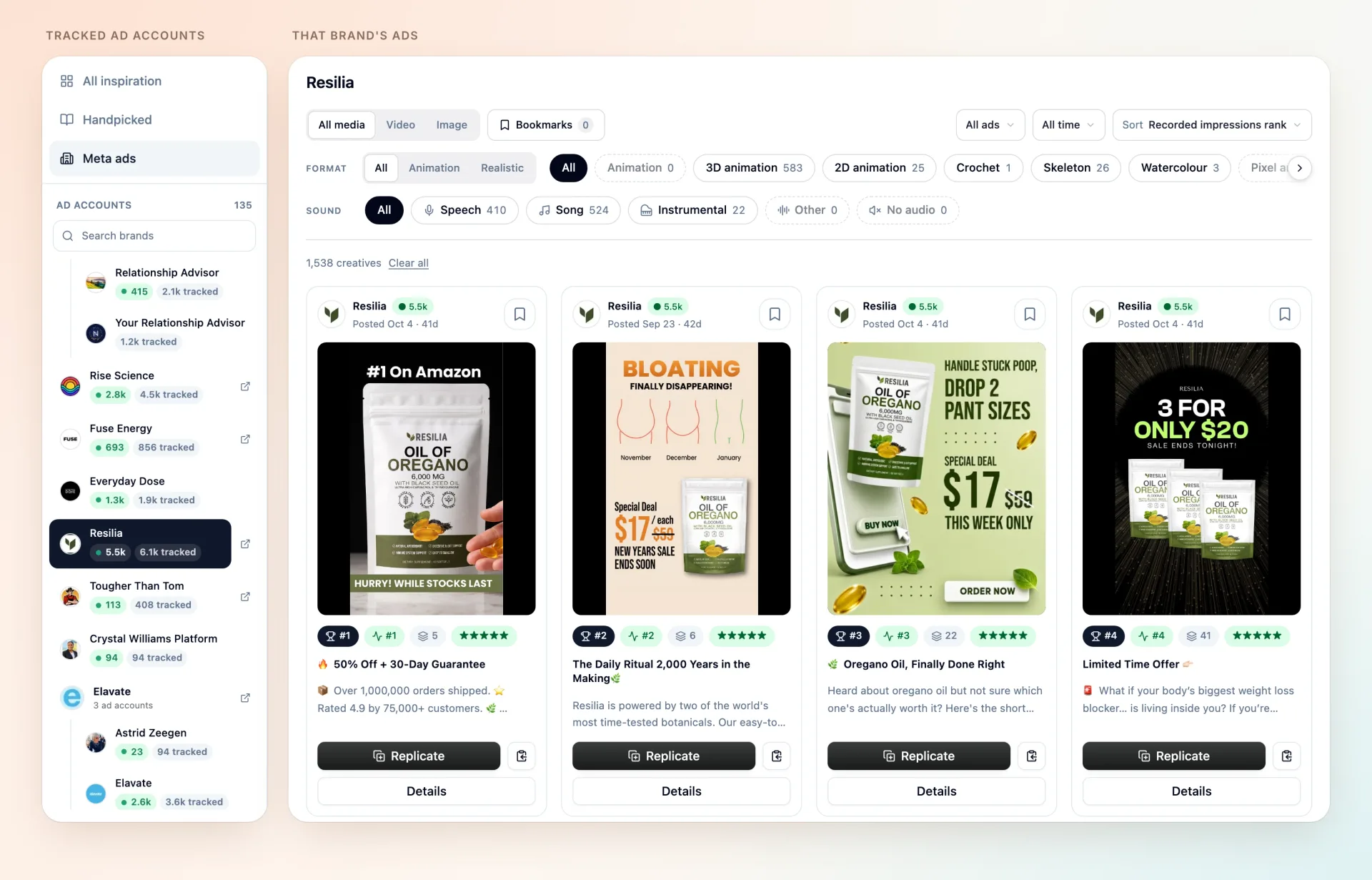
The Meta ads library with Resilia selected in the Ad accounts list and Resilia’s top-ranked ads in the gallery.
Results start sorted by Recorded impressions rank, so each brand’s most-shown creatives come first. Switch to Longest running to find the ads that have run the longest, or Newest launch to see what a brand is testing now. You can also narrow the gallery by media type, by Active or Inactive status, and by launch date: today, the last 7 days, or the last 30 days.
Filter by animation format
Every ad is classified as Animation or Realistic. Choose Animation, and the Format row lists the animated styles brands are running:
- 3D animation
- 2D animation
- Crochet
- Skeleton
- Claymation
- Watercolour
- Paper
- Lego
- Low poly
- Pixel art
Each format shows how many ads match your other filters, so you can see at a glance which styles a brand uses most.
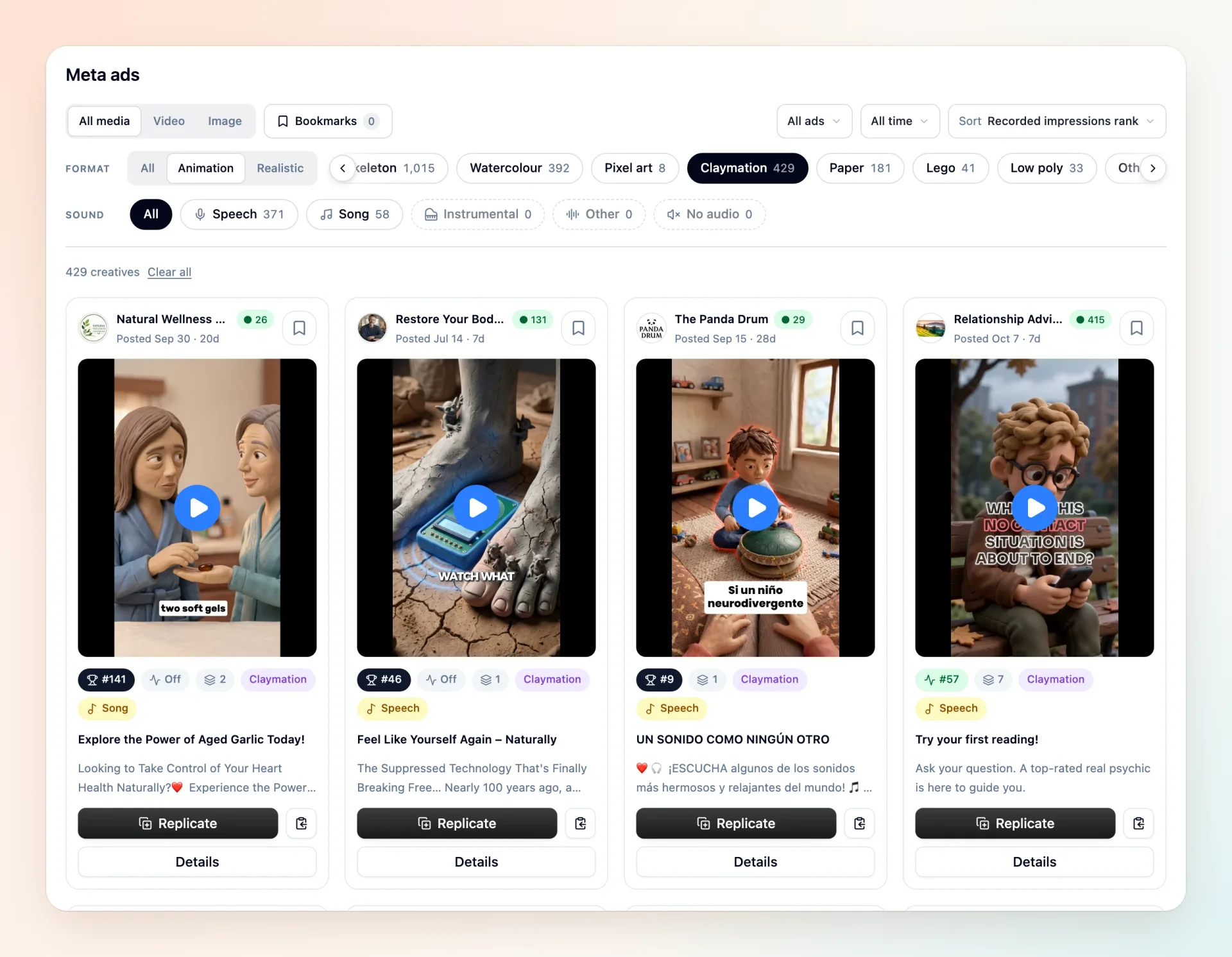
The Format row with Animation and Claymation selected, showing claymation ads from several brands.
Use it to answer questions like “Which brands are running crochet ads?” or “What does a claymation ad look like for a supplement?” Select a brand first to see only its 3D ads.
Find song-style ads with the Sound filter
The Sound row tells you what you’ll hear in each video ad: Speech, Song, Instrumental, Other, or No audio. An ad can have more than one.
Choose Song to find jingle-style ads. Combine it with Animation to see animated song ads across every tracked brand, or with a single brand to see how it uses music.
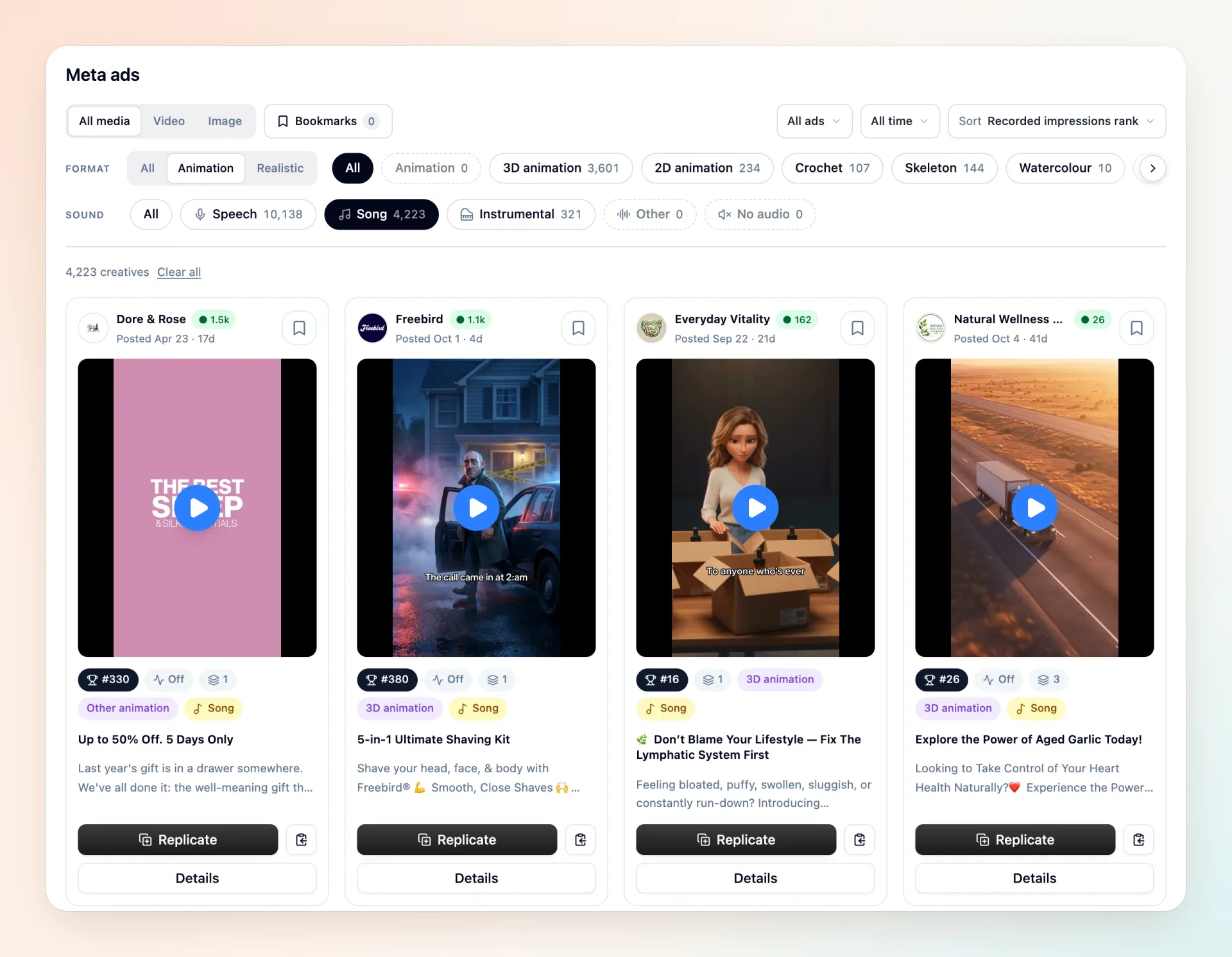
Animation and Song selected together, showing animated song ads with their format and Song badges.
Images have no sound, so the Sound filter is unavailable while Image is selected.
See which ads each brand pushes hardest
Meta doesn’t publish spend or sales for these ads. Starpop records how each ad ranks by impressions among the same brand’s ads, then turns that into signals you can scan from the gallery:
- Rank: the ad’s best recorded all-time impressions rank within that brand. #1 has been shown most.
- Active rank: its rank among the brand’s ads that were running when collected. Off means every ad using that creative had stopped.
- Ads using this creative: how many of the brand’s ads share the same video or image. A high count means the brand keeps reusing it.
- ★★★★★ or ★★★★: the top 1% of the brand’s ranked ads that ran at least 14 days, or the top 5% that ran at least 7 days.
Choose Details for the full picture. You’ll see the all-time and active rank out of the brand’s ranked ads, such as #5 of 999, along with how long the ad has run, its call to action and landing page, and its style, format, and audio. You’ll also see the other ads that use the same creative. When an ad has moved noticeably in the brand’s active ranking, a badge shows how many places it has climbed or fallen.
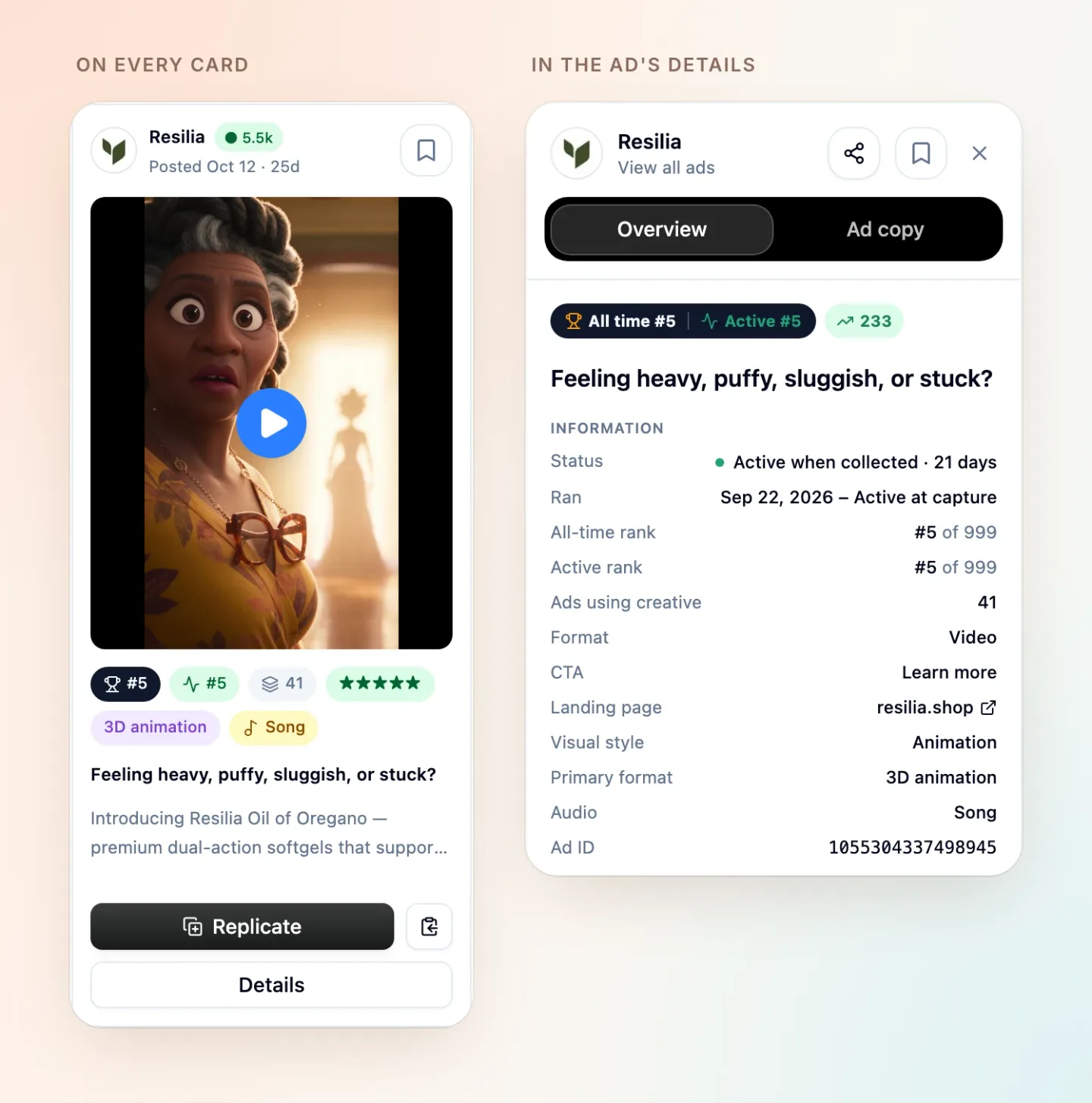
A Resilia ad card with its rank, active rank, 41 ads using the creative, and a five-star tier, beside its details: all-time and active rank #5 of 999, running 21 days.
The Ad copy tab shows the headline, body copy, and call to action. View in Meta Ad Library opens the original listing.
Ranks compare an ad with the same brand’s other ads by impressions. They show what a brand keeps putting in front of people, not its sales or ROAS. Use them to build a shortlist, then decide what fits your product.
Replicate any ad in one click
When you find an ad worth making your own, choose Replicate on its card or Replicate this ad in its details.
Starpop starts a new chat in your current project with the ad attached. Before it makes anything, it confirms your goal:
- What to keep from the ad and what to replace.
- Whether to stay close to the original, swapping in your product or actor, or take inspiration from it and make something new.
Then it helps you produce the ad. For a video, a close replication follows the original’s shots and timing.
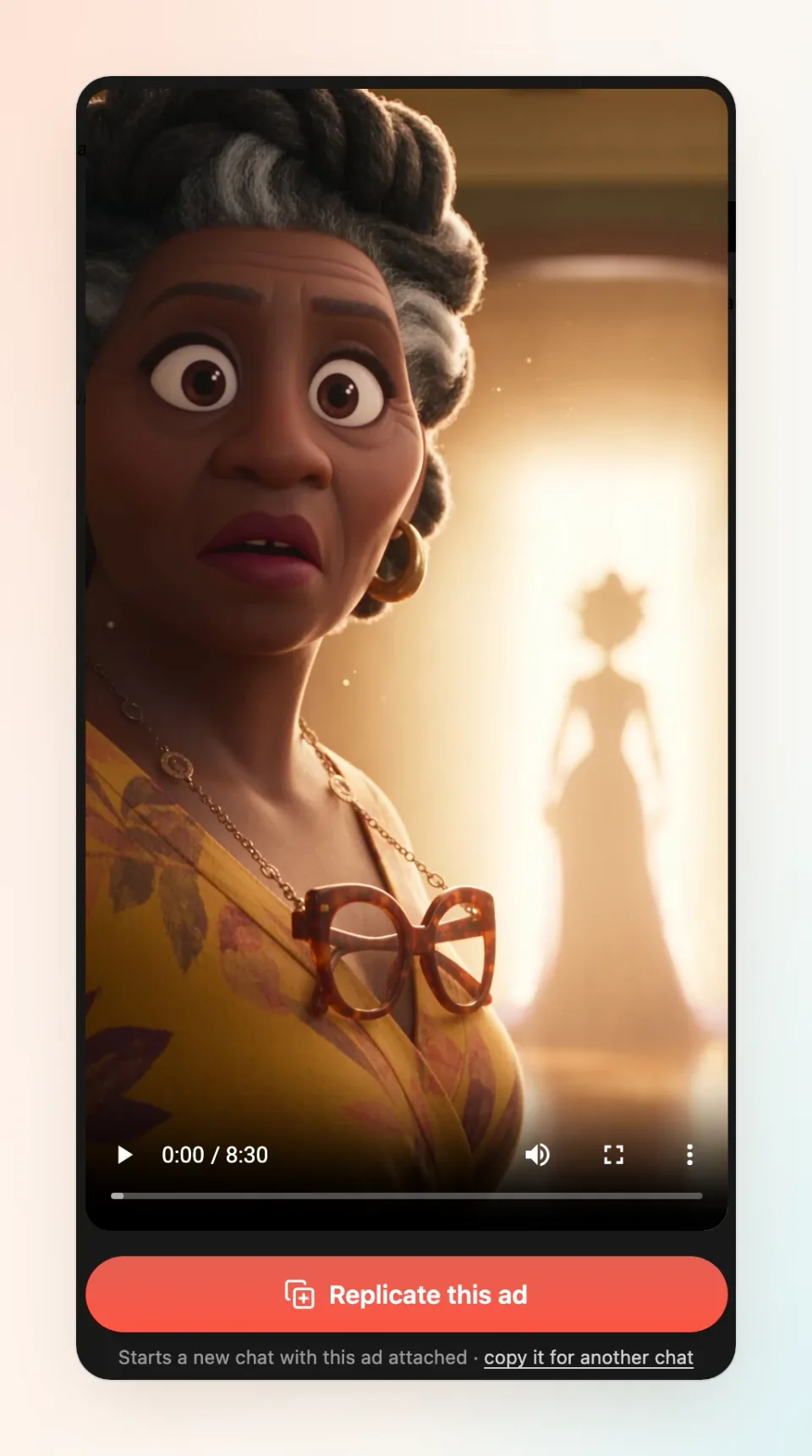
An ad open in Starpop with the Replicate this ad button, which starts a new chat with the ad attached.
To get the most from it, select a project linked to your brand first, so Starpop can use your products and brand guidance. Then:
- Choose Inspiration → Meta ads.
- Pick a brand, or filter by style, format, and sound.
- Compare ranks and star tiers, then open Details on a creative that stands out.
- Choose Replicate this ad, then tell Starpop what to keep and what to change.
To use an ad in a chat you already have open, choose the copy button next to Replicate, or copy it for another chat in its details. Paste it into the chat to attach it.
Keep the ads you like close
- Bookmarks: Select the bookmark icon on any ad, then choose Bookmarks to see only your saved ads. Bookmarks are saved in your current browser.
- Share: In an ad’s details, use the share button to copy a link straight to that ad.
- Your project home: Each project’s home page now shows rows of Animation and Realistic video ads that are still running and in the five-star tier, one per brand, with the longest-running first. Choose See all to open the library with that style already selected.
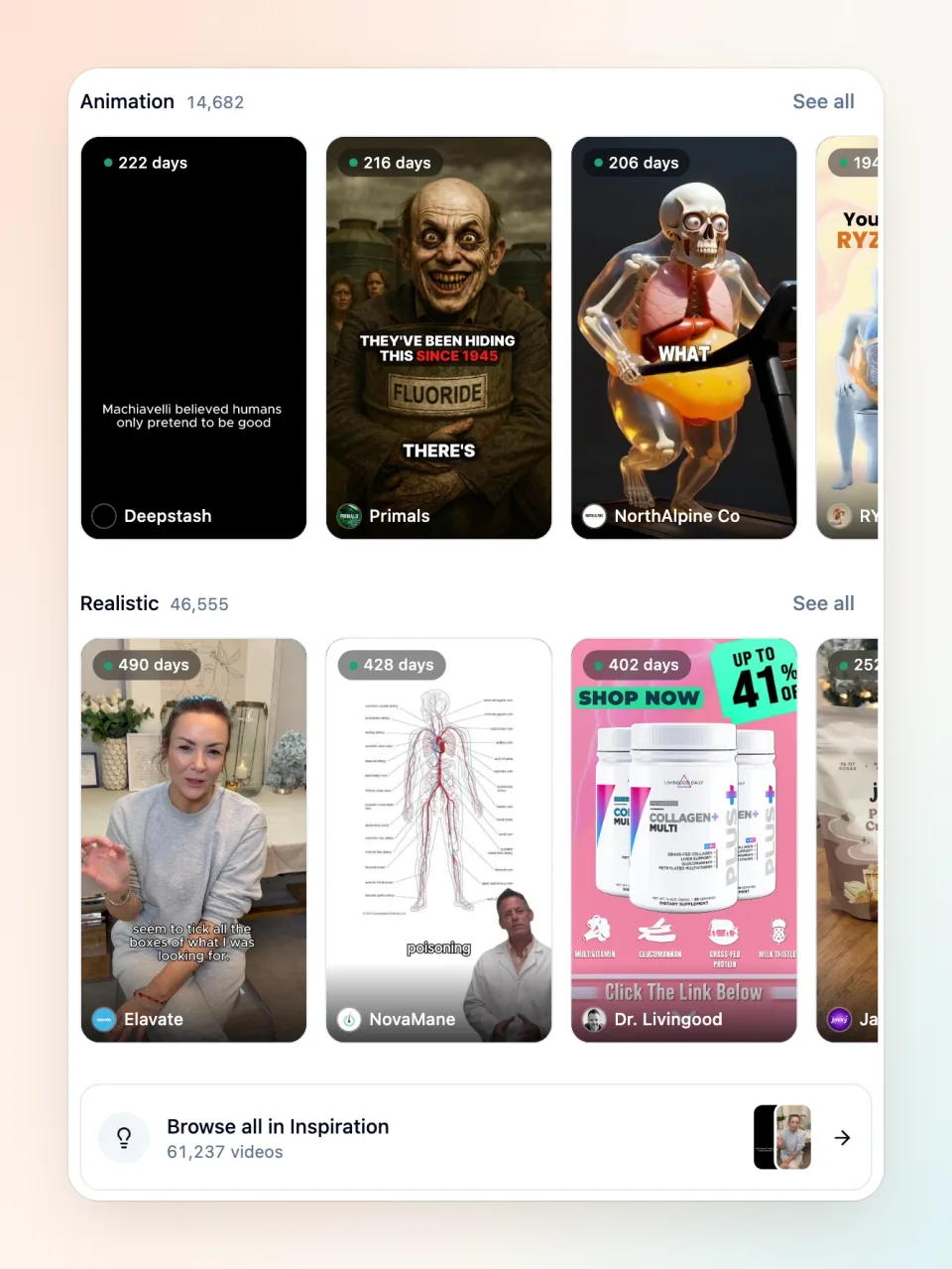
The Animation and Realistic rows on a project’s home page, each showing long-running ads with their run length and a See all link.
Start with a brand you admire or a format you’ve wanted to try, and turn its strongest creative into your next ad.