Contents
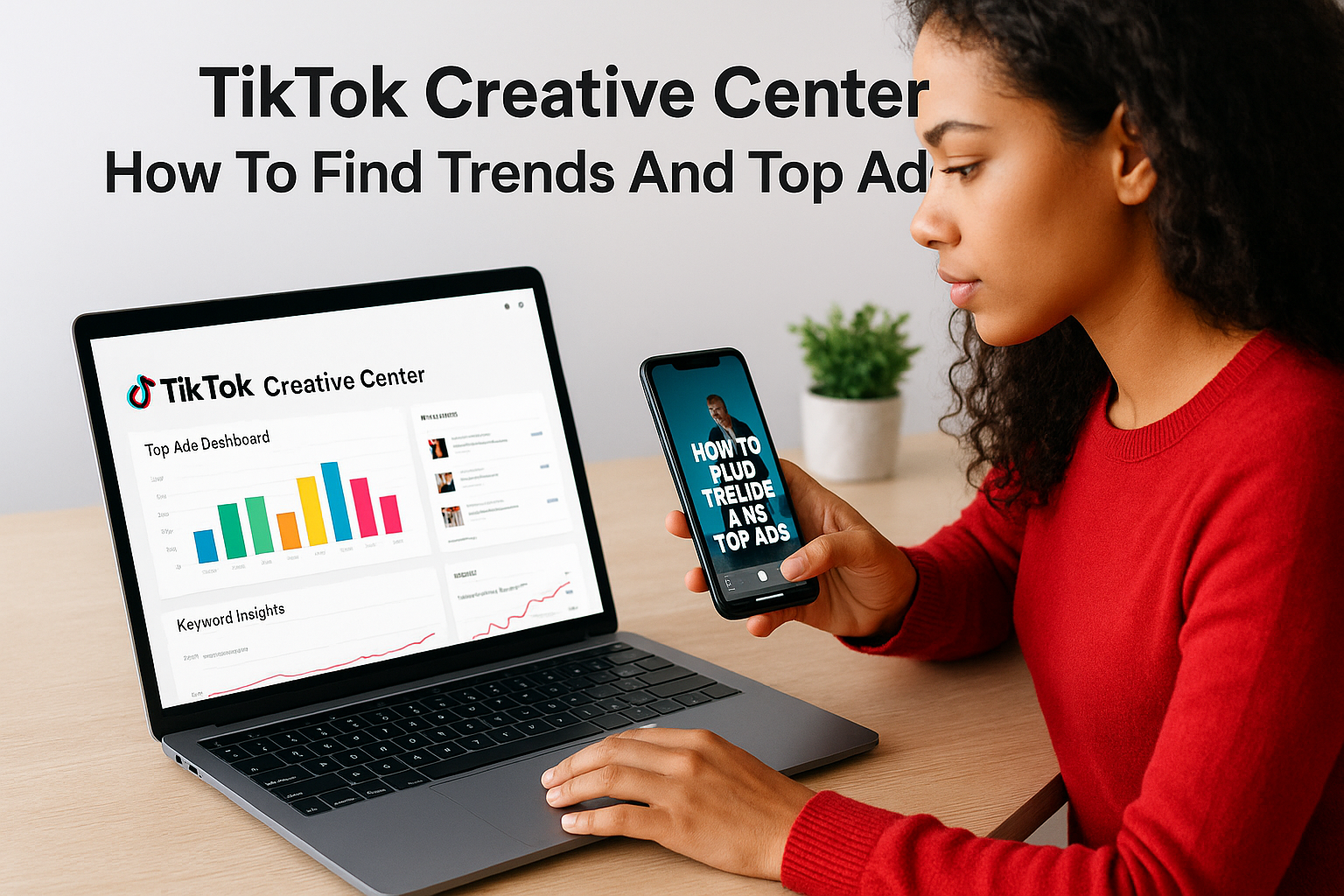
0%The TikTok Creative Center is TikTok's free research hub where advertisers and creators can browse top-performing ads, trending hashtags, popular songs, and creative insights, all pulled directly from real platform data. If you run ads on TikTok or create content for brands, it's one of the most useful tools you're probably underusing.
But knowing the tool exists and actually using it well are two different things. Most people open the Creative Center, scroll through a few ads, and leave without a clear takeaway. The real value comes when you understand how to filter, analyze, and act on what it shows you, turning raw trend data into ad concepts you can actually produce.
That's where this guide (and a tool like Starpop) comes in. We'll walk you through every major feature of the TikTok Creative Center, show you how to find trends and high-performing ad formats, and explain how to turn those insights into ready-to-launch creative assets. Starpop's Video Analyzer and AI generation tools are built specifically for this workflow: spot what's working, then recreate it with AI-generated UGC, voiceovers, and visuals, no production crew needed.
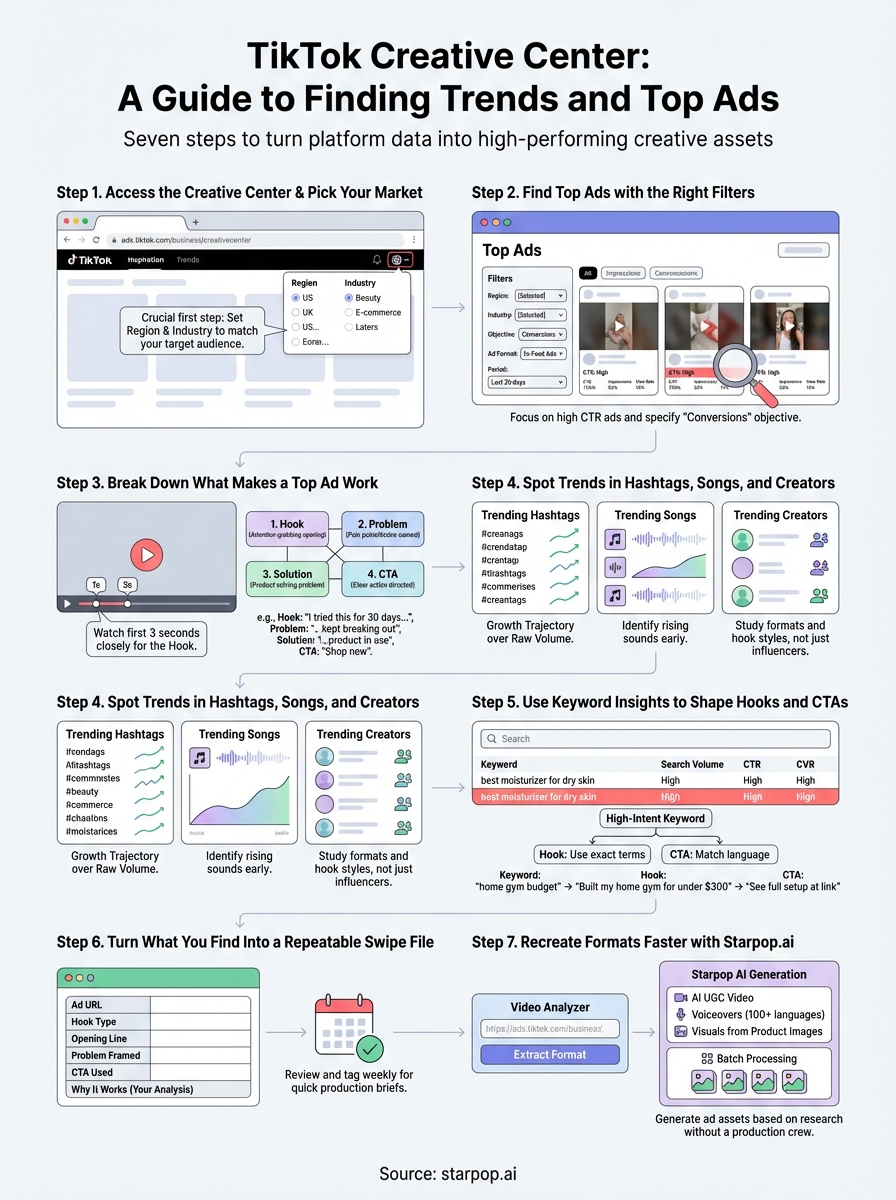
Here's exactly how to use TikTok Creative Center, step by step.
What TikTok Creative Center is and why it matters
The TikTok Creative Center is a free platform built and maintained by TikTok that gives advertisers, marketers, and content creators direct access to real performance data from the platform itself. Unlike third-party tools that scrape estimates, this is first-party data, meaning TikTok is showing you exactly what's working on its own platform. You can browse top-performing ads, explore trending hashtags, discover popular sounds, identify high-performing creators, and research the keywords people search before watching or clicking on content.
What the platform actually gives you
The Creative Center organizes its tools into several distinct sections. Each one answers a different question you'd ask when planning a TikTok ad campaign or content strategy. Here's a breakdown of the core tools available:
| Tool | What it shows you |
|---|---|
| Top Ads | Best-performing paid ads filtered by industry, region, objective, and time period |
| Trending Hashtags | Hashtags gaining momentum, with volume trends and post counts |
| Trending Songs | Popular audio tracks used in ads and organic content |
| Keyword Insights | Search terms users type into TikTok, with CTR and CVR data |
| Creator Marketplace | Vetted creators available for paid partnerships |
| Creative Insights | Pattern-based guidance on what ad structures and hooks drive results |
Each tool connects to the others. A trending sound you spot in a top ad might also appear in hashtag trends, which tells you a specific format or theme is building momentum across the platform right now. That overlap between tools is where the real insight lives.
Why this data matters more than guessing
Most marketers build TikTok ads based on gut instinct or by copying what they see scrolling their personal feed. That approach is slow and unreliable because your personal feed is filtered by your own behavior, not your target audience's. The Creative Center gives you a systematic way to skip the guesswork and build your strategy around ads and formats that have already proven they convert with real audiences.
The difference between a brand that scales on TikTok and one that burns budget on failed ads often comes down to whether they research before they produce.
Your competition is likely not using this tool to its full potential. When you understand how to filter for your specific industry and region, analyze individual ad structures, and track which trends are rising versus fading, you develop a real research edge that shows up directly in your creative output and conversion rates.
Who gets the most out of it
The TikTok Creative Center delivers the most value for e-commerce brand owners and performance marketers who need to produce high-converting ad creative at volume. If you run paid campaigns, manage a brand's social presence, or work at an agency handling multiple clients, the platform gives you a structured research process to ground your creative decisions in real data rather than assumptions.
You don't need a TikTok account with millions of followers or a large ad budget to access most of its features. Several sections are fully accessible without logging in, making it one of the most accessible competitive research tools available for social media marketing. The barrier to entry is low, but the upside of using it consistently and strategically is significant.
Step 1. Access the Creative Center and pick your market
Go to ads.tiktok.com/business/creativecenter in your browser. You don't need an active TikTok Ads account to access most of the platform's research tools, though signing in unlocks additional features like saving ads to a personal collection and accessing deeper keyword data. For most of what this guide covers, you can start browsing without an account.
Before clicking into any section, notice that the top navigation organizes everything into Inspiration, Trends, Audience Insights, and Creative Tools. The first thing to do is configure your market settings correctly. Skipping this step means you'll be looking at data that may have nothing to do with the audience you're actually trying to reach.
How to get there
The TikTok Creative Center is part of TikTok's advertising ecosystem, but it's designed to be accessible to anyone doing research, not just active media buyers. Navigate directly to the Creative Center in your browser. If you have a TikTok for Business account, log in first. If you don't, you can still access Trending Hashtags, Top Ads, Trending Songs, and Keyword Insights without creating one.
After landing on the homepage, you'll see that the default view often pulls global or US-based data. Before spending time browsing ads or trends, locate the region selector and change it to match the market you actually sell into.
Set your region and industry before you start browsing
Every section of the TikTok Creative Center includes a region filter in the top-right corner of the page. This is the single most important setting to configure before you do anything else. If you sell primarily in the UK, Germany, or Southeast Asia but you're looking at US-based top ads, the formats, hooks, and trending sounds you see won't translate directly to your audience.
Filtering by the wrong region is the most common reason marketers walk away from the Creative Center without useful insights.
Beyond region, most sections also let you filter by industry vertical, such as e-commerce, beauty, gaming, or food and beverage. Selecting your industry narrows the data significantly. Instead of browsing hundreds of unrelated ads, you see what's performing specifically for brands like yours. Set both filters as your first action every time you open the platform.
Step 2. Find top ads with the right filters
The Top Ads section is the most directly useful part of the TikTok Creative Center for anyone running paid campaigns. It shows you real ads that are actively performing well, ranked by engagement metrics like click-through rate, impressions, and video views. The challenge is that without filtering, you're looking at a massive pool of ads across every industry, region, and campaign objective. Filters are what turn that pool into a focused, actionable research tool.
Navigate to the Top Ads dashboard
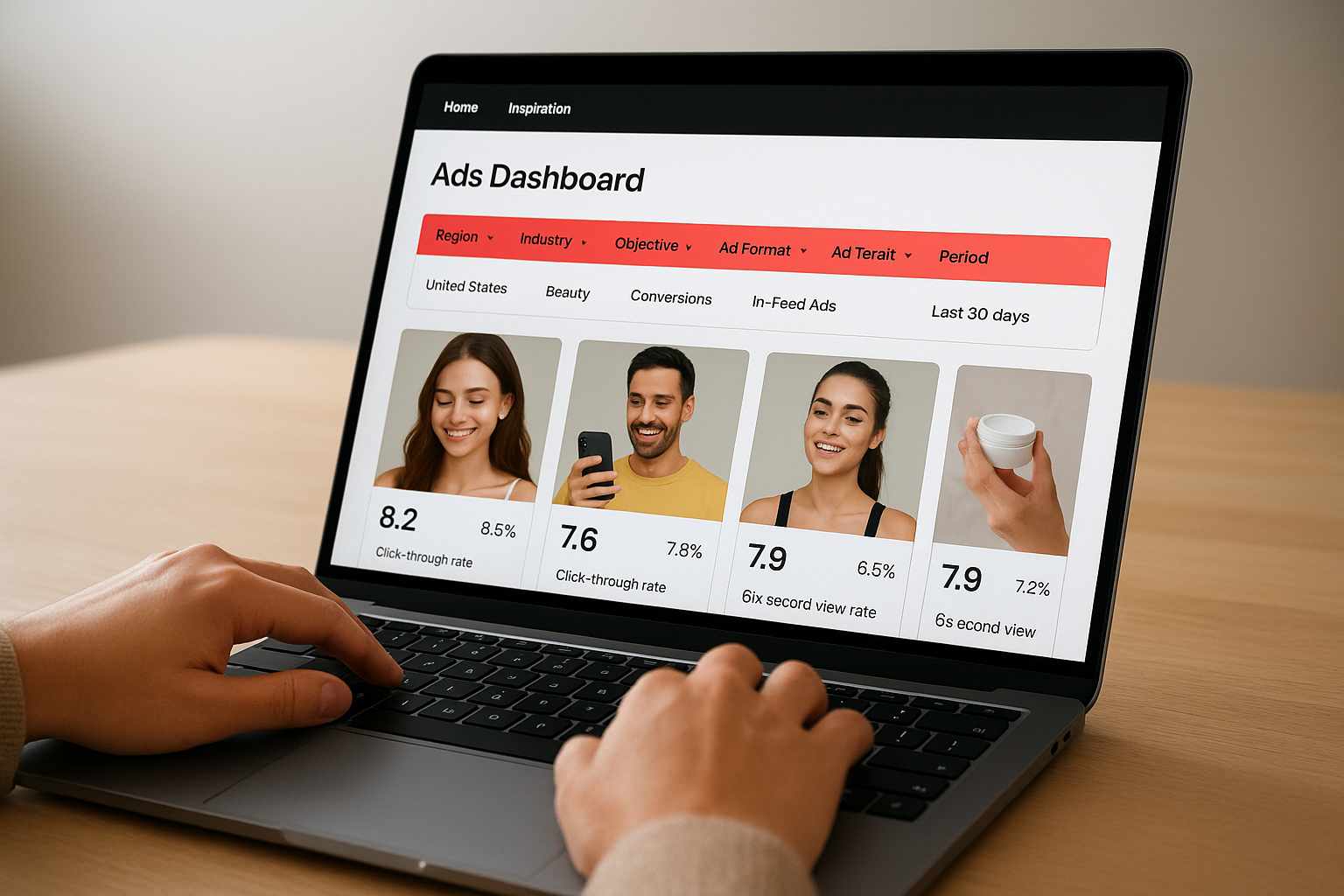
From the Creative Center homepage, click "Inspiration" in the top navigation, then select "Top Ads Dashboard." You'll land on a feed of video ads that are currently performing on TikTok. By default, it shows broad results, so the first thing you need to do is apply your filters before you start analyzing anything. Looking at unfiltered results wastes time and pulls your attention toward ads that have nothing to do with your audience or category.
Apply filters to narrow your results
The filter panel sits along the top of the Top Ads dashboard and gives you several parameters to configure. Work through each filter systematically rather than jumping straight to browsing.
| Filter | What to select |
|---|---|
| Region | The country or market you sell into |
| Industry | Your product category (e.g., beauty, apparel, electronics) |
| Objective | Choose "Conversions" if you're running direct-response ads |
| Ad Format | Start with "In-Feed Ads" for standard campaign formats |
| Period | "Last 30 days" shows current momentum, not outdated trends |
Setting the objective filter to "Conversions" is the single fastest way to cut through noise and find ads that are built to drive purchases, not just views.
Read the performance indicators on each ad card
Once your filters are applied, each ad card shows a performance score and key engagement metrics like click-through rate and six-second view rate. Sort results by CTR first, since that metric tells you which ads are compelling enough to make someone stop scrolling and take action. Click into any ad to see the full video, the brand behind it, the caption, and the call-to-action used. Pay close attention to the first two seconds of each video, because that's where the hook lives and where most of the performance difference shows up.
Step 3. Break down what makes a top ad work
Finding a top ad is only half the job. The real value comes from understanding exactly why it works, so you can apply the same principles to your own creative without just copying it. When you click into an individual ad inside the TikTok Creative Center, treat it as a structured research session rather than casual viewing. You're actively looking for patterns in how the ad opens, builds momentum, and closes with a clear action, because those patterns are what you'll replicate across your own campaigns.
Watch the first three seconds closely
The first three seconds of any TikTok ad determine whether someone keeps watching or scrolls away. When you open a top ad, pause at the one-second mark and again at the three-second mark to identify exactly what the creator shows and says at each moment. Ask yourself whether the hook uses a bold visual, a direct question to the viewer, a surprising claim, or a person speaking directly to camera. Write down the hook type and the opening line of copy before you watch the rest, because this single element drives more of the performance difference than anything else in the video.
The hook is not just the first line of copy. It's the combination of the visual, the sound, and any text overlay all working together in that opening frame.
Identify the structure with a simple framework
Most high-performing TikTok ads follow a four-part structure you can map onto almost every top ad you analyze. Use this breakdown template as you work through each ad in your research session:
| Part | What to look for | Example |
|---|---|---|
| Hook | Attention-grabbing opening in the first 2-3 seconds | "I tried this for 30 days and here's what happened" |
| Problem | The pain point or desire named early | "I kept breaking out no matter what cleanser I used" |
| Solution | How the product is shown solving the problem | Product in use with a visible before/after result |
| CTA | The action the viewer is directed to take | "Shop now" overlay or verbal "link in bio" callout |
Filling in this table for five to ten top ads in your category turns passive viewing into a structured analysis process. After that exercise, you'll see which hook types and problem framings appear most often across high performers, and those recurring patterns tell you which creative structures your target audience responds to right now. That's the insight you bring into production.
Step 4. Spot trends in hashtags, songs, and creators
The Trends section of the TikTok Creative Center is where you shift from studying individual ads to understanding what the broader platform is responding to right now. Trending hashtags, rising songs, and high-performing creators are all signals of momentum, and momentum on TikTok moves fast. Catching a trend early gives you a real advantage over brands that only react after a format has already peaked.

How to use the hashtag trends tool
From the Creative Center navigation, click "Trends" and select "Hashtags." You'll see a feed of hashtags ranked by growth rate, with a chart showing how post volume has changed over the last 7 or 30 days. The metric to focus on is growth trajectory, not raw volume. A hashtag with 500,000 posts and a steep upward curve is more useful to your campaign than one with 5 million posts that has already flattened. Click into any hashtag to see the top videos using it, which gives you immediate format examples to study.
A rising hashtag with low saturation means you can enter a conversation early, before your competitors flood the space.
Filter hashtags by your industry vertical to cut irrelevant trends from your view. For example, if you sell skincare products, filtering by "Beauty and Personal Care" shows you which content themes and challenges are building momentum specifically within your category.
Find the right sounds before they peak
Navigate to the "Trending Songs" tab under the Trends section. Each audio track shows the number of videos using it and a growth curve over time. Sort by growth rate rather than total use to identify sounds that are climbing now. When you match your ad to a sound that's already gaining traction, TikTok's algorithm gives your content a natural lift because the audio itself is being surfaced to users.
Pay attention to which ads in the Top Ads section are using the same sounds you find here. If a sound appears in multiple high-CTR ads in your category, that's a strong signal the combination of format and audio is resonating with buyers, not just browsers.
Use creator trends to understand format momentum
The "Trending Creators" tab shows which creators are gaining followers and engagement quickly. You're not looking for influencers to hire here. Instead, study their content formats. Creators who grow fast are usually early adopters of a hook style or storytelling structure that the algorithm is rewarding right now, and those same structures translate directly into ad formats you can produce yourself.
Step 5. Use keyword insights to shape hooks and CTAs
The Keyword Insights tool inside the TikTok Creative Center is one of the most underused sections on the platform. It shows you the actual search terms people type into TikTok before they watch content or click on ads, paired with click-through rate and conversion rate data for each term. That combination tells you what your audience is actively looking for and which terms are already proven to drive action.
How to access and read the keyword data
Navigate to "Trends" in the top menu and select "Keyword Insights." You'll see a searchable table of terms with associated metrics. Before browsing, set your industry filter and region to match your target market, the same logic you applied in earlier steps. Then look at each keyword entry using three columns: search volume, click-through rate, and conversion rate.
| Column | What it tells you |
|---|---|
| Search Volume | How many people are searching this term on TikTok |
| Click-Through Rate | How often viewers click ads tied to this keyword |
| Conversion Rate | How often those clicks turn into purchases or sign-ups |
Focus on terms where both CTR and CVR are above average for your category. A high-volume term with low CVR usually means people are browsing, not buying. A moderate-volume term with strong CVR means buyer intent is high, and that's the kind of language worth building your hooks and CTAs around.
Keywords with high CVR are essentially a direct signal of buyer intent - the words your best customers already use when they're ready to act.
Map keywords directly to your hook and CTA copy
Once you identify your top five to ten high-intent keywords, you have a concrete starting point for writing ad copy. Use this template to turn each keyword into a hook and a matching CTA:
| Keyword | Hook using the term | CTA variation |
|---|---|---|
| best moisturizer for dry skin | "Finally found the best moisturizer for dry skin" | "Shop the one that actually works" |
| protein powder without bloating | "This protein powder won't leave you bloated" | "Try it risk-free today" |
| home gym on a budget | "Built my home gym for under $300, here's how" | "See the full setup at the link" |
Fill this template with your own keywords before you write a single word of ad copy. It forces your hooks to use the exact language your audience already types when they're looking to buy, which is what makes the copy feel native rather than forced on TikTok's platform.
Step 6. Turn what you find into a repeatable swipe file
Raw research only creates value when you can act on it later without starting from scratch. Every time you use the TikTok Creative Center to find a top ad, a rising hashtag, or a high-intent keyword, you're generating insights that expire quickly. Trends move fast, and the ad format that's working today may be saturated in three weeks. A swipe file gives you a structured, searchable record of what you found and why it matters, so you can pull from it directly when you're ready to produce.
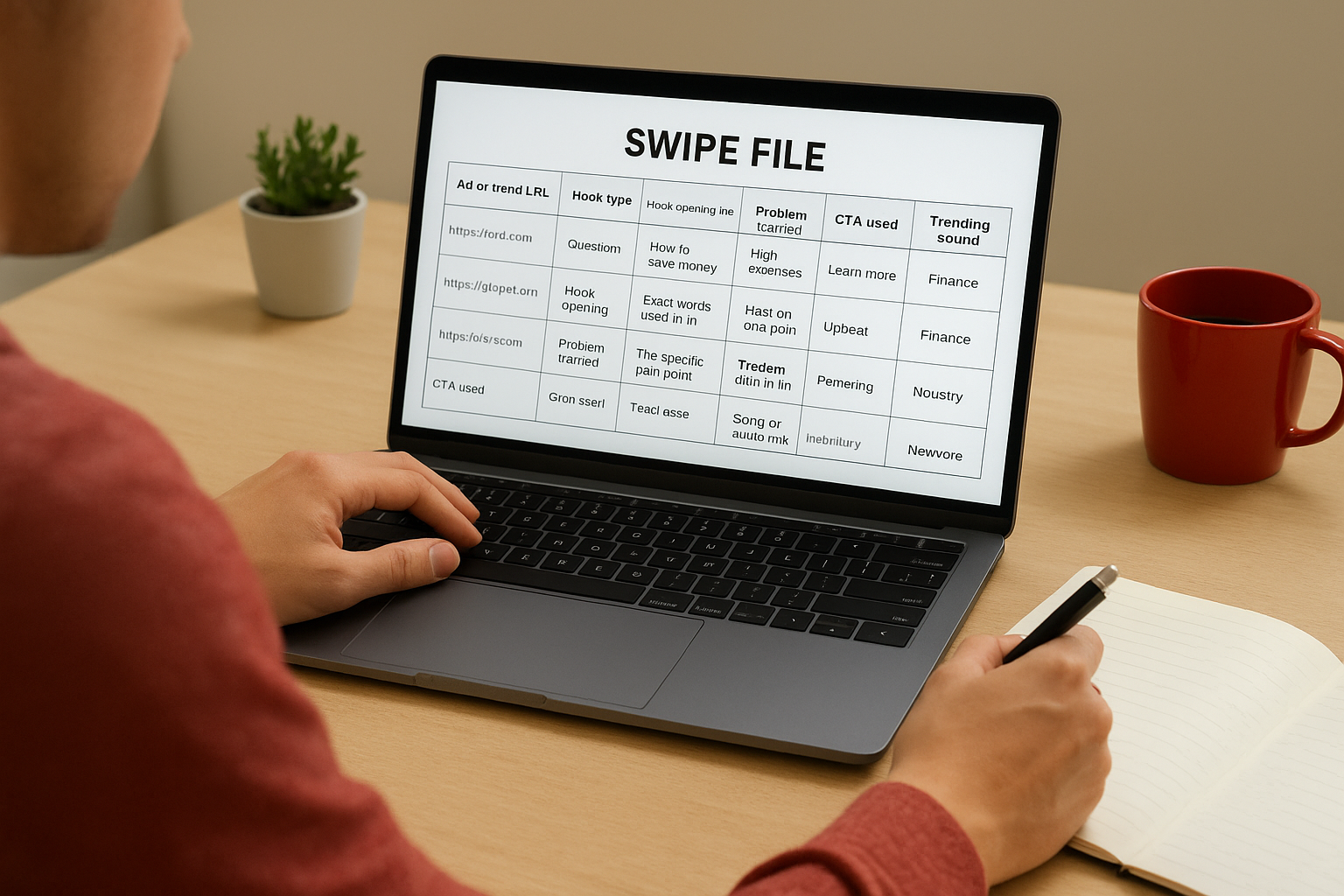
A swipe file is only useful if you build it with enough context that future-you can act on it without rewatching everything from scratch.
Build a structured capture system
Start with a simple spreadsheet or Notion document. For every ad or trend you decide to save, fill in a consistent set of fields rather than just dropping in a link. Consistency is what makes the file usable at scale. Use this template as your starting point and add rows each time you run a research session:
| Field | What to capture |
|---|---|
| Ad or trend URL | Direct link to the Creative Center entry |
| Hook type | Visual, question, bold claim, testimonial, etc. |
| Hook opening line | Exact words used in the first 2-3 seconds |
| Problem framed | The specific pain point named in the ad |
| CTA used | Exact text or verbal call-to-action |
| Trending sound | Song or audio track used, if applicable |
| Industry fit | How closely it matches your product category |
| Why it works | Your 1-2 sentence analysis of the key driver |
Capturing your own analysis in the "why it works" column is the most important habit to build. That commentary is what separates a swipe file from a link dump.
Review and use your swipe file regularly
Set a weekly 20-minute block specifically to review what you've added and tag the entries you want to produce from first. Prioritize rows where both the hook type and the keyword data point in the same direction, meaning the format and the copy language both have evidence behind them.
When you sit down to brief a new ad, open your swipe file before you open a blank document. You'll find that most briefs come together in minutes when you're pulling from structured research rather than trying to invent something from nothing.
Step 7. Recreate formats faster with Starpop.ai
Your swipe file and keyword research from the TikTok Creative Center are only as useful as your ability to act on them quickly. The faster you can move from insight to finished ad, the more tests you can run before a format peaks and loses its edge. Starpop.ai is built specifically for this production step: you bring the research, and the platform handles the generation.
Use the Video Analyzer to extract the format automatically
Starpop's Video Analyzer tool lets you paste a TikTok or Instagram URL directly into the platform. It scrapes the video's performance data and breaks it down scene by scene, pulling out the hook structure, visual composition, and copy patterns into a set of prompts you can immediately use for your own version. Instead of manually transcribing what you see in a top ad from the Creative Center, you get a structured output ready to feed into generation.
This cuts the most time-consuming part of the research-to-production workflow: the manual translation from "I saw this work" to "here's exactly how to rebuild it."
The Video Analyzer turns a finished ad into a production blueprint in seconds, which means you spend your time generating and testing, not reverse-engineering.
Generate your ad assets without a production crew
Once you have your prompts from the Video Analyzer, or from the hook and CTA templates you built in earlier steps, Starpop's AI generation suite handles every asset type you need. You can produce talking-head UGC-style videos with AI-generated characters, add studio-grade voiceovers using voice cloning in over 100 languages, and animate static product images into scroll-stopping video clips, all inside a single platform.
Use the batch processing feature to generate up to 20 asset variations simultaneously. If your keyword research surfaced three strong hooks and your swipe file identified two top-performing visual styles, you can feed all the combinations into Starpop at once and have a full creative test set ready within minutes rather than days.
Match your output to what the data told you
Before you export, compare each generated asset against the hook type and CTA structure you logged in your swipe file. Check that the opening frame delivers the same attention signal as the top ads you analyzed and that the call-to-action uses the high-intent keyword language you pulled from the Creative Center. If both align, you have a data-grounded ad ready to test.
Next steps
You now have a complete workflow: access the TikTok Creative Center, set your market filters, find top ads, analyze their structure, track rising trends, extract high-intent keywords, build a swipe file, and produce assets fast. Each step builds on the last, and the whole system only works when you run it consistently, not as a one-time exercise.
Start this week with a single focused research session. Pick one industry filter, pull the top ten converting ads in your category, and fill in the hook-and-CTA template from Step 5. You'll walk away with enough raw material to brief your next three campaigns.
When you're ready to move from research to production, generate your first AI ad with Starpop. The Video Analyzer handles the reverse-engineering, and the batch generation tools let you test multiple variations before any format loses its edge.